USA
USA UAE
UAESmall Business
Designed for startups and growing businesses


See More





Brand: GitHub
GitHub website development software enables collaborative coding and version control, empowering developers with seamless code sharing, project management, and powerful integrations.
See MoreHave you used Github before?
Share your insights for better experience
Brand: GitHub
Founded Year: 2008
GitHub provides code hosting services that allow developers to build software for open-source and private projects in organizations.
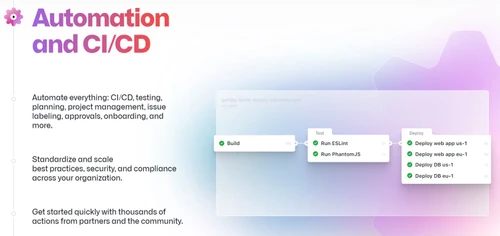
 Audit Logs Git Repository Hosting GitHub Codespaces Collaboration Coding Automation &CI/CD Security Client App Project Management Team Administration

Watch the demo video to explore key features, real workflows, and how the software fits your business needs.
 Windows
  iOS
iOS  Android MacOS
  Desktop
  Mobile
  Tablet
  iPad
iPad  Cloud-Based


Small Business
Designed for startups and growing businesses
Medium Business
Built for business growth and flexibility
Enterprises
Designed for complex and large-scale business needs
4.5
Out of 5

Overall Rating
Based on
11 Verified Reviews
Rating Breakdown
88% Recommend this Product
Add ReviewCustomers appreciate GitHub for its robust community support, generous free tier for small projects, and seamless integration of tools, which enhance collaboration and productivity. Users frequently highlight the value of features like Codespaces, Dependabot, and GitHub Actions that streamline development processes. However, some concerns arise regarding the pricing of advanced features, discoverability of smaller projects, and occasional complexities with third-party integrations. Overall, GitHub is well-regarded for both individual and team use, though larger enterprises may face higher costs for essential functionalities.
Pros
"Public repositories get visibility; code gets forked/contributed to; GitHub rankings, trending repos, stars help showcase work."
"Codespaces offers a ready-to-use cloud development environment, making it easy to start coding right away without the hassle of local setup."
"GitHub’s automatic dependency scanning, vulnerability alerts, Dependabot PRs help me keep projects secure."
Cons
"Discoverability sometimes favors very large or popular projects; newer tools/features may be slower to reach smaller users."
"The service can be pricey, and its speed is tied to internet quality. Certain configurations may still take extra time."
"False positives or outdated advisories sometimes; alerts need tuning to avoid noise."


Jun 18, 2025
Techjockey Verified
“Free Tier Is Very Useful, Premium for Enterprises”
For small projects, hobby projects, open source, GitHub free is more than enough. As teams grow, features like audit logs, SAML SSO, compliance become indispensable, though they cost.
Pros
The free tier for public repos is generous; unlimited collaborators; GitHub Student for students. For teams, paid tiers add advanced features.
Cons
Some advanced security/compliance/team management features are behind higher cost plans; enterprises may need GitHub Enterprise which is expensive.
Reason to switch
I moved from a free GitLab self-hosted instance because maintenance costs and backups became burdensome. GitHub’s free/premium model gave me better infrastructure, reliability, and fewer administrative burdens.
Sep 17, 2025
Techjockey Verified
“Large Community & Network Effect Helps Visibility”
When I host open-source projects on GitHub, I get more external contributions, issues, feedback. That helps improve quality, and also helps me network.
Pros
Public repositories get visibility; code gets forked/contributed to; GitHub rankings, trending repos, stars help showcase work.
Cons
Discoverability sometimes favors very large or popular projects; newer tools/features may be slower to reach smaller users.
Reason to switch
I switched because GitLab (while excellent) had less discoverability and external visibility for open-source—GitHub gives more exposure and potential contributors.
Aug 31, 2025
Techjockey Verified
“Codespaces & Cloud Dev Are Game-Changers”
Earlier, we onboarding developers often involved local setup challenges. Now, with Codespaces, environments are launched quickly, enabling developers to begin coding immediately & boosting overall productivity.
Pros
Codespaces offers a ready-to-use cloud development environment, making it easy to start coding right away without the hassle of local setup.
Cons
The service can be pricey, and its speed is tied to internet quality. Certain configurations may still take extra time.
Reason to switch
I moved from local setup + Vagrant because environment drift was a headache. GitHub Codespaces gave consistency and faster onboarding.

Github
Price On Request
Desktop
Mobile
Web based
On Premises
Windows
Mac OS

Vercel
Price On Request
Desktop
Mobile
Web based
On Premises
Windows
Mac OS

Gearset
Price On Request
Desktop
Mobile
Web based
On Premises
Windows
Mac OS

Agro CD
Price On Request
Desktop
Mobile
Web based
On Premises
Windows
Mac OS

Hasura
Price On Request
Desktop
Mobile
Web based
On Premises
Windows
Mac OS

AirOps
Price On Request
Desktop
Mobile
Web based
On Premises
Windows
Mac OS

Copado
Price On Request
Desktop
Mobile
Web based
On Premises
Windows
Mac OS

aikido code
Price On Request
Desktop
Mobile
Web based
On Premises
Windows
Mac OS

InsForge
Price On Request
Desktop
Mobile
Web based
On Premises
Windows
Mac OS

CodeRabbit
Price On Request
Desktop
Mobile
Web based
On Premises
Windows
Mac OS

Buildstash
Price On Request
Desktop
Mobile
Web based
On Premises
Windows
Mac OS
(0) Product(s) selected
Available
Price on Request
Available
Price on Request
Available
Price on Request
Starting Price:
₹23,000 /Month
Starting Price:
$10 /Month
Starting Price:
$24 /Month

Available
Price on Request

Starting Price:
$3,000

Starting Price:
$7

Available
Price on Request

Starting Price:
$149 /year
GitHub software is compatible with Windows and macOS operating systems.
The GitHub app is unavailable on Android and iOS devices.
GitHub system supports web-based deployment.
GitHub development software pricing starts from INR 17,634 at techjockey.com.
GitHub can be used by programmers, software engineers, and developers seeking to boost productivity and streamline the coding process with the assistance of an advanced AI-powered code generator.
GitHub demo is available for free with techjockey.com.
GitHub website development platform does not offer a free trial.
GitHub is a web-based software. So, you need not download any software to use it.
GitHub is an AI-powered code generator that assists developers in writing code by providing suggestions and auto-completions. It analyzes existing codebases, documentation, and patterns to offer contextual recommendations, saving time and enhancing productivity.
GitHub is showing authentication errors due to incorrect and outdated credentials, and the removal of password authentication reports.
0 0
The GitHub initial stage is complex for beginners because of the implementation level designs, too many commands, confusing terminology, and lack of visual feedback.
0 0
To move files to folder in GitHub, use the ‘-git mv’ command. Git then asks you about the file’s path that you want to move and then the path of the destination folder.
0 0
GitHub Copilot has multiple plans like individual, team, and enterprise which start at $10 per month or $100 a year.
0 0
GitHub Copilot pricing for enterprise starts at $21/month per active user.
0 0
20,000+ Software Listed
Best Price Guranteed
Free Expert Consultation
2M+ Happy Customers
Terms and Condtions

Users with registered businesses can purchase goods from merchants on the platform to satisfy their business needs. Users are not permitted to utilize any products acquired through the platform for resale, advertising, business, or further distribution.
For each purchase made, users will receive a Tax Invoice (or 'GST invoice') that includes specific details such as:
the GSTIN of the user associated with their registered business, and
the specified Entity Name for their business.
It should be noted that not all products are eligible for GST Invoice. Only the products displayed by participating sellers with the 'GST-based Invoice Available' callout on the product description page would qualify.
Certain goods and services are not eligible to get a GST Invoice, including items with VAS, i.e., Value Added Services (e.g., Total Mobile Protection/Assured Buyback) and those involving an exchange offer at the time of purchase.
Users must ensure the accuracy of the GSTIN, and business entity name provided for the GST Invoice. Requests for corrections into GST Invoice would not be accommodated by Techjockey.com or any Seller, and any issues arising from user-provided information are the sole responsibility of users.
Techjockey.com is not liable for the GST Invoice or any associated input tax credit. To efficiently claim an input tax credit, users should select the registered place of business address as per the GST authority's data and follow the provisions of the GST Act and rules.
To claim an input tax credit, the delivery and billing addresses must match. Furthermore, input tax credits will not be granted if the delivery address and GSTIN on the invoice are from different states. In case of incorrect GST details provided during the order placement, the order will be canceled automatically.