linkedin
Vagrant logo
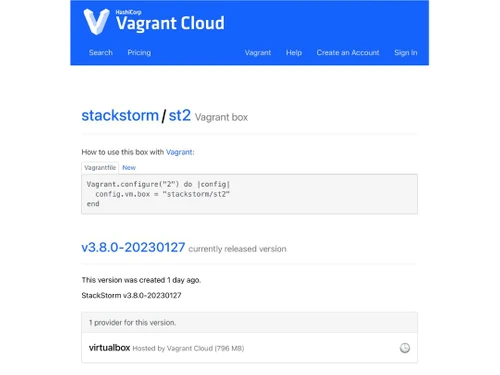
vagrant dashboard
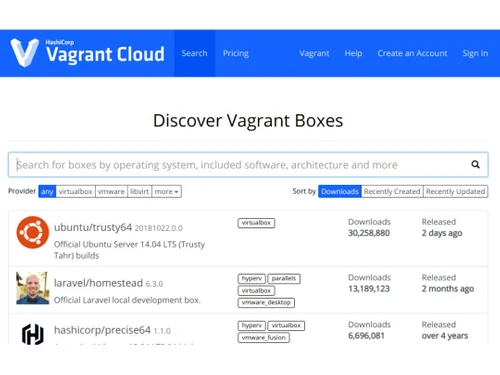
vagrant cloud
vagrant discover

Vagrant

Brand: HashiCorp

  • 4.0

  • 3 Ratings

Vagrant is software that helps to create, manage, and configure virtualized development environments using code.

See More

Have you used Vagrant before?

Share your insights for better experience

Add a Review

Price Available on Request

Questions about pricing or customization? We’re here to help, just a click away.

100% Genuine
Products
Best Price
Guaranteed
Safe & Secure
Payment
  • Description

  • Pricing

  • Features

  • Specification

  • Review

  • Compare

  • Alternatives

  • FAQ

Vagrant Software Overview

What is Vagrant?

Vagrant is an infrastructure as a code open-source software that allows creating and managing development environments. It helps to set up and manage a virtualized environment using simple configuration files. Users define their desired environment features like OS, packages, and network settings in a Vagrantfile configuration file. The software then uses this file to provision the corresponding virtual machine.

It provides a consistent workflow for creating lightweight, reproducible environments using a declarative configuration file. It automates the setup of development environments. The provided virtual machine runs locally on the cloud provider and thus developers need not worry about environment configuration. It is command-line-based and uses minimal resources. It allows the testing of infrastructure management scripts in a disposable environment.

Why Choose Vagrant Software?

  • Virtual environment: It allows setting up a virtual development environment using a simple configuration file and allocating resources based on need.
  • Testing: Allows to set up isolated test environments and testing of infrastructure locally for testing and software validation.
  • Dependency isolation: It isolates project dependencies in a disposable VM to avoid conflicts with other projects.
  • Cross-platform dependency: Allows consistent and uniform development environments across different operating systems helping in team collaboration.
  • Automation: Supports automated software installation and configuration with the help of various tools like Chef, Puppet, or shell scripts making environment setup easier and simpler.

Benefits of Vagrant Platform

  • Decrease set-up time: It makes virtual environment setup easier by using a single configuration file and automation that lowers development environment set-up time.
  • Consistent environment: Ensures all team members have similar coding, testing, and debugging development environments.
  • Automation: Automates environment setup and software provisioning, thus decreasing manual configuration efforts and errors.
  • Multiple platforms: It can easily work on different operating systems thus ensuring consistency and easy team collaboration.
  • Lightweight: It uses minimal resources for computation and thus is fast resulting in better performance and environment management.

Pricing of Vagrant

Vagrant price details are available on request at techjockey.com.

Its price in India may vary based on factors like customization, additional features required, the number of users, and the deployment type. Please request a call back for subscription-related details and to avail offers on premium packages.

Read more

HashiCorp Company Details

Founded Year:  2012

At HashiCorp, we believe infrastructure enables innovation, and we are helping organizations to operate that infrastructure in the cloud.

Director/Founders Armon Dadgar, Mitchell Hashimoto
Company Size 1000+ Employees

Vagrant Pricing & Plans

Looking for The Right Pricing?

Share your requirements and get a plan built around your business.

  • Define your business needs
  • Get customised pricing
  • Choose features that fit your workflow

Price Available on Request

Get personalised Vagrant pricing that fits your needs. Our team will connect with you.

Vagrant Features

  • icon_check Access Control / Permissions
    Manage who can interact with VM resources and the actions they’re allowed to perform.
  • icon_check Application Deployment
    Efficiently deploy software to servers in VM to ensure availability and scalability.
  • icon_check Automated Provisioning
    Automatically set up and configure infrastructure components e.g., VMs, and containers.
  • icon_check Infrastructure Automation
    Use code to manage infrastructure, reducing manual tasks and ensuring consistency.
  • icon_check Node Management
    Handle nodes, servers, and devices configuration and usage in VM including monitoring, scaling, and maintenance.
  • icon_check Orchestration
    Coordinate VM and tasks across multiple systems, ensuring smooth workflows and interactions.
  • icon_check Reporting Analytics / Visualization
    Collect and visualize data for insights, monitoring, and decision-making for virtual machine usage.
  • icon_check Task Management
    Automate repetitive setup and configuration tasks improving efficiency and decreasing set-up time.
  • icon_check Declarative Configuration
    Define virtual machine infrastructure setup details without specifying how to achieve them.
  • icon_check Mirror Production Environments
    Reproduce development environments that are consistent with production setups.

Vagrant Specifications

Supported Platforms
Ubuntu Ubuntu Windows Windows MacOS MacOS Linux Linux
Devices
Desktop Desktop
Deployment
Cloud-Based Cloud-Based Perpetual Perpetual
Suitable For
ITES
Business Specific
All Businesses
Business Size
Small Business Startups Medium Business Enterprises
Customer Support
Email Communities
Language
English
Integration
API Integration
Training Resources
Documentation Videos

Explore the Best Alternative Solutions Similar to Your Business Size and Needs

Medium Business

Built for business growth and flexibility

Pulumi

4.1

EnV0

4.1

See More

Vagrant Review

4.0

Out of 5

img

Overall Rating

Based on
3 Verified Ratings

Rating Breakdown

  • Features 3.8
  • Value for Money 4
  • Ease of Use 4.1
  • Customer Support 4.1

83% Recommend this Product

Add Review

Be the First to Review

This product has no reviews yet. Be the first to leave your feedback.

Add Review

Compare Vagrant With other Infrastructure As Code Tools

Products
Ratings
Pricing
Device Supported
Deployment
Supported Platforms
  • img

    Vagrant

  • 4.0

  • Price On Request

  • Desktop

    Mobile

  • Web based

    On Premises

  • Windows

    Mac OS

  • img

    Spacelift

  • 4.4

  • Price On Request

  • Desktop

    Mobile

  • Web based

    On Premises

  • Windows

    Mac OS

  • img

    Firefly AI

  • 4.4

  • Price On Request

  • Desktop

    Mobile

  • Web based

    On Premises

  • Windows

    Mac OS

  • img

    Pulumi

  • 4.1

  • Price On Request

  • Desktop

    Mobile

  • Web based

    On Premises

  • Windows

    Mac OS

  • img

    EnV0

  • 4.1

  • Price On Request

  • Desktop

    Mobile

  • Web based

    On Premises

  • Windows

    Mac OS

  • img

    Checkov

  • 4.3

  • Price On Request

  • Desktop

    Mobile

  • Web based

    On Premises

  • Windows

    Mac OS

  • img

    OpenTofu

  • 4.2

  • Price On Request

  • Desktop

    Mobile

  • Web based

    On Premises

  • Windows

    Mac OS

  • img

    AWS CloudFormation

  • 4.3

  • Price On Request

  • Desktop

    Mobile

  • Web based

    On Premises

  • Windows

    Mac OS

  • img

    Terragrunt

  • 4

  • Price On Request

  • Desktop

    Mobile

  • Web based

    On Premises

  • Windows

    Mac OS

  • img

    SaltStack

  • 4.4

  • Price On Request

  • Desktop

    Mobile

  • Web based

    On Premises

  • Windows

    Mac OS

(0) Product(s) selected

Vagrant Alternatives

See All Vagrant Alternatives

Available

Price on Request

Available

Price on Request

What is the use of Vagrant?

Vagrant is a software tool that helps to create and manage virtualized development environments easily.

Who can use Vagrant to their benefit?

Vagrant can be used by developers, DevOps engineers, designers, and anyone needing to set up and manage development virtual environments.

How to use Vagrant?

To use Vagrant first one needs to install Vagrant, create a Vagrantfile in the project directory giving configuration inputs, and run Vagrant to set up the virtual environment.

Can I use Vagrant with Windows, macOS, and Linux Operating System?

Yes, Vagrant is compatible with all major operating systems like Windows, macOS, and Linux.

Can I use Vagrant to integrate with virtualization tools like VirtualBox?

Yes, Vagrant works smoothly with virtualization tools like VirtualBox, VMware, and other providers.

Does Vagrant provide any guide for set-up and usage for its users?

Yes, the official Vagrant website provides various tutorials and documentation helping with setup and usage.

Does Vagrant support automation?

Yes, Vagrant supports various provisioning tools like Ansible, Puppet, and Chef that automate installing and configuring software on the virtual machine.

Can Vagrant mirror production environments?

Yes, using Vagrant users can create development environments that are similar to production setups that help in smooth testing.

20,000+ Software Listed

Best Price Guranteed

Free Expert Consultation

2M+ Happy Customers

Terms and Condtions

close

Users with registered businesses can purchase goods from merchants on the platform to satisfy their business needs. Users are not permitted to utilize any products acquired through the platform for resale, advertising, business, or further distribution.

For each purchase made, users will receive a Tax Invoice (or 'GST invoice') that includes specific details such as:

  • the GSTIN of the user associated with their registered business, and

  • the specified Entity Name for their business.

It should be noted that not all products are eligible for GST Invoice. Only the products displayed by participating sellers with the 'GST-based Invoice Available' callout on the product description page would qualify.

Certain goods and services are not eligible to get a GST Invoice, including items with VAS, i.e., Value Added Services (e.g., Total Mobile Protection/Assured Buyback) and those involving an exchange offer at the time of purchase.

Users must ensure the accuracy of the GSTIN, and business entity name provided for the GST Invoice. Requests for corrections into GST Invoice would not be accommodated by Techjockey.com or any Seller, and any issues arising from user-provided information are the sole responsibility of users.

Techjockey.com is not liable for the GST Invoice or any associated input tax credit. To efficiently claim an input tax credit, users should select the registered place of business address as per the GST authority's data and follow the provisions of the GST Act and rules.

To claim an input tax credit, the delivery and billing addresses must match. Furthermore, input tax credits will not be granted if the delivery address and GSTIN on the invoice are from different states. In case of incorrect GST details provided during the order placement, the order will be canceled automatically.