linkedin
Copado logo
play Winter 21 Release Salesforce DevOps - Copado
Copado Debugging
Copado Salesforce

Copado

Brand: Copado

  • 4.2

  • 6 Ratings

Copado is a DevOps tool to develop, test, and deploy multiple applications by integrating with Salesforce. It helps in improving development cycles and enhance overall collaboration.

See More

Have you used Copado before?

Share your insights for better experience

Add a Review

Price Available on Request

Questions about pricing or customization? We’re here to help, just a click away.

100% Genuine
Products
Best Price
Guaranteed
Safe & Secure
Payment
  • Description

  • Pricing

  • Features

  • Specification

  • Review

  • Compare

  • Alternatives

  • FAQ

Copado Software Overview

What is Copado? 

Copado is a robust DevOps platform that perfectly integrates with Salesforce and assists companies to automate and streamline testing and deployment procedures. It provides version control, continuous integration (CI), continuous deployment (CD), and release management with a centralized environment. This assists in eradicating the challenges of conventional practices. This provides efficient, error-free, and scalable Salesforce development. 

Top Features of Copado 

  • Version Control & Collaboration: Copado is integrated with Git, Bitbucket, GitHub, and other individual systems that companies already use. This offers amazing capabilities to teams to track and monitor any changes. It also has built in support for branching, merging and conflict resolution. This guarantees multiple developers will be able to work on the same project seamlessly. 
  • Continuous Integration (CI) & Continuous Deployment (CD): Copado in Salesforce expedites the manual intensive efforts in the build, test, and deployment cycle, thus allowing for a smoother and efficient release cycle without any hiccups. 
  • Release Management & Deployment Automation: Copado makes it easy for teams to deploy changes through the use of click-based deployment pipelines, which, as the name depicts, greatly reduces the effort needed to accomplish these tasks. This also serves to prevent mistakes and makes it easier to deploy to different Salesforce orgs. 
  • Quality Gates & Automated Testing: To ensure that quality is always maintained, Copado allows for any code changes to be subjected to automated quality gates that act before changes are pushed into production. There is zero risk of leaving bugs in the production environment. 
  • Change Management & Impact Analysis: In Copado, preparing for changes uses impact analysis tools that visualize dependencies for risks assessment as well. Robotic Testing Using Copado finds issues automatically and resolves them before deployment. 
  • Low-Code/No-Code DevOps: Copado offers both advanced and non-advanced users the ability to use DevOps with ease and efficiency with its simple drag-and-drop user interface. 

Benefits of Copado 

  • End-to-End Automation: Salesforce Copado automates the entire release cycle by including code merges, testing, and deployments. Automation in these areas significantly minimizes manual work. This enables orderly monitoring of operations and guarantees proper movement during the development to production phases. 
  • Improved Collaboration: Through integration with tools like Jira and Slack, Copado helps link developers, admins, and other stakeholders. This suffices for better visibility, enhances communication, and achieves business-aligned development. 
  • Version Control Integration: This works with Git and other version control systems allowing effortless tracking, changing, reverting, or managing multiple updates and preventing conflicts. There are no issues with setting up deployments from different teams as there will always be one true source. 
  • Automated Testing: With the help of tools Selenium and Provar, bugs are reduced and the whole system proves to be more stable and efficient by automating tests before deployment. This reduces the amount of manual testing that should be conducted. 
  • Rollback & Backup Features: If issues happen, consequences can be minimized by using built-in rollback and backup. Previous versions can quickly be restored without compromising business continuity. 
  • Pipeline Visualization: Facilitates real-time monitoring of the entire release pipeline. Teams can clearly and visually see tracking of progress and approvals, thus streamlining challenges that hinder deployment.

Copado Pricing 

Copado pricing is available on a call request to techjockey.com. For any information related to pricing, you can contact the Techjockey’s experts. 

Read more

Copado Company Details

Founded Year:  2013

Copado is an end-to-end native DevOps platform built for Salesforce.

Director/Founders Federico Larsen, Philipp Rackwitz
Company Size 1-100 Employees

Copado Pricing & Plans

Looking for The Right Pricing?

Share your requirements and get a plan built around your business.

  • Define your business needs
  • Get customised pricing
  • Choose features that fit your workflow

Price Available on Request

Get personalised Copado pricing that fits your needs. Our team will connect with you.

Copado Features

  • icon_check Change Management
    Optimize and manage change tracking within Salesforce systems, deploying changes and implementing updates more efficiently.
  • icon_check Release Management
    Oversee the plan, schedule, and management of deploying release cycles transitioning from development to production.
  • icon_check Integrations
    Connect Salesforce with external systems and/or applications to allow data transfer between systems and enhance performance.
  • icon_check Selenium Testing
    Ensure that Salesforce applications operate as intended while automating manual tests with Selenium to reduce testing time.
  • icon_check Branch Management
    Conduct and control different development branches in Salesforce, so that multiple teams can work concurrently conflict-free.
  • icon_check Sales Force Automation
    Automate routine operations in Salesforce like filling out forms, entering new leads, etc, for better productivity.
  • icon_check Robotic Testing
    Apply robotic process automation to test Salesforce applications to enhance quality control while reducing resources.
  • icon_check Salesforce Development
    Build bespoke Salesforce applications that meet business requirements while utilizing the Salesforce platform.
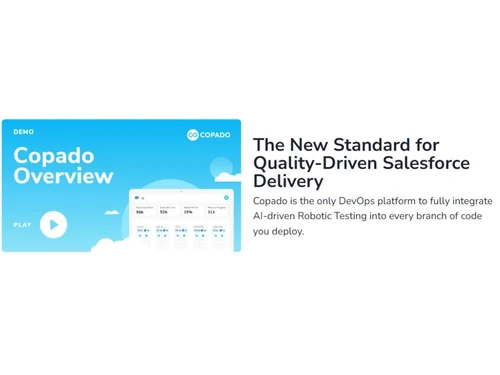
Copado Demo Video play icon

Get Copado Demo

Watch the demo video to explore key features, real workflows, and how the software fits your business needs.

Understand
Key Features
Personal
Demo Insights
Interactive
Demo Support

Copado Specifications

Supported Platforms
Ubuntu Ubuntu Windows Windows MacOS MacOS Linux Linux
Devices
Desktop Desktop Mobile Mobile Tablet Tablet iPad iPad
Deployment
Cloud-Based Cloud-Based
Suitable For
All Industries
Business Specific
All Businesses
Business Size
Small Business Startups Medium Business Enterprises
Customer Support
Email Communities
Language
English
Training Resources
Videos

Explore the Best Alternative Solutions Similar to Your Business Size and Needs

Enterprises

Designed for complex and large-scale business needs

Github

4.5

Vercel

4.1

See More

Copado Review

4.2

Out of 5

img

Overall Rating

Based on
6 Verified Ratings

Rating Breakdown

  • Features 4.3
  • Value for Money 4.2
  • Ease of Use 4.2
  • Customer Support 4.0

90% Recommend this Product

Add Review

Techjockey Trusted Reviews from Verified Users

No reviews are currently available for Copado. Discover similar Devops Tools reviews
  • Github

    4.5

    Whats great - The free tier for public repos is generous; unlimited collaborators; GitHub Student for students. For teams, paid tiers add a... read more

  • Buddy

    4.4

    Whats great - Works from mobile app or browser read more

  • Progress Chef

    5.0

    Whats great - Ampla gama de recursos; Fácil de usar; Suporte a Python, Suporte ao cliente excelente; Comunidade ativa. read more
Compare Copado With other Devops Tools

Products
Ratings
Pricing
Device Supported
Deployment
Supported Platforms
  • img

    Copado

  • 4.2

  • Price On Request

  • Desktop

    Mobile

  • Web based

    On Premises

  • Windows

    Mac OS

  • img

    Github

  • 4.5

  • Price On Request

  • Desktop

    Mobile

  • Web based

    On Premises

  • Windows

    Mac OS

  • img

    Vercel

  • 4.1

  • Price On Request

  • Desktop

    Mobile

  • Web based

    On Premises

  • Windows

    Mac OS

  • img

    Agro CD

  • 4.3

  • Price On Request

  • Desktop

    Mobile

  • Web based

    On Premises

  • Windows

    Mac OS

  • img

    AirOps

  • 4.5

  • Price On Request

  • Desktop

    Mobile

  • Web based

    On Premises

  • Windows

    Mac OS

  • img

    LaunchDarkly

  • 4.5

  • Price On Request

  • Desktop

    Mobile

  • Web based

    On Premises

  • Windows

    Mac OS

  • img

    InsForge

  • 4.3

  • Price On Request

  • Desktop

    Mobile

  • Web based

    On Premises

  • Windows

    Mac OS

  • img

    aikido code

  • 4.1

  • Price On Request

  • Desktop

    Mobile

  • Web based

    On Premises

  • Windows

    Mac OS

  • img

    CodeRabbit

  • 4.2

  • Price On Request

  • Desktop

    Mobile

  • Web based

    On Premises

  • Windows

    Mac OS

  • img

    Flyway

  • 4.3

  • Price On Request

  • Desktop

    Mobile

  • Web based

    On Premises

  • Windows

    Mac OS

(0) Product(s) selected

Copado Alternatives

See All Copado Alternatives

Available

Price on Request

Starting Price:

$10 /Month

Starting Price:

₹23,000 /Month

Starting Price:

$24 /Month

Available

Price on Request

Jeli

4.7

Starting Price:

$3,000

Starting Price:

$7

Starting Price:

$149 /year

Available

Price on Request

Starting Price:

$1,200 /Users

Articles for Copado

See All Related Articles

What is Copado used for?

Copado is used to develop, test, and deploy all applications associated with Salesforce.

Is COPADO only for Salesforce?

Yes, Copado is the only solution for Salesforce DevOps and eliminates the need for any other integration.

What language is used in Copado?

Copado is currently supporting Bash, JavaScript (Node) and Python.

Is Copado free?

Yes, the free edition of Copado is available for free forever.

Is Copado open source?

No, Copado is not an open-source platform as you have to purchase a license to use it.

How much does Copado cost?

Copado pricing is available on a call request to a techjockey.com.

20,000+ Software Listed

Best Price Guranteed

Free Expert Consultation

2M+ Happy Customers

Terms and Condtions

close

Users with registered businesses can purchase goods from merchants on the platform to satisfy their business needs. Users are not permitted to utilize any products acquired through the platform for resale, advertising, business, or further distribution.

For each purchase made, users will receive a Tax Invoice (or 'GST invoice') that includes specific details such as:

  • the GSTIN of the user associated with their registered business, and

  • the specified Entity Name for their business.

It should be noted that not all products are eligible for GST Invoice. Only the products displayed by participating sellers with the 'GST-based Invoice Available' callout on the product description page would qualify.

Certain goods and services are not eligible to get a GST Invoice, including items with VAS, i.e., Value Added Services (e.g., Total Mobile Protection/Assured Buyback) and those involving an exchange offer at the time of purchase.

Users must ensure the accuracy of the GSTIN, and business entity name provided for the GST Invoice. Requests for corrections into GST Invoice would not be accommodated by Techjockey.com or any Seller, and any issues arising from user-provided information are the sole responsibility of users.

Techjockey.com is not liable for the GST Invoice or any associated input tax credit. To efficiently claim an input tax credit, users should select the registered place of business address as per the GST authority's data and follow the provisions of the GST Act and rules.

To claim an input tax credit, the delivery and billing addresses must match. Furthermore, input tax credits will not be granted if the delivery address and GSTIN on the invoice are from different states. In case of incorrect GST details provided during the order placement, the order will be canceled automatically.