
Description
Pricing
Features
Specification
Review
Compare
Alternatives


 View Gallery
Brand: Desktop Ghost Pro

Get Free Expert Consultation
Let us know your business needs clearly

Verified & Trusted
Vendors

Safe & Secure
Payment

Personalized
Experts Support
Price On Request
Features
 Desktop Icon Concealment Batch Visibility Toggle Global Hotkey Support Finder Sync Integration Siri Voice Command Support
 See all 
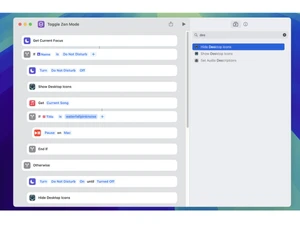
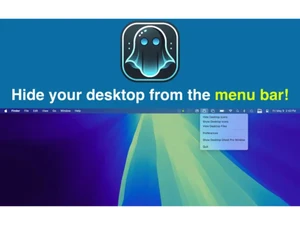
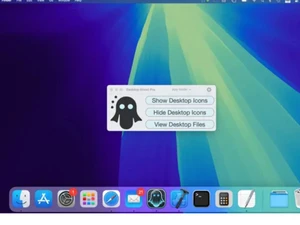
 Desktop Icon Concealment Instantly hides all files and folders located on the system desktop to provide a clean and professional digital workspace. Batch Visibility Toggle Allows users to reverse the hiding process simultaneously for all items, restoring the original desktop state immediately. Global Hotkey Support Enables the assignment of custom keyboard shortcuts to trigger the show or hide commands without using the mouse pointer. Finder Sync Integration Embeds management controls directly into the macOS Finder context menu for seamless file visibility manipulation locally. Siri Voice Command Support Utilizes custom intents to allow users to toggle desktop file visibility using standardized Siri vocal recognition input. Exclusion List Management Permits users to specify particular files or folders that remain visible even when the global hide command is active. Desktop File Explorer Includes a dedicated "View Desktop Files" window to browse and open hidden items without revealing them on the desktop. Drag and Drop Functionality Supports the addition of files to the exclusion list by dragging them directly into the application settings interface. Menu Bar Operation Mode Configures the utility to run as a lightweight menu bar icon for quick access while minimizing occupied screen real estate. Dock Application Mode Offers the option to run the software as a standard Dock-based application for users preferring traditional app switching. Dock Context Menu Controls Provides right-click functionality on the Dock icon to manage file visibility when running in the standard window mode. Deep & Dark Web Monitoring Features a user interface that automatically adapts to system-wide light and dark appearance settings for visual consistency. Preview Functionality Supports the Cover Flow viewing mode within the internal file explorer for visual identification of hidden desktop assets.
 UAE
UAE India
India

 Write a Review