Description
Pricing
Features
Specification
Review
Compare
FAQs
Alternatives

 View Gallery
Brand: KeenTools
KeenTools FaceBuilder creates photorealistic models of heads and human faces, which are 3D in nature. FaceBuilder has the inbuilt ability to transfer images, videos or footage into the requisite format and the purpose node is used to import documents into KeenTools Nuke format. This is also the reason why FaceBuilder is defined as Nuke node in form and content. The primary requirement for creating a 3D model is capturing images with neutral expressions from d...Read more

Get Free Expert Consultation
Let us know your business needs clearly

Verified & Trusted
Vendors

Safe & Secure
Payment

Personalized
Experts Support
$ 18.00 /Month
Features
 Enhance Models Fast model positioning Camera Focal Length Estimation Create 3D Models Single-Photo Support
 See all 
We make it happen! Get your hands on the best solution based on your needs.
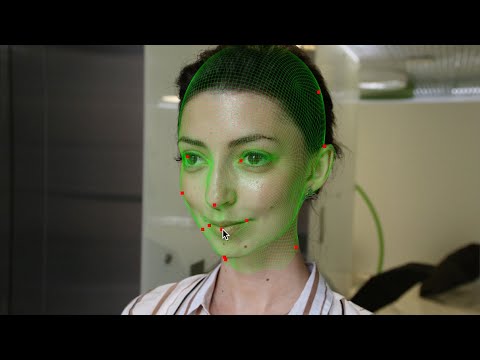

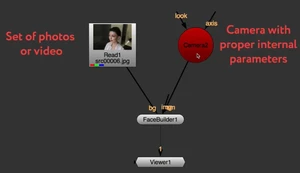
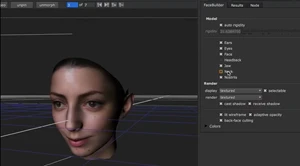
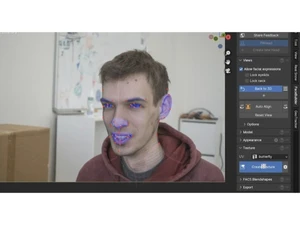
 Enhance Models FaceBuilder offers several parameters for designers to check and disable certain parts of the model accordingly. It comes Fast model positioning The software saves an exorbitant amount of time that goes into the very proper positioning of the model and setting keyframes. Camera Focal Length Estimation The software is able to set focal length automatically accordingly to the zooming of the camera. Create 3D Models The software enables users to create 3D models scanned from the videos. Single-Photo Support Allows building a face model even from a single photo or frame, not only multiple images. Multi-Photo Input Accepts multiple photos at different angles to improve accuracy of the 3D head reconstruction. Automatic Face Alignment AI-powered automatic alignment to reduce manual pinning; manual tweaks still allowed. Facial Expressions Support Can use photos with non-neutral expressions - not only neutral photos - for modelling. Global Demographic Diversity Statistical model trained on broad diversity of ages/ethnicities - works worldwide. Configurable Model Parts Optionally enable/disable mesh parts (ears, jaw, neck, head-back, etc.) to fit your needs. Mixed Aspect-Ratio Photo Input Supports source photos in different aspect ratios without breaking modelling. Works with Video Source Frames Accepts frames from a video as photo inputs - not restricted to still photographs. Automatic Camera Setup / Estimation If camera settings unknown, FaceBuilder estimates focal length and aperture automatically. Exportable 3D Geometry You can export the resulting 3D head/face model (e.g., via a WriteGeo node) for use elsewhere MetaHuman-Compatible UV Layout Supports a UV layout compatible with MetaHuman - useful for game/character pipelines.
Have recommended this product
Overall Score
Review this product
Your valuable feedback helps others like you make a better decision.
Verified reviewer:
Owner, Education
Individual
Software user since: 2+ years
Reviewed on: Jul 6, 2021
Verified reviewer:
User
Reviewed on: Nov 7, 2018
Verified reviewer:
User
Reviewed on: Aug 9, 2018
| Brand Name | KeenTools |
| Information | KeenTools. |
| Founded Year | 2015 |
| Director/Founders | Roman belov |
| Company Size | 1-100 Employees |


 UAE
UAE India
India