Description
Pricing
Features
Specification
Review
Compare
FAQs
Alternatives

 View Gallery
Brand: Microsoft Corporation
A SIEM tool that provides real-time threat detection, investigation, and automated response for cybersecurity. ...Read more

Get Free Expert Consultation
Let us know your business needs clearly

Verified & Trusted
Vendors

Safe & Secure
Payment

Personalized
Experts Support
Price On Request
Features
 Cloud-Native Architecture Real-Time Threat Detection Automated Incident Response AI-Driven Analytics Threat Intelligence
 See all 
We make it happen! Get your hands on the best solution based on your needs.

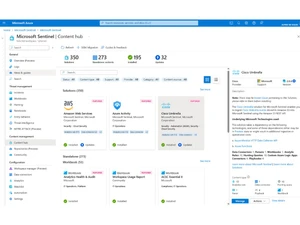
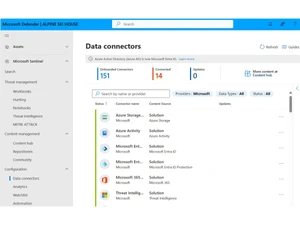
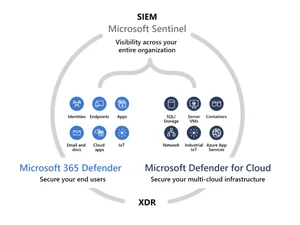
 Cloud-Native Architecture Built entirely on Azure, Sentinel offers scalable cloud-native SIEM and SOAR without infrastructure overhead. Real-Time Threat Detection Monitors and identifies potential threats in real time using advanced analytics and machine learning models. Automated Incident Response Automates repetitive security tasks and responses with playbooks powered by Azure Logic Apps to save analyst time. AI-Driven Analytics Leverages Microsoft’s AI and ML to detect anomalies, correlate signals, and uncover sophisticated attack patterns. Threat Intelligence Combines Microsoft and third-party threat feeds to enrich alerts and improve accuracy in threat correlation. Scalable Data Ingestion Collects and stores security data from multiple sources at scale using over 350 native and custom data connectors. Unified Security Dashboard Provides a centralized dashboard to visualize incidents, alerts, and KPIs for better security posture awareness. Customizable Workbooks Allows users to create and share rich, interactive workbooks for visual analytics and threat investigation. Advanced Hunting Queries Empowers analysts to hunt threats using Kusto Query Language (KQL) for deep visibility into security events. Cross-Platform Integration Integrates seamlessly with Microsoft Defender, 365, AWS, and third-party solutions for unified threat coverage. Built-In Compliance Support Helps meet regulatory compliance needs by automating data collection, analysis, and reporting processes. Intelligent Correlation Rules Correlates security signals across identities, devices, and applications to detect multi-stage attack campaigns. Security Automation Playbooks Uses prebuilt and custom playbooks to automate alerts, ticketing, and remediation across connected systems. Cost-Optimized Data Storage Provides flexible pricing and data retention options to optimize cost without compromising security visibility.
 | Brand Name | Microsoft Corporation |
| Information | Microsoft Corporation is an American multinational technology company with headquarters in Redmond, Washington. |
| Founded Year | 1975 |
| Director/Founders | Paul Allen , Bill Gates |
| Company Size | 1000+ Employees |
| Other Products | Microsoft Project, Microsoft Dynamics Crm , Clipchamp, Microsoft Bookings, Microsoft OneNote |


 UAE
UAE India
India