Description
Pricing
Features
Specification
Review
Compare
FAQs
Alternatives

 View Gallery
Brand: MyQ
A print management software that helps organizations control, secure, and reduce printing costs by managing all print jobs from one central system. ...Read more

Get Free Expert Consultation
Let us know your business needs clearly

Verified & Trusted
Vendors

Safe & Secure
Payment

Personalized
Experts Support
Price On Request
Features
 Print Job Accounting Secure Print Release User Authentication Fleet Management Cost Control & Quotas
 See all 
We make it happen! Get your hands on the best solution based on your needs.

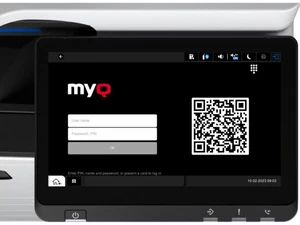
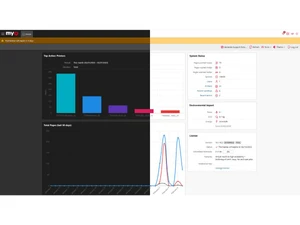
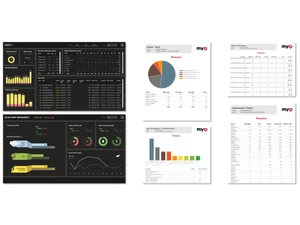
 Print Job Accounting Tracks every print, copy, and scan job by user, device, department, or project for accurate cost visibility. Secure Print Release Holds print jobs until users authenticate at the device, preventing document leaks and uncollected prints. User Authentication Supports PIN, card, mobile app, and directory login methods to ensure controlled and secure device access. Fleet Management Centralized monitoring of printers and MFPs with status, alerts, and device utilization insights. Cost Control & Quotas Applies print rules, budgets, and quotas to reduce waste and enforce responsible printing behavior. Workflow Automation Automates scan-to-email, scan-to-folder, scan-to-cloud, and OCR workflows from device panels. Mobile Printing Enables users to print securely from smartphones, tablets, and laptops without installing drivers. Cloud Printing Support Supports hybrid and cloud environments, allowing printing across locations with minimal infrastructure. Reporting & Analytics Provides visual dashboards and exportable reports to analyze usage trends and optimize resources. Embedded Device Terminals Offers native touchscreen interfaces on MFPs for job management, authentication, and workflows. Rules-Based Printing Policies Automatically enforces duplex, grayscale, or device routing rules based on user or document type. Multi-Vendor Printer Support Works with printers and MFPs from major brands, enabling a unified mixed-fleet environment. Admin Console Web-based administration interface for managing users, devices, policies, and workflows. Integrations Integrates with Active Directory and LDAP for seamless user management and access control. Data Security & Compliance Encrypts data, logs activities, and supports compliance requirements for regulated environments.
 | Brand Name | MyQ |
| Information | MyQ is a print software company that designs printing management software. |
| Founded Year | 2014 |
| Director/Founders | Martin Janus |
| Company Size | 1-100 Employees |

 UAE
UAE India
India