
Description
Pricing
Features
Specification
Review
Compare
Alternatives

 View Gallery
Brand: NanaZip

Get Free Expert Consultation
Let us know your business needs clearly

Verified & Trusted
Vendors

Safe & Secure
Payment

Personalized
Experts Support
FREE
Features
 File Compression File Extraction Multi Format Support Encryption Password Protection
 See all 
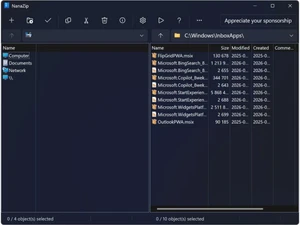
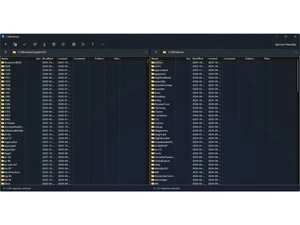
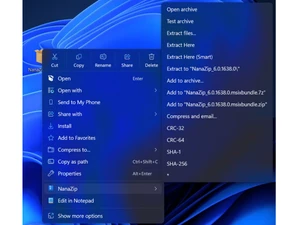

 File Compression Compress files into formats like ZIP and 7Z with high efficiency, reducing storage space and enabling faster file sharing. File Extraction Extract files from various archive formats including ZIP, RAR, TAR, and 7Z with simple right-click actions in Windows. Multi Format Support Supports a wide range of archive types like ZIP, 7Z, RAR, GZIP, TAR, and BZIP2 for flexible file management. Encryption Protect archives using AES-256 encryption, ensuring secure storage and transfer of sensitive data files. Password Protection Add passwords to archives to restrict unauthorized access and keep confidential files safe during sharing. Windows Context Menu Integrates with Windows Explorer, allowing quick compression and extraction directly from right-click menu options. Modern User Interface Provides a clean, fluent design with dark mode support, enhancing usability on Windows 10 and 11 systems. High Compression Ratio Uses advanced algorithms to achieve high compression rates, reducing file sizes more efficiently than basic tools. Fast Process Optimized for performance, enabling quick compression and extraction even for large files and folders. Multi-Core CPU Support Utilizes multi-threading to leverage modern processors, improving speed and efficiency during compression tasks. Archive Splitting Split large archives into smaller parts for easier storage, transfer, or sharing across multiple devices or platforms. Drag and Drop Easily add or extract files by dragging and dropping them into the application interface for quick operations.
  UAE
UAE India
India
 Write a Review
