Description
Pricing
Features
Specification
Review
Compare
FAQs
Alternatives


 View Gallery
Brand: Napkin AI
An AI-powered presentation software that uses AI to quickly create clean, professional slides from simple text or ideas. ...Read more

Get Free Expert Consultation
Let us know your business needs clearly

Verified & Trusted
Vendors

Safe & Secure
Payment

Personalized
Experts Support
$ 12.00 /User/Month
Features
 Text to Visual Conversion Multi Format Support Real-Time Collaboration Custom Branding Drag and Drop Functionality
 See all 
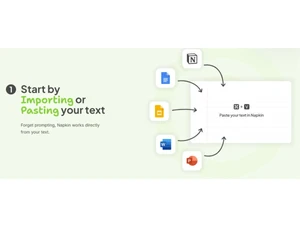

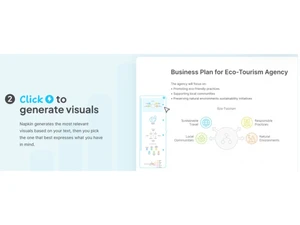
 Text to Visual Conversion Automatically converts plain text into engaging visuals without requiring manual design input. Multi Format Support Export visuals in popular formats like PNG, PDF, SVG, and PPT for flexible usage across platforms. Real-Time Collaboration Collaborate live with team members by sharing, commenting, and editing visuals together in real time. Custom Branding Apply brand colors, fonts, and logos to maintain consistent visual identity across all generated outputs. Drag and Drop Functionality Rearrange elements within the canvas effortlessly using intuitive drag-and-drop functionality. Font Customization Choose from 700+ Google Fonts or upload your own to align visuals with your brand’s typography. Data Import/Export Upload DOCX, PPTX, PDF, HTML, or Markdown files to quickly generate visuals from existing content. Templates Apply preset or custom templates to generate consistent visual designs across multiple assets. Aspect Ratio Customization Set visuals to specific dimensions like 16:9, 4:5, or 1:1 for use across presentation and social platforms. Color Palette Editor Modify element colors using HEX codes or palettes to match your brand or specific design needs. Preview Functionality Preview visuals before export to ensure they meet layout, style, and aspect ratio requirements. Multilingual Support Generate visuals from content written in over 60 languages for global teams and diverse audiences. Team Workspace Centralized dashboard to manage users, permissions, billing, and shared documents.
Have recommended this product
Overall Score
Review this product
Your valuable feedback helps others like you make a better decision.
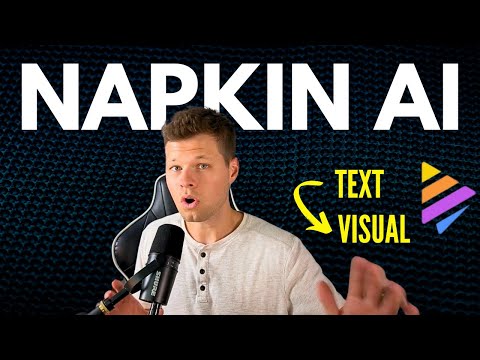
“This AI tool Feels Like Magic - My review of Napkin AI”
4.3
Review by: Nic Conley
| Brand Name | Napkin AI |
| Information | Napkin empowers anyone to communicate their ideas visually. With Napkin, you can transform written content into customizable visuals that can be used across Google Docs, Slides, Canva, Slack, Word, PowerPoint, Email, Text, and more. |
| Founded Year | 2021 |
| Director/Founders | Pramod Sharma, Jerome Scholler |
| Company Size | 1-100 Employees |

 UAE
UAE India
India