Description
Pricing
Features
Specification
Review
Compare
FAQs
Alternatives

 View Gallery
Brand: Kaleidos
An open-source web-based design and prototyping tool for creating and collaborating on UI/UX designs. ...Read more

Get Free Expert Consultation
Let us know your business needs clearly

Verified & Trusted
Vendors

Safe & Secure
Payment

Personalized
Experts Support
$ 7.00 /Editor/Month
Features
 Vector Editing Components and Symbols Variants and Overrides Design Tokens Flex Layout
 See all 
We make it happen! Get your hands on the best solution based on your needs.


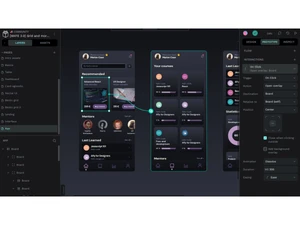
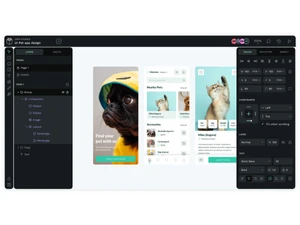
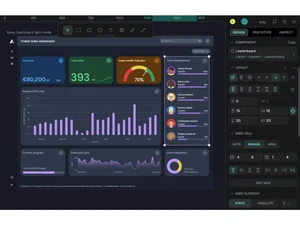
 Vector Editing Use SVG-based tools including paths, fills, strokes and boolean operations to craft icons and complex graphics. Components and Symbols Create reusable UI elements (buttons, cards etc.) that maintain consistency and update across your design files. Variants and Overrides Manage component states (hover, active, disabled) by creating variants and overriding properties for scalability. Design Tokens Define centralised values for colors, typography, spacing and shadows to align design and development. Flex Layout Build flexible, responsive layouts using Flexbox-style controls that mirror web code standards. Grid Layout Use rows and columns with grid layout features to design precisely and produce code-friendly structure Prototyping Define triggers, actions, transitions and flows to turn static designs into clickable prototypes. Transitions and Animations Add animations like fade, push or pull between states to simulate real product behaviour. Real-Time Collaboration Multiple users work on the same file simultaneously, enabling teamwork in real time. Comments and Feedback Team members and stakeholders can comment directly on designs and prototypes, centralising feedback. Data Import/Export Export objects and files into formats like PDF, SVG, PNG, JPG, and standard or binary file for handoff. Templates Create and share component libraries, templates, UI kits across teams to speed workflows and maintain consistency. Open Standards Support Built with SVG, HTML, CSS, JSON ensuring compatibility, no vendor lock-in and ease of developer integration. Project Management Unlimited teams, projects, pages and users; role-based permissions help manage collaboration at scale. Layer Management Search and filter layers by type, use rulers/guides, grids and snapping for precise design and organisation.
 | Brand Name | Kaleidos |
| Information | Kaleidos is an international Madrid-based venture infused with private capital. Our focus is free software technology aimed at innovative projects. We harness the best worldwide expertise so we can be your one-stop shop. |
| Founded Year | 2011 |
| Director/Founders | Enrique Posner, Pablo Ruiz-Muzquiz |
| Company Size | 1-100 Employees |


 UAE
UAE India
India