linkedin
background
Pixelcut logo

Pixelcut

Brand: Pixelcut

4.5

7 Ratings & 7 Reviews

Have Questions?

Pixelcut stands out as a versatile and user-friendly photo editing software, providing professionals and enthusiasts with a robust set of tools to elevate their creative vision. ...Read more

img

Get Free Expert Consultation

Let us know your business needs clearly

Advice

Verified & Trusted
Vendors

Payment

Safe & Secure
Payment

Guaranteed

Personalized
Experts Support

Starting at

$ 9.99

Features

  • check_icon Background Remover
  • check_icon Magic Eraser
  • check_icon Upscaler
  • check_icon Batch Edit
  • check_icon Recolor
  • See all img

Pixelcut Software Pricing, Features & Reviews

What is Pixelcut AI?

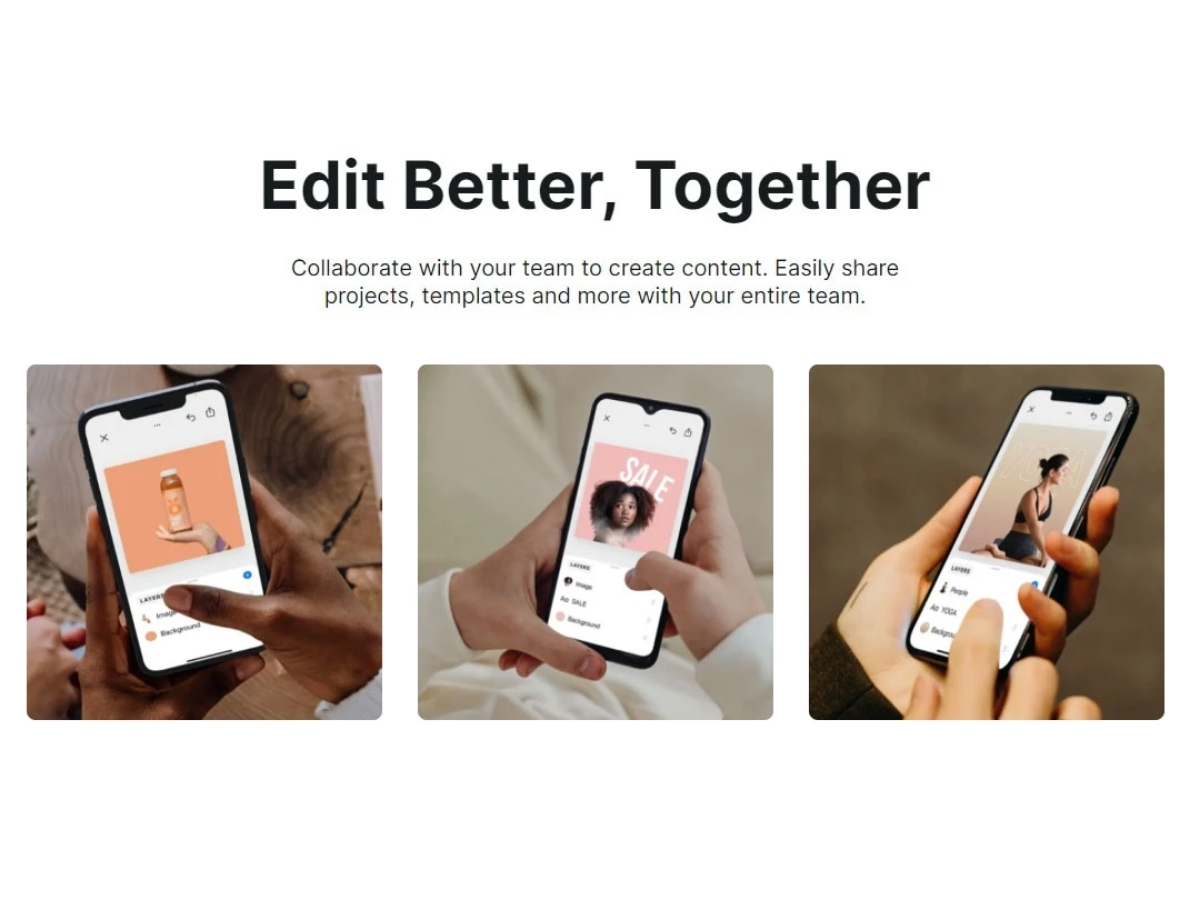
Pixelcut is an online photo editing software specifically designed to streamline the process of creating captivating product photos, ads, and other visual content for your online store. It offers a comprehensive suite of design features tailored specifically for e-commerce needs. The platform allows users to edit product photos, add custom graphics, create eye-catching advertisements, and optimize visuals for various online platforms. The tool provides a wide selection of templates, fonts, colors, and shapes, enabling users to customize their designs to align with their brand identity and capture the attention of their target audience. It allows users to resize and crop images, apply filters, adjust brightness, and contrast, and add text or logos with just a few clicks. The tool allows saving and organizing designs for easy access and future edits.

Pixelcut also excels in its retouching capabilities. With its advanced retouching tools, users can seamlessly remove blemishes, wrinkles, and other imperfections from portraits, resulting in flawless and natural-looking images. The software also offers powerful skin tone correction features, allowing users to achieve consistent and harmonious skin tones across multiple subjects in a photograph.

Furthermore, Pixelcut supports non-destructive editing, meaning that the original image remains intact, and users can make changes and experiment with different editing techniques without permanently altering the original file. This feature provides a high level of flexibility and allows users to revisit and refine their edits anytime.

Why Choose Pixelcut AI Photo Editor?

  • Templates: The photo editing tool offers a wide range of pre-designed templates to save time and effort in creating designs from scratch.
  • Image Filters: It allows users to apply artistic filters to images to add unique visual effects and enhance the overall aesthetic.
  • Image Overlay: The software enables users to layer multiple images together to create interesting compositions or combine elements seamlessly.
  • Font Library: This online design tool allows users to choose from diverse fonts to find the perfect typography that complements their brand.
  • Image Transparency: It allows users to adjust the transparency of images to create overlays and blend multiple elements.
  • Shape Tools: The platform allows users to access various shape tools, such as rectangles, circles, or arrows.

Benefits of Pixelcut AI Photo Editor

  • The photo editing tool allows users to apply various effects, such as blur, sharpen, or grayscale, to enhance or transform the visual appeal of images.
  • It aligns images precisely to maintain a consistent layout and composition in designs.
  • The platform offers a collection of ready-to-use templates specifically designed for popular social media platforms.
  • It keeps track of the user's editing steps and quickly reverts to previous versions or adjusts as needed.
  • The platform allows users to create realistic product mockups by quickly applying designs to templates representing different items, such as t-shirts, mugs, or packaging.

Pixelcut AI Pricing

Pixelcut photo editing pricing is available on request at techjockey.com.

The overall pricing model is based on different factors such as personalization, extra features required, total users, and deployment type. Please feel free to request a call from our product experts if you want to learn more about our subscription plans or premium package deals.

Pixelcut Pricing & Plans

Pixelcut Pro
  • Unlimited background removal
  • 100+ premium templates
  • Unlocks Pixelcut Pro on iPhone or Android
  • 100+ fonts, backdrops & overlays
    • Licenses
    • Monthly
Starting at $ 9.99

Get Pixelcut Demo

We make it happen! Get your hands on the best solution based on your needs.
Interacted

Pixelcut Features

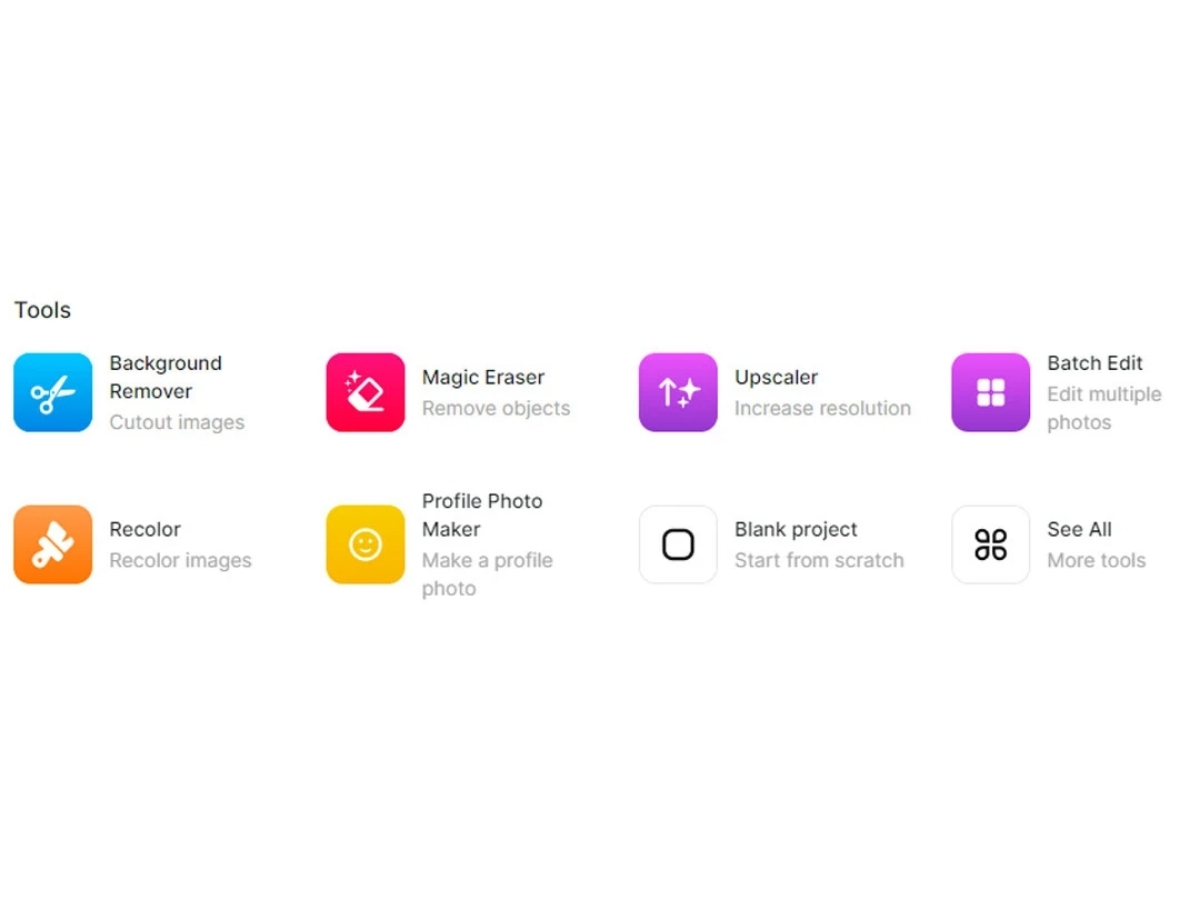
  • icon_check Background Remover Remove the background from product photos or images to create a clean and professional look.
  • icon_check Magic Eraser Instantly erases unwanted objects or elements from images with precision and accuracy.
  • icon_check Upscaler Enhance the resolution and quality of low-resolution images for high-quality print or display.
  • icon_check Batch Edit Efficiently apply edits or adjustments to multiple images simultaneously.
  • icon_check Recolor Change the colors of objects or elements in images for creative customization and branding.
  • icon_check Profile Photo Maker Design and create personalized profile photos for social media platforms and professional online profiles.
  • icon_check Blank Project Start from scratch with a blank canvas to create unique designs and visuals tailored to specific needs and preferences.
  • icon_check AI Image Generator Generate images from text prompts for product photography, marketing visuals, creative content, and social media designs.
  • icon_check Image Upscaling Image Upscaling
  • icon_check Photo Retouching Remove imperfections and edit image details with AI-powered retouching and generative editing capabilities.
  • icon_check Batch Image Editing Apply editing operations across large collections of images to process product catalogs and other visual assets efficiently.
  • icon_check Photo Enhancement Improve image quality, sharpness, and visual details using AI-powered enhancement and upscaling capabilities.
  • icon_check API Integration Integrate image processing capabilities into applications and automated workflows using Pixelcut's developer API.

Pixelcut Specifications

  • Supported Platforms :
  • Device:
  • Deployment :
  • Suitable For :
  • Business Specific:
  • Business Size:
  • Customer Support:
  • Integration:
  • Training:
  • Language:
  • AI Features:
  • Ubuntu Windows iOS Android MacOS Linux
  • DesktopMobileTabletiPad
  • Web-Based
  • All Industries
  • All Businesses
  • Small Business, Startups, Medium Business, Enterprises, SMBs, SMEs, MSMBs, MSMEs
  • Email, Live Chat, Communities
  • API Integration
  • Documentation, Videos
  • English
  • AI Integrated

Pixelcut Reviews

94%

Have recommended this product

Overall Score

4.5/5
Based on 7 Reviews

Review this product

Your valuable feedback helps others like you make a better decision.

Pros

pros_icon “Pixelcut is a great tool for background removal as it offers a variety of methods for removing backgrounds, including automatic and manual removal.” Phani Kishore - Sep 6, 2023

pros_icon “Pixelcut is a good option for social media marketers who need to create high-quality images for their campaigns.” Puja - Sep 5, 2023

pros_icon “Pixelcut is a versatile tool that can be used for a variety of image editing tasks, such as cropping, resizing, adjusting colors, and adding text.” Kamat - Sep 4, 2023

Cons

cons_icon “It does not offer as many features as some other image editors.” Phani Kishore - Sep 6, 2023

Pixelcut Video Reviews

youtubeVideoId

“PixelCut app quick easy overview”

4.8

Review by: mrhackio

youtubeVideoId

“PIXELCUT APP OVERVIEW & USAGE”

4.4

Review by: Prompt Infotech

youtubeVideoId

“PixelCut app FULL OVERVIEW hidden tips & tricks”

4.5

Review by: mrhackio

P

Puja

Content Creator, Marketing and Advertising

Individual

Software user since: 6-12 months

Reviewed on: Sep 5, 2023

4.6/5

“A Good Option for Social Media Marketing”

Pros :

Cons :

Reason to switch : I chose Pixelcut because I wanted an image editor that was easy to use and could be used to create high-quality images for my social media campaigns.

Features

4.5/5

Value for Money

4.5/5

Customer Support

4.5/5

Ease of Use

5/5

Likely to Recommend

9/10
K

Kamat

Freelancer, Professional Services

Individual

Software user since: 2+ years

Reviewed on: Sep 4, 2023

4.7/5

“A Versatile Tool for Image Editing”

Pros :

Cons :

Reason to switch : I chose Pixelcut because I wanted a tool that could be used for a variety of image editing tasks.

Features

4/5

Value for Money

5/5

Customer Support

5/5

Ease of Use

5/5

Likely to Recommend

9/10
PK

Phani Kishore

Editor, E-commerce

2-100 Employees

Software user since: 1-2 years

Reviewed on: Sep 6, 2023

4.8/5

“A Great Tool for Background Removal”

Pros :

Cons :

Reason to switch : I chose Pixelcut because I needed a tool to quickly and easily remove backgrounds from images. I was also impressed with the quality of the results that Pixelcut was able to achieve.

Features

4.5/5

Value for Money

5/5

Customer Support

5/5

Ease of Use

5/5

Likely to Recommend

9/10

Pixelcut Company Details

Brand Name Pixelcut
Information PixelCut is a software company founded in March 2012 by Peter Krajcik and Mike Antonic. PixelCut's first product, PaintCode, is a full-featured vector drawing app that instantly generates Objective-C drawing code.
Founded Year 2012
Director/Founders Mike Antonic, Peter Krajcik
Company Size 1-100 Employees

Pixelcut FAQ

A Pixelcut software is compatible with all operating systems Windows, Linux, and macOS, etc.
A Pixelcut app is available for Android and iOS devices.
A Pixelcut system supports web-based deployment.
A Pixelcut paid plan is available on request at techjockey.com.
A Pixelcut is an AI-powered product image generator. It can be used by various e-commerce businesses and online marketplaces to create high-quality product images for their websites, social media pages, and advertising campaigns. It can also be useful for graphic designers, marketers, and content creators who need to produce visual content quickly and efficiently.
A Pixelcut ai photo editor demo is available for free with techjockey.com.
A Pixelcut does not offer a free trial.
A Pixelcut Photo Editor is a web-based platform. So, you need not download any software or app to use it.
A Pixelcut Photo Editor uses artificial intelligence algorithms to generate product images. The tool leverages machine learning models and creates custom product images that can be used for various purposes, such as e-commerce listings or marketing materials.