
Description
Pricing
Features
Specification
Review
Compare
Alternatives


 View Gallery
Brand: Post Planner

Get Free Expert Consultation
Let us know your business needs clearly

Verified & Trusted
Vendors

Safe & Secure
Payment

Personalized
Experts Support
$ 12.00 /Month
Features
 Scheduling Social Content Calendar Bulk Scheduling Content Discovery Content Recycling
 See all 
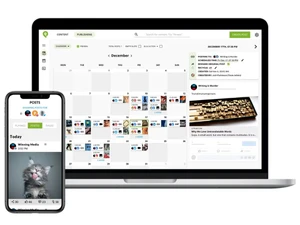
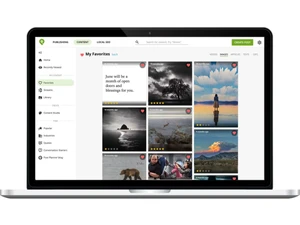
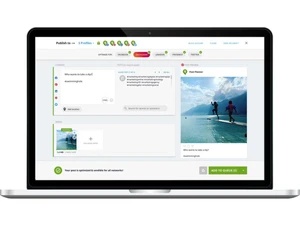
 Scheduling Schedule posts across multiple social platforms from one dashboard to maintain consistent publishing. Social Content Calendar Visual calendar view to plan, edit, and manage all scheduled and published posts easily. Bulk Scheduling Upload and schedule multiple posts at once to save time and streamline workflows. Content Discovery Discover trending and high-engagement content ideas relevant to your niche and audience. Content Recycling Automatically repost evergreen content to keep social feeds active without manual effort. AI Post Ideas Generate caption and post ideas using AI to improve engagement and posting frequency. Customization Customize posts for each social network to match character limits and formatting needs. Hashtag Suggestions Get relevant hashtag recommendations to increase post reach and visibility. Image Post Support Attach and publish images with posts to improve visual engagement on social channels. Link Preview Optimization Optimize link previews to ensure posts display correctly across platforms. Queue Scheduling Add posts to predefined queues for automated publishing at optimal time slots. Multi Account Support Manage multiple social media accounts and pages from a single interface. Performance Insight View basic engagement metrics to understand which posts perform best. Draft Management Save posts as drafts for later review, editing, or approval before publishing. Team Collaboration Collaborate with team members by sharing access for content planning and scheduling.
 | Brand Name | Post Planner |
| Information | Post Planner provides scheduling and content curation applications for businesses on Facebook. |
| Founded Year | 2011 |
| Director/Founders | Joshua Parkinson |
| Company Size | 1-100 Employees |
 UAE
UAE India
India

 Write a Review
