linkedin
background
Presentations AI logo

Presentations AI

Brand: Presentations AI

4.1

5 Ratings & 1 Review

Have Questions?

A presentation software that helps in turning scattered ideas into pleasing presentations while automation handles structure and visual flow. ...Read more

img

Get Free Expert Consultation

Let us know your business needs clearly

Advice

Verified & Trusted
Vendors

Payment

Safe & Secure
Payment

Guaranteed

Personalized
Experts Support

Price On Request

Features

  • check_icon Smart Slide Generation
  • check_icon Real-Time Collaboration
  • check_icon Design Automation
  • check_icon Presentation Templates
  • check_icon Data Import/Export
  • See all img

Presentations AI Software Pricing, Features & Reviews

What is Presentations AI

Presentation AI is a presentation software that often consumes hours of writing, arranging, and visual adjustments. Presentation AI software changes this wearying routine through intelligent automation and guided slide creation. The system interprets ideas and shapes them into organized presentation structures. Complex slide building suddenly feels lighter and far less demanding.

Polished visuals are now achievable for professionals without the burden of endless layout editing. The latest AI technology functions as a quiet digital mentor throughout the construction process. It helps synthesize ideas into clear visual communications that hit the mark instantly. The experience overall feels way more efficient, as presentations take almost no time to finish and look highly professional.

Why Choose Presentations AI Software?

  • Clear Idea Organization: Structured slide flow helps present ideas in a logical order. Complex information becomes easier for audiences to understand.
  • Helpful Design Assistance: Intelligent design suggestions guide users during presentation preparation. Slides maintain visual harmony without advanced design knowledge.
  • Better Story Flow: Organized slides support a clear storytelling structure during presentations. Messages reach audiences more effectively.
  • Consistent Brand Style: Presentation elements remain aligned with established brand identity. Visual consistency improves recognition during professional communication.
  • Team-Friendly Editing: Shared editing spaces allow colleagues to contribute presentation ideas together. Collaboration becomes easier during preparation stages.
  • Flexible Content Sources: Presentation content can originate from multiple digital documents or written notes. Preparation becomes more adaptable.

Benefits of Presentations AI Software

  • Automated Slide Drafting: Early slide structures appear automatically after entering presentation ideas. Preparation becomes easier.
  • Multi-Device Access: Presentations remain accessible across laptops, tablets, and mobile devices. Work continues everywhere.
  • Voice Command Editing: Spoken instructions adjust slide content without repeated keyboard actions. Editing becomes simpler and faster.
  • Real-Time Collaboration: Team contributors can update slides together within shared workspaces. Preparation stays coordinated.
  • Quick Layout Switching: Slide designs change instantly during editing without manual formatting. Visual flexibility improves significantly.
  • Easy Drag Editing: Slide elements can be repositioned smoothly through simple drag movements. Editing becomes intuitive.
  • Template-Based Creation: Structured templates guide presentation building from the beginning. Preparation begins with confidence.
  • Easy Data Import: External files supply charts or information directly into slides. Content remains perfectly organized.

Presentations AI Pricing

Presentations AI price is available on request at techjockey.com. The pricing model is based on different parameters, including extra features, deployment type, and the total number of users. For further queries related to the product, you can contact our product team and learn more about the pricing and offers.

Presentations AI Pricing & Plans

Presentations AI price is available on request

Looking for pricing details, customization requirements or have other queries? We are just a click away.

Get Presentations AI Demo

We make it happen! Get your hands on the best solution based on your needs.
Interacted

Presentations AI Features

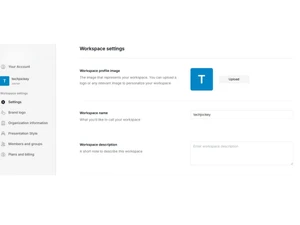
  • icon_check Smart Slide Generation Automatically creates visually appealing slides based on text prompts or outlines.
  • icon_check Real-Time Collaboration Invite team members to edit, comment, and review presentations together in real-time.
  • icon_check Design Automation Handles layout, colors, typography, and spacing automatically for each slide.
  • icon_check Presentation Templates Offers curated, designer-made templates suitable for all use cases and industries.
  • icon_check Data Import/Export Download decks in multiple formats including PPTX and PDF for offline or client use.
  • icon_check Brand Consistency Maintain fonts, logos, and brand colors across all slides with centralized branding tools.
  • icon_check Voice Driven Editing Use voice input to guide AI for content creation or slide modification in real-time.
  • icon_check Multi Device Access Create and edit presentations from desktop, tablet, or mobile devices seamlessly.
  • icon_check User access control Control access, share links with view/edit rights, and manage team collaboration.
  • icon_check AI Assistant Helps generate and polish slide content with context-aware writing and grammar support.
  • icon_check Drag and Drop Functionality Intuitive UI allows easy customization and layout changes with simple drag-and-drop actions.

Presentations AI Specifications

  • Supported Platforms :
  • Device:
  • Deployment :
  • Suitable For :
  • Business Specific:
  • Business Size:
  • Customer Support:
  • Training:
  • Language:
  • AI Features:
  • Ubuntu Windows MacOS Linux
  • Desktop
  • Web-Based
  • All Industries
  • All Businesses
  • Individual, Small Business, Startups, Medium Business, Enterprises, SMEs, MSMBs, MSMEs
  • Email, Communities
  • Videos
  • English
  • AI Integrated

Presentations AI Review

82%

Have recommended this product

Overall Score

4.1/5
Based on 1 Review

Review this product

Your valuable feedback helps others like you make a better decision.
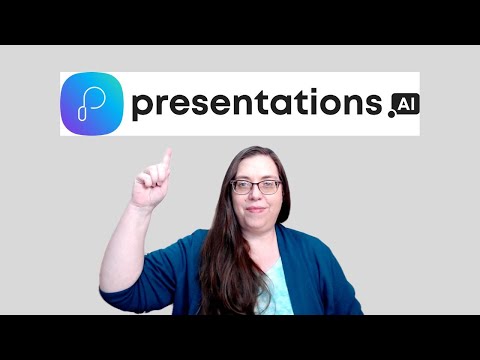
Presentations AI Video Review

youtubeVideoId

“Presentations.ai Tutorial and Review”

4.1

Review by: Jennifer Sharkey

Presentations AI Company Details

Brand Name Presentations AI
Information Presentations.AI is an AI-powered tool that transforms how you create and share stunning presentations.
Founded Year 2018
Director/Founders Elizabeth Wu
Company Size 1-100 Employees

Presentations AI FAQ

A The price of Presentations AI is available on request at techjockey.com. The final cost varies depending on features, deployment type, and number of users.
A Presentations AI can be used by professionals, educators, and business teams. It also supports people preparing business pitches, project updates, and learning materials.
A Yes, a mobile app is available for Presentations AI Software. Users can create, edit, and share AI-powered presentations directly from mobile devices.
A Presentations AI works with Ubuntu, Windows, macOS, and Linux. These systems allow users to access the platform across different environments.
A Yes, Presentations AI provides a free trial option. Users can thus explore the platform before choosing a paid plan.
A Presentations AI uses artificial intelligence to generate slide decks from simple prompts or documents. It organizes content and design automatically to create professional presentations quickly.

Presentations AI Alternatives

See All