
Description
Pricing
Features
Specification
Review
FAQs
Alternatives


 View Gallery
Brand: Steinberg Media
Cubase Elemen...Read more

Get Free Expert Consultation
Let us know your business needs clearly

Verified & Trusted
Vendors

Safe & Secure
Payment

Personalized
Experts Support
$ 59.99 /Quantity
40% Off
Features
 Drum Editor Channel Strip Sampler Track Arranger Track Chord Track
 See all 
We make it happen! Get your hands on the best solution based on your needs.

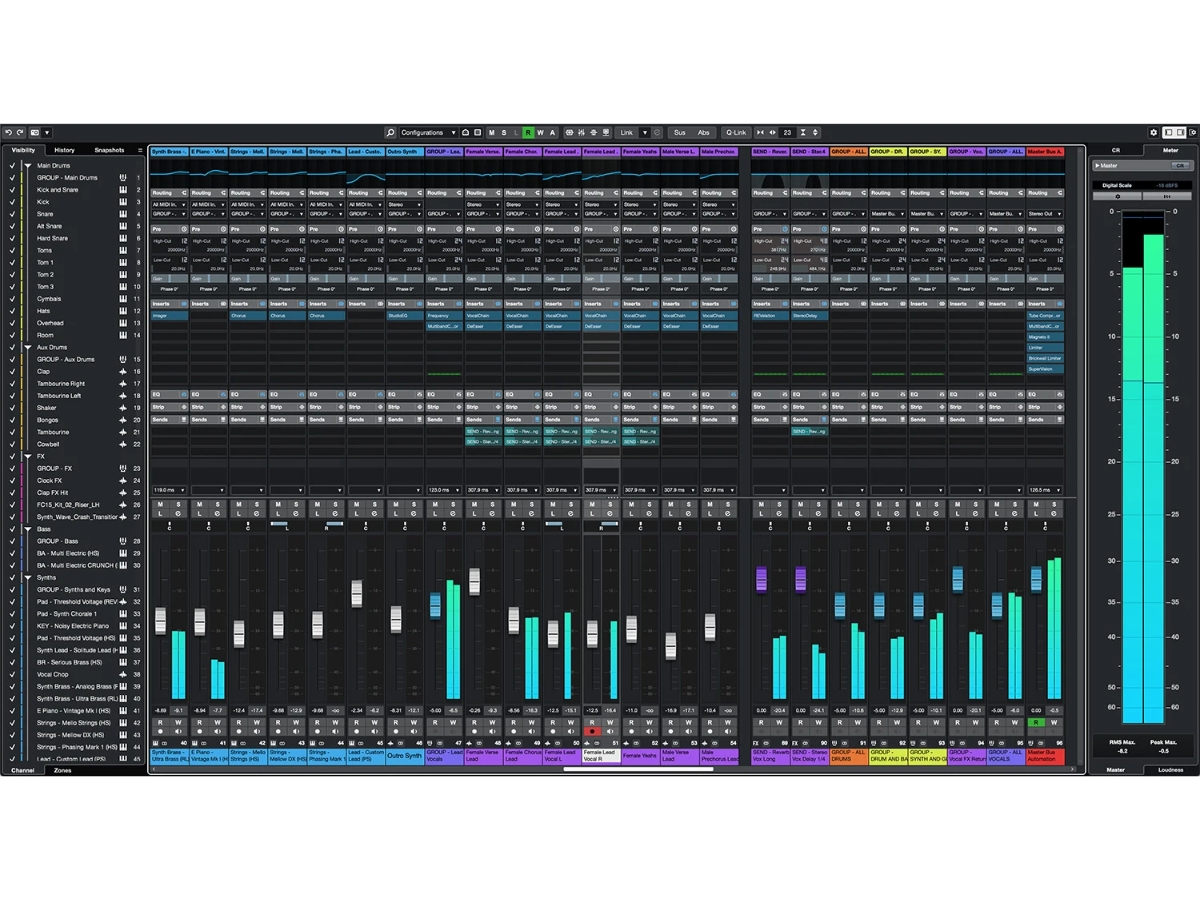
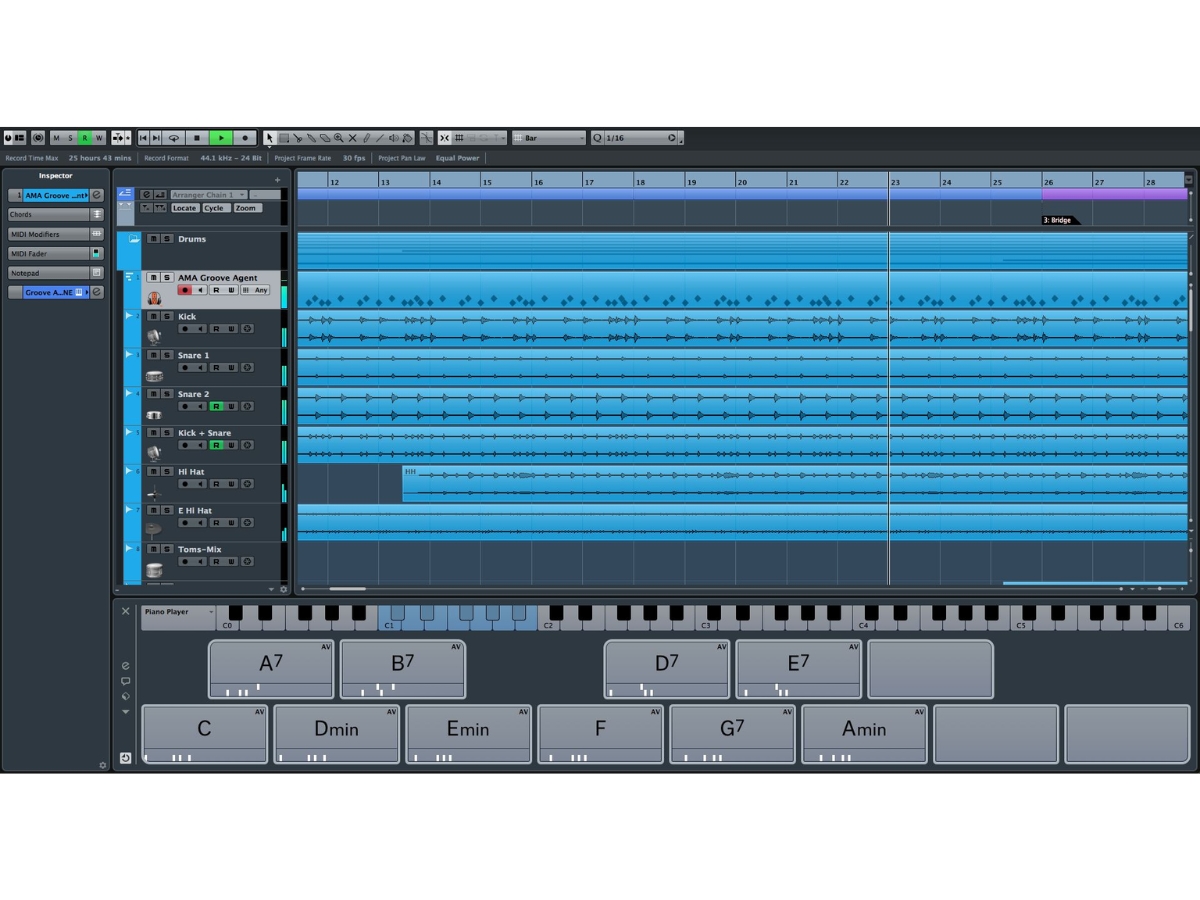
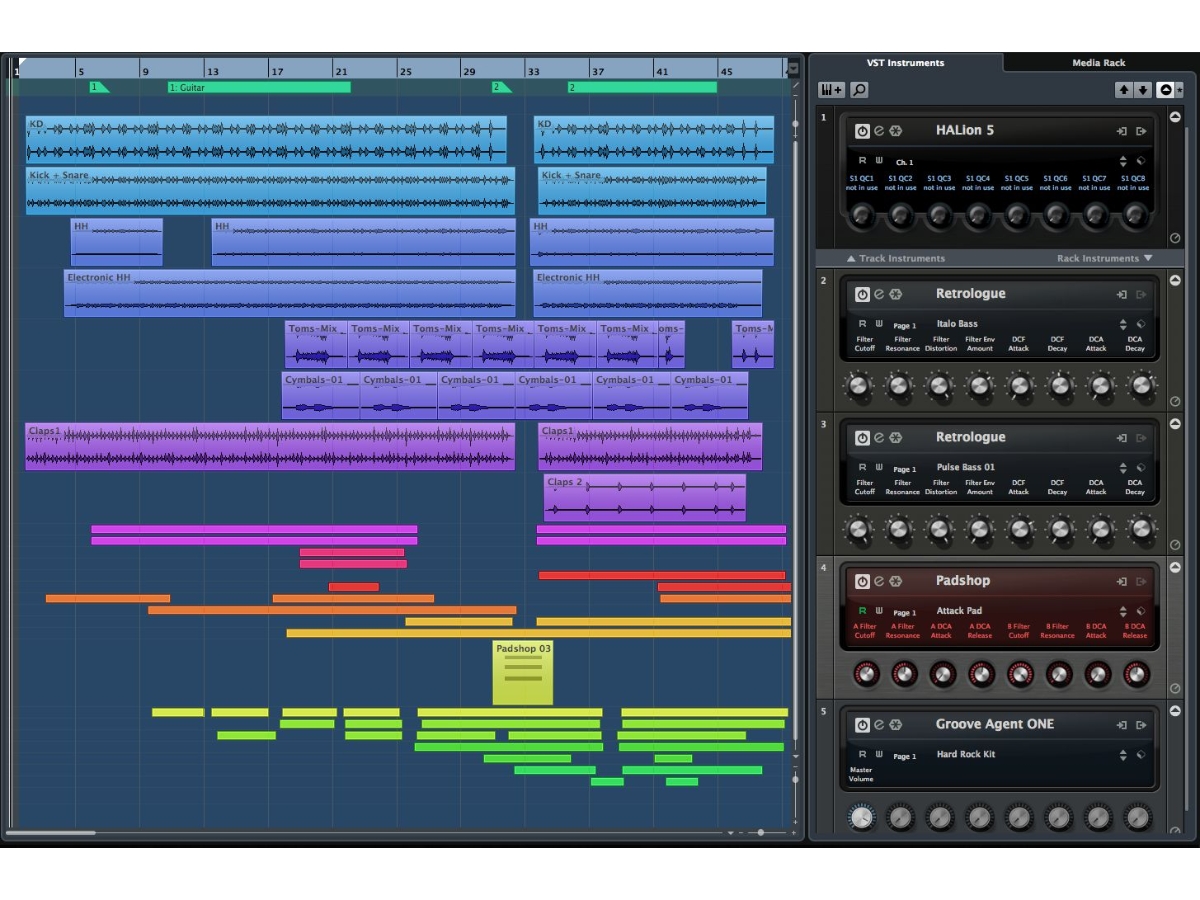
 Drum Editor Dedicated drum editor for precise MIDI drum programming with intuitive grid layout and mapping. Channel Strip Integrated channel strip per track offering EQ, compression, filters, gate, and routing. Sampler Track Turn any audio into a playable instrument with envelope, pitch, loop, and zone controls. Arranger Track Non‑linear arrangement tool to reorder, repeat, and play sections dynamically without editing main timeline. Chord Track Add and edit chord/scale events to harmonize or transform MIDI and audio automatically. Edit Recording Record directly in MIDI/audio editors, enabling punch‑in comping and timeline editing on the fly. Scale Assistant Set your project’s scale to ensure that every note you play or record is perfectly in tune with your musical composition. MixConsole Manage your entire audio project through a professional mixing desk interface with flexible routing and customizable views. HALion Sonic Explore a massive library of high-quality sampled instruments and synthesizer sounds to jumpstart your creative music productions. Groove Agent SE Create realistic drum performances or electronic beats using a world-class virtual percussion workstation with deep editing. Audio Wrap Easily correct the timing of your audio recordings and match them to the project tempo without affecting the original pitch. Latency Monitor Identify and resolve audio processing delays in real-time to ensure a smooth and responsive recording experience for your gear. Video Player Compose music and sound effects perfectly in sync with film clips using the integrated high-definition video playback window. Plug-in Sentinel Ensure system stability by automatically scanning and validating all third-party virtual instruments and audio effects. MediaBay Quickly find and organize your loops, samples, and presets using a powerful searchable database with integrated preview tools.
Have recommended this product
Overall Score
Review this product
Your valuable feedback helps others like you make a better decision.
Verified reviewer:
User
Reviewed on: Dec 12, 2018
| Brand Name | Steinberg Media |
| Information | Steinberg is a manufacturer of audio software and hardware, providing award-winning, technologically advanced music and more. |
| Founded Year | 1984 |
| Director/Founders | Karl Steinberg, Manfred Rürup |
| Company Size | 1-100 Employees |
| Other Products | Cubase Artist |

 UAE
UAE India
India