
Description
Pricing
Features
Specification
Review
Compare
FAQs
Alternatives


 View Gallery
Brand: Tweetdeck
Tweetdeck is a social media tool designed to manage twitter accounts of its users. The software is interfaced with the Twitter API and is ideal for managing and analyzing a lot of users' information at once. One can schedule tweets in advance through the app. If the user manages multiple accounts through the software, they can schedule tweets for each of them accordingly. Tweetdeck allows its users to organize tweets based on events, topics, interests and conversations in r...Read more

Get Free Expert Consultation
Let us know your business needs clearly

Verified & Trusted
Vendors

Safe & Secure
Payment

Personalized
Experts Support
Price On Request
Features
 Social Publishing Campaign Optimization Campaign Planning Hashtag Capabilities Social Content Calendar
 See all 
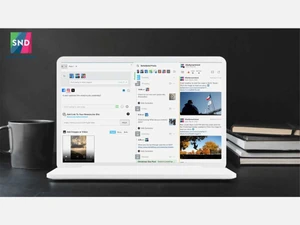
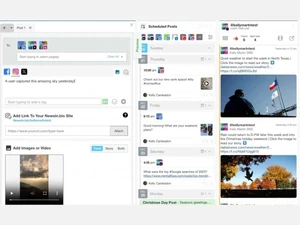
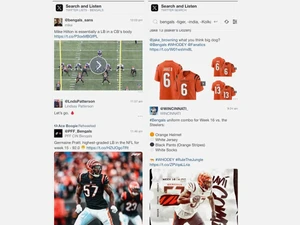
 Social Publishing Allows creation, scheduling, and posting of tweets across multiple Twitter accounts. Campaign Optimization Identifies trends like best times to post to maximize reach and engagement. Campaign Planning Lets users group or categorize tweets into campaigns for structured content strategy. Hashtag Capabilities Monitors hashtag usage, trends, and analytics across Twitter streams. Social Content Calendar Provides a visual timeline or calendar view for scheduled tweets. Content Library Offers a shared media repository to store and reuse images, text, or other assets. Shared Inbox Aggregates direct messages or mentions from multiple Twitter handles into one unified inbox. Approval Workflows Enables managers to review and approve tweets before they are published. Content Creation Provides built-in tools for composing or editing tweets and media. Autonomous Task Execution Supports automation of complex tasks without constant human input. Cross-System Integration Can integrate and work across multiple software systems or data sources. Adaptive Learning Learns from usage feedback to improve performance over time. Natural Language Interaction Lets users interact using conversational language for task delegation. Proactive Assistance Anticipates user needs and suggests next actions without prompting. Real-Time Monitoring and Alerting Allows real-time updates of tweets, mentions, and streams.
 UAE
UAE India
India

 Write a Review
