Description
Pricing
Features
Specification
Review
Compare
FAQs
Alternatives

 View Gallery
Brand: NT ware Systemprogrammierung
A print management software that helps businesses manage printing, scanning, and document workflows securely while reducing costs and improving efficiency. ...Read more

Get Free Expert Consultation
Let us know your business needs clearly

Verified & Trusted
Vendors

Safe & Secure
Payment

Personalized
Experts Support
Price On Request
Features
 Secure Print Release Print Accounting & Cost Tracking Workflow Automation Mobile Printing Cloud Printing Support
 See all 
We make it happen! Get your hands on the best solution based on your needs.
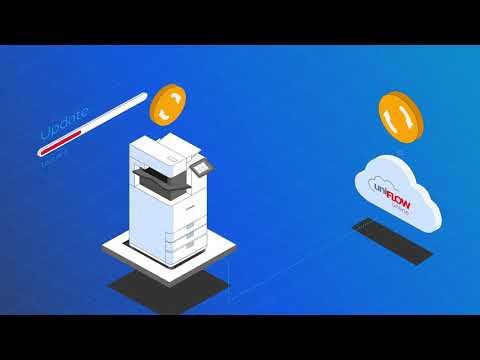

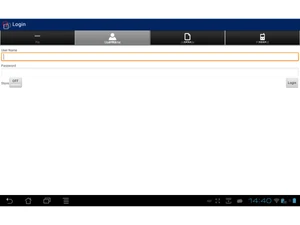
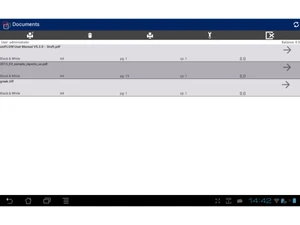
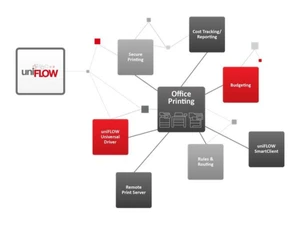
 Secure Print Release Ensures documents print only after user authentication at the device, preventing sensitive papers from being left unattended. Print Accounting & Cost Tracking Tracks printing, copying, and scanning costs by user, department, or project to improve budgeting and cost recovery. Workflow Automation Automates scanning to email, folders, cloud storage, or business systems with configurable rules and metadata capture. Mobile Printing Allows users to securely print from smartphones and tablets using mobile apps, email-to-print, or web upload. Cloud Printing Support Enables cloud-based printing without local print servers, supporting remote work and distributed offices. User Authentication Supports card login, PIN, username/password, and single sign-on to control access to devices and functions. Rules-Based Printing Applies automatic print rules such as duplex, grayscale, or job redirection to reduce waste and printing costs. Device Fleet Management Provides centralized monitoring and management of multifunction printers across multiple locations and brands. Reporting & Analytics Generates customizable reports on usage, costs, and environmental impact to support informed decisions. Multi-Vendor Device Support Works across mixed printer fleets, enabling consistent user experience regardless of manufacturer or model. Pull Printing Holds print jobs in a secure queue until released at any authorized device, increasing flexibility and security. Document Security & Auditing Maintains audit trails for print and scan activity to support compliance with data protection regulations. Sustainability Controls Encourages eco-friendly printing by tracking paper usage and enforcing policies that reduce environmental impact. Centralized Administration Offers a single web-based console for configuring users, devices, policies, and workflows across the organization. Integrations Integrates with directory services, ERP, and cloud platforms to streamline document workflows and user management.
 | Brand Name | NT ware Systemprogrammierung |
| Information | NT-ware Systemprogrammierung provides a full range of soft- and hardware solutions. |
| Founded Year | 1998 |
| Director/Founders | Karsten Huster |
| Company Size | 1-100 Employees |

 UAE
UAE India
India