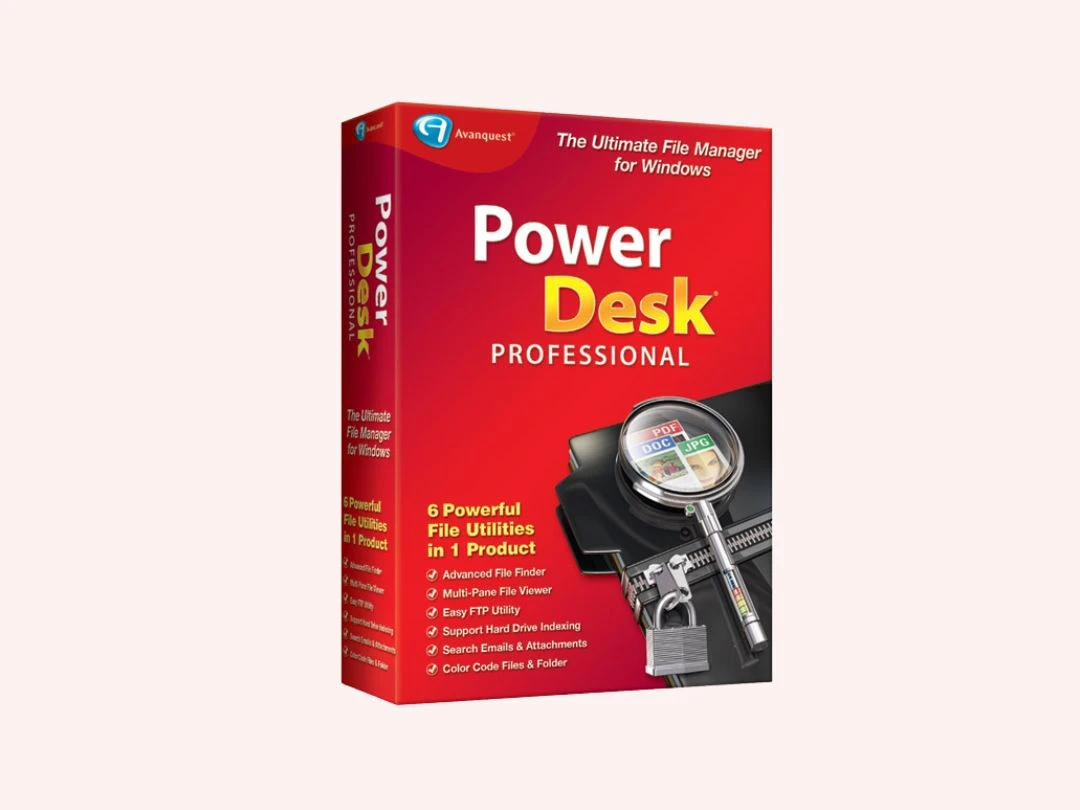

PowerDesk Pro 9 Reviews
PowerDesk Pro 9
by : Avanquest Software
All Ratings
Pros & Cons
User Reviews
PowerDesk Pro 9
By : Avanquest Software
All Ratings
Pros & Cons
User Reviews
Alternatives
Check out PowerDesk Pro 9 reviews by verified users. Discover what businesses are saying about PowerDesk Pro 9 on Techjockey.
Have recommended this product
Overall Score
We love to hear from our buyers!
If you have used the solution
already, why not share your thoughts and help others make the right purchase.
Pros
“Combines file browsing, FTP, compression, and synchronization.”
Kary Peterson -
Sep 27, 2025
“The advanced search, file synchronization, and bulk rename features are very useful.”
Robert Phillip -
Apr 24, 2025
“PowerDesk Pro 9 makes file management much faster with its dual-pane layout and batch file operations.”
SWOPE -
Apr 23, 2025
Cons
“The interface feels a bit outdated and takes time to get used to.”
SWOPE -
Apr 23, 2025
Fabio Rodrigo Shimabukuro
Verified reviewer:
Reviewed on: Jul 24, 2025
4.6/5
“Reliable FTP and File Sync Features”
PowerDesk Pro 9 helped me manage local and remote files without installing separate FTP software.
Pros : Built-in FTP and file synchronization tools work smoothly.
Cons : FTP setup is not very intuitive.
Switched from : FileZilla
Reason to switch : FileZilla handled FTP only, while PowerDesk Pro 9 combined FTP with full file management.
Features
4.5/5
Value for Money
5/5
Customer Support
4.5/5
Ease of Use
4.5/5
Likely to Recommend
robert phillip
Verified reviewer:
Reviewed on: Apr 24, 2025
4.5/5
“Feature-Rich File Manager With a Learning Curve”
PowerDesk Pro 9 offers many features beyond basic file browsing. It took me some time to explore everything, but it paid off.
Pros : The advanced search, file synchronization, and bulk rename features are very useful.
Cons : It can feel overwhelming for first-time users.
Switched from : Total Commander
Reason to switch : Total Commander was powerful, but PowerDesk Pro 9 felt more integrated with Windows.
Features
5/5
Value for Money
4.5/5
Customer Support
4.5/5
Ease of Use
4/5
Likely to Recommend
Kapil Tiwari
Verified reviewer:
Reviewed on: Apr 16, 2025
4.5/5
“Excellent for Batch File Operations”
I regularly handle hundreds of files, and PowerDesk Pro 9 made bulk operations easy and reliable.
Pros : Batch rename, copy, and move features save a lot of time.
Cons : Too many options can confuse new users.
Switched from : FreeCommander
Reason to switch : FreeCommander was limited, while PowerDesk Pro 9 offered more professional tools.
Features
4.5/5
Value for Money
5/5
Customer Support
4/5
Ease of Use
4.5/5
Likely to Recommend
Leyla
Verified reviewer:
Reviewed on: Mar 13, 2025
4.5/5
“Great Alternative to Windows Explorer”
I mainly use PowerDesk Pro 9 for organizing large folders. It’s much more efficient than the default Windows tools.
Pros : Dual-pane view and tabbed browsing make file transfers easier.
Cons : Visual design feels old-fashioned.
Switched from : Directory Opus
Reason to switch : Directory Opus was more expensive, while PowerDesk Pro 9 offered similar core features at a lower cost.
Features
4.5/5
Value for Money
5/5
Customer Support
4.5/5
Ease of Use
4/5
Likely to Recommend
Jaswant singh
Verified reviewer:
Reviewed on: Mar 27, 2025
4.5/5
“Old-School Look but Very Functional”
While PowerDesk Pro 9 doesn’t look modern, it’s dependable and feature-packed.
Pros : Stable performance and powerful tools.
Cons : The interface feels dated compared to modern apps.
Switched from : XYplorer
Reason to switch : XYplorer was visually cleaner, but PowerDesk Pro 9 felt more robust for professional use.
Features
4.5/5
Value for Money
5/5
Customer Support
4.5/5
Ease of Use
4/5
Likely to Recommend
Kary Peterson
Verified reviewer:
Reviewed on: Sep 27, 2025
4.5/5
“Helps Replace Multiple File Utilities”
PowerDesk Pro 9 replaced several separate utilities I was using before.
Pros : Combines file browsing, FTP, compression, and synchronization.
Cons : Initial setup takes time.
Switched from : WinRAR
Reason to switch : Using multiple tools was inefficient; PowerDesk Pro 9 unified everything.
Features
4/5
Value for Money
4.5/5
Customer Support
5/5
Ease of Use
4.5/5
Likely to Recommend
iutuityui
Verified reviewer:
Reviewed on: May 24, 2025
4.5/5
“Good for Power Users and IT Professionals”
As someone who manages files daily, PowerDesk Pro 9 fits my workflow perfectly.
Pros : Advanced controls and customization options.
Cons : Casual users may not need all features.
Switched from : Explorer++
Reason to switch : Explorer++ was lightweight, but PowerDesk Pro 9 offered more advanced tools.
Features
4.5/5
Value for Money
4/5
Customer Support
4.5/5
Ease of Use
5/5
Likely to Recommend
Aaron Smith
Verified reviewer:
Reviewed on: Apr 19, 2025
4.5/5
“Best for Users Who Need Advanced File Control”
PowerDesk Pro 9 is best if you manage lots of files and want more control than standard file managers.
Pros : Deep file control and productivity-focused features.
Cons : Not beginner-friendly.
Switched from : Windows File Explorer
Reason to switch : File Explorer lacked the advanced management tools required for my workload.
Features
4.5/5
Value for Money
4.5/5
Customer Support
4.5/5
Ease of Use
4.5/5
Likely to Recommend
SWOPE
Verified reviewer:
Reviewed on: Apr 23, 2025
4.3/5
“Powerful File Manager That Boosted My Productivity”
I switched to PowerDesk Pro 9 because Windows File Explorer felt limiting. Once I learned the shortcuts and tools, everyday file tasks became much quicker.
Pros : PowerDesk Pro 9 makes file management much faster with its dual-pane layout and batch file operations.
Cons : The interface feels a bit outdated and takes time to get used to.
Switched from : Windows File Explorer
Reason to switch : File Explorer lacked advanced batch operations and dual-pane views that PowerDesk Pro 9 offers.
Features
4.5/5
Value for Money
5/5
Customer Support
4/5
Ease of Use
4/5
Likely to Recommend
Silvana
Verified reviewer:
Reviewed on: Nov 22, 2025
4.3/5
“Solid File Search and Organization Tool”
I rely on PowerDesk Pro 9 to locate files across large drives. The search feature alone justified the switch.
Pros : Advanced file search finds files faster than Windows search.
Cons : Search filters take time to understand.
Switched from : Windows Search
Reason to switch : Windows Search was slower and less precise compared to PowerDesk Pro 9’s advanced filters.
Features
4.5/5
Value for Money
5/5
Customer Support
4/5
Ease of Use
4/5
Likely to Recommend
Popular Category Reviews
Similar Products

Starting at
$ 49.99
Key Features
Utility Software
Starting at
$ 39.95
Key Features

Utility Software
Starting Price
$ 36.00 /Year 36% OFF ViewPlans
Key Features

Utility Software
Starting at
$ 39.90
Key Features
Starting at
$ 29.95
Key Features

MyProfessional Business Cards 7
Utility Software
Starting at
$ 29.95
Key Features

Utility Software
Starting at
$ 59.90
Key Features
Utility Software
Starting at
$ 29.90
Key Features