linkedin
Archie logo
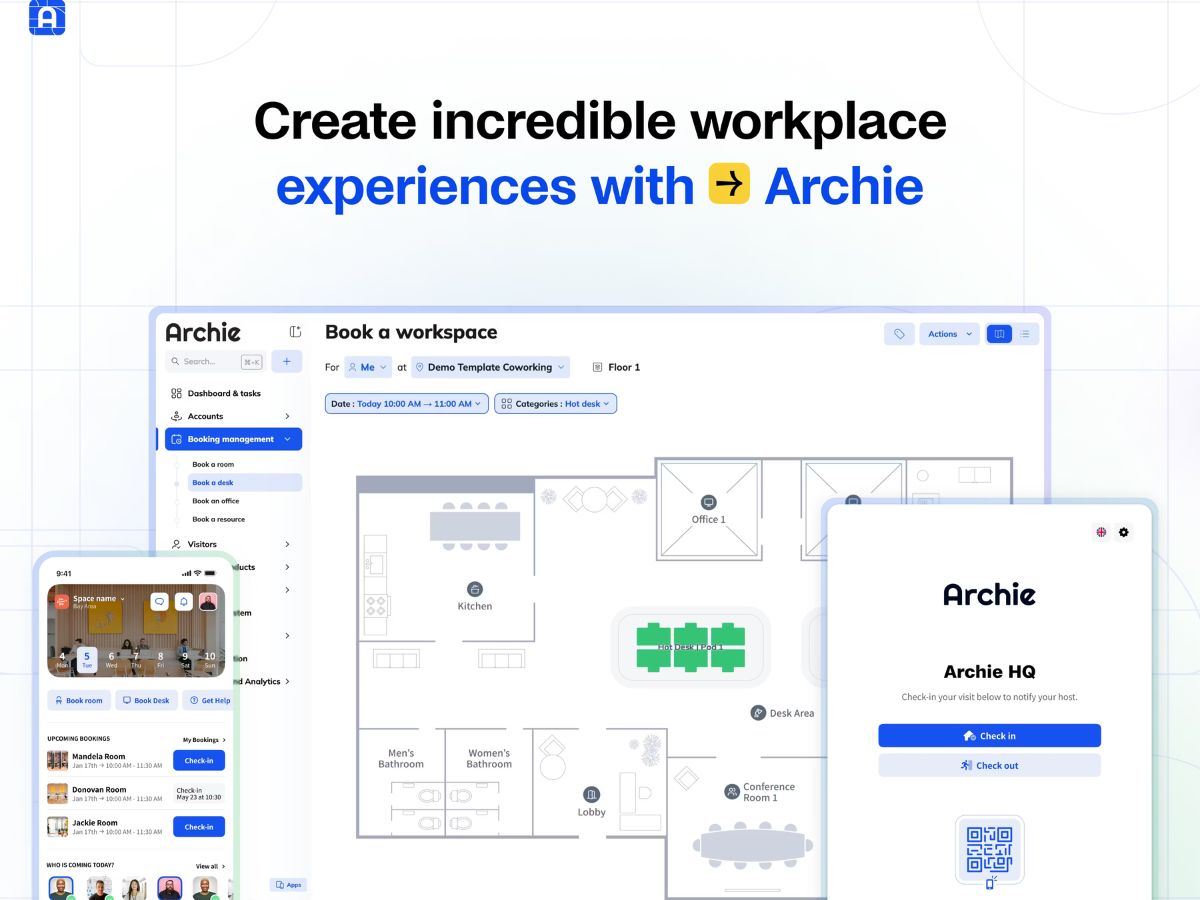
Archie-workspace
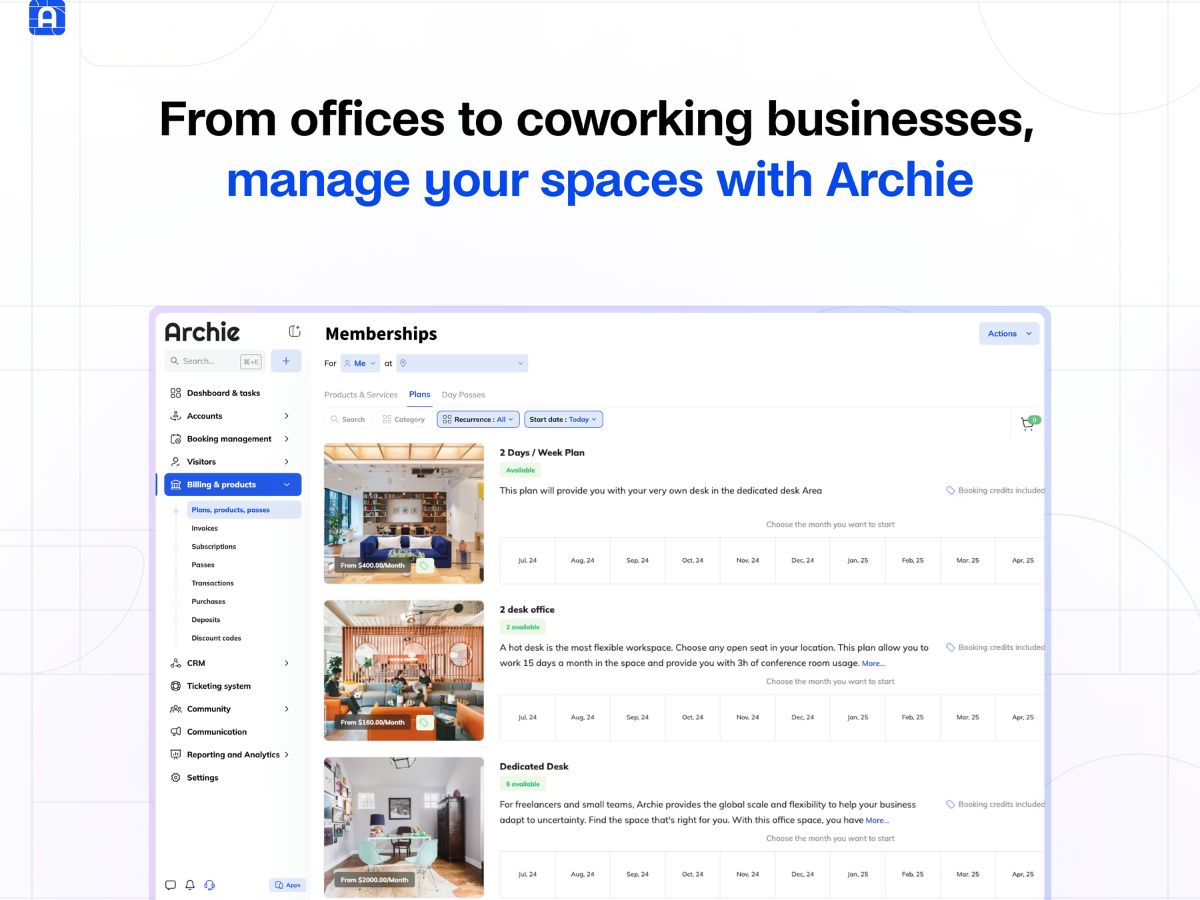
Archie-memberships
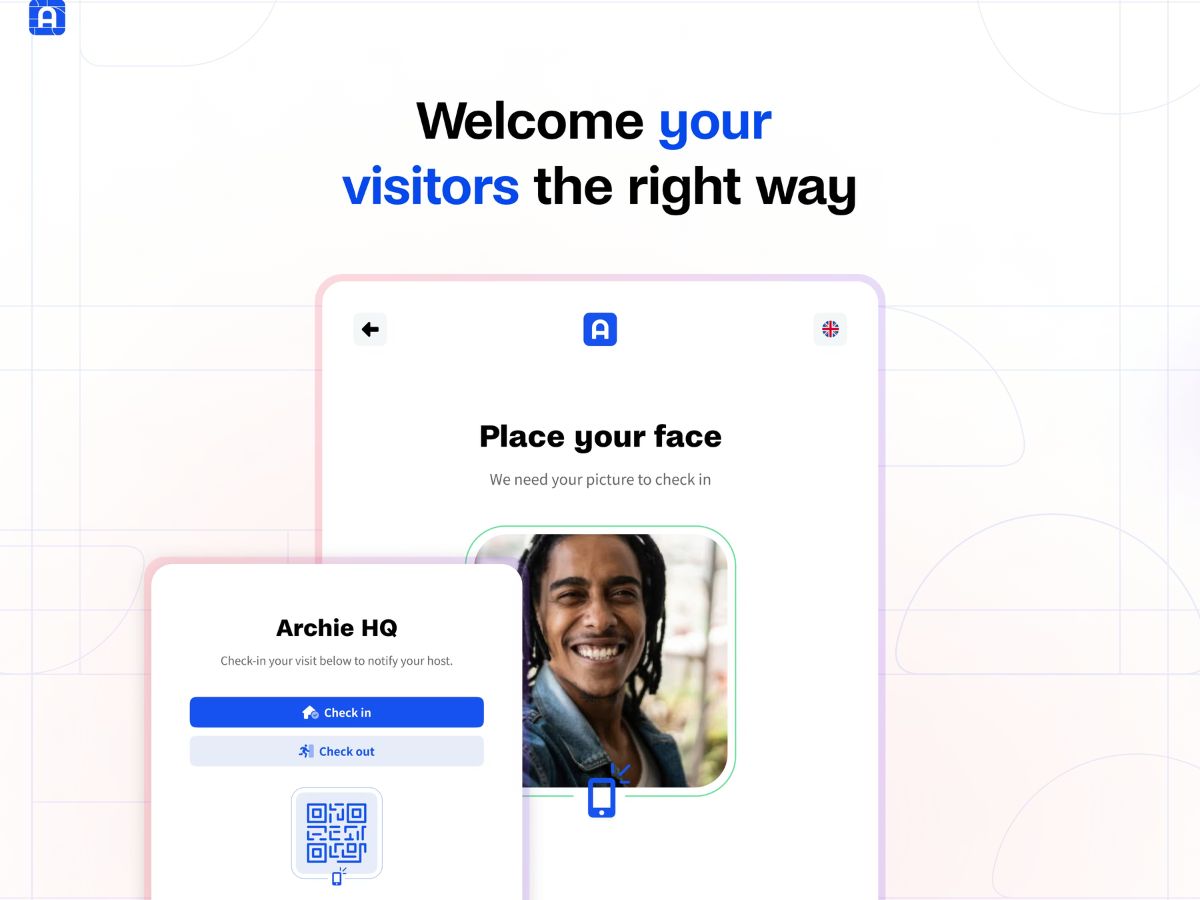
Archie-visitors

Archie

Brand: Archie

  • 4.3

  • 5 Ratings

Have you used Archie before?

Share your insights for better experience

Add a Review
Starting Price
$109

View plans

100% Genuine
Products
Best Price
Guaranteed
Safe & Secure
Payment
  • Description

  • Pricing

  • Features

  • Specification

  • Review

Starting at $109.00

Archie Software Overview

Archie Company Details

Founded Year:  2016

A seamless platform for flexible workspaces.

Director/Founders Donovan Charpin, Maxime Bouillon
Company Size 1-100 Employees

Archie Pricing & Plans

Starter
Starting at $109
    • Location

      Location
      Location
    • Monthly

      Monthly
      Monthly

Key Features

  • Unlimited visitors

  • Visitor kiosk app

  • Touchless registration

  • Host notifications

  • Badge printing

  • Document e?signatures

Pro
Starting at $185
    • Location

      Location
      Location
    • Monthly

      Monthly
      Monthly

Key Features

  • Visitor analytics

  • Brand customization

  • Photo capture

  • Custom forms

  • SMS notifications

  • Emergency evacuations

Archie Features

  • icon_check Desk Booking
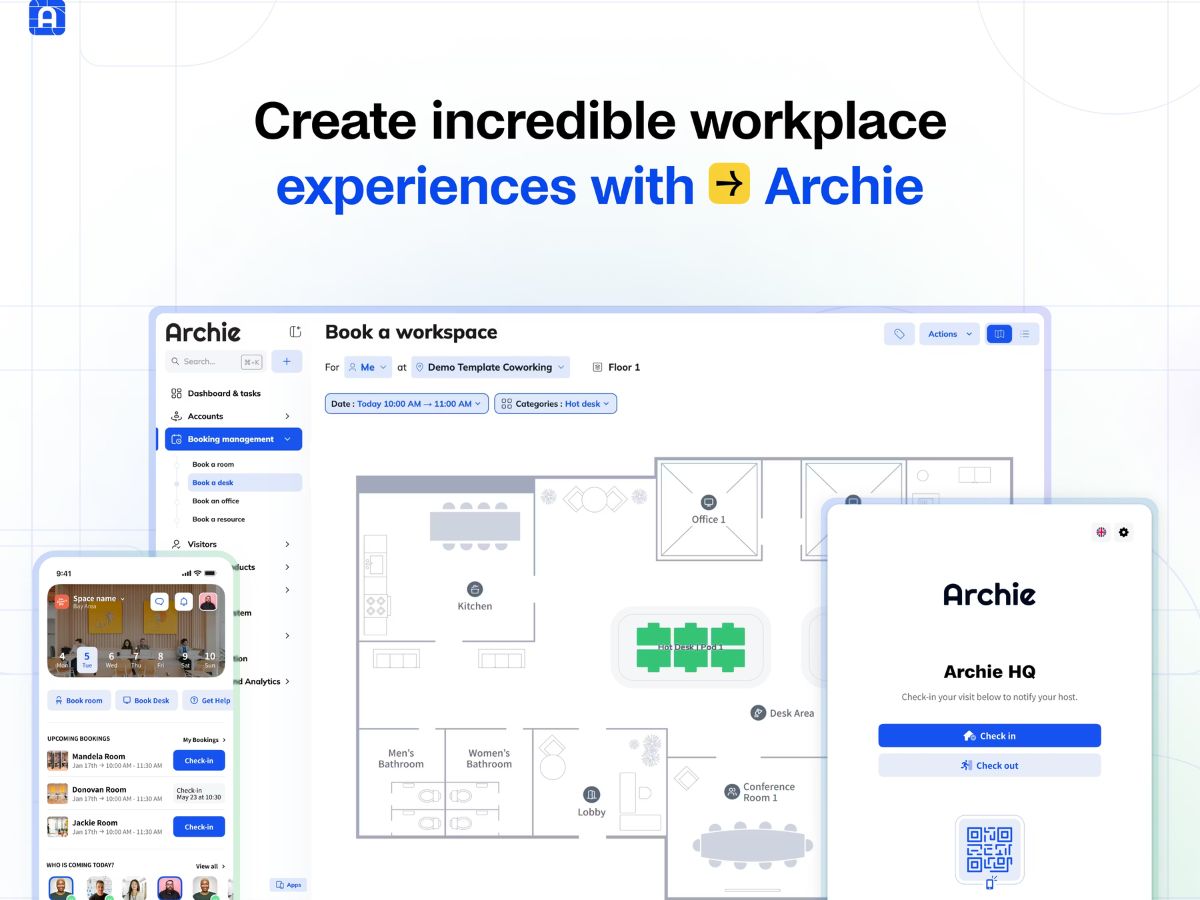
    Enables employees to reserve desks via interactive maps, supporting hybrid schedules and ensuring space availability.
  • icon_check Room Scheduling
    Allows users to book meeting rooms with real-time availability, resource filters, and integrated calendar syncing.
  • icon_check Interactive Floor Plans
    Displays dynamic layouts showing available desks and rooms, helping users visualize and select workspace locations.
  • icon_check Hybrid Work Management
    Supports flexible attendance planning with team schedules, shared calendars, and tools for organizing hybrid operations.
  • icon_check Visitor Management
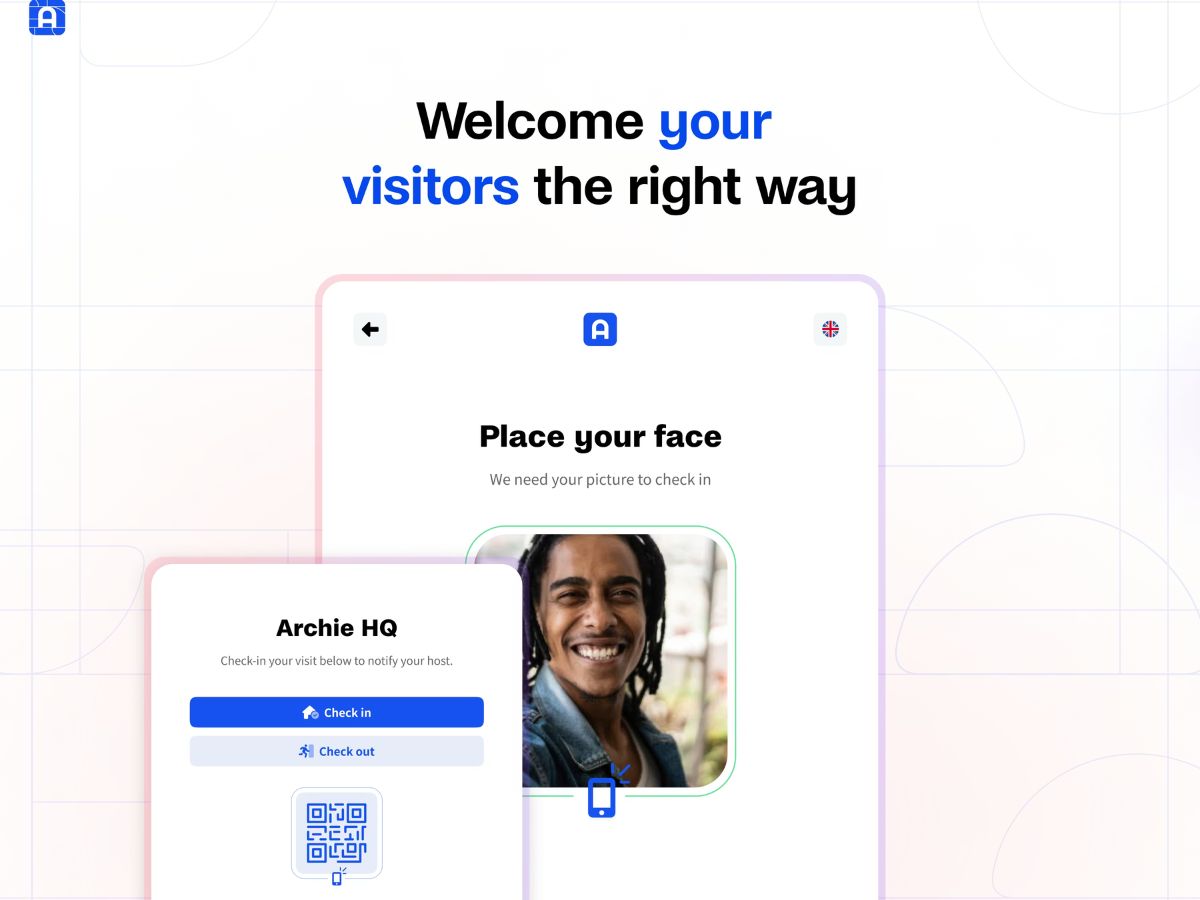
    Manages guest check-ins with QR codes, automated host alerts, digital logs, and customizable visitor onboarding flows.
  • icon_check Member Management
    Centralizes coworking member profiles, access rights, plans, preferences, and engagement activity across locations.
  • icon_check Billing Automation
    Generates recurring invoices, processes online payments, and automates billing cycles for coworking and office services.
  • icon_check Access Control Integration
    Connects with door and entry systems to automate secure access provisioning based on bookings, roles, and permissions.
  • icon_check Event Management
    Facilitates creation, promotion, and attendance tracking for on-site events to strengthen coworking community engagement.
  • icon_check Resource Management
    Tracks office resources like equipment and amenities, ensuring accurate allocation and preventing booking conflicts.
  • icon_check Usage Analytics
    Provides workspace insights through occupancy data, booking trends, and performance dashboards to guide planning.
  • icon_check Team Collaboration
    Supports team coordination with shared calendars, group scheduling, and workplace visibility features.
  • icon_check Payment Processing
    Enables seamless online payments for bookings and memberships through integrated gateways and automated workflows.
  • icon_check Calendar Integration
    Syncs bookings with Outlook, Google, and other calendars to keep schedules updated and avoid double reservations.
  • icon_check Multi-Location Support
    Centralizes oversight of multiple office or coworking sites, unifying bookings, billing, access, and reporting.

Archie Specifications

Supported Platforms
Windows Windows iOS iOS Android Android MacOS MacOS
Devices
Desktop Desktop Mobile Mobile Tablet Tablet iPad iPad
Deployment
Cloud-Based Cloud-Based
Suitable For
All Industries
Business Specific
All Businesses
Business Size
Small Business Startups Medium Business Enterprises
Customer Support
Email Communities
Language
English
Integration
API Integration
Training Resources
Videos

Archie Review

4.3

Out of 5

img

Overall Rating

Based on
5 Verified Ratings

Rating Breakdown

  • Features 4.4
  • Value for Money 4
  • Ease of Use 4.4
  • Customer Support 4.4

80% Recommend this Product

Add Review

Techjockey Trusted Reviews from Verified Users

No reviews are currently available for Archie. Discover similar Visitor Management Software reviews

  • NoBrokerHood

    4.2

    Whats great - We’ve been using NoBrokerHood in our society for a while, and it offers a mix of useful features and noticeable gaps. On the ... read more

  • Greetly

    5.0

    Whats great - It is easy to use. It allows us to have something at the front desk without needing an actual receptionist. read more

  • Entry2Exit

    4.8

    Whats great - Very customizable and easy to use. read more

Terms and Condtions

close

Users with registered businesses can purchase goods from merchants on the platform to satisfy their business needs. Users are not permitted to utilize any products acquired through the platform for resale, advertising, business, or further distribution.

For each purchase made, users will receive a Tax Invoice (or 'GST invoice') that includes specific details such as:

  • the GSTIN of the user associated with their registered business, and

  • the specified Entity Name for their business.

It should be noted that not all products are eligible for GST Invoice. Only the products displayed by participating sellers with the 'GST-based Invoice Available' callout on the product description page would qualify.

Certain goods and services are not eligible to get a GST Invoice, including items with VAS, i.e., Value Added Services (e.g., Total Mobile Protection/Assured Buyback) and those involving an exchange offer at the time of purchase.

Users must ensure the accuracy of the GSTIN, and business entity name provided for the GST Invoice. Requests for corrections into GST Invoice would not be accommodated by Techjockey.com or any Seller, and any issues arising from user-provided information are the sole responsibility of users.

Techjockey.com is not liable for the GST Invoice or any associated input tax credit. To efficiently claim an input tax credit, users should select the registered place of business address as per the GST authority's data and follow the provisions of the GST Act and rules.

To claim an input tax credit, the delivery and billing addresses must match. Furthermore, input tax credits will not be granted if the delivery address and GSTIN on the invoice are from different states. In case of incorrect GST details provided during the order placement, the order will be canceled automatically.

20,000+ Software Listed 20,000+ Software Listed

Best Price Guaranteed Unbiased Comparison

Free Expert Consultation Read Authentic Reviews

2M+ Happy Customers 500,000+ Monthly Users