linkedin
Benzinga Pro logo
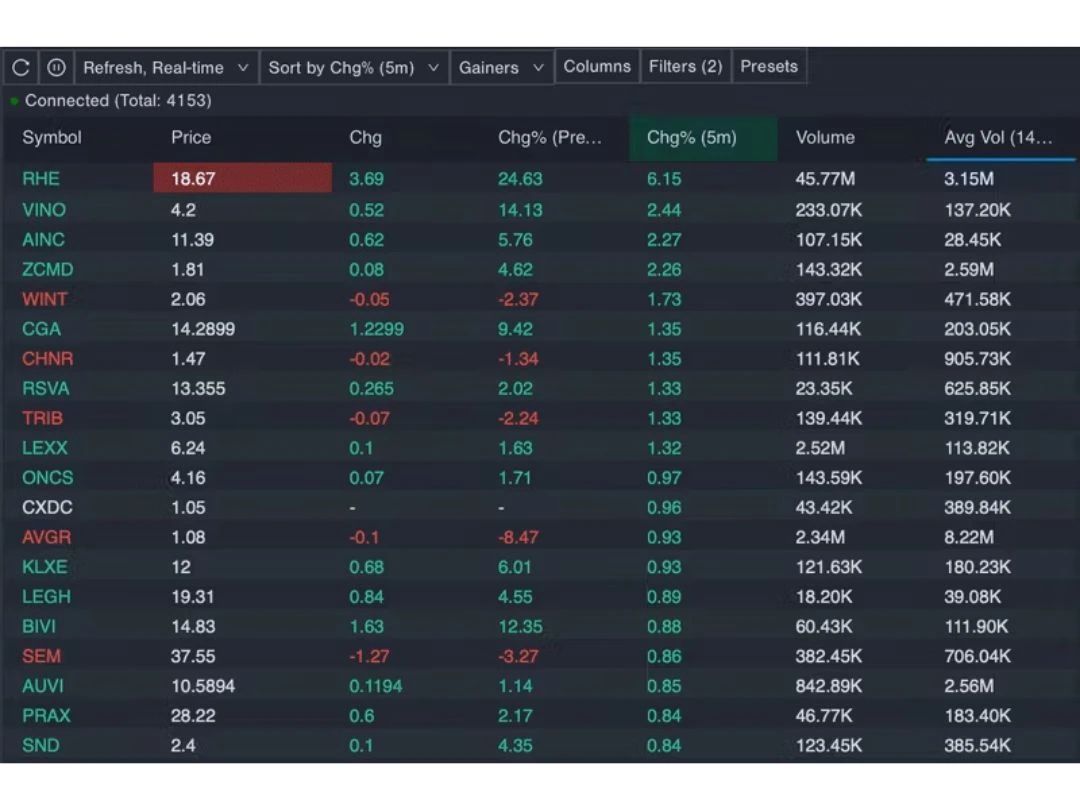
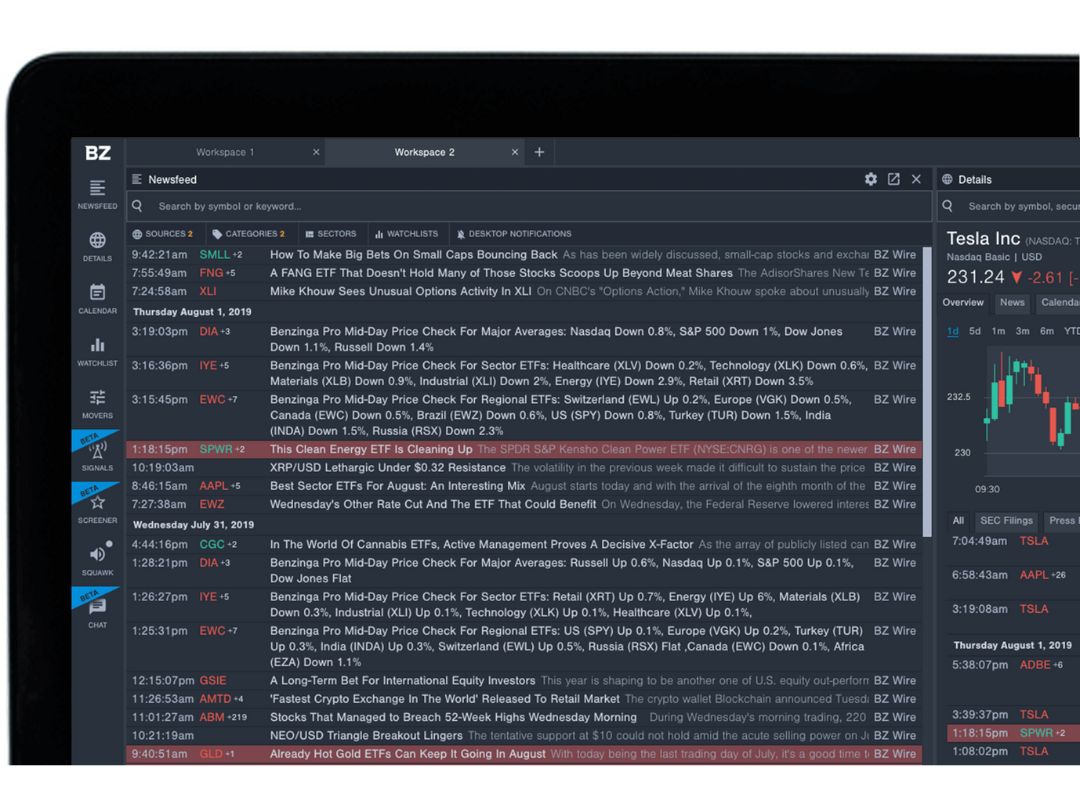
benzinga pro-dashboard
benzinga pro-stocks
benzinga pro-news

Benzinga Pro

Brand: Benzinga Pro

  • 4.2

  • 6 Ratings

Benzinga Pro is a stock market analytics platform providing news, alerts, research tools, and trading insights.

See More

Have you used Benzinga Pro before?

Share your insights for better experience

Add a Review
Starting Price
$37

View plans

100% Genuine
Products
Best Price
Guaranteed
Safe & Secure
Payment
  • Description

  • Pricing

  • Features

  • Specification

  • Review

  • Compare

  • Alternatives

  • FAQ

Starting at $37.00

Benzinga Pro Software Overview

What is Benzinga Pro?

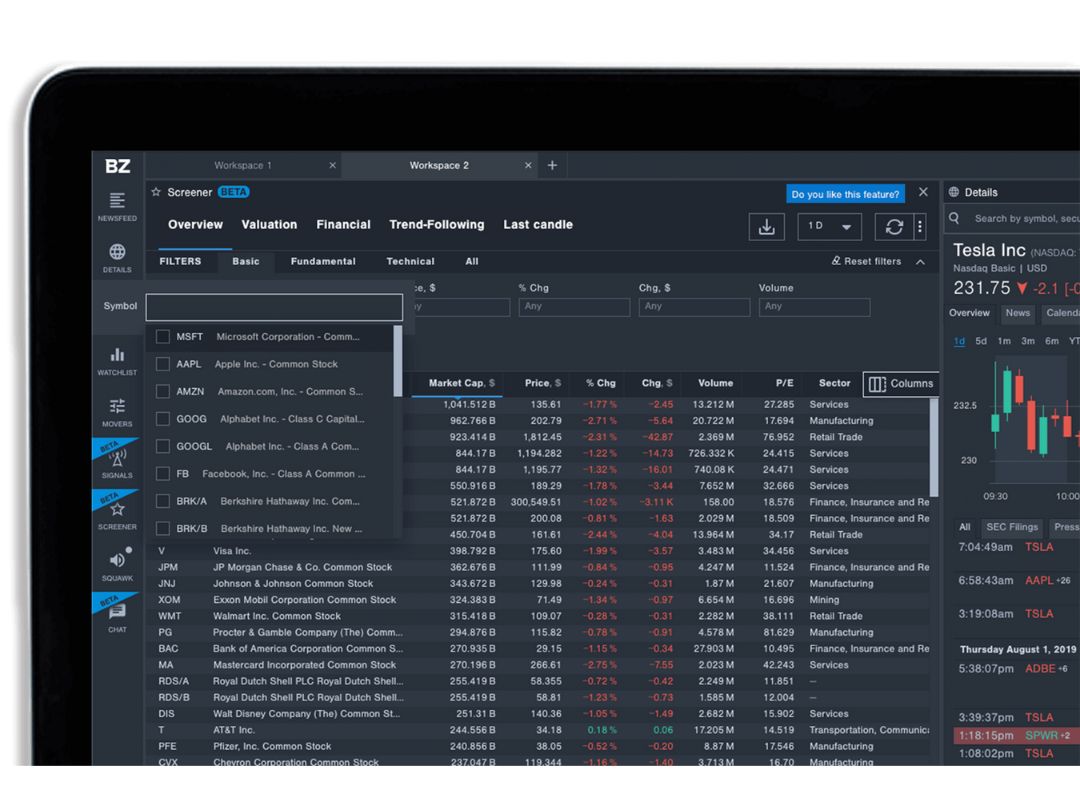
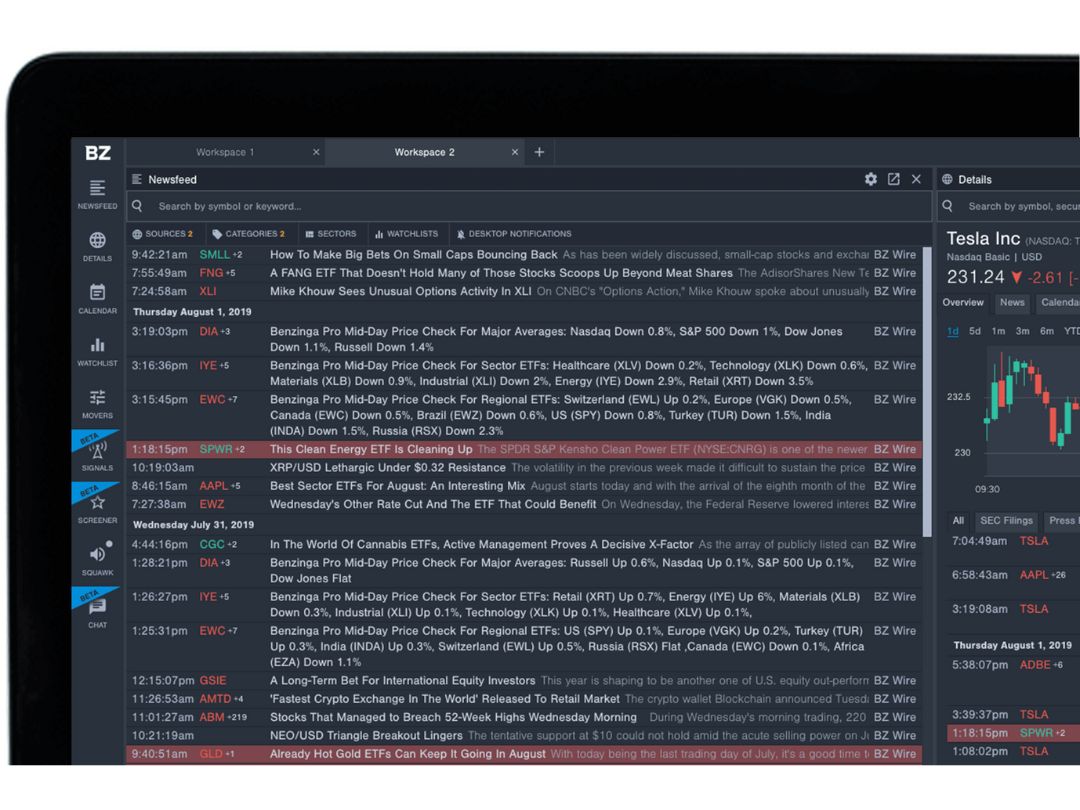
Benzinga Pro is a real-time stock market analytics platform for traders and investors. With a highly interactive interface, it provides breaking news, stock alerts, and research tools to help in making better trading decisions. It allows users to customize the interface with needed feeds, filters, and charting tools, for quick access to important information.

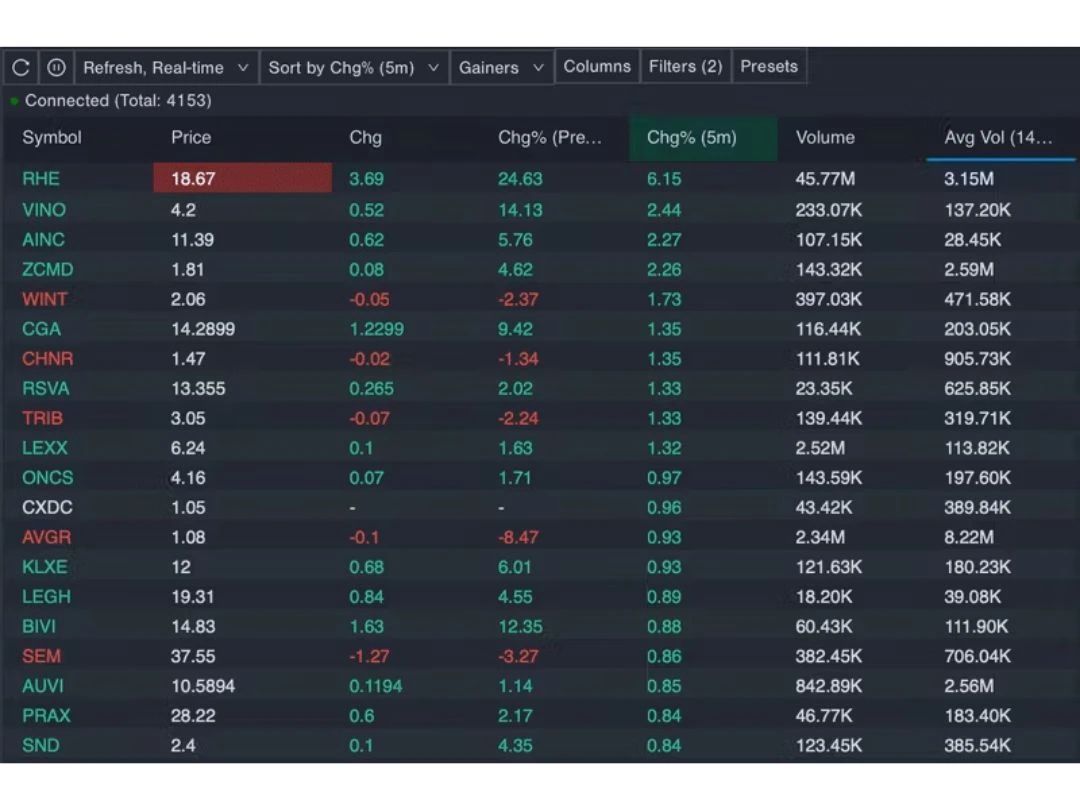
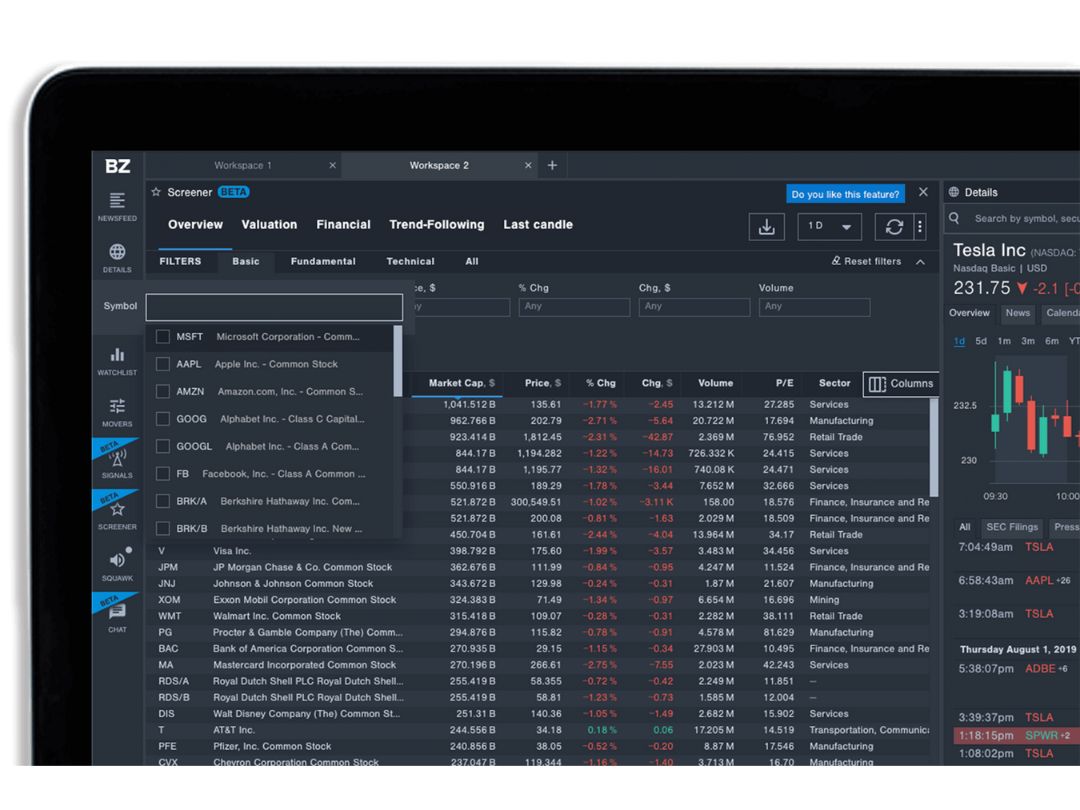
Benzinga Pro helps to get instant notifications on price movements via stock alerts. Its stock scanner provides filters to quickly identify market opportunities for stocks. Audio Squawk delivers live, real-time news updates and the stories feature highlights key market-moving headlines. It also provides sentiment indicators to analyze market sentiment and insider trading insights.

Why choose Benzinga Pro?

  • Stock analysis: Allows to identify key trends, price movements, and volatility using customizable scanning tools to make trading strategies.
  • Day trading inputs: Helps to track short-term momentum and high-volume stocks for quick trades management.
  • Pre-market analysis: Spot early movers and gain insights into market conditions before regular trading begins.
  • Sector tracking: Scan specific industries, like tech or healthcare, to detect emerging opportunities in trending stocks.
  • Filtering in real-time: Adjust filters instantly to monitor price fluctuations, volume changes, and sentiment shifts for smarter trades.

Benefits of Benzinga Pro

  • Interactive interface: Customize dashboards, track stocks, and access real-time news for efficient trading.
  • Faster decision-making: Helps to give instant alerts and insights, for quick actions on market trends.
  • Better risk management: Makes use of scanners and sentiment indicators to identify volatility and helps to optimize trading strategies.
  • Better market analysis: Gives access to detailed financial data, trends, and insider activity to help in making better investments.
  • Mobile access: Allows to trade anytime, anywhere using its mobile app.

Pricing of Benzinga Pro

Benzinga Pro price starts at $37.00. Benzinga Pro comes with multiple pricing plans and caters to a diverse customer base. For subscription-related details and offers on premium packages, please request a call back from our product experts.

Read more

Benzinga Pro Company Details

Founded Year:  2010

Follow for financial news, data and education

Director/Founders ason Raznick
Company Size 101-500 Employees

Benzinga Pro Pricing & Plans

Basic
Starting at $37
    • Ram

      Ram
      Ram
    • Quantity

      Quantity
      Quantity

Key Features

  • Nasdaq Basic (Real Time Quotes)

  • Full Newsfeed (no Advanced Filtering)

  • Chat

  • Movers

  • Watchlist Alerts

Streamlined
Starting at $147
    • Ram

      Ram
      Ram
    • Quantity

      Quantity
      Quantity

Key Features

  • Every Basic Feature

  • Advanced Newsfeed

  • Audio Squawk (Equity, Options)

Essential
Starting at $197
    • Ram

      Ram
      Ram
    • Quantity

      Quantity
      Quantity

Key Features

  • Every Streamlined Feature

  • Nasdaq Basic (Real Time Quotes)

  • Real-Time Scanner

  • Audio Squawk (Equity, Options)

  • Calendar

  • Signals

  • Unlockable bonuses

Benzinga Pro Features

Core Features

  • icon_check Portfolio Management
    Track investments, manage assets, and analyze performance using detailed insights and financial data.
  • icon_check Market Data
    Access real-time stock prices, market trends, and financial reports to stay informed about trading decisions.
  • icon_check Watchlist
    Monitor favorite stocks, set alerts, and track price changes for personalized trading strategies efficiently.
  • icon_check Charting Tools
    Use advanced graphs, historical data trends, and technical indicators to analyze market movement accurately.
  • icon_check Order Execution
    Place, modify, or cancel trades instantly with fast, reliable order execution tailored for active traders.
  • icon_check Stock Screener
    Filter stocks based on volume, price, market cap, and technical indicators to discover trading opportunities.
  • icon_check Order Control
    Tools to manage, modify, and cancel buy or sell orders efficiently on the trading platform.

Order Execution

  • icon_check Limit Order
    Set a maximum or minimum price for buying or selling stocks to ensure better control over trade execution.
  • icon_check Market Order
    Buy/sell immediately at the current market price, ensuring execution but no price control.
  • icon_check Stop (Loss) Order
    Automatically sell assets when they reach a set price to minimize losses and protect investments.
  • icon_check Stop Limit Orders
    Combines a stop-loss order with a limit order to sell/buy once a set price is triggered.
  • icon_check Trailing Stop Order
    Automatically adjusts stop price as the market price moves in favor of the position.

Research and Analysis

  • icon_check Sentiment Analysis
    Assess stock market emotions using AI-driven news scanning to identify bullish or bearish trends.
  • icon_check Analyst Ratings
    Displays professional analyst opinions on stocks, including buy, hold, or sell recommendations.
  • icon_check Multi-Timeframe Analysis
    Analyzes price trends across different timeframes for better decision-making.
  • icon_check Advanced Order Flow Analysis
    Tracks and analyzes buying and selling activity across the market.

Technical Analysis

  • icon_check Trendlines
    Identify stock price directions using trendlines to forecast momentum shifts and trading signals effectively.
  • icon_check Technical Indicators
    Tools like RSI and MACD for analyzing stock price momentum and direction.
  • icon_check Custom Indicators
    Create and apply personalized technical indicators for unique trading strategies.
  • icon_check Smart drawing tools
    Customizable tools to draw patterns like support, resistance, and Fibonacci retracements.
  • icon_check Automated Technical Patterns Detection
    Automatically identifies patterns like head and shoulders or flags.

Fundamental Analysis

  • icon_check Balance Sheet
    Evaluate company assets, liabilities, and shareholder equity to determine financial health and stability.
  • icon_check Income Statement
    Displays a company’s revenue, expenses, and profitability over a specific period.
  • icon_check Industry Analysis
    Compare sector trends, market competition, and economic impacts to identify top-performing industries.
  • icon_check Financial Ratios
    Key metrics like P/E and P/B ratios to evaluate stock value relative to financial performance.
  • icon_check Cash Flow Statements
    Tracks cash inflows and outflows to assess company liquidity and operational efficiency.
  • icon_check Earnings Forecasts
    Predicts future earnings based on historical data and market conditions.
  • icon_check Company Valuation Models
    Estimates a company’s value based on DCF, NPV, and other valuation methods.

Backtesting and Optimization

  • icon_check Paper Trading
    Test strategies with simulated trades, allowing risk-free practice before executing real investments.
  • icon_check Historical Data Simulation
    Analyze past market trends using historical stock data to refine investment strategies.
  • icon_check Strategy Optimization
    Fine-tunes trading strategies by adjusting parameters for improved performance.
  • icon_check Strategy Tester
    Evaluates the performance of trading strategies before deploying them in live markets.
  • icon_check Monte Carlo Simulation
    Uses probabilistic models to forecast trading outcomes in uncertain conditions.

Risk Management

  • icon_check Performance Analytics
    Track trading success rates, returns, and strategy efficiency using comprehensive performance metrics.
  • icon_check Position Sizing Calculator
    Determines the appropriate trade size based on risk tolerance and market conditions.
  • icon_check Diversification Analysis
    Analyzes portfolio risk by evaluating asset allocation and exposure to different sectors.
  • icon_check Risk Calculator
    Estimates potential profit/loss scenarios based on trade size and risk percentage.
  • icon_check Stop-Loss Automation
    Automatically implements stop-loss rules to limit potential trading losses.
  • icon_check Maximum Drawdown Analysis
    Measures the largest peak-to-trough decline in a portfolio's value.

Trading Options

  • icon_check Paper Trading
    Test strategies with simulated trades, allowing risk-free practice before executing real investments.
  • icon_check Swing Trading
    A strategy that captures shortto medium-term gains from price swings.
  • icon_check Intraday Trading
    Execute multiple trades within a single market session, leveraging price fluctuations.
  • icon_check Derivative Trading
    Trade derivatives like options, futures, and swaps based on underlying assets.
  • icon_check Algorithm Trading
    Executes trades based on pre-set algorithms without manual intervention.
  • icon_check Futures Trading
    Invest in futures contracts based on price predictions for commodities, indices, or currency markets.
  • icon_check Forex Trading
    Enables trading in currency pairs based on fluctuations in the foreign exchange market.
  • icon_check Crypto Trading
    Trade cryptocurrencies using sentiment analysis, price tracking, and volatility indicators.
  • icon_check Spread Trading
    Speculative trading of the price difference between two assets.
  • icon_check Options Trading
    Allows the buying/selling of call and put options for speculative or hedging purposes.
  • icon_check Automatic Trading
    Uses automated systems to execute trades according to predefined criteria.
  • icon_check Rotational Trading
    Alternates investments between sectors, asset classes, or strategies based on market trends.

Reporting & Analytics

  • icon_check Dashboards
    Visual displays of key metrics like portfolio performance, risk levels, and trade history.
  • icon_check Portfolio Tracking
    Monitor stock investments with detailed insights and historical performance data.
  • icon_check Customizable Reports
    Tailored reports to analyze performance, tax implications, or investment behavior.
  • icon_check Risk Analytics
    Assess market risks using automated sentiment indicators and volatility tracking tools.
  • icon_check Trade Performance Attribution
    Breaks down the source of trading gains or losses for better analysis.

Account Management

  • icon_check Customizable User Interface
    Modify dashboard layouts and settings to suit personalized trading needs.
  • icon_check Audit Trail
    Tracks and logs user activity to maintain compliance and security.
  • icon_check Multi-Factor Authentication (MFA)
    Adds a second layer of security to protect accounts from unauthorized access.
  • icon_check User Access Management
    Controls who can execute trades, view reports, or manage funds based on assigned privileges.
  • icon_check Account Summary Reports
    Provides detailed summaries of account balances, holdings, and transactions.

Integrations

  • icon_check Social Media Integration
    Connects with social platforms to track sentiment, discussions, and trends.
  • icon_check API Integration
    Connect automated trading bots, market data platforms, and third-party financial services seamlessly.
  • icon_check Third Party Integration
    Supports tools like research platforms, analytics software, and financial news services.
  • icon_check Market Data Integration
    Links the platform to real-time market data feeds for timely trading decisions.
  • icon_check Cloud Data Integration
    Stores and accesses trading data through cloud services for scalability.
  • icon_check Multi-Language Support
    Provides the ability to use the software in various languages for global accessibility.
  • icon_check Brokerage Integration
    Connects to brokerage accounts for seamless trading and order execution.

Alerts & Notifications

  • icon_check Price Alert
    Get notified instantly about stock price movements reaching predefined thresholds.
  • icon_check Push Notifications
    Sends updates directly to mobile devices for timely decisions.
  • icon_check Volume Alerts
    Detect unusual trading activity based on sudden volume spikes or drops.
  • icon_check Real-Time Market Updates
    Sends alerts on price changes, market movements, and breaking news.
  • icon_check News Alert
    Get instant updates on breaking financial news affecting stock performance.
  • icon_check Sentiment Alerts
    Assess market mood shifts using AI-driven sentiment tracking tools.

Benzinga Pro Specifications

Supported Platforms
Ubuntu Ubuntu Windows Windows MacOS MacOS Linux Linux
Devices
Desktop Desktop
Deployment
Cloud-Based Cloud-Based
Suitable For
Stock Market
Business Specific
Stock Market
Business Size
Small Business Startups Medium Business Enterprises
Customer Support
Phone Email Live Chat Communities
Language
English
Integration
API Integration
Training Resources
Documentation Videos

Explore the Best Alternative Solutions Similar to Your Business Size and Needs

Benzinga Pro Review

4.2

Out of 5

img

Overall Rating

Based on
6 Verified Ratings

Rating Breakdown

  • Features 4.2
  • Value for Money 4.3
  • Ease of Use 4
  • Customer Support 4.3

88% Recommend this Product

Add Review

Techjockey Trusted Reviews from Verified Users

No reviews are currently available for Benzinga Pro. Discover similar Stock Market Software reviews

  • TradingView

    4.5

    Whats great - It is dependable, thorough, and contains the majority of the trading-related necessities. A really innovative piece of softwa... read more
  • Esignal

    4.3

    Whats great - One of the best features of eSignal for me is the customizable alerts. I can set notifications for specific price points, and... read more

  • GoCharting

    4.1

    Whats great - there no need to buy it as paying money for it is useless read more

Compare Benzinga Pro With other Stock Market Software

Products
Ratings
Pricing
Device Supported
Deployment
Supported Platforms
  • img

    Benzinga Pro

  • 4.2

  • $ 37.00 excl. GST

  • Desktop

    Mobile

  • Web based

    On Premises

  • Windows

    Mac OS

  • img

    TradingView

  • 4.5

  • Price On Request

  • Desktop

    Mobile

  • Web based

    On Premises

  • Windows

    Mac OS

  • img

    MultiCharts

  • 4.2

  • Price On Request

  • Desktop

    Mobile

  • Web based

    On Premises

  • Windows

    Mac OS

  • img

    TrendSpider

  • 4.2

  • Price On Request

  • Desktop

    Mobile

  • Web based

    On Premises

  • Windows

    Mac OS

  • img

    ProRealTime

  • 4.1

  • Price On Request

  • Desktop

    Mobile

  • Web based

    On Premises

  • Windows

    Mac OS

  • img

    GoCharting

  • 4.2

  • Price On Request

  • Desktop

    Mobile

  • Web based

    On Premises

  • Windows

    Mac OS

  • img

    Koyfin

  • 4.7

  • Price On Request

  • Desktop

    Mobile

  • Web based

    On Premises

  • Windows

    Mac OS

  • img

    Trade Ideas

  • 4.5

  • Price On Request

  • Desktop

    Mobile

  • Web based

    On Premises

  • Windows

    Mac OS

  • img

    StockGro

  • 4.4

  • Price On Request

  • Desktop

    Mobile

  • Web based

    On Premises

  • Windows

    Mac OS

  • img

    Esignal

  • 4.3

  • Price On Request

  • Desktop

    Mobile

  • Web based

    On Premises

  • Windows

    Mac OS

  • img

    StockCharts

  • 4.1

  • Price On Request

  • Desktop

    Mobile

  • Web based

    On Premises

  • Windows

    Mac OS

(0) Product(s) selected

Benzinga Pro Alternatives

See All Benzinga Pro Alternatives

Starting Price:

$20.00 /Month

Available

Price on Request

Starting Price:

$67.00 /Month

Available

Price on Request

Can a user get a demo of Benzinga Pro before purchasing?

Yes, Benzinga Pro offers a free trial so users can explore its features before subscribing.

Can a user access Benzinga Pro on different operating systems?

Yes, Benzinga Pro is available on Windows, macOS, and mobile via its web-based and app versions.

How can I track market trends using Benzinga Pro?

Benzinga Pro offers sentiment indicators, stock scanners, and insider trading insights for trend analysis.

Can a user receive stock alerts on Benzinga Pro?

Yes, Benzinga Pro sends real-time alerts for stock price changes, earnings reports, and breaking news.

Is Benzinga Pro useful for cryptocurrency traders?

Yes! Benzinga Pro covers crypto news, market data, and sentiment indicators for informed digital asset trading.

Who can use Benzinga Pro?

Traders, investors, financial analysts, hedge funds, and institutional investors can use Benzinga Pro for real-time stock alerts, and advanced market insights.

How much does the Benzinga Pro cost?

Benzinga Pro price starts at $37.00 and its pricing varies as per its functionalities.

How does Benzinga Pro work?

Benzinga Pro is a real-time stock market news and research platform designed for active traders. With its high-speed news, sentiment indicators, stock scanners, and real-time price alerts it helps in making better trading decisions.

Terms and Condtions

close

Users with registered businesses can purchase goods from merchants on the platform to satisfy their business needs. Users are not permitted to utilize any products acquired through the platform for resale, advertising, business, or further distribution.

For each purchase made, users will receive a Tax Invoice (or 'GST invoice') that includes specific details such as:

  • the GSTIN of the user associated with their registered business, and

  • the specified Entity Name for their business.

It should be noted that not all products are eligible for GST Invoice. Only the products displayed by participating sellers with the 'GST-based Invoice Available' callout on the product description page would qualify.

Certain goods and services are not eligible to get a GST Invoice, including items with VAS, i.e., Value Added Services (e.g., Total Mobile Protection/Assured Buyback) and those involving an exchange offer at the time of purchase.

Users must ensure the accuracy of the GSTIN, and business entity name provided for the GST Invoice. Requests for corrections into GST Invoice would not be accommodated by Techjockey.com or any Seller, and any issues arising from user-provided information are the sole responsibility of users.

Techjockey.com is not liable for the GST Invoice or any associated input tax credit. To efficiently claim an input tax credit, users should select the registered place of business address as per the GST authority's data and follow the provisions of the GST Act and rules.

To claim an input tax credit, the delivery and billing addresses must match. Furthermore, input tax credits will not be granted if the delivery address and GSTIN on the invoice are from different states. In case of incorrect GST details provided during the order placement, the order will be canceled automatically.

20,000+ Software Listed 20,000+ Software Listed

Best Price Guaranteed Unbiased Comparison

Free Expert Consultation Read Authentic Reviews

2M+ Happy Customers 500,000+ Monthly Users