linkedin
KineMaster logo
play KineMaster Demo
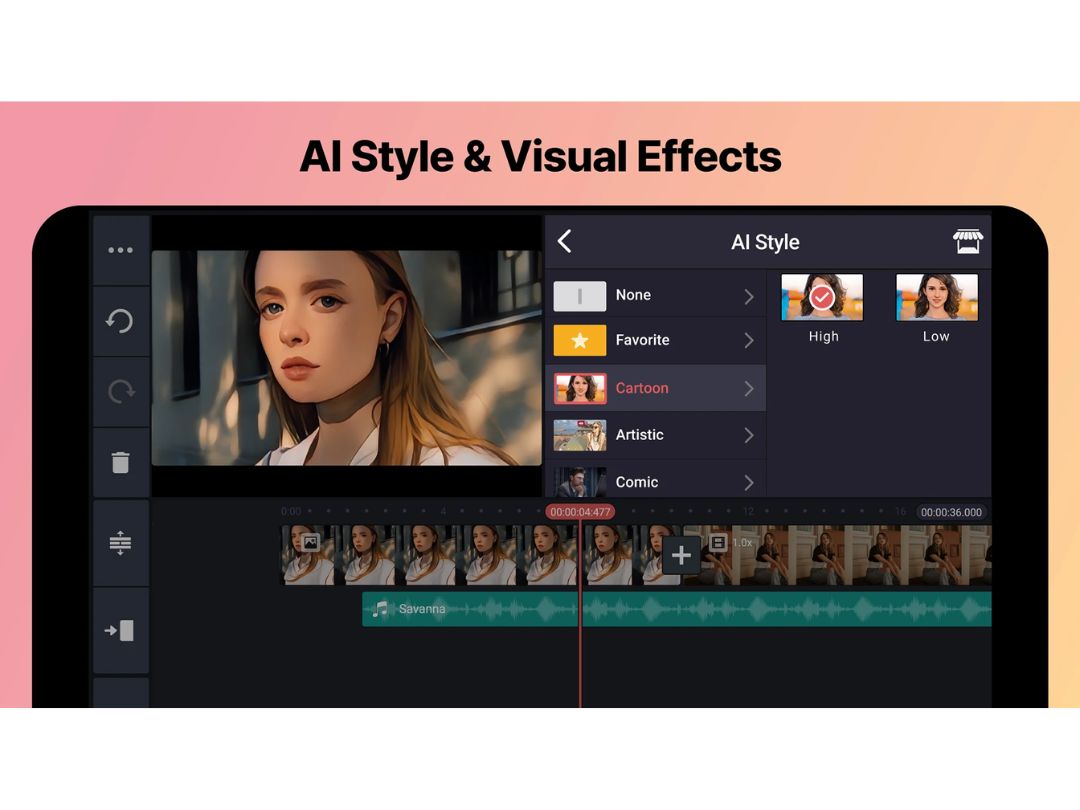
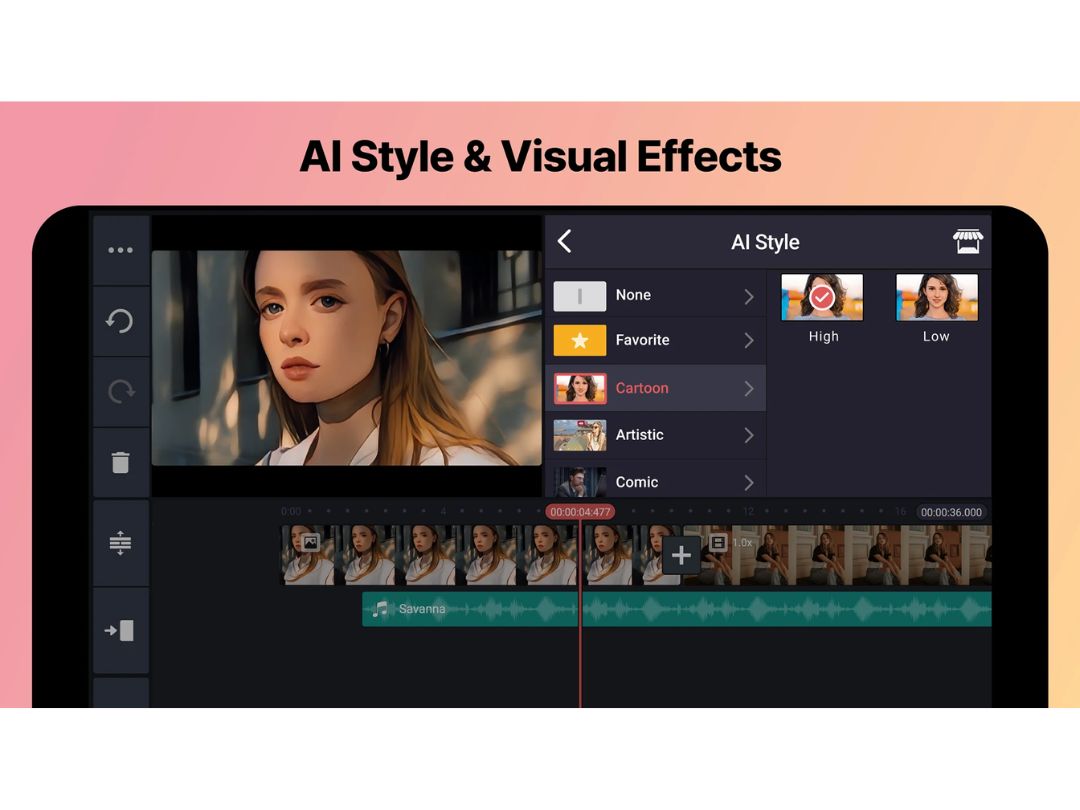
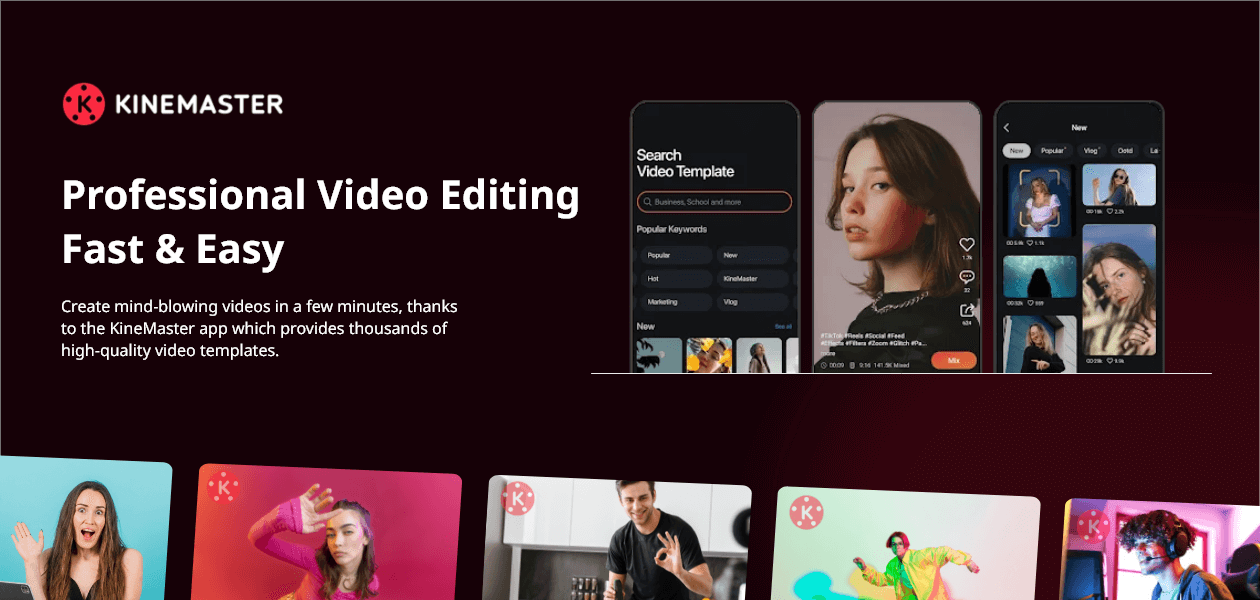
KineMaster AI Style
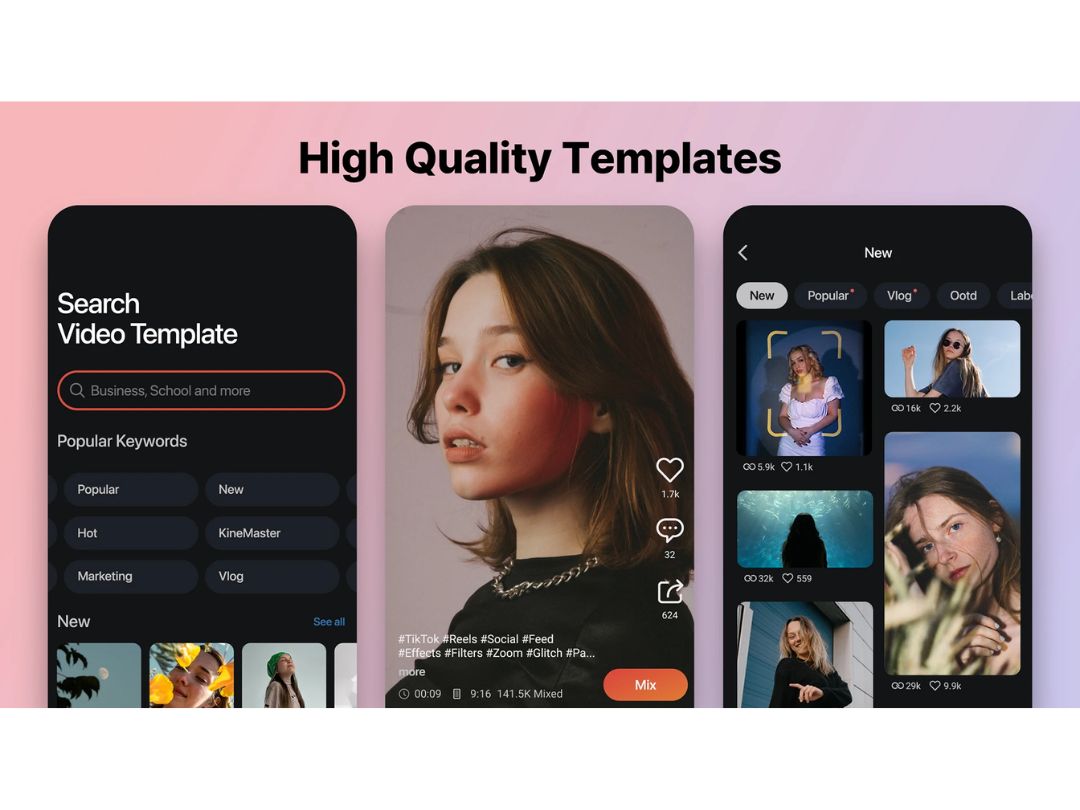
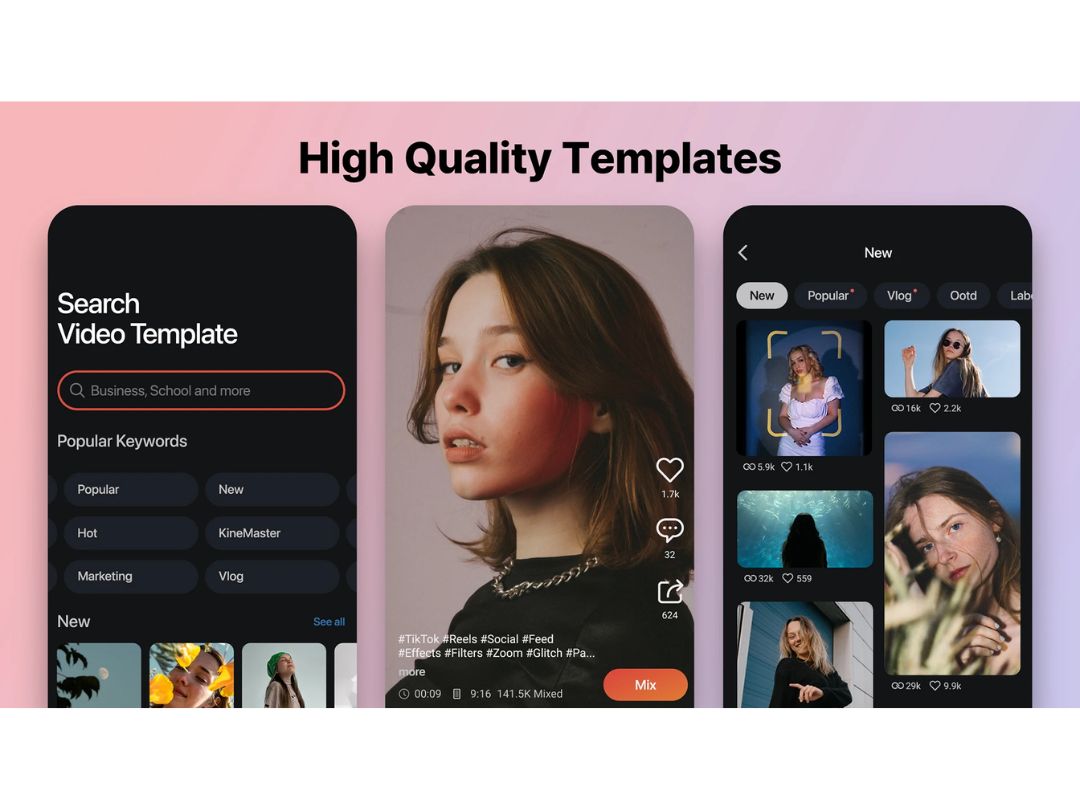
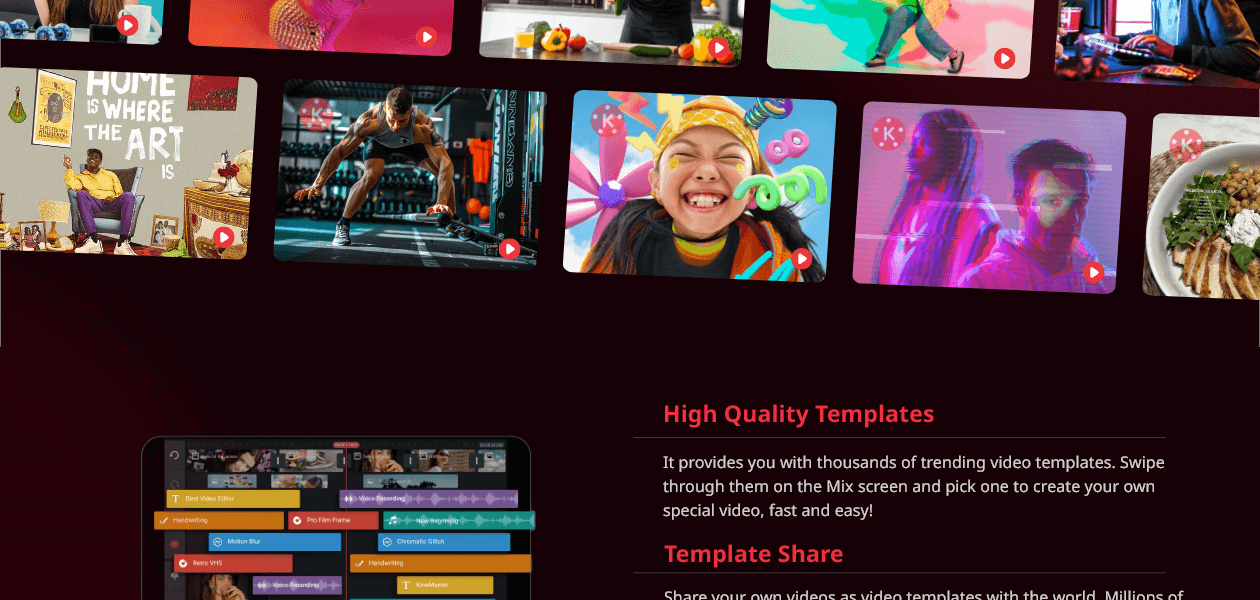
KineMaster High Quality Templates

KineMaster

Brand: KineMaster

  • 4.2

  • 18 Ratings & 18 Reviews

Kinemaster is a full-featured professional mobile video editor for Android and iOS offering multilayer timeline editing and chroma key

See More

Have you used KineMaster before?

Share your insights for better experience

Add a Review
Starting Price
$8

View plans

100% Genuine
Products
Best Price
Guaranteed
Safe & Secure
Payment
  • Description

  • Pricing

  • Features

  • Specification

  • Review

  • Compare

  • Alternatives

  • FAQ

Starting at $7.99

KineMaster Software Overview

What is Kinemaster

KineMaster is a full-featured mobile video editor for Android and iOS, acclaimed for its multifaceted tools and ease of use. It empowers high-quality video creations, including effects, animations, overlays, multilayer timelines and chroma key compositing.

This video editing software also enables Instant Previews for reviewing edits and 100+ real-time audio effects. Output supports 4K quality exports.

Key Functionalities of Kinemaster

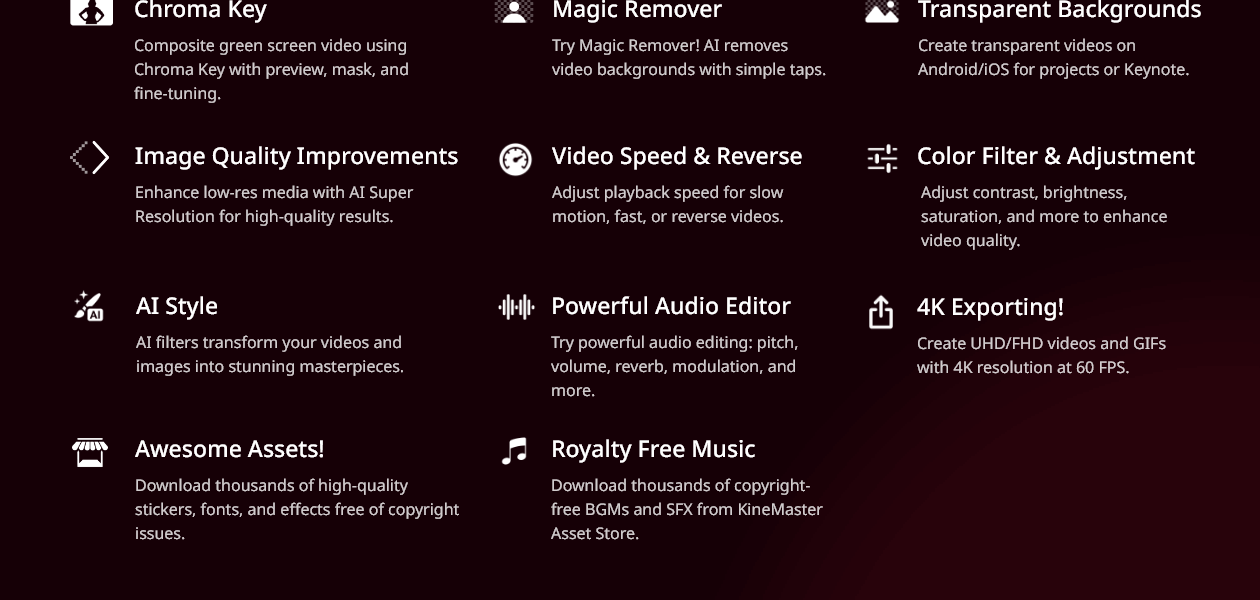
  • Multilayer Timelines: Kinemaster offers Stack visuals, videos, images, audio, text and effects on unlimited layers against the main timeline for compositing flexibility.
  • Keyframe Animation: Animate text, graphics, titles and visual assets manually on customizable paths using granular keyframes for precision.
  • Speed/Duration Control: Retime clips smoothly through intuitive speed ramping graphs with precise clip trimming to single-frame accuracy.
  • Visual Effect Assets: Choose from extensive libraries of stickers, overlays, filters, transitions, and text styles to stylize projects quickly.
  • Chroma Key Compositing: Replace backgrounds cleanly by shooting against green screen backgrounds and leveraging colour correction tools.

Why Choose Kinemaster

  • Intuitive Multi-Track Timelines: Its signature overlapped track-based editing approach sets it apart from competitors, allowing precise alignment of visuals, audio, and text layers.
  • High-Quality Exports: Utilizes complete hardware encode support on devices instead of software transcoding, consistently maintaining sharper output quality.
  • Extensive Asset Library Access: Users can heighten production value by tapping into KineMaster’s continually updated libraries of animations, overlays, stickers, transitions, etc.
  • Premium Tools for Free: Unlike rival apps, KineMaster delivers capabilities like chroma key, blending modes, and audio envelopes without subscription fees.
  • Support for New Devices and Formats: Regular updates ensure compatibility for editing footage across iPhone 14 Pro, Samsung S23 series, 4K drones and screen recorders.
  • Brand Personalization Capabilities: Companies can customize inserts and endpoints by uploading logos and changing default intros to align with corporate branding guidelines.
  • Fan-Favorite Creator Tool: With over 650 million downloads globally, KineMaster remains an accessible, reliable choice even among internet celebrities and influencers.

Benefits of Kinemaster

  • Multi-track timeline: Stack visual clips, videos, images, text, effects and audio precisely.
  • Instant audio normalization: KineMaster normalizes all audio automatically for consistent sound levels.
  • Advanced trimming tools: YOu can Trim videos frame by frame from either end for precision control.
  • Multi-device support: Available across Android, iOS, tablets and even Chromebook.
  • Real-time previews: See your edits reflected instantly without waiting for rendering.
  • 100+ visual effect elements: Choose from an exhaustive stock library of visual effects, overlays, stickers, text styles, animations and transitions.
  • Royalty-free assets store: Purchase additional high-quality assets like visual effects, sound effects, and music more easily from within the KineMaster app.

Pricing of Kinemaster

Kinemaster pricing starts from $7.99 at Techjockey UAE

The pricing model is based on different parameters, including extra features, deployment type, and the total number of users. For further queries related to the product, you can contact our product team and learn more about the pricing and offers.

Read moreView less

KineMaster Company Details

Founded Year:  2002

KineMaster is the only full-featured video editor for Android, now with multi-layer video.

Director/Founders Lim Il-Taek
Company Size 1-100 Employees

KineMaster Pricing & Plans

Premium Monthly
Starting at $7.99
    • Licenses

      Licenses
      Licenses
    • Monthly

      Monthly
      Monthly

Key Features

  • No Watermark

  • No Ads

  • Unlimited Premium Assets

  • 10GB KineCloud Storage

  • Includes Spring(App) Premium

Premium Yearly
Starting at $51.99
    • Licenses

      Licenses
      Licenses
    • Yearly

      Yearly
      Yearly

Key Features

  • No Watermark

  • No Ads

  • Unlimited Premium Assets

  • 10GB KineCloud Storage

  • 10GB KineCloud Storage

KineMaster Features

Basic Editing Tools / Timeline Editing

  • icon_check Non-Linear Editing (NLE)
    A digital video editing method to edit a video or audio project without considering a linear timeline.
  • icon_check Split & Merge
    Splitting involves dividing a video clip into two or more segments. Merging combines different parts of the same video clip.
  • icon_check Trim, Crop & Resize
    Trimming adjusts the size of images and videos, cropping removes unnecessary sections, and resizing modifies dimensions to comply
  • icon_check Drag and Drop Functionality
    To edit a video by dragging and dropping elements and clips onto a timeline or storyboard.
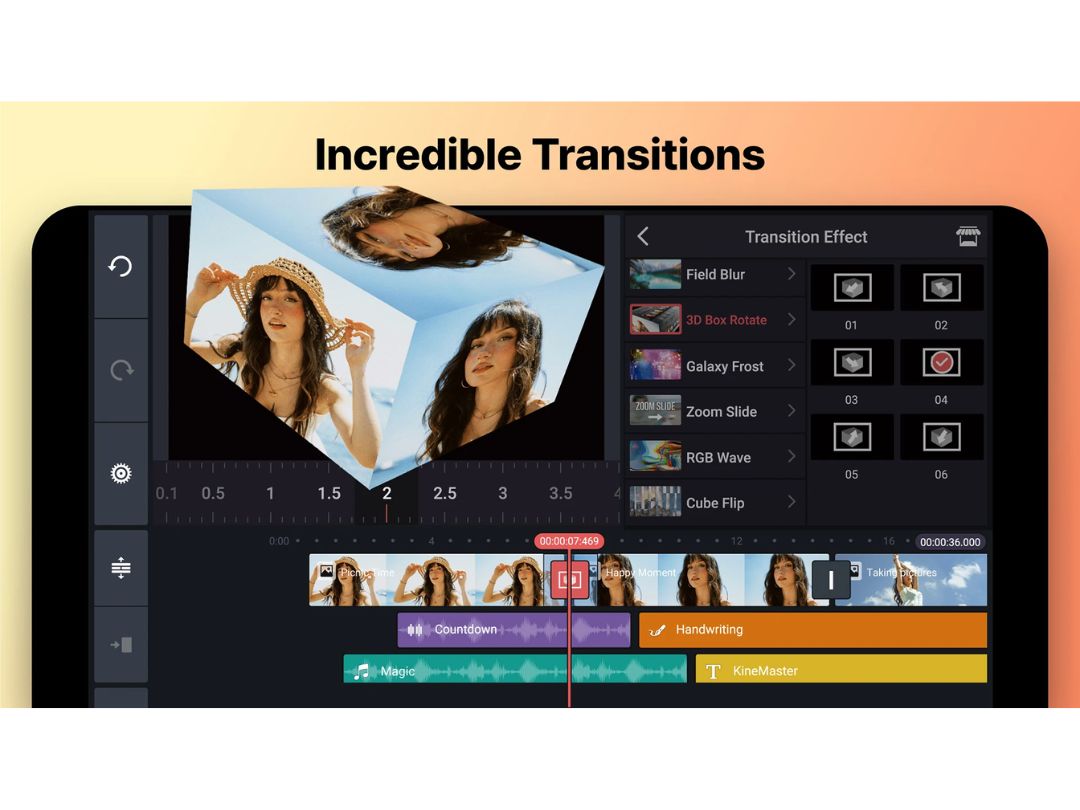
  • icon_check Transition Effects
    Post-production tools used in video editing to connect one shot or scene to another.
  • icon_check Video Masking
    Video Masking is selecting a specific piece of a video or use video overlays to hide, duplicate, reveal, or modify the footage.
  • icon_check Video Overlays
    A tool for layering multiple video clips or images on top of each other to create a single video.
  • icon_check Preview Functionality
    Viewing the final output of a video editing project before exporting the rendered file.
  • icon_check Speed Ramping and Speed Changing
    Speed ramping adjusts a clip's speed gradually, while speed changing makes a clip play faster or slower by altering the frame
  • icon_check Scene Cut Detection
    A scene cut detection tool automatically gets the cut points in a video at the point where clip is changing, based on sudden

Color Correction & Enhancement

  • icon_check Color Grading and Correction
    Color grading enhances the visual aesthetics of video by adjusting brightness, contrast, saturation, and hue, while color
  • icon_check Color Blending and Filters
    Color blending combines two images in video editing, while filters adjust aspects like color balance, brightness, contrast, and
  • icon_check Video Enhancer
    Video enhancers improve the quality of videos by fixing common issues like low light and blurry video.
  • icon_check Color LUTs
    Color LUTs or Look up Tables contain an arrays of numbers that contain values for color input and output, used to change the

Advanced Editing Tools

  • icon_check Key Frames and Animations
    Keyframes in video editing signal when to start and end an animation or function. Transitioning a property or element between two
  • icon_check Background Removal
    A tool used in video editing to remove the background from a video and make it transparent.
  • icon_check Screen / Camera Recording
    Recording screen videos, camera footages, audios, and images directly on the application.
  • icon_check Auto Reframe
    Auto Reframe uses artificial intelligence to identify the main action in a video, keep it within the frame, and ensure important
  • icon_check Object Motion Tracking
    Object motion tracking is a video editing technique that detects and follows the movement of objects in a video or image sequence.
  • icon_check 3D Animations
    Using computer-generated imagery (CGI) to create and animate characters, objects, and props in 3D.
  • icon_check Video Stabilization
    A feature used to reduce shakiness and movement in video footage.
  • icon_check Proxy Tools
    Creates lower-resolution copies of media files for faster editing and smoother playback.
  • icon_check Duplicate Detection
    A tool that identifies and highlights duplicate clips to prevent redundancy in the video project.

Visual Effects & Motion Graphics

  • icon_check Content Library and Elements
    A central location for storing, organizing, and accessing digital content like images, videos, audio files, and text.
  • icon_check Green Screen and Chroma Key / Luma Key
    A special effects technique that lets you remove a chosen color from a video clip and replace it with another video or image.
  • icon_check VFX
    Visual effects (VFX) are computer-generated or manipulated imagery blended with live-action footage to enhance reality onscreen.
  • icon_check SFX
    Sound effects (SFX) are used with special effects to influence the mood and reactions of the audience in a video.

Audio Editing Tools

  • icon_check Voiceovers, Subtitles and Transcripts
    Voiceover is off-screen narration, subtitles are auto-generated text of the audio, and transcripts are written records of a
  • icon_check Audio Waveforms
    Audio waveforms are two-dimensional graphs that represent how sound pressure changes in a video.
  • icon_check Audio Denoise
    A tools to remove unwanted background noise from an audio signal in video editing
  • icon_check Audio Stretching
    A tool to adjust the length of an audio clip to match the duration of a video without changing the pitch of the audio.
  • icon_check Audio Mixing
    A technique to combine individual tracks, audio, and sound effects by manipulating signal levels, frequency contents, dynamics,
  • icon_check Silence Remover
    A tool to detect and remove silent parts or dead air in audio tracks
  • icon_check Auto Synchronization
    A tool to automatically adjust the volume of audio tracks to make one sound more prominent than another, highlight a narrative,
  • icon_check Beat Synchronization
    A tool that syncs video clips, footage, and other elements to the rhythm of music.

Image Editing Tools

  • icon_check Image Stabilization
    A specialized tool for correcting shaky footage to produce smooth and stable videos.
  • icon_check Noise Removal
    A tool to reduce unwanted visual noise to enhance image clarity.

File Storage and Management

  • icon_check File Rendering
    Combining raw elements into a final video file that can be played on a display.
  • icon_check 4K and HD Export
    4K and HD refer to the number of pixels that make up an image on a screen. 4K and HD export allows users to download
  • icon_check Audio / Video Conversion
    A tool used to change the format of an audio/video file.
  • icon_check Automatic Project Backup
    The process of automatically saving video project files at a specified intervals.

AI Video Creator / Editor

  • icon_check AI Co-Pilot Editing
    AI Co-Pilot Editing refers to the use of artificial intelligence to assist and enhance the video or audio editing process.
  • icon_check AI Text to Speech
    AI Text-to-Speech (TTS) is a technology that converts written text into spoken voice output using artificial intelligence.
  • icon_check AI Voice Changer
    An AI Voice Changer is a technology that uses artificial intelligence to modify a person's voice in real-time or during
  • icon_check AI Auto Face Blur
    AI Auto Face Blur is a technology that uses artificial intelligence to automatically detect and blur faces in images and videos.
  • icon_check AI Speech / Dialogue Enhancer
    AI Speech/Dialogue Enhancer is a tool or technology that uses artificial intelligence to improve the quality of spoken audio.
  • icon_check AI Text-To-Video
    AI text-to-video technology involves converting text inputs into video content using artificial intelligence.
  • icon_check AI Text-Based Editing
    The use of artificial intelligence to streamline and enhance the video editing process using text commands or text-based

Collaboration & Sharing

  • icon_check Social Media Integration
    Uploading video projects to social media directly from the video editing software.
  • icon_check Multi Device Compatibility
    Ability to use the video editing software on different devices and operating systems.
  • icon_check Multi Format Compatibility
    Importing/exporting, combining, and editing media files, such as videos, images, and audio in different formats.
  • icon_check Real Time Collaboration
    Allowing multiple users to edit a video simultaneously, regardless of their location.
  • icon_check Video Brand Kit
    A toolkit in video editing software to store branding elements, such as fonts, logos, color schemes, etc.
  • icon_check Third-Party Integrations
    Integrating the software with third-party applications to enhance the functionlity and features of the video editing software.

Others

  • icon_check Audio Ducking
KineMaster Demo Video play icon

Get KineMaster Demo

Watch the demo video to explore key features, real workflows, and how the software fits your business needs.
Understand
Key Features
Personal
Demo Insights
Interactive
Demo Support
Product Enrichment Section Image

KineMaster Specifications

Supported Platforms
Windows Windows iOS iOS Android Android MacOS MacOS
Devices
Desktop Desktop Mobile Mobile Tablet Tablet iPad iPad
Deployment
Cloud-Based Cloud-Based
Suitable For
All Industries
Business Specific
All Businesses
Business Size
Small Business Startups Medium Business SMBs SMEs MSMBs MSMEs
Customer Support
Email Communities Forums
Language
English
Training Resources
Documentation Videos
AI Features
AI Integrated

Explore the Best Alternative Solutions Similar to Your Business Size and Needs

KineMaster Reviews

4.2

Out of 5

img

Overall Rating

Based on
18 Verified Reviews

Rating Breakdown

  • Features 4.2
  • Value for Money 4.1
  • Ease of Use 4.3
  • Customer Support 4.2

85% Recommend this Product

Add Review
AI Generated Summary Based on Real Reviews

KineMaster is widely praised for its user-friendly interface and powerful editing capabilities, making it a popular choice among both beginners and experienced editors. Users appreciate the convenience of editing videos on mobile devices and the variety of features available. However, many reviews highlight limitations in the free version, particularly the presence of watermarks and restricted access to advanced tools. Some users also noted challenges with exporting high-resolution videos and a desire for more features without a premium subscription. Overall, KineMaster is seen as a solid option for quick and effective video editing on the go.

Pros

  • "KineMaster offers a seamless and user friendly editing experience. It helped me produce high quality videos anywhere, even when I had no editing experience."

    Shweta BishtFeb 11, 2025

  • "I use KineMaster and found it very interesting while editing videos. The interface is easy to use and helped me even as a beginner."

    Aman Kumar Feb 7, 2025

Cons

  • "The disadvantage of KineMaster is that the free version has a watermark which might be a downside for users. "

    Aman Kumar Feb 7, 2025

  • "I haven’t experienced any drawbacks of this software. I extremely love to use it."

    Manoj KumarSep 6, 2022

  • "The free version of KineMaster leaves a watermark on the videos."
    Surendra ChardeSep 6, 2022

KineMaster Video Reviews

youtubeVideoId

4.8

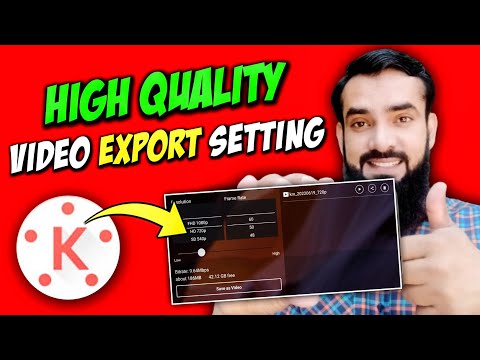
“Kinemaster Best Video Export Setting For YouTube | Kinemaster Export Setting_Kinemaster Export Setup”

Review by: ExactCreator

youtubeVideoId

4.8

“KineMaster Review of the best video editing app for a smart phone”

Review by: Drone Guru

youtubeVideoId

4.8

“KineMaster video editor review/demo”

Review by: FollowusandLive

manoj kumar

Administrator

Industry: E-commerce User since: 1-2 years

4.2

Reviewed on: Sep 6, 2022

Techjockey Verified

“An excellent application for creating quick videos.”

Pros

I was looking for a video editing application that would enable me to create stunning videos and I found this. KineMaster is an easy-to-use video editing application that gives users a variety of options to edit, save and share videos. And you know the best part? It is compatible with a variety of mobile phones and tablets, allowing you to create videos even while on the go.

Cons

I haven’t experienced any drawbacks of this software. I extremely love to use it.

Switched from VEGAS Movie Studio 16

Reason to switch

Video rendering in Vegas Pro is extremely slower and it hangs a lot, which creates a lot of problems to work on it.

Surendra Charde

Associate

Industry: E-commerce User since: 6-12 months

4.3

Reviewed on: Sep 6, 2022

Techjockey Verified

“An inexpensive alternative to high-end video editing software.”

Pros

KineMaster is an excellent video editing application that has been developed with the user in mind. The application enables users to import videos of their choice, apply a variety of editing tricks, overlay graphics, soundtracks, etc. and save and share the videos they have created. The intuitive interface makes the task of editing videos and generating unique videos a simple task.

Cons

The free version of KineMaster leaves a watermark on the videos.

Switched from Flixpress

Reason to switch

They don’t have a good customer care support. I had raised several queries a long back, but it was never solved by them.

Harmanpreet Singh

Administrator

Industry: E-commerce User since: 6-12 months

4.3

Reviewed on: Sep 5, 2022

Techjockey Verified

“Create professional-looking videos with amazing editing tools by KineMaster.”

Pros

KineMaster is a very easy-to-use video editing app that lets you create amazing video presentations. It requires no prior knowledge to use, and I had a lot of fun using this app so far. I also made a video for an important client in just no time. So, it becomes extremely important to mention regarding this app here.

Cons

No complaints as of now.

Switched from Filmora X

Reason to switch

Watermarks should be removed from the free trial. A lot of times, customization of clips, text, sound, etc. have created great trouble to work on it.

See All KineMaster Reviews

Compare KineMaster With other Video Editing Software

Products
Ratings
Pricing
Device Supported
Deployment
Supported Platforms
  • img

    KineMaster

  • 4.2

  • $ 7.99 excl. GST

  • Desktop

    Mobile

  • Web based

    On Premises

  • Windows

    Mac OS

  • img

    Adobe Premiere Pro

  • 4.2

  • Price On Request

  • Desktop

    Mobile

  • Web based

    On Premises

  • Windows

    Mac OS

  • img

    VideoPad

  • 4.2

  • Price On Request

  • Desktop

    Mobile

  • Web based

    On Premises

  • Windows

    Mac OS

  • img

    DaVinci Resolve

  • 4.3

  • Price On Request

  • Desktop

    Mobile

  • Web based

    On Premises

  • Windows

    Mac OS

  • img

    FlexClip

  • 4.7

  • Price On Request

  • Desktop

    Mobile

  • Web based

    On Premises

  • Windows

    Mac OS

  • img

    Vizard AI

  • 4.4

  • Price On Request

  • Desktop

    Mobile

  • Web based

    On Premises

  • Windows

    Mac OS

  • img

    Lightworks

  • 4.3

  • Price On Request

  • Desktop

    Mobile

  • Web based

    On Premises

  • Windows

    Mac OS

  • img

    Filmora

  • 4.3

  • Price On Request

  • Desktop

    Mobile

  • Web based

    On Premises

  • Windows

    Mac OS

  • img

    Minvo

  • 4.1

  • Price On Request

  • Desktop

    Mobile

  • Web based

    On Premises

  • Windows

    Mac OS

(0) Product(s) selected

KineMaster Alternatives

See All KineMaster Alternatives

Starting Price:

$69.95 /License $99.00

SAVE UPTO 29% OFF

Starting Price:

$29.00 /Month

Starting Price:

$14.49 /Month

Starting Price:

$15.00 /Month

Starting Price:

$12.99 /Month

Starting Price:

$24.00 /Month

Starting Price:

$49.99 /Year

Available

Price on Request

Available

Price on Request

Which operating system does KineMaster Software Support?

KineMaster supports Windows, iOS, Android, and MacOS and is available on Desktop, Mobile, Tablet, and Web-Based platforms.

Is there any KineMaster App?

Yes, KineMaster is available as a mobile app. You can download it from the Apple App Store for iOS devices and the Google Play Store for Android devices.

What is the deployment type of the KineMaster System?

KineMaster is primarily a mobile app designed for deployment on Android and iOS devices. It operates on a mobile platform, allowing users to edit videos using smartphones or tablets.

How much does KineMaster Software Cost?

For premium plans, Kinemaster costs around $7.99; trial plans are also available on the app and Windows.

Who are the potential users of KineMaster?

KineMaster suits media startups, medium businesses, enterprises, SMBs, SMEs, MSMBs, and MSMEs.

Is there any free trial or demo for KineMaster Solution?

A free trial or demo is available for KineMaster; please get in touch with Techjockey.

Is KineMaster Software Free?

Kinemaster is available with a trial plan, and premium is also available. For more details, please get in touch with Techjockey.

How can you download KineMaster?

You can download KineMaster from their website, App Store, or Google Play Store.

How Does KineMaster Work?

KineMaster is a mobile video editing app with an intuitive interface. Users can import media, apply transitions, add effects, and use advanced editing tools. The app supports multiple layers, enabling precise editing. KineMaster’s features cater to both casual users and content creators, allowing for creative and professional video production.

Terms and Condtions

close

Users with registered businesses can purchase goods from merchants on the platform to satisfy their business needs. Users are not permitted to utilize any products acquired through the platform for resale, advertising, business, or further distribution.

For each purchase made, users will receive a Tax Invoice (or 'GST invoice') that includes specific details such as:

  • the GSTIN of the user associated with their registered business, and

  • the specified Entity Name for their business.

It should be noted that not all products are eligible for GST Invoice. Only the products displayed by participating sellers with the 'GST-based Invoice Available' callout on the product description page would qualify.

Certain goods and services are not eligible to get a GST Invoice, including items with VAS, i.e., Value Added Services (e.g., Total Mobile Protection/Assured Buyback) and those involving an exchange offer at the time of purchase.

Users must ensure the accuracy of the GSTIN, and business entity name provided for the GST Invoice. Requests for corrections into GST Invoice would not be accommodated by Techjockey.com or any Seller, and any issues arising from user-provided information are the sole responsibility of users.

Techjockey.com is not liable for the GST Invoice or any associated input tax credit. To efficiently claim an input tax credit, users should select the registered place of business address as per the GST authority's data and follow the provisions of the GST Act and rules.

To claim an input tax credit, the delivery and billing addresses must match. Furthermore, input tax credits will not be granted if the delivery address and GSTIN on the invoice are from different states. In case of incorrect GST details provided during the order placement, the order will be canceled automatically.

21,000+ Software Listed 21,000+ Software Listed

Best Price Guaranteed Unbiased Comparison

Free Expert Consultation Read Authentic Reviews

5M+ Happy Customers 500,000+ Monthly Users