linkedin
background
Lexis Audio Editor logo

Lexis Audio Editor

Brand: Pamsys

Be the first to Reviews

Write a Review

Have Questions?

An audio editing software for recording, importing, and editing audio files with tools like trim, effects, and noise reduction, supporting formats such as MP3, WAV, and FLAC. ...Read more

img

Get Free Expert Consultation

Let us know your business needs clearly

Advice

Verified & Trusted
Vendors

Payment

Safe & Secure
Payment

Guaranteed

Personalized
Experts Support

Price On Request

Features

  • check_icon Record & Edit Audio
  • check_icon Multiple Formats Supported
  • check_icon Cut, Copy, Paste & Delete
  • check_icon Noise Reduction
  • check_icon Change Tempo, Pitch & Speed
  • See all img

Lexis Audio Editor Software Pricing, Features & Reviews

What is Lexis Audio Editor?

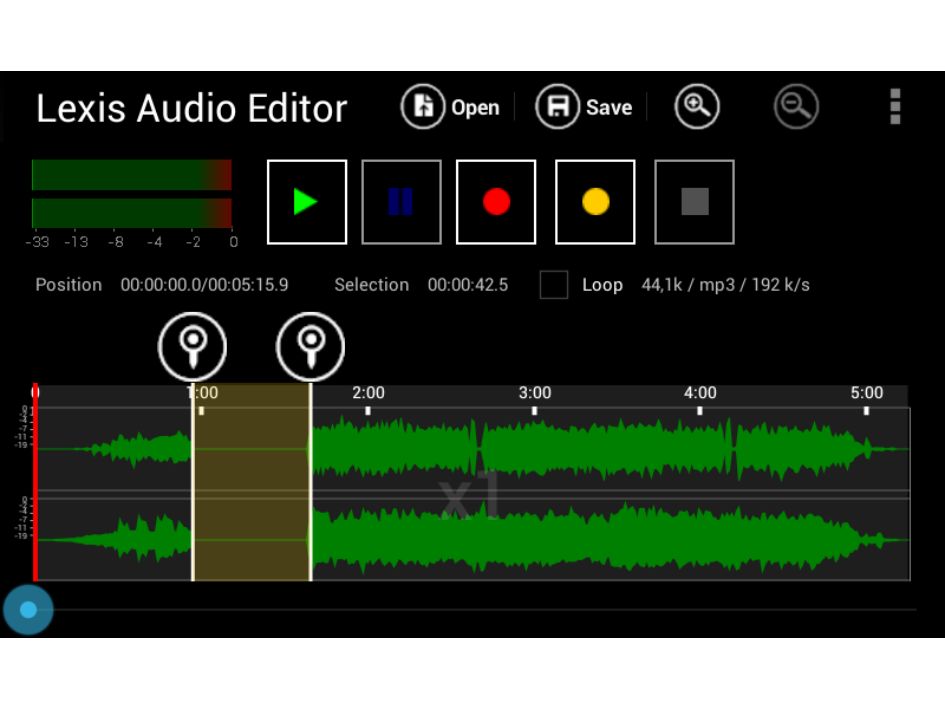
Lexis Audio Editor is a powerful audio editing software that allows you to record, import, and modify audio files on Android, iOS, and Windows devices.

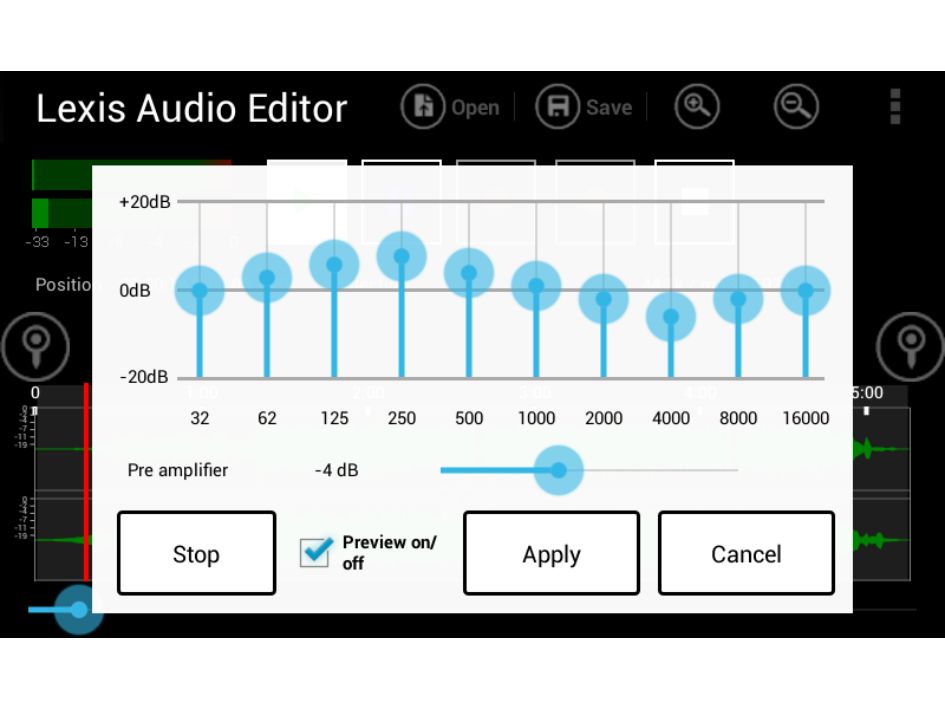
It provides tools like cut, copy, paste, trim, fade, noise reduction, and effects such as an equalizer and pitch/tempo adjustment.

Edited audio can be saved in formats like MP3, WAV, FLAC, and M4A. The app is ideal for podcast editing, music production, or enhancing voice recordings.

Why Choose Lexis Audio Editor Software?

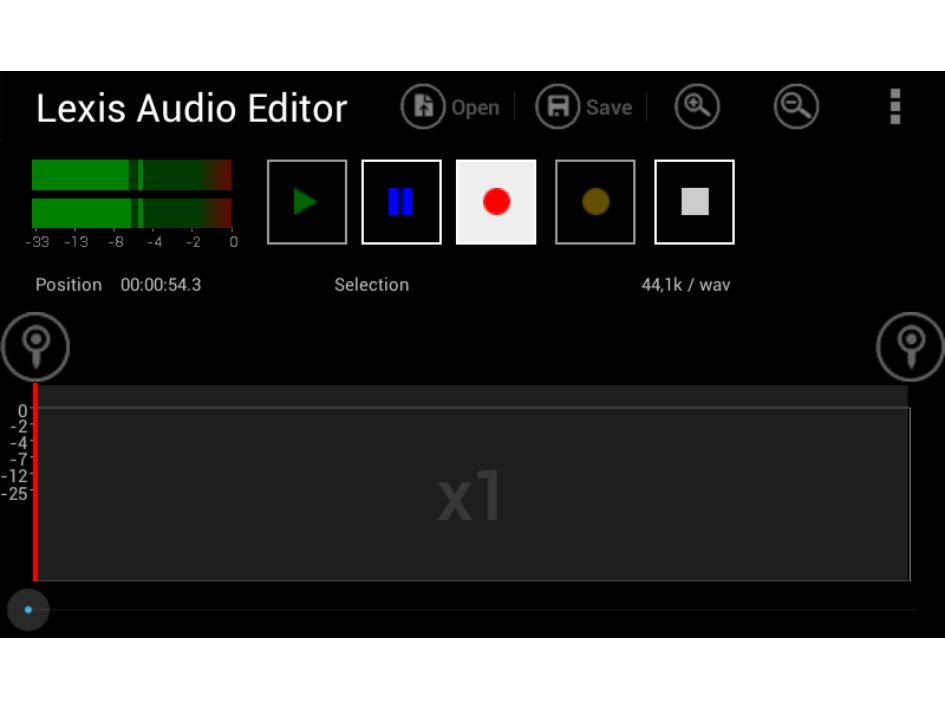
  • Audio Recording: You can record high-quality audio directly within the app. It eliminates the need for external recording software, making it convenient and efficient.
  • Import Existing Audio: Easily import audio files from your device or other sources. This feature allows you to edit and enhance recordings you already have.
  • Cut, Copy, and Paste: Basic editing tools like cut, copy, and paste are available for precise adjustments. These functions make rearranging or trimming audio straightforward.
  • Trim and Crop Audio: Remove unnecessary sections of audio with the trim and crop tools. This helps in creating clean, professional-sounding recordings.
  • Fade In and Fade Out Effects: Add smooth fade-ins at the start and fade-outs at the end of your audio. These effects make transitions more polished and professional.
  • Noise Reduction: The noise reduction feature minimizes background noise. It improves clarity, making your audio sound cleaner and more professional.

Benefits of Lexis Audio Editor Software

  • Amplify Audio: Increase or decrease the volume of your audio without affecting quality. Perfect for making quiet recordings more audible or adjusting sound levels.
  • Audio Effects: Add creative effects like echo, reverb, or distortion. These features help enhance your recordings and make them more engaging.
  • Multi-Layer Editing: Work with multiple tracks at the same time. This allows you to mix sounds, music, and voiceovers efficiently for complex projects.
  • Undo and Redo Options: Easily undo or redo any changes made during editing. This ensures you can experiment freely without worrying about mistakes.

Lexis Audio Editor Pricing

Lexis Audio Editor price details are available on request at Techjockey.com. The pricing model is based on different parameters, including extra features, deployment type, and the total number of users. For further queries related to the product, you can contact our product team and learn more about the pricing and offers.

Lexis Audio Editor Pricing & Plans

Lexis Audio Editor price is available on request

Looking for pricing details, customization requirements or have other queries? We are just a click away.

Lexis Audio Editor Features

  • icon_check Record & Edit Audio Capture and modify sound files with precision.
  • icon_check Multiple Formats Supported Supports MP3, WAV, M4A, FLAC, WMA, and AAC.
  • icon_check Cut, Copy, Paste & Delete Basic editing functions for precise adjustments.
  • icon_check Noise Reduction Reduce background noise for cleaner audio.
  • icon_check Change Tempo, Pitch & Speed Adjust playback characteristics.
  • icon_check Audio Effects Add fade-in, fade-out, reverb, and equalizer settings.
  • icon_check File Export & Sharing Save and share files in different formats.
  • icon_check Audio Mixing Mix the current audio file with another recording to combine music, voice, effects, or other sound elements.
  • icon_check Import & Export Import and export audio through iCloud on supported Apple devices for easier file storage and accessibility.
  • icon_check Multi-Format Export Save edited audio in formats including MP3, WAV, FLAC, M4A, AAC, and WMA for flexible file compatibility.
  • icon_check Voice Cleaner Enhance spoken audio by cleaning voice recordings and improving clarity for speech-focused content.

Lexis Audio Editor Specifications

  • Supported Platforms :
  • Device:
  • Deployment :
  • Suitable For :
  • Business Specific:
  • Business Size:
  • Customer Support:
  • Training:
  • Language:
  • Windows iOS Android MacOS
  • DesktopMobileTabletiPad
  • Cloud-Based
  • All Industries
  • All Businesses
  • Small Business, Startups, Medium Business, Enterprises
  • Email, Communities
  • Videos
  • English

Lexis Audio Editor Reviews and Ratings

banner

Would you like to review this product?

Submit Reviews

Lexis Audio Editor FAQ

A Lexis Audio Editor pricing information can be requested from Techjockey.com.
A Yes, Lexis Audio Editor is available as a mobile app for Android and iOS devices.
A Lexis Audio is compatible with MacOS, Android, iOS, and Windows operating systems.
A Yes, a free version with basic features is available to try before upgrading.
A Lexis Audio allows users to record, import, edit, and export audio files with various tools and effects.
A Lexis Audio is used by podcasters, musicians, voice-over artists, and anyone needing audio editing.
A Yes, the free version acts as a demo with limited features to test the software.
A Yes, a free version with basic functionality is available for all users.

20,000+ Software Listed 20,000+ Software Listed

Best Price Guaranteed Unbiased Comparison

Free Expert Consultation Read Authentic Reviews

2M+ Happy Customers 500,000+ Monthly Users