linkedin
ManageEngine Endpoint Central logo
play Introduction to ManageEngine Endpoint Central | One tool for all endpoint activities
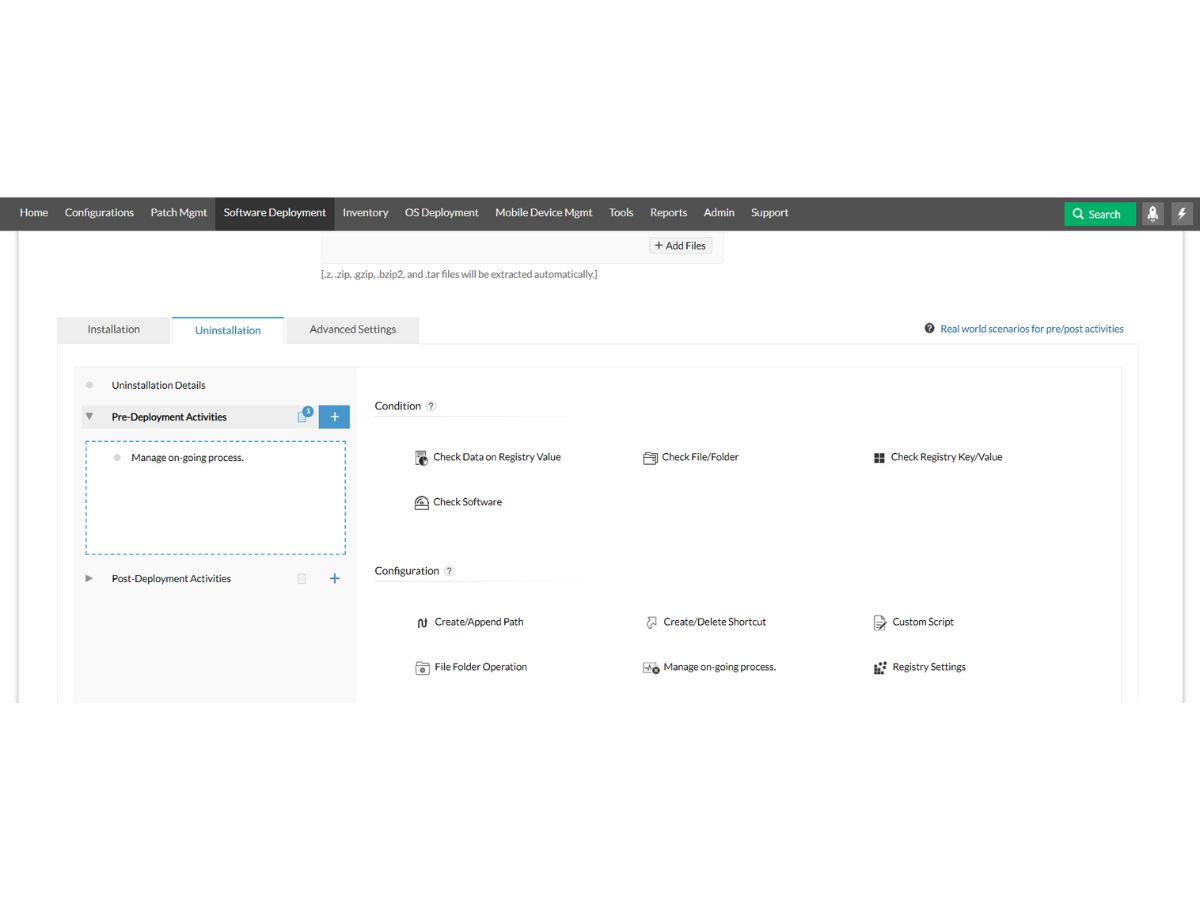
manageengine-endpoint-central-apps
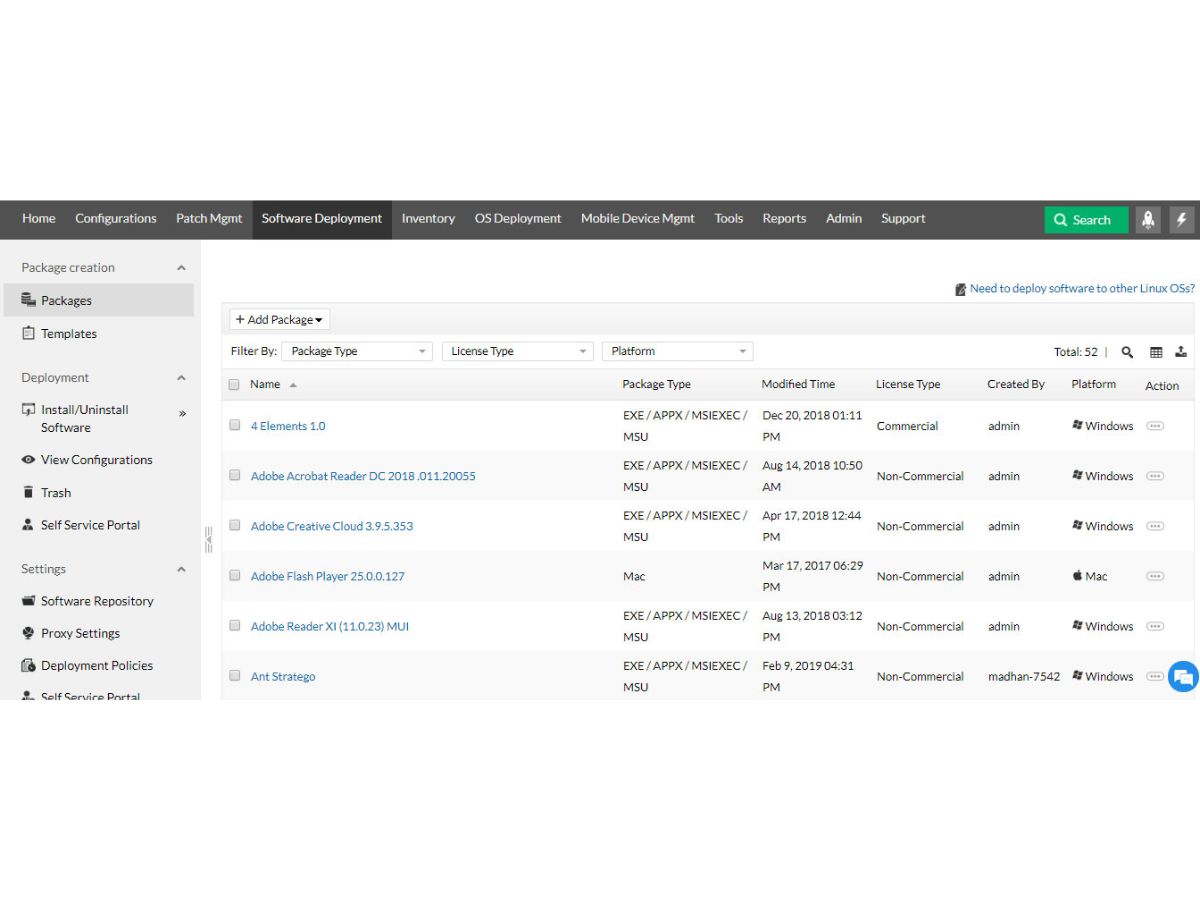
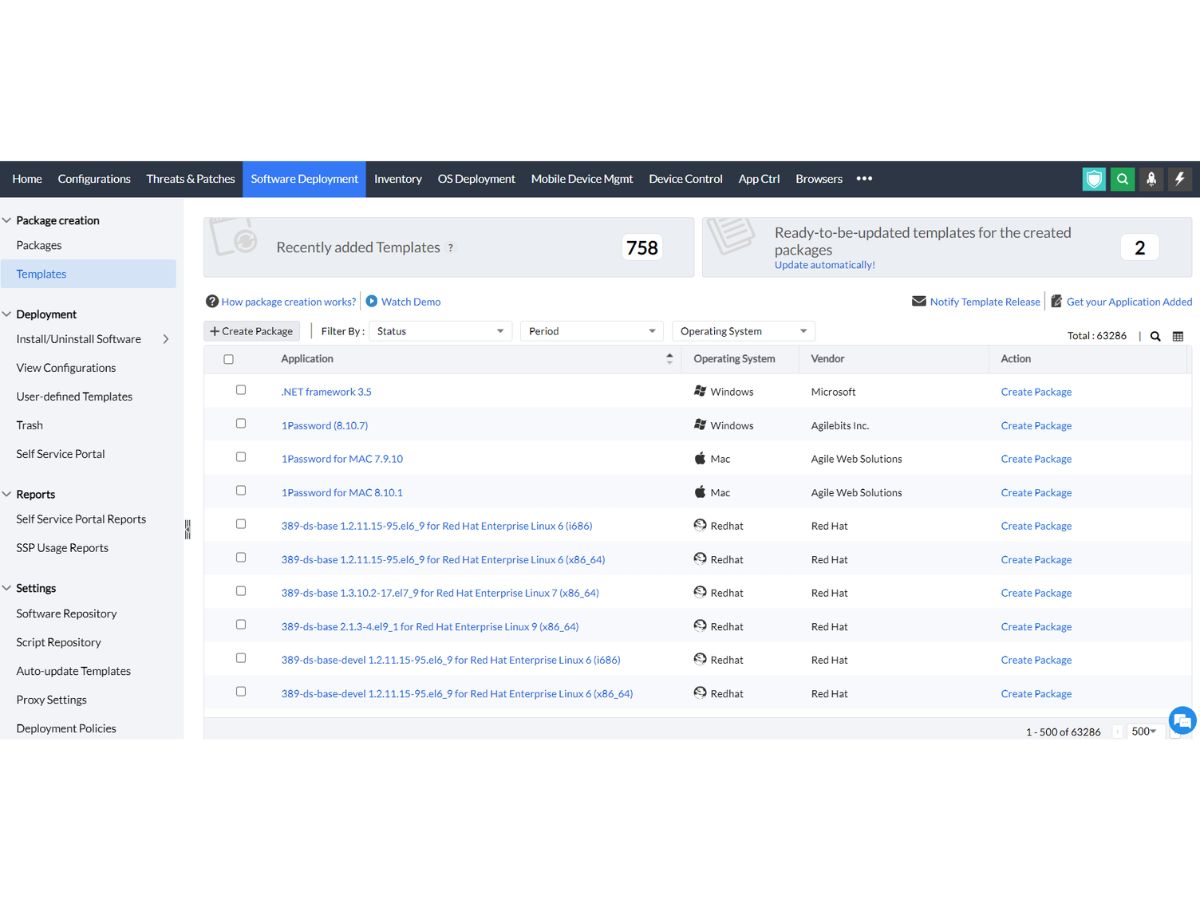
manageengine-endpoint-central-packages

ManageEngine Endpoint Central

Brand: Zoho Corporation

  • No Ratings & Reviews

Have you used ManageEngine Endpoint Central before?

Share your insights for better experience

Add a Review
Starting Price
$795

View plans

Get Now
100% Genuine
Products
Best Price
Guaranteed
Safe & Secure
Payment
  • Description

  • Pricing

  • Features

  • Specification

  • Review

Starting at $795.00
Get Now

ManageEngine Endpoint Central Software Overview

Zoho Corporation Company Details

Founded Year:  1996

Zoho Corporation, is an Indian multinational company that specialises in software development, cloud computing, and web-based business tools. It is best known for Zoho Office suite.

Director/Founders Sridhar Vembu / Tony Thomas
Company Size 1000+ Employees

ManageEngine Endpoint Central Pricing & Plans

Professional
Starting at $795
    • Quantity (Endpoints)

      Quantity (Endpoints)
      Quantity (Endpoints)
    • Yearly

      Yearly
      Yearly

Key Features

  • Patch management

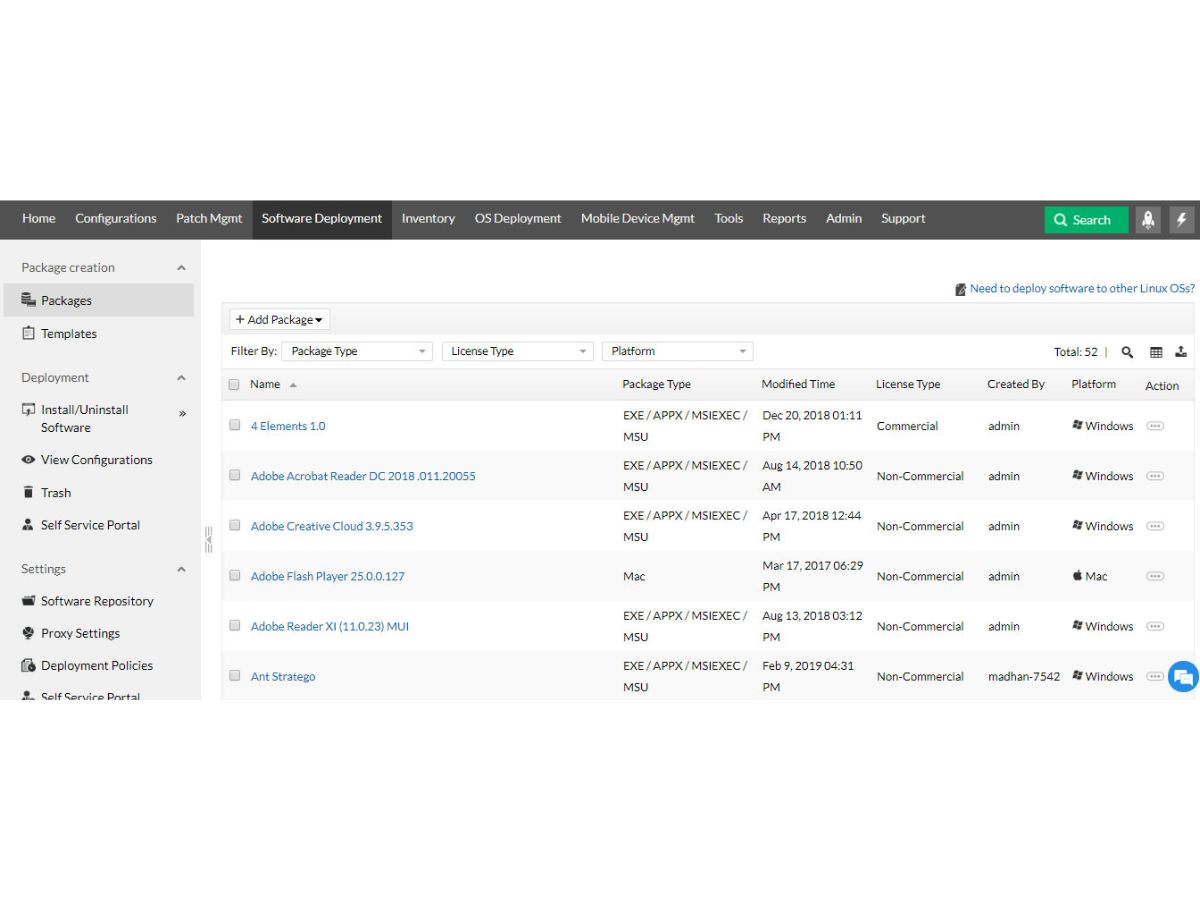
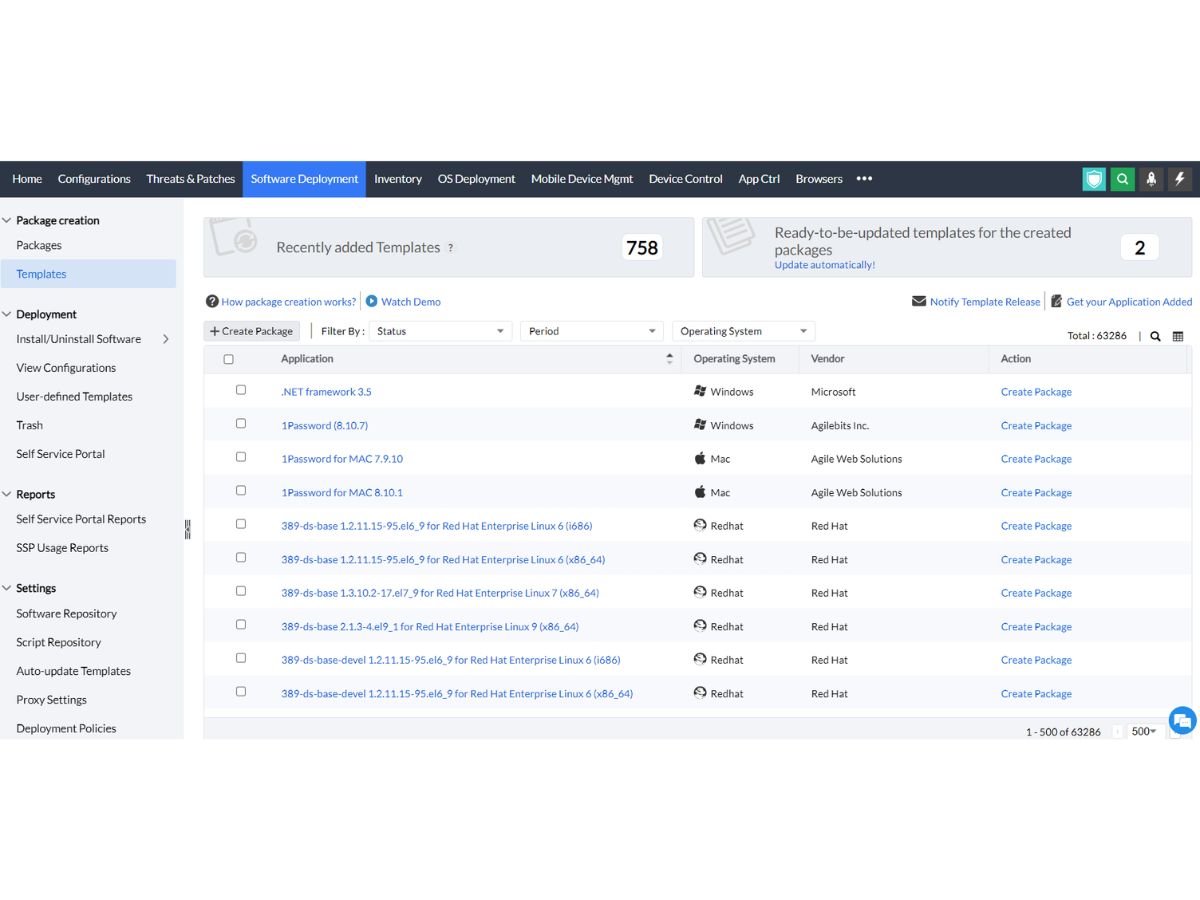
  • Application distribution

  • Asset Management

  • Remote troubleshooting

Enterprise
Starting at $945
    • Quantity (Endpoints)

      Quantity (Endpoints)
      Quantity (Endpoints)
    • Yearly

      Yearly
      Yearly

Key Features

  • Everything in Professional

  • Self-service portal

  • USB device management

  • Audit remote session

UEM
Starting at $1095
    • Quantity (Endpoints)

      Quantity (Endpoints)
      Quantity (Endpoints)
    • Yearly

      Yearly
      Yearly

Key Features

  • Everything in Enterprise

  • Remote data wipe

  • OS deployment

  • FileVault encryption

Security
Starting at $1695
    • Quantity (Endpoints)

      Quantity (Endpoints)
      Quantity (Endpoints)
    • Yearly

      Yearly
      Yearly

Key Features

  • Everything in UEM

  • Vulnerability remediation

  • Data loss prevention

  • Endpoint privilege management

ManageEngine Endpoint Central Features

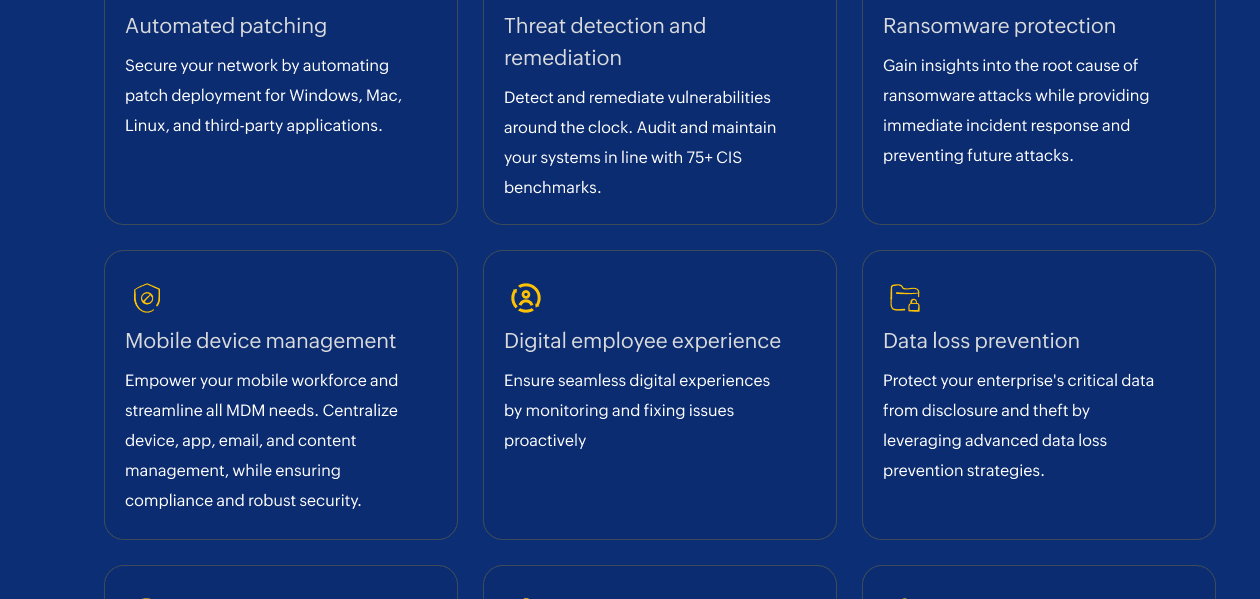
  • icon_check Automated Patch Management
    Scans, tests, and deploys OS and third‑party patches automatically to keep endpoints updated and secure.
  • icon_check Vulnerability Management
    Identifies vulnerabilities across endpoints and prioritizes remediation based on severity and exploit risk.
  • icon_check Inventory Management
    Tracks and reports hardware and software assets in real time across managed endpoints.
  • icon_check Remote Control
    Establishes secure remote desktop sessions for troubleshooting and remote support tasks.
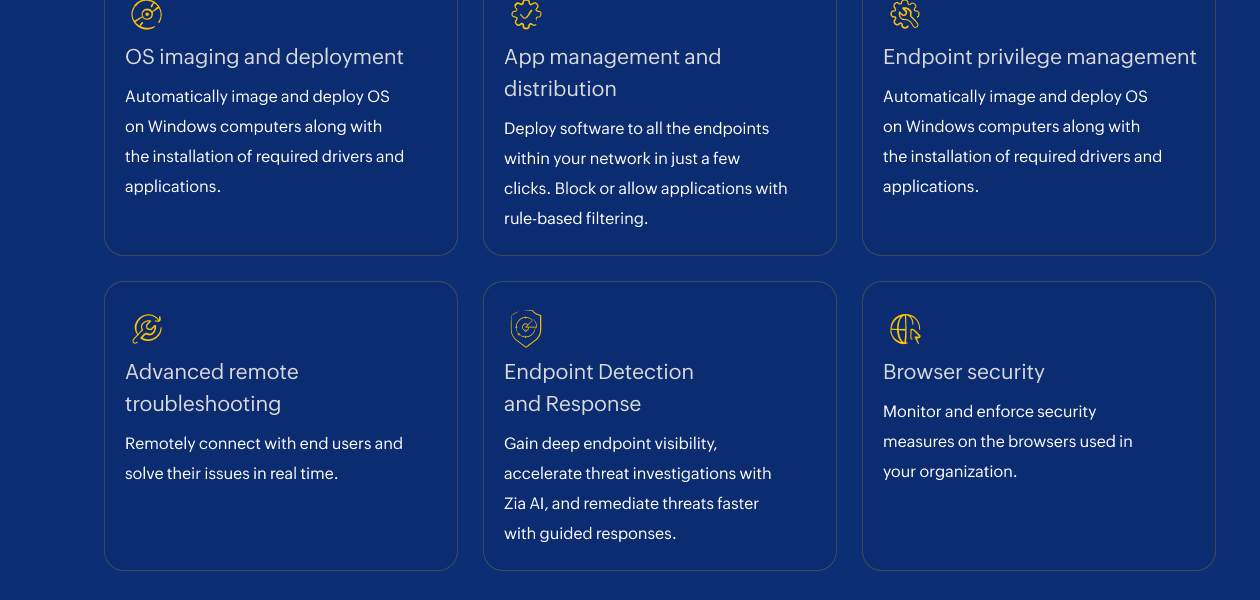
  • icon_check OS Imaging and Deployment
    Creates and deploys standardized operating system images to multiple endpoints with customization.
  • icon_check Configuration Management
    Applies and manages standardized configurations for users and computers centrally across devices.
  • icon_check Reporting and Auditing
    Generates comprehensive reports on assets, configurations, patches, events and compliance readiness.
  • icon_check Peripheral Control
    Restricts or allows USB and peripheral device usage to enforce endpoint security policies.
  • icon_check Browser Security Controls
    Enforces browser lockdown, extension controls, and sandboxing to reduce browser‑based threats.
  • icon_check Privilege Management
    Removes unnecessary admin rights and grants time‑bound elevated privileges securely.
  • icon_check Application Control
    Allows or blocks executables and enforces application usage rules to reduce breach risk.
  • icon_check BitLocker Management
    Automates drive encryption policies and centrally manages BitLocker on Windows devices.
  • icon_check Data Leakage Prevention
    Monitors and restricts data movement to prevent accidental or malicious data loss.
ManageEngine Endpoint Central Demo Video play icon

Get ManageEngine Endpoint Central Demo

Watch the demo video to explore key features, real workflows, and how the software fits your business needs.
Understand
Key Features
Personal
Demo Insights
Interactive
Demo Support
Product Enrichment Section Image

ManageEngine Endpoint Central Specifications

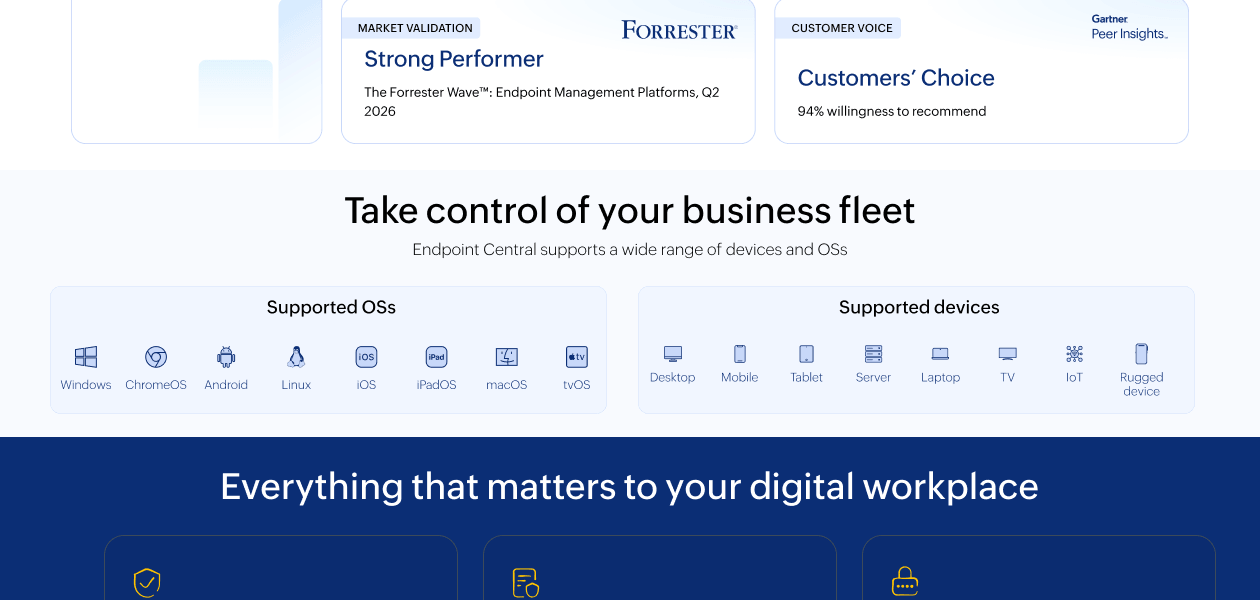
Supported Platforms
Ubuntu Ubuntu Windows Windows MacOS MacOS Linux Linux
Devices
Desktop Desktop
Deployment
Cloud-Based Cloud-Based Perpetual Perpetual
Suitable For
All Industries
Business Specific
All Businesses
Business Size
Small Business Startups Medium Business Enterprises SMBs SMEs MSMBs MSMEs
Customer Support
Email Communities
Language
English
Integration
API Integration
Training Resources
Documentation Videos

ManageEngine Endpoint Central Review

Be the First to Review

This product has no reviews yet. Be the first to leave your feedback.

Add Review

Terms and Condtions

close

Users with registered businesses can purchase goods from merchants on the platform to satisfy their business needs. Users are not permitted to utilize any products acquired through the platform for resale, advertising, business, or further distribution.

For each purchase made, users will receive a Tax Invoice (or 'GST invoice') that includes specific details such as:

  • the GSTIN of the user associated with their registered business, and

  • the specified Entity Name for their business.

It should be noted that not all products are eligible for GST Invoice. Only the products displayed by participating sellers with the 'GST-based Invoice Available' callout on the product description page would qualify.

Certain goods and services are not eligible to get a GST Invoice, including items with VAS, i.e., Value Added Services (e.g., Total Mobile Protection/Assured Buyback) and those involving an exchange offer at the time of purchase.

Users must ensure the accuracy of the GSTIN, and business entity name provided for the GST Invoice. Requests for corrections into GST Invoice would not be accommodated by Techjockey.com or any Seller, and any issues arising from user-provided information are the sole responsibility of users.

Techjockey.com is not liable for the GST Invoice or any associated input tax credit. To efficiently claim an input tax credit, users should select the registered place of business address as per the GST authority's data and follow the provisions of the GST Act and rules.

To claim an input tax credit, the delivery and billing addresses must match. Furthermore, input tax credits will not be granted if the delivery address and GSTIN on the invoice are from different states. In case of incorrect GST details provided during the order placement, the order will be canceled automatically.

20,000+ Software Listed 20,000+ Software Listed

Best Price Guaranteed Unbiased Comparison

Free Expert Consultation Read Authentic Reviews

2M+ Happy Customers 500,000+ Monthly Users