USA
 India
Small Business
Designed for startups and growing businesses
See More


Brand: Zoho Corporation
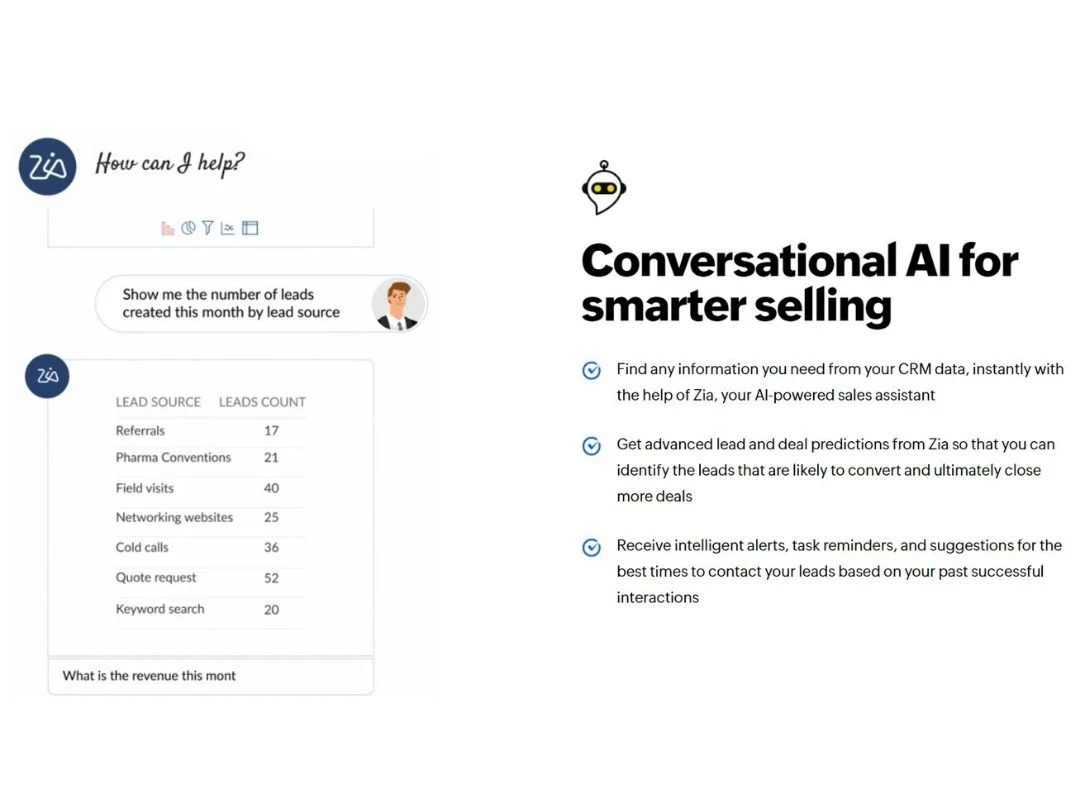
Zoho stands out as a premier online CRM solution suitable for both the American and global markets, providing invaluable support for sales teams and businesses in lead management and conversion.
See MoreHave you used Zoho CRM before?
Share your insights for better experience
Brand: Zoho Corporation
Founded Year: 1996
Zoho Corporation, is an Indian multinational company that specialises in software development, cloud computing, and web-based business tools. It is best known for Zoho Office suite.
Customer Information Management (CIM)
 Account Management Customer Profiles Audience Segmentation CRM Database Interaction History
Sales Enablement
Territory Management Quote Management Opportunity Management Sales Order Management Business Process Automation (BPA) Sales Funnel Management Lead Lifecycle Management Automated Sales Workflow Contract Management Sales Projections Marketing Automation
Drip Campaigns Lead Nurturing Email Campaigns Customer Segmentation Campaign Automation Customer Journey Mapping Trigger-Based Automation Data Sourcing / Integrations
API Integration Data Import/Export Ecommerce Integration Calendar Integration Third Party Integrations Email Marketing Tools Integration Marketing Tools Integration Interactive Voice Response (IVR) Integration Social Media Integration Collaboration and Communication Tools
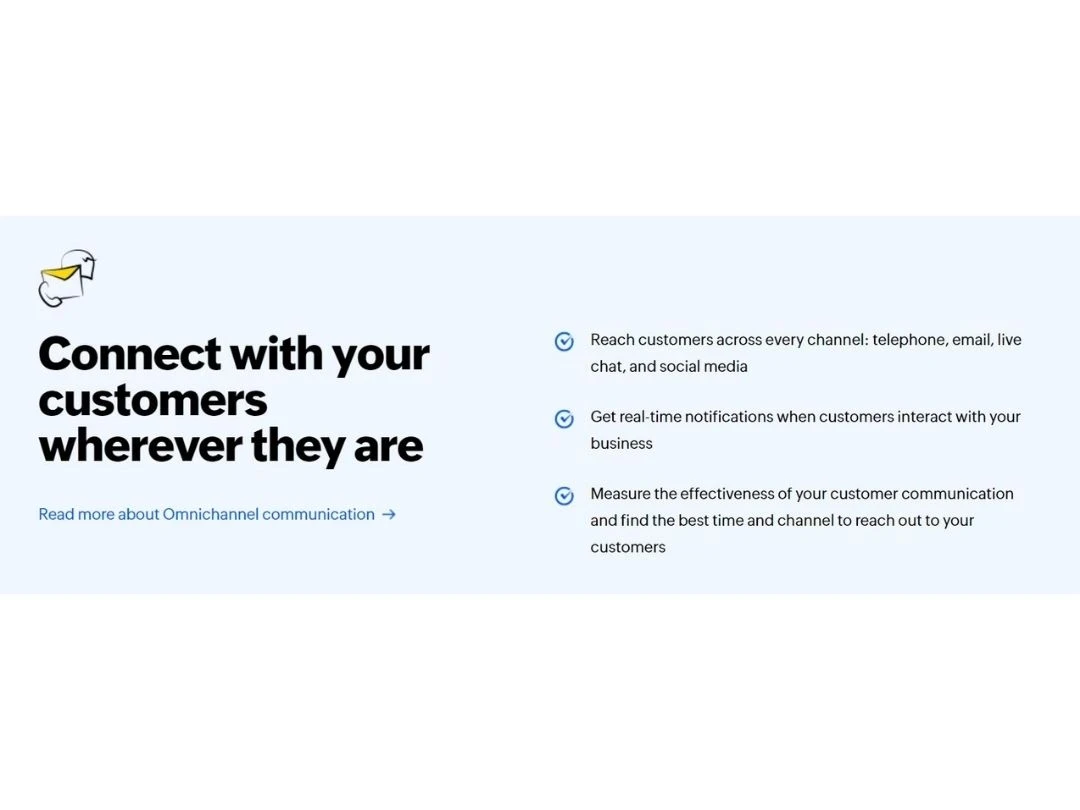
Omnichannel Support Sales Process Task Management Internal Messaging System Template and Document Management Security & Compliance
Data Encryption Activity Logs Role-Based Access Control (RBAC) Backup & Disaster Recovery GDPR & Data Privacy AI & Machine Learning
Predictive Analytics Lead Scoring AI Assistants Reporting & Analytics
Predictive Analytics Sales Reports Campaign Performance Real-Time Analytics Customer Insights KPI Tracking Personalized Dashboards Market Trend Analysis Alerts & Notifications
Real-Time alerts Push Notifications Error Logs Event-Triggered Notifications SLA Violations Customer Activity Alerts Others
Mobile App 

Watch the demo video to explore key features, real workflows, and how the software fits your business needs.


 Windows
 iOS
 Android MacOS
 Desktop
 Mobile
 Cloud-Based

Small Business
Designed for startups and growing businesses
Medium Business
Built for business growth and flexibility
Enterprises
Designed for complex and large-scale business needs
4.4
Out of 5

Overall Rating
Based on
54 Verified Reviews
Rating Breakdown
90% Recommend this Product
Add ReviewOverall, customer sentiment towards Zoho CRM is largely positive, with users appreciating its affordability, high customizability, and user-friendly interface. Many find it particularly beneficial for managing sales funnels and leads, with advanced analytics enhancing productivity. However, some users report performance lags, especially with large datasets, and limitations in the mobile app compared to the desktop version. Additionally, a learning curve is noted for mastering advanced features, and support quality can be inconsistent. Despite these drawbacks, many recommend Zoho CRM for small to mid-sized businesses seeking a comprehensive solution.
Pros
"With this software, I can manage my sales funnel, pipeline, leads, and inventory. The app is quite handy and I can access all the information any time I want."
"Tracking and finding all my potential leads becomes easy with this software. Filters are also easy to put on the documents. I can easily sort and keep a tab on my sales funnel."
"The advanced analytics feature helps me make all my reports so that I can plan for my future projects. Overall great performance."
Cons
"It’s a little difficult to organise the leads. Need more features for it."
"It has a learning curve. Takes time for people to understand the functionality."
"When it comes to the UI sometimes it seems clunky and takes a bit of time to respond. "



May 3, 2025
Techjockey Verified
“Zoho CRM: A Feature-Packed Solution for Small to Mid-Sized Businesses with Room for Polish”
Zoho CRM stands out as an affordable, feature-rich customer relationship management platform tailored for small to mid-sized businesses. Users often highlight its high customizability, making it suitable across industries—from sales and marketing to customer support. The platform’s clean interface and modular design make onboarding relatively easy, especially for teams new to CRM systems. Integration with Zoho’s ecosystem (like Zoho Books, Campaigns, and Desk) enhances its appeal for those seeking an all-in-one business solution. Automation features, such as workflows and blueprints, help reduce manual tasks and improve productivity. However, users commonly mention performance lags, especially when handling large datasets. Some have reported that the mobile app doesn’t always offer the same smooth experience as the desktop version. Support quality varies, with delays occasionally affecting time-sensitive issues. For businesses willing to invest time in setup and learning, Zoho CRM offers substantial value—but for those seeking instant, out-of-the-box simplicity, it might feel slightly complex.
Pros
Highly Customizable: Users can tailor modules, workflows, fields, and layouts to suit their business processes. Affordable Pricing: Compared to Salesforce or HubSpot, Zoho CRM offers competitive pricing for the features it provides. Integrated Ecosystem: Seamless integration with other Zoho apps and third-party tools like Google Workspace, Slack, and Mailchimp. Automation Tools: Blueprint and workflow automation tools allow businesses to streamline repetitive tasks efficiently. Good Reporting & Analytics: Built-in dashboards and custom reports offer solid insights into sales and customer behavior.
Cons
Learning Curve: While the interface is intuitive, mastering advanced features and customization takes time and often external tutorials. Inconsistent Support: Customer service response times and solution quality can vary depending on the issue and support team. Mobile App Limitations: Many users report that the mobile version lacks full functionality and is buggy at times. Feature Gating: Some essential features like advanced analytics or extensive automation are only available in the more expensive plans. Occasional Bugs: Some users experience glitches after software updates, which can disrupt workflow temporarily.
Reason to switch
I've been using Zoho CRM for over a year now, and overall, it's been a game-changer for how I manage my leads, sales pipeline, and customer communication. I appreciate how everything is centralized—I no longer have to jump between spreadsheets, emails, and calendar tools to track my tasks. The CRM helps me stay organized, especially with its lead scoring system and visual pipeline, which makes it easier to prioritize which deals to chase. What stands out the most for me is the automation. Setting up workflows to send follow-up emails or assign leads based on specific triggers has saved me hours each week. The Blueprint feature is also something I rely on—it helps standardize my sales process and ensures no steps are missed. That said, it hasn't been perfect. It took me a while to fully understand and use all the features effectively. The learning curve was steep, and I had to rely on YouTube tutorials and forums more than I would have liked. Also, their customer support is hit or miss—sometimes very helpful, other times slow and vague. The mobile app could use some serious improvement, as I’ve encountered bugs and limitations when trying to manage tasks on the go. Still, for the price I’m paying, Zoho CRM delivers excellent value. It's not flawless, but it's helped me work more efficiently and manage my customers better than before.
Aug 1, 2022
Techjockey Verified
“Recommended for small size and mid size businesses”
Pros
I like that Zoho One offers a variety of solutions that are necessary to run a whole company or corporation in the cloud. The service that I value the most is Zoho CRM, which attempts to simplify the entire process of managing a sales force and automate routine customer follow-ups and other manual activities.
Cons
nothing
Sep 5, 2022
Techjockey Verified
“Best crm i have used”
Pros
Several solutions, like as Zoho Projects, CRM Plus, etc. can aid in improving project planning, tracking, and communication. In order to assist in business management, Zoho One offers a single solution. You can manage a sizable number of datasets, which helps our business. Additionally, because you only pay for customers that are actually required for a specific task, the price model of the service helps with budget control.
Cons
nothing
Zoho CRM
AED 73.00 excl. GST
Desktop
Mobile
Web based
On Premises
Windows
Mac OS
Kylas CRM
Price On Request
Desktop
Mobile
Web based
On Premises
Windows
Mac OS
LeadSquared
Price On Request
Desktop
Mobile
Web based
On Premises
Windows
Mac OS
Salesforce CRM
Price On Request
Desktop
Mobile
Web based
On Premises
Windows
Mac OS
HighLevel
Price On Request
Desktop
Mobile
Web based
On Premises
Windows
Mac OS
HubSpot CRM
Price On Request
Desktop
Mobile
Web based
On Premises
Windows
Mac OS
Cronberry CRM
Price On Request
Desktop
Mobile
Web based
On Premises
Windows
Mac OS
SugarCRM
Price On Request
Desktop
Mobile
Web based
On Premises
Windows
Mac OS
Bitrix24
Price On Request
Desktop
Mobile
Web based
On Premises
Windows
Mac OS

Microsoft Dynamics Crm
Price On Request
Desktop
Mobile
Web based
On Premises
Windows
Mac OS
Octopus CRM
Price On Request
Desktop
Mobile
Web based
On Premises
Windows
Mac OS
(2) Product(s) selected
Starting Price:
$97.00 /Month
Starting Price:
$124.00 /User/Month
Starting Price:
$9.99 /Month
Starting Price:
$49.00 /User/Month
Available
Price on Request
Starting Price:
$29.90 /Seat/Month
Starting Price:
$29.00 /User/Month
Starting Price:
$19.00 /User/Month
Starting Price:
$14.99 /User/Month
Starting Price:
$30.00 /Month
Starting Price:
$25.00 /Month
Zoho CRM software is compatible with Windows, iOS, Android, and MacOS systems.
Yes, Zoho CRM does come with a dedicated mobile app wherein users can access all Zoho CRM features available on the web version.
Zoho CRM system supports web-based deployment.
Zoho CRM pricing starts at AED73. For more details, please connect with the Techjockey team at techjockey.com.
Zoho CRM is typically used in all industries and businesses.
Yes, Zoho CRM solution free demo is available at techjockey.com.
Zoho CRM platform offers a free demo. However, the premium plan with advanced features is available at techjockey.com with exciting deals.
Zoho CRM software installation is not required, as it is web-based. Just open the Setup Wizard to get started.
Zoho CRM stands out as a premier online solution for sales teams not only in the USA but also around the globe. It simplifies lead tracking by providing valuable insights into potential customers and enabling communication through multiple channels.
Terms and Condtions

Users with registered businesses can purchase goods from merchants on the platform to satisfy their business needs. Users are not permitted to utilize any products acquired through the platform for resale, advertising, business, or further distribution.
For each purchase made, users will receive a Tax Invoice (or 'GST invoice') that includes specific details such as:
the GSTIN of the user associated with their registered business, and
the specified Entity Name for their business.
It should be noted that not all products are eligible for GST Invoice. Only the products displayed by participating sellers with the 'GST-based Invoice Available' callout on the product description page would qualify.
Certain goods and services are not eligible to get a GST Invoice, including items with VAS, i.e., Value Added Services (e.g., Total Mobile Protection/Assured Buyback) and those involving an exchange offer at the time of purchase.
Users must ensure the accuracy of the GSTIN, and business entity name provided for the GST Invoice. Requests for corrections into GST Invoice would not be accommodated by Techjockey.com or any Seller, and any issues arising from user-provided information are the sole responsibility of users.
Techjockey.com is not liable for the GST Invoice or any associated input tax credit. To efficiently claim an input tax credit, users should select the registered place of business address as per the GST authority's data and follow the provisions of the GST Act and rules.
To claim an input tax credit, the delivery and billing addresses must match. Furthermore, input tax credits will not be granted if the delivery address and GSTIN on the invoice are from different states. In case of incorrect GST details provided during the order placement, the order will be canceled automatically.
 21,000+ Software Listed
 Unbiased Comparison
 Read Authentic Reviews
 500,000+ Monthly Users