 USA
USA UAE
UAESmall Business
Designed for startups and growing businesses


See More



Brand: Zoho Corporation
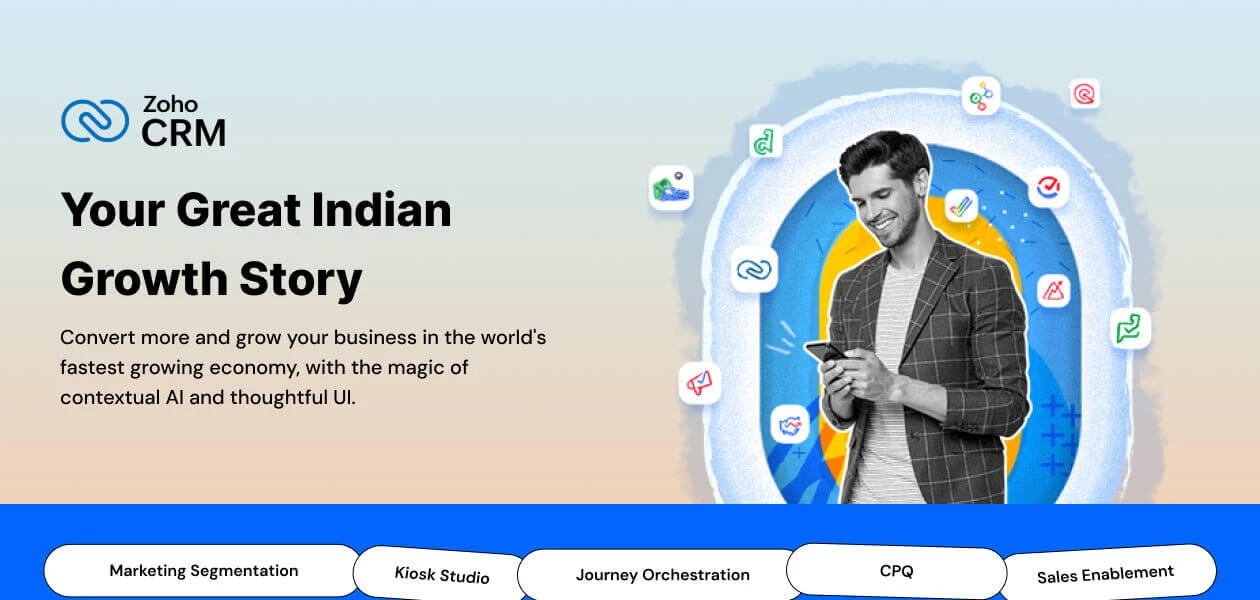
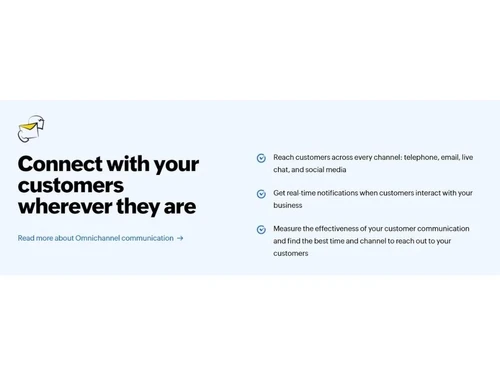
Zoho is one of the best online CRM software for sales teams and businesses, and it helps track, qualify, and manage leads. This CRM software provides omnichannel support and lets users interact with customers via call, email, live chat, and social media—over 250,000 businesses worldwide trust Zoho CRM with their operations. Zoho CRM has advanced features and an easy-to-use design that helps inc...
See MoreHave you used Zoho CRM before?
Share your insights for better experience
View plans
 Save upto 18%, Get GST Invoice on your business purchase T&C Buy Now & Pay Later, Check offer on payment page.
 Brand: Zoho Corporation
Founded Year: 1996
Zoho Corporation is an Indian multinational company that specialises in software development, cloud computing, and web-based business tools. It is best known for Zoho Office suite and its enterprise IT management division, ManageEngine
Customer Data Management (CDM)
 Account Management Customer Profiles Contact Segmentation Activity History Contact Management
 Sales Management
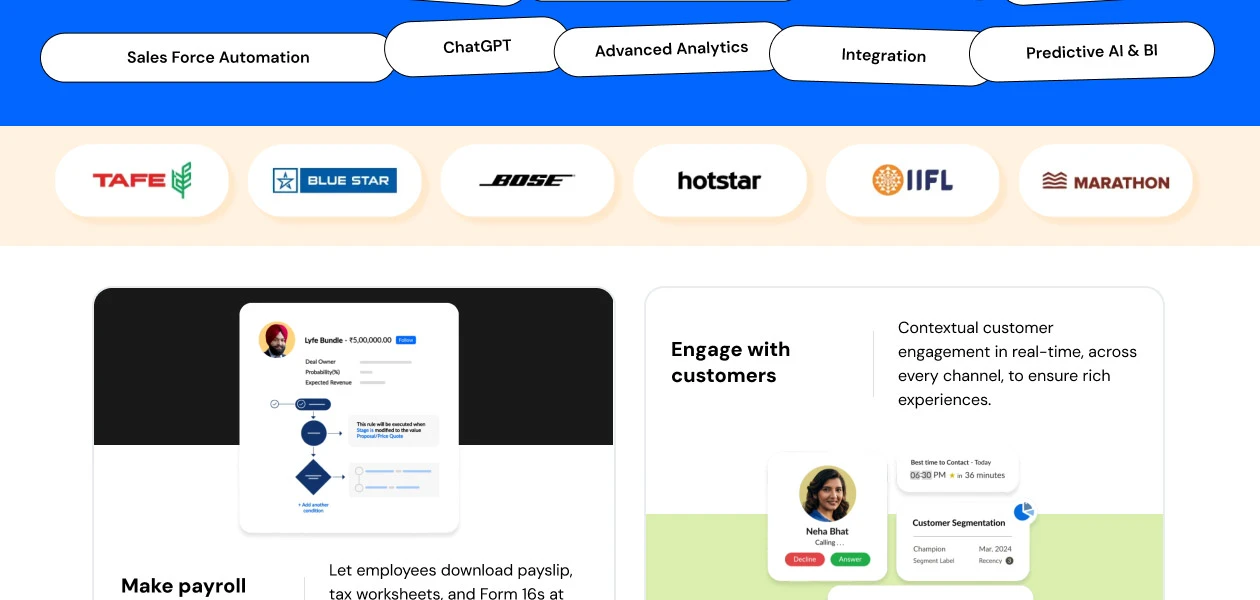
Order Management Quote Management Territory Management Sales Forecasting Sales Automation Lead Management Contract Management Deal Management Workflow Automation and Management Opportunity & Pipeline Management Marketing Automation
Campaign Management Lead Nurturing Customer Journey Tracking Customer Segmentation Event-Triggered Workflows Automated Campaigns Email Marketing Data Sourcing / Integrations
Data Import/Export API Access Calendar Integration Third Party Integrations Email Marketing Tools Integration Marketing Tools Integration eCommerce Integrations Interactive Voice Response (IVR) Integration Social Media Integration Collaboration Tools
Team Communication Document Sharing & File Storage Omnichannel Support & Engagement Task / Activity Management Security & Compliance
Data Encryption Role-Based Access Control (RBAC) Backup & Disaster Recovery GDPR & Data Privacy Audit Trail AI & Machine Learning
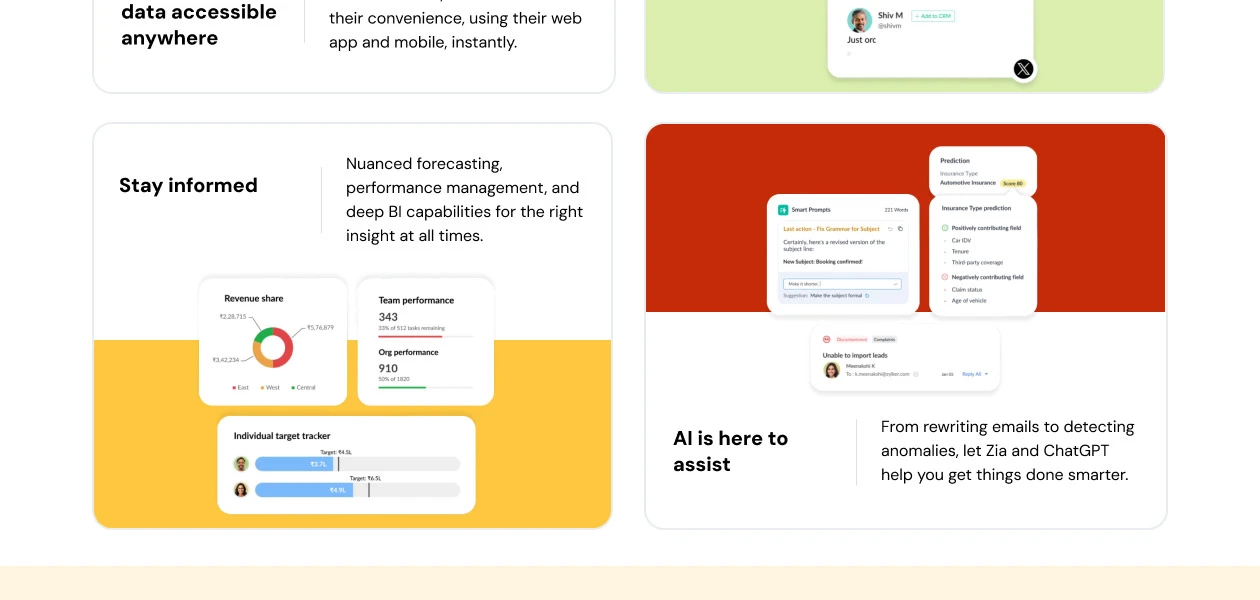
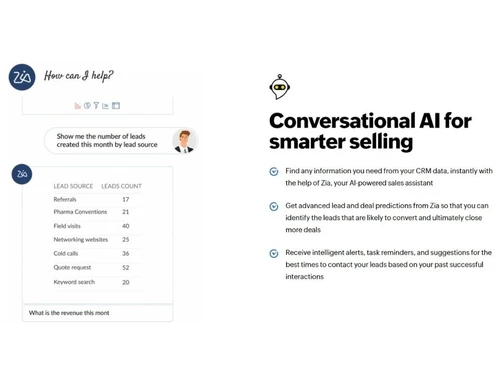
Predictive Analytics Lead Scoring Chatbots Reporting & Analytics
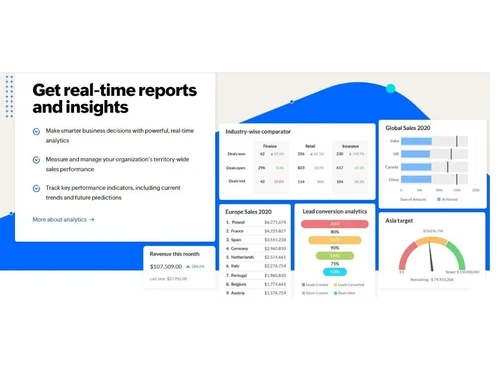
Predictive Analytics Real Time Analytics Campaign Performance Custom Dashboards Sales Performance Reports Customer Insights Forecasting & Trends Performance Tracking Alerts & Notifications
Event-Triggered Notifications Custom Workflow Alerts System Errors/Failures Customer Interaction Alerts Workflow Trigger Alerts SLA Violations Lead Activity Alerts Others
Budget Tracking Touchpoint Monitoring Landing Pages & Forms Call Tracking and Recording Ticketing System 

Watch the demo video to explore key features, real workflows, and how the software fits your business needs.
 Ubuntu
  Windows
  iOS
iOS  Android MacOS
  Linux
Linux  Desktop
  Mobile
  Tablet
  iPad
iPad  Cloud-Based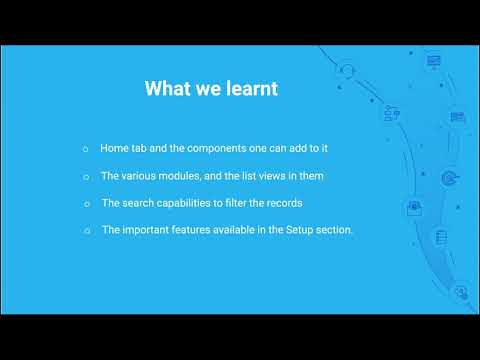
Small Business
Designed for startups and growing businesses
Medium Business
Built for business growth and flexibility
Enterprises
Designed for complex and large-scale business needs
4.4
Out of 5

Overall Rating
Based on
54 Verified Reviews
Rating Breakdown
90% Recommend this Product
Add ReviewOverall, users appreciate Zoho CRM for its affordability, extensive customization options, and user-friendly interface, making it suitable for small to mid-sized businesses. Many highlight its ability to streamline sales processes and enhance productivity through automation and integration with other Zoho applications. However, some users report performance issues, particularly with the mobile app and during data handling, as well as a learning curve associated with mastering advanced features. Support experiences can also be inconsistent, affecting user satisfaction.
Pros
"With this software, I can manage my sales funnel, pipeline, leads, and inventory. The app is quite handy and I can access all the information any time I want."
"Tracking and finding all my potential leads becomes easy with this software. Filters are also easy to put on the documents. I can easily sort and keep a tab on my sales funnel."
"The advanced analytics feature helps me make all my reports so that I can plan for my future projects. Overall great performance."
Cons
"It’s a little difficult to organise the leads. Need more features for it."
"It has a learning curve. Takes time for people to understand the functionality."
"When it comes to the UI sometimes it seems clunky and takes a bit of time to respond. "


May 3, 2025
Techjockey Verified
“Zoho CRM: A Feature-Packed Solution for Small to Mid-Sized Businesses with Room for Polish”
Zoho CRM stands out as an affordable, feature-rich customer relationship management platform tailored for small to mid-sized businesses. Users often highlight its high customizability, making it suitable across industries—from sales and marketing to customer support. The platform’s clean interface and modular design make onboarding relatively easy, especially for teams new to CRM systems. Integration with Zoho’s ecosystem (like Zoho Books, Campaigns, and Desk) enhances its appeal for those seeking an all-in-one business solution. Automation features, such as workflows and blueprints, help reduce manual tasks and improve productivity. However, users commonly mention performance lags, especially when handling large datasets. Some have reported that the mobile app doesn’t always offer the same smooth experience as the desktop version. Support quality varies, with delays occasionally affecting time-sensitive issues. For businesses willing to invest time in setup and learning, Zoho CRM offers substantial value—but for those seeking instant, out-of-the-box simplicity, it might feel slightly complex.
Pros
Highly Customizable: Users can tailor modules, workflows, fields, and layouts to suit their business processes. Affordable Pricing: Compared to Salesforce or HubSpot, Zoho CRM offers competitive pricing for the features it provides. Integrated Ecosystem: Seamless integration with other Zoho apps and third-party tools like Google Workspace, Slack, and Mailchimp. Automation Tools: Blueprint and workflow automation tools allow businesses to streamline repetitive tasks efficiently. Good Reporting & Analytics: Built-in dashboards and custom reports offer solid insights into sales and customer behavior.
Cons
Learning Curve: While the interface is intuitive, mastering advanced features and customization takes time and often external tutorials. Inconsistent Support: Customer service response times and solution quality can vary depending on the issue and support team. Mobile App Limitations: Many users report that the mobile version lacks full functionality and is buggy at times. Feature Gating: Some essential features like advanced analytics or extensive automation are only available in the more expensive plans. Occasional Bugs: Some users experience glitches after software updates, which can disrupt workflow temporarily.
Reason to switch
I've been using Zoho CRM for over a year now, and overall, it's been a game-changer for how I manage my leads, sales pipeline, and customer communication. I appreciate how everything is centralized—I no longer have to jump between spreadsheets, emails, and calendar tools to track my tasks. The CRM helps me stay organized, especially with its lead scoring system and visual pipeline, which makes it easier to prioritize which deals to chase. What stands out the most for me is the automation. Setting up workflows to send follow-up emails or assign leads based on specific triggers has saved me hours each week. The Blueprint feature is also something I rely on—it helps standardize my sales process and ensures no steps are missed. That said, it hasn't been perfect. It took me a while to fully understand and use all the features effectively. The learning curve was steep, and I had to rely on YouTube tutorials and forums more than I would have liked. Also, their customer support is hit or miss—sometimes very helpful, other times slow and vague. The mobile app could use some serious improvement, as I’ve encountered bugs and limitations when trying to manage tasks on the go. Still, for the price I’m paying, Zoho CRM delivers excellent value. It's not flawless, but it's helped me work more efficiently and manage my customers better than before.
Oct 10, 2023
Techjockey Verified
“One of the best CRM software I’ve ever used”
Pros
With this software, I can manage my sales funnel, pipeline, leads, and inventory. The app is quite handy and I can access all the information any time I want.
Cons
It’s a little difficult to organise the leads. Need more features for it.
Oct 10, 2023
Techjockey Verified
“A useful tool for capturing all my leads”
Pros
Tracking and finding all my potential leads becomes easy with this software. Filters are also easy to put on the documents. I can easily sort and keep a tab on my sales funnel.
Cons
It’s reporting feature can be improved.

Zoho CRM
₹ 1300.00 excl. GST
Desktop
Mobile
Web based
On Premises
Windows
Mac OS
Bitrix24
₹ 2390
Desktop
Mobile
Web based
On Premises
Windows
Mac OS

Bigin
₹ 550
Desktop
Mobile
Web based
On Premises
Windows
Mac OS

Odoo CRM
₹ 760
Desktop
Mobile
Web based
On Premises
Windows
Mac OS

Salesforce CRM
Price On Request
Desktop
Mobile
Web based
On Premises
Windows
Mac OS

Solid Performers CRM
₹ 500
Desktop
Mobile
Web based
On Premises
Windows
Mac OS

Kylas CRM
₹ 12999
Desktop
Mobile
Web based
On Premises
Windows
Mac OS

CrmOne
Price On Request
Desktop
Mobile
Web based
On Premises
Windows
Mac OS

LeadSquared CRM
Price On Request
Desktop
Mobile
Web based
On Premises
Windows
Mac OS

Zendesk Sell
Price On Request
Desktop
Mobile
Web based
On Premises
Windows
Mac OS

Teknovate CRM
₹ 500
Desktop
Mobile
Web based
On Premises
Windows
Mac OS
(0) Product(s) selected
Starting Price:
$99 /Month
Starting Price:
$19 /Agent/Month
Starting Price:
₹500 /User/Month

Starting Price:
₹999 /Month ₹2,000

Starting Price:
$97 /Month

Starting Price:
₹5,000 /Month

Starting Price:
₹1,299 /Month
Starting Price:
€300 /User/Year
Starting Price:
₹3,900 /Year ₹4,900

Available
Price on Request



Yes, Zoho CRM is available for online demo. To schedule your demo, please request a call or send an email to support@techjockey.com.
Zoho CRM uses cloud-based storage system for providing seamless access to information. It allows employees to work from anywhere and at any time.
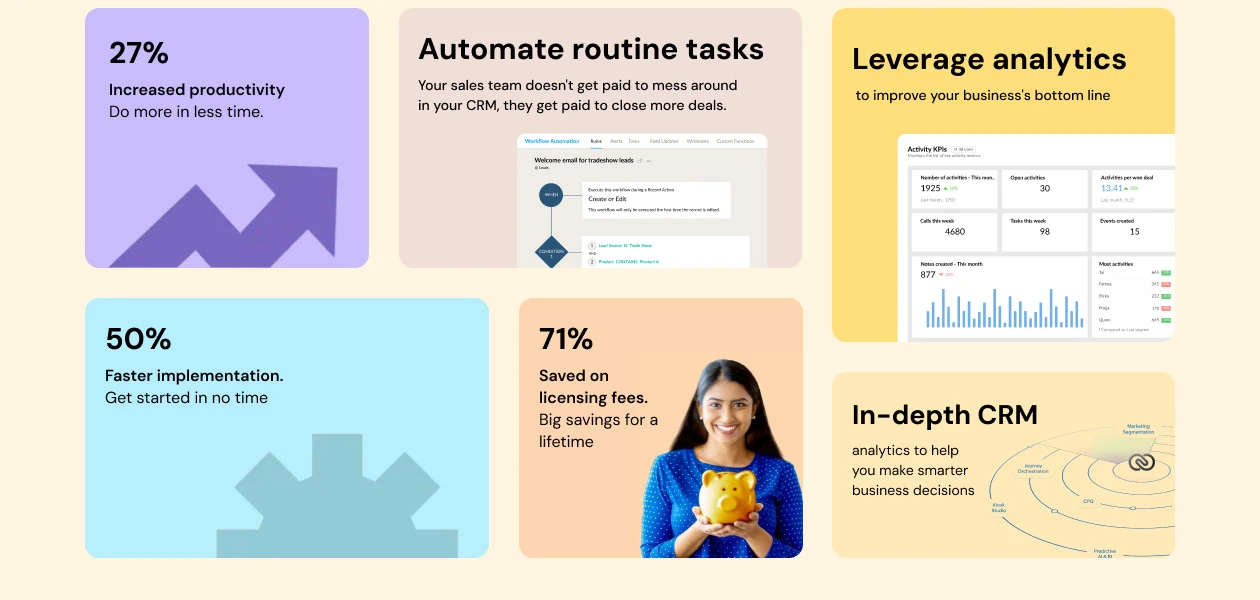
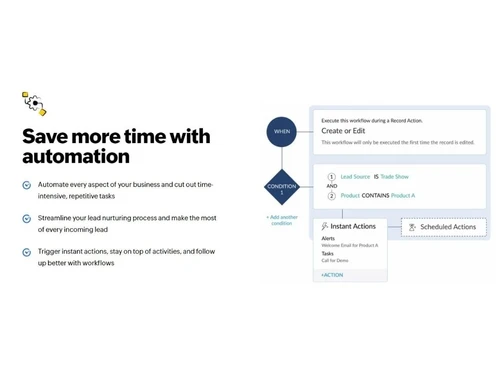
Marketing automation, sales automation, workflow automation, report generation and team collaboration are the basic Zoho CRM features.
Once you install the mobile application, you can access all Zoho CRM features available on web version in the mobile app as well.
Install Zoho CRM plugin from WordPress marketplace. Then create a Zoho CRM webform, configure the settings, and embed it.
Zoho CRM plus version has additional functionalities to boost sales and production. It brings customer information from all departments at one place. Teams can collaborate over information and create personalized experiences for each customer.
You can get a demo of Zoho CRM before buying. For demo and latest pricing, please get in touch with our product experts.
Yes, Zoho uses AES protocol for encryption and decryption. AES-256 prevents data stored in servers from being lost or accessed by unauthorized users.
You can create a portal or embed lead forms. For creating a portal, click on Setup> Channels> Portals. Then, select Get Started Now. Edit the portal name and click on Configure Now. Select Next to customize the rest of the settings. You can use the plug-in to embed forms
After Zoho CRM login, go to personal settings and enter information like language, time zone, signature, and so on. Next, enter data in organization settings like company details, business hours, fiscal year, and more.
Zoho CRM pricing in India starts from Rs 800 per month billed annually & Rs 1300 per month billed monthly for the Standard plan. Zoho CRM plus pricing begins from INR 3500/. For more details, please connect with the Techjockey team.
Zoho CRM monitors every aspect of your data for attempts of theft. It uses the industry-grade data security measures.
Zoho is among the more affordable major CRMs, generally undercutting Salesforce and HubSpot paid tiers while offering comparable feature breadth.
0 0
Pipedrive and HubSpot are known for strong, visual pipeline automation, while Salesforce offers the deepest workflow rules for complex sales processes.
0 0
You can integrate your Zoho CRM account with Xero with the help of a Zoho Partner, Suvichar Technologies. Go to the integrations section, click Connect to Xero, and all your information will get synced.
0 0
Zoho CRM is a SaaS model service; it entirely depends on how long you want to use the software. You can terminate the contract at any time.
0 0
Yes, business owners who wish to enter international markets can do so effortlessly. As the software offers compliant modules for Department of Commerce by the US and Safe Harbour from the EU.
1 0
20,000+ Software Listed
Best Price Guranteed
Free Expert Consultation
2M+ Happy Customers
Terms and Condtions

Users with registered businesses can purchase goods from merchants on the platform to satisfy their business needs. Users are not permitted to utilize any products acquired through the platform for resale, advertising, business, or further distribution.
For each purchase made, users will receive a Tax Invoice (or 'GST invoice') that includes specific details such as:
the GSTIN of the user associated with their registered business, and
the specified Entity Name for their business.
It should be noted that not all products are eligible for GST Invoice. Only the products displayed by participating sellers with the 'GST-based Invoice Available' callout on the product description page would qualify.
Certain goods and services are not eligible to get a GST Invoice, including items with VAS, i.e., Value Added Services (e.g., Total Mobile Protection/Assured Buyback) and those involving an exchange offer at the time of purchase.
Users must ensure the accuracy of the GSTIN, and business entity name provided for the GST Invoice. Requests for corrections into GST Invoice would not be accommodated by Techjockey.com or any Seller, and any issues arising from user-provided information are the sole responsibility of users.
Techjockey.com is not liable for the GST Invoice or any associated input tax credit. To efficiently claim an input tax credit, users should select the registered place of business address as per the GST authority's data and follow the provisions of the GST Act and rules.
To claim an input tax credit, the delivery and billing addresses must match. Furthermore, input tax credits will not be granted if the delivery address and GSTIN on the invoice are from different states. In case of incorrect GST details provided during the order placement, the order will be canceled automatically.


