linkedin
Zoho Mail logo
play Zoho Mail Account
zoho mail
zoho mail

Zoho Mail

Brand: Zoho Corporation

  • 4.3

  • 5 Ratings & 5 Reviews

Zoho Mail is a tailor-made business email software that caters to the communication needs of an organization. Zoho mail gives its users the liberty to create a custom-based email address for a company, besides ensuring full security for the same. More than just a simple emailing software, it provides both advanced CRM management tools and email management features making it reliable for the scali...

See More

Have you used Zoho Mail before?

Share your insights for better experience

Add a Review
Starting Price
₹708 excl.GST
₹ 835 incl. GST

View plans

offer Save upto 18%, Get GST Invoice on your business purchase T&C
offer Buy Now & Pay Later, Check offer on payment page.
Buy Now
100% Genuine
Products
Best Price
Guaranteed
Safe & Secure
Payment
  • Description

  • Pricing

  • Features

  • Specification

  • Review

  • Compare

  • Alternatives

  • FAQ

Starting at ₹708
Buy Now

Zoho Mail Software Overview

What is Zoho Mail Software?

Zoho Mail is a tailor-made business email software that caters to the communication needs of an organization. Zoho mail gives its users the liberty to create a custom-based email address for a company, besides ensuring full security for the same. More than just a simple emailing software, it provides both advanced CRM management tools and email management features making it reliable for the scaling of an organization.

How Zoho Helps in Business?

Zoho Mail application comes with several features that help in the efficient running of the organization. It also offers important tools for business communication. This platform serves as an effective tool for e-mail marketing as it offers customized filter options, automatic response and the option to add signature or company logo. In addition to that, it offers advanced search options, comes with a powerful control panel, a group management system, two-factor authentication for security and better collaboration features. Zoho Mail generates and manages the organizational reports and performances for generating cost-effective results.

How Can Zoho Mail Help in Group Management?

Zoho Mail allows its users to create group email accounts that can be used by specific teams for carrying out particular tasks or assignments. You can also assign moderators or contributors to the email accounts for promoting better group collaboration. Also, the admins can access plenty of other features or advanced settings for better scalability and mobility of the overall team.

Zoho Mail Software Price

Zoho Mail provides different price plans, such as:

  1. You can get the Workplace Standard Plan for Rs. 1188 per year.
  2. The Mail Lite Plan is available at Rs. 708 per year.
  3. The Mail Premium is available at Rs. 2388 per year.
  4. You can get the Workplace Professional at Rs. 4788 per year.

We also have discounts and offers for you throughout the year. You can either contact us directly via mail, chat or phone calls, or request a callback so as to avail the best price. You can also contact us for other queries related to a free trial or demo version, and we will help you make an informed decision.

Extensive Integrations of Zoho Mail Software

Zoho Mail comes with high-end integration tools that help a business manage communication more efficiently. This emailing software has a mail suite feature that helps navigate integrated apps easily, view notes, contacts, save bookmarks and assign tasks more conveniently.

One can access integrations like Zoho Creator, CRM, Projects, and Docs, etc. directly from the Zoho Mail inbox. With the help of Zapier integration, users can connect to several third-party websites and create customized workflows. This platform comes with a user management feature that empowers the admin to control activities of users like checking the access level of each of them, setting email aliases and resetting passwords of all the email accounts.

Features of Zoho Mail

  1. Custom Domain: Zoho Mail provides the organizations with the option of custom-domain based email addresses for your employees, allowing them to set up e-mails based on different groups or departments. It enables the business with any time, anywhere access to promote efficient business.
  2. User Management: This platform enables the admins to add, remove or view the level of access to the documents for every user. The admins are empowered towards hassle-free migration over different mailing platforms, making it more than just an inbox and allowing collaboration in the workspace.
  3. Easy to Explore: Zoho Mail allows easy access to all the attachments of previously received emails. Users don’t need to search for files as it is neatly organized based on the type and filter.
  4. Filters: Zoho Mail software allows users to set up filters or rules to automatically organize all the e-mails as per their preferences. This process ensures minimal wastage of time when searching for important documents or attachments.
  5. Signature: It allows users to add e-mail signatures with the company’s logo and links to their official website, making all the organizational emails look professional. Thereby, creating a lasting impression amongst clients.
Read more

Zoho Corporation Company Details

Founded Year:  1996

Zoho Corporation is an Indian multinational company that specialises in software development, cloud computing, and web-based business tools. It is best known for Zoho Office suite and its enterprise IT management division, ManageEngine

Director/Founders Sridhar Vembu / Tony Thomas
Company Size 1000+ Employees

Zoho Mail Pricing & Plans

Workplace Standard

Calculated Price

₹ 1188 Exclusive of all taxes
    • Users

      Users
      Users
    • Yearly

      Yearly
      Yearly

Key Features

  • Enterprise-grade custom email

  • 30 GB mail storage per user

  • AI assistant (Zia) spark icon

  • Migration Assistance

  • Trident Desktop Experience

Mail Lite

Calculated Price

₹ 708 Exclusive of all taxes
    • Users (User(s))

      Users (User(s))
      Users (User(s))
    • Yearly (Year(s))

      Yearly (Year(s))
      Yearly (Year(s))

Key Features

  • Enterprise-grade custom email

  • 5 GB mail storage per user

  • AI assistant (Zia) spark icon

  • Migration Assistance

  • Trident Desktop Experience

Mail Premium

Calculated Price

₹ 2388 Exclusive of all taxes
    • Users (User)

      Users (User)
      Users (User)
    • Yearly (Year(s))

      Yearly (Year(s))
      Yearly (Year(s))

Key Features

  • Enterprise-grade custom email

  • 50 GB mail storage/user + 50 GB retention storage/

  • AI assistant (Zia) spark icon

  • Migration Assistance

  • Trident Desktop Experience

Workplace Professional

Calculated Price

₹ 4788 Exclusive of all taxes
    • Users (User)

      Users (User)
      Users (User)
    • Yearly (Month(s))

      Yearly (Month(s))
      Yearly (Month(s))

Key Features

  • Enterprise-grade custom email

  • 100 GB mail storage/user + 100 GB retention storag

  • AI assistant (Zia) spark icon

  • Migration Assistance

  • Trident Desktop Experience

Zoho Mail Features

  • icon_check Feature Packed for Business & Professional Use
    Leverage custom domain hosting, extensive storage, and professional tools designed to meet every modern enterprise demand.
  • icon_check Go Beyond Email. Take Your Office Online
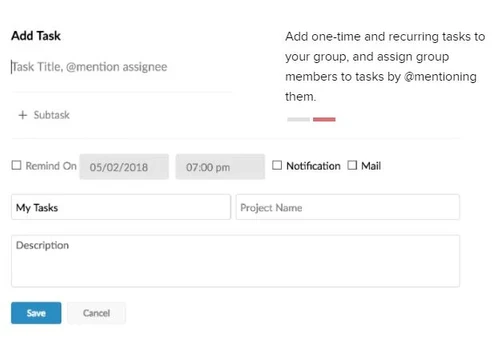
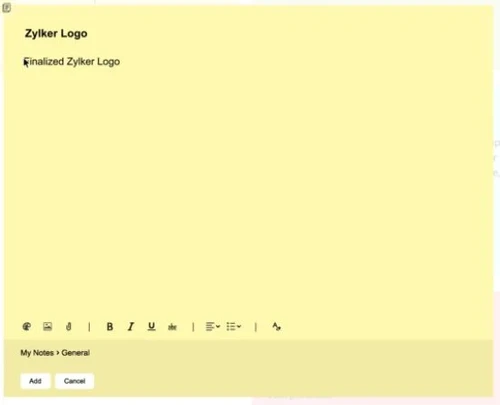
    Access a complete suite of integrated office apps including Calendar, Tasks, Notes, and Bookmarks within your email inbox.
  • icon_check Anywhere, Anytime Access
    Stay connected on the move with dedicated mobile apps and offline mode to manage your communications from any device safely.
  • icon_check Control Panel
    Manage your entire organization with a centralized console to handle users, set group permissions, and monitor spam reports.
  • icon_check Free, Expert Aided Migration Options
    Switch to Zoho Mail seamlessly using automated tools that transfer all your existing data from Gmail, Outlook, or Exchange.
  • icon_check Email & CRM Integration
    Boost sales productivity by viewing customer details and logging email interactions directly within your Zoho CRM platform.
  • icon_check Mobile App
    Experience a fast, ad-free mobile interface that lets you manage multiple accounts and collaborate with your team on the go.
  • icon_check Email Backup
    Protect your critical business data from accidental deletion by maintaining a secure, central repository of all your emails.
  • icon_check Restore
    Easily recover lost or deleted messages from the backup portal and move them back to user accounts with just a few simple clicks.
  • icon_check Email Attachment Protection
    Safely manage all file types with advanced scanning that blocks malicious scripts and provides secure cloud-based previews.
  • icon_check E-Signatures
    Add professional, rich-text signatures with your company logo and social links to leave a lasting impression on every recipient.
  • icon_check eDiscovery
    Simplify legal compliance by retaining, searching, and discovering electronic data for audits and investigations with ease.
  • icon_check Secure
    Ensure total data privacy with end-to-end encryption, S/MIME, and two-factor authentication protecting every single message.
  • icon_check File Management
    Organize your attachments by file type in a dedicated viewer to preview, share, or upload them to the cloud effortlessly.
  • icon_check Collaborate
    Use social-media style Streams to share emails, tag teammates, and discuss projects without messy and long forward threads.
  • icon_check Alias domains
    Manage multiple business identities effortlessly by setting up domain aliases that route various addresses to one mailbox.
  • icon_check Filters
    Keep your inbox organized automatically by setting custom rules to sort incoming mail into specific folders or categories.
  • icon_check File Explorer
    Navigate through all your email attachments using an intuitive, folder-like view to find documents without searching mail.
  • icon_check Advanced Search
    Locate specific messages instantly using detailed criteria like sender, date range, attachment type, or specific keywords.
  • icon_check User Management
    Easily add or remove users, assign aliases, and reset passwords through a streamlined and secure administrative interface.
  • icon_check Group Management
    Create and manage department-based email groups with specific moderation rules and shared access for better team cohesion.
  • icon_check Ad-Free, Clean, Fast Interface.
    Enjoy a clutter-free workspace that prioritizes your privacy by never displaying ads or scanning your mail for marketing.
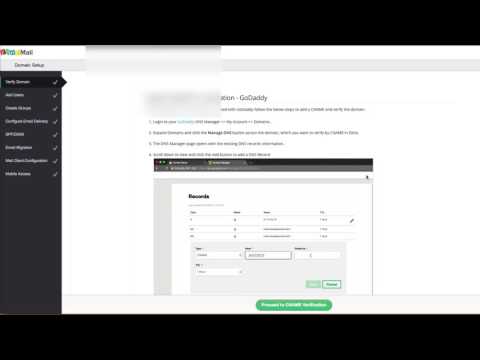
Zoho Mail Demo Video play icon

Get Zoho Mail Demo

Watch the demo video to explore key features, real workflows, and how the software fits your business needs.

Understand
Key Features
Personal
Demo Insights
Interactive
Demo Support

Zoho Mail Specifications

Supported Platforms
Windows Windows iOS iOS Android Android
Devices
Desktop Desktop Mobile Mobile Tablet Tablet
Deployment
Cloud-Based Cloud-Based
Suitable For
All Industries
Business Specific
All Businesses
Business Size
Small Business Startups Medium Business Enterprises SMBs SMEs MSMBs MSMEs
Customer Support
Phone Email Forums
Language
English
AI Features
AI Integrated

Explore the Best Alternative Solutions Similar to Your Business Size and Needs

Small Business

Designed for startups and growing businesses

EmailJS

4.4

Ellie

4.4

GMass

4.5

See More

Zoho Mail Reviews

4.3

Out of 5

img

Overall Rating

Based on
5 Verified Reviews

Rating Breakdown

  • Features 4.3
  • Value for Money 4.6
  • Ease of Use 4.1
  • Customer Support 4.0

90% Recommend this Product

Add Review
AI Generated Summary Based on Real Reviews

Customers generally appreciate Zoho Mail for its user-friendly interface and effective email management, particularly valuing its integration capabilities and free lifetime business email offerings, making it ideal for startups. Many users highlight the excellent customer support and personalized service they received. However, some users have noted limitations in user experience, particularly for those accustomed to Gmail, which may impact their overall satisfaction. Despite these concerns, the positive sentiment towards the service and support remains strong.
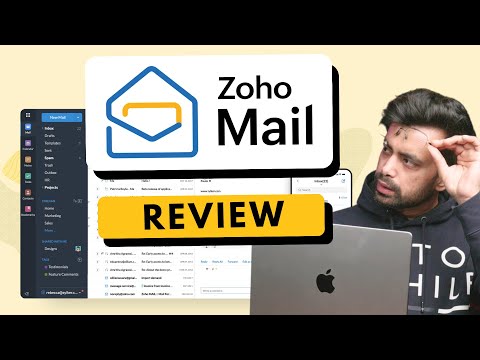
Zoho Mail Video Review

youtubeVideoId

4.3

“Zoho Mail Review - Pricing, Features, Security & Privacy!”

Review by: The Inventar

Kartik

Project Manager

Industry: IT

5

Reviewed on: Jul 9, 2024

Techjockey Verified

“Great email management software”

Pros

From an insider's perspective, I can confidently say that this ERP system truly streamlines business processes. The user-friendly interface makes it accessible for users at all levels of technical proficiency, and the integration capabilities are top-notch, allowing seamless connection with various other software solutions.

Cons

None

Reason to switch

Viewing attached documents in a mini side tab Highly organised search function

Aman Goyal

Project Manager

Industry: Education User since: 2+ years

3.5

Reviewed on: May 28, 2023

Techjockey Verified

“Zoho is good for yet to startup companies”

Pros

Free for lifetime. Best if you are a startup/starting up. It provide free business emails. The experience is okay. Not recommend if you are gmail lover and work heavy on email.

Cons

Bad UX

Reason to switch

Na

DINESH

User

4.1

Reviewed on: Jul 8, 2016

Techjockey Verified

“best support & service”

Pros

Although I wasn't able to create a collaboration with Techjockey and my current organization. The TechjockeyTeam definitely gave me helpful insight and assistance on a variety of things. I would definitely recommend utilizing Techjockey. They will enrich your work life.

Cons

N/A

See All Zoho Mail Reviews

Compare Zoho Mail With other Email Software

Products
Ratings
Pricing
Device Supported
Deployment
Supported Platforms
  • img

    Zoho Mail

  • 4.3

  • ₹ 708.00 excl. GST

  • Desktop

    Mobile

  • Web based

    On Premises

  • Windows

    Mac OS

  • img

    Zoho TeamInbox

  • 4.3

  • ₹ 360

  • Desktop

    Mobile

  • Web based

    On Premises

  • Windows

    Mac OS

  • img

    Zoho Zeptomail

  • 4.2

  • Price On Request

  • Desktop

    Mobile

  • Web based

    On Premises

  • Windows

    Mac OS

  • img

    GMass

  • 4.5

  • ₹ 1200

  • Desktop

    Mobile

  • Web based

    On Premises

  • Windows

    Mac OS

  • img

    EmailJS

  • 4.4

  • Price On Request

  • Desktop

    Mobile

  • Web based

    On Premises

  • Windows

    Mac OS

  • img

    Mailinator

  • 4.2

  • Price On Request

  • Desktop

    Mobile

  • Web based

    On Premises

  • Windows

    Mac OS

  • img

    Mailtrack

  • 4.3

  • Price On Request

  • Desktop

    Mobile

  • Web based

    On Premises

  • Windows

    Mac OS

  • img

    Proton Mail

  • 3.5

  • Price On Request

  • Desktop

    Mobile

  • Web based

    On Premises

  • Windows

    Mac OS

  • img

    MailDex

  • 4.2

  • Price On Request

  • Desktop

    Mobile

  • Web based

    On Premises

  • Windows

    Mac OS

  • img

    Beefree

  • 4.5

  • Price On Request

  • Desktop

    Mobile

  • Web based

    On Premises

  • Windows

    Mac OS

  • img

    ImprovMX

  • 4.4

  • Price On Request

  • Desktop

    Mobile

  • Web based

    On Premises

  • Windows

    Mac OS

(0) Product(s) selected

Zoho Mail Alternatives

See All Zoho Mail Alternatives

Starting Price:

$10 /Month

Starting Price:

$139 /License

Starting Price:

$30

Starting Price:

$9 /Month

Starting Price:

$30 /Month
Starting Price:

$35 /Month

Tuta

4.3

Starting Price:

€4 /Month

Starting Price:

$30 /Month
Starting Price:

$15 /Month

OwIU

4.4

Available

Price on Request

Starting Price:

₹200 /Month
Articles for Zoho Mail

See All Related Articles

What mode of payments can be used to purchase the software?

One can pay with almost all the major credit cards and debit cards. Once you choose the software and make the payment your subscription amount will appear on your bank and card statement. In case you want, you can also receive an invoice.

Can it be accessed through mobile phone?

Yes, Zoho Mail can be easily accessed through a mobile phone, browser, or desktop. Its remote access feature enables you to access it virtually from everywhere.

What are the other platforms Zoho can be accessed through?

Apart from operating it from a desktop, users can also avail the services of Zoho over mobile-based applications. The remote access feature of the platform enables a virtual approach from everywhere.

Does Zoho CRM have an automated e-mail generator? Can leads be imported to auto-generate e-mails?

Zoho CRM does not come with an automated e-mail generator option. However, users can generate web forms to capture leads to their websites. Leads can, thereby, be imported and users can create a workflow rule to automatically send emails to those leads.

Can the mass email limit in my account be increased?

Yes, Zoho allows users to increase the number of mass emails threshold up to 2250 emails per day.

How much does Zoho Mail cost?

Zoho Mail pricing starts at Rs. 708 per year at techjockey.com

20,000+ Software Listed

Best Price Guranteed

Free Expert Consultation

2M+ Happy Customers

Terms and Condtions

close

Users with registered businesses can purchase goods from merchants on the platform to satisfy their business needs. Users are not permitted to utilize any products acquired through the platform for resale, advertising, business, or further distribution.

For each purchase made, users will receive a Tax Invoice (or 'GST invoice') that includes specific details such as:

  • the GSTIN of the user associated with their registered business, and

  • the specified Entity Name for their business.

It should be noted that not all products are eligible for GST Invoice. Only the products displayed by participating sellers with the 'GST-based Invoice Available' callout on the product description page would qualify.

Certain goods and services are not eligible to get a GST Invoice, including items with VAS, i.e., Value Added Services (e.g., Total Mobile Protection/Assured Buyback) and those involving an exchange offer at the time of purchase.

Users must ensure the accuracy of the GSTIN, and business entity name provided for the GST Invoice. Requests for corrections into GST Invoice would not be accommodated by Techjockey.com or any Seller, and any issues arising from user-provided information are the sole responsibility of users.

Techjockey.com is not liable for the GST Invoice or any associated input tax credit. To efficiently claim an input tax credit, users should select the registered place of business address as per the GST authority's data and follow the provisions of the GST Act and rules.

To claim an input tax credit, the delivery and billing addresses must match. Furthermore, input tax credits will not be granted if the delivery address and GSTIN on the invoice are from different states. In case of incorrect GST details provided during the order placement, the order will be canceled automatically.