linkedin
GMass logo
play GMass Introduction
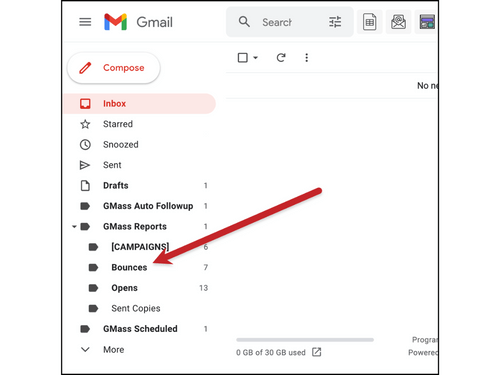
gmass bounce management
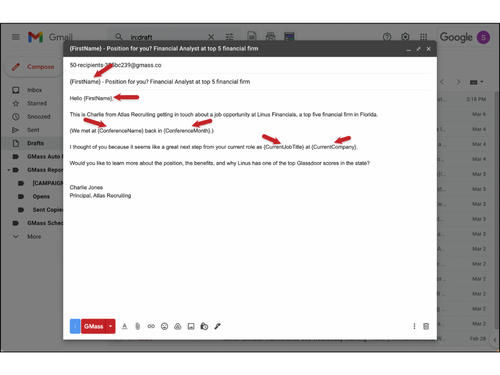
gmass email merge

GMass

Brand: GMass

  • 4.5

  • 5 Ratings & 1 Review

Create and send personalized emails to potential business prospects.

See More

Have you used GMass before?

Share your insights for better experience

Add a Review
Starting Price
₹1,200 excl.GST
₹ 1,200 incl. GST

View plans

offer Save upto 18%, Get GST Invoice on your business purchase T&C
offer Buy Now & Pay Later, Check offer on payment page.
Buy Now
100% Genuine
Products
Best Price
Guaranteed
Safe & Secure
Payment
  • Description

  • Pricing

  • Features

  • Specification

  • Review

  • Compare

  • Alternatives

  • FAQ

Starting at ₹1,200
Buy Now

GMass Software Overview

What is GMass?

GMass is an email marketing software for businesses and individuals looking to send mass, personalized emails to their prospects directly from their Gmail accounts.

It offers mail merge campaigns, automated follow-up emails, personalization options, scheduling, and tracking capabilities. This Email software also integrates with Google Sheets, allowing users to import and manage large lists of contacts and automate repetitive tasks.

GMass also provides detailed analysis and reports on the performance of campaigns, including open rates, click-through rates, reply rates, and bounce rates. The service allows users to send large volumes of emails by breaking Gmail's sending limit and includes an option for recipients to unsubscribe. It is important to note that GMass requires Chrome to run.

Why Choose GMass?

  • Break Gmail's Sending Limits: Use the distribution technology of GMass and send unlimited emails.
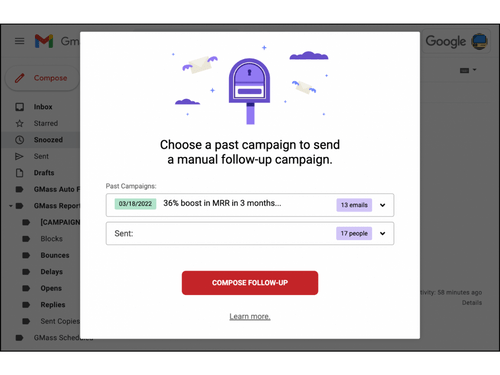
  • Follow-up Emails: Set automatic follow-up emails for your cold emails.
  • Schedule Mass Emails and Mail Merges: Schedule your mass emails daily or hourly at your convenience.
  • Behavior-based Campaigns: Send your emails to recipients based on your last campaign matrix, like who opened or clicked the emails.

Benefits of GMass

  • Send unlimited emails with GMass and save time and effort.
  • Send personalized emails based on your specific set of customers to increase the chance of engagement.
  • Stay on top of communication with potential leads using automated follow-up and scheduling emails.
  • Track your campaign performance with advanced tracking and reporting features and adjust for the next campaign.
  • Easily import and manage large lists of contacts and automate repetitive tasks by integrating with Google Sheets.

GMass Pricing

The pricing for GMass Email Software is available at INR 1200 per month for a standard plan at techjockey.com. It comes with multiple pricing plans and caters to a diverse customer base. For subscription-related details and offers on premium packages, please request a call back from our product experts.

Read more

GMass Company Details

Founded Year:  2017

GMass offers email scheduling, mass emails, automatic follow-ups, analytics and mail merge campaigns with Gmail.

Director/Founders Ajay Goel
Company Size 1-100 Employees

GMass Pricing & Plans

Standard

Calculated Price

1200 Exclusive of all taxes
    • Licenses

      Licenses
      Licenses
    • Monthly

      Monthly
      Monthly

Key Features

  • Works inside Gmail

  • Send unlimited emails

  • Unlimited campaigns

  • Unlimited contacts

  • Custom tracking links w/SSL

Premium

Calculated Price

1830 Exclusive of all taxes
    • Licenses

      Licenses
      Licenses
    • Monthly

      Monthly
      Monthly

Key Features

  • Works inside Gmail

  • Send unlimited emails

  • Unlimited campaigns

  • Unlimited contacts

  • Custom tracking links w/SSL

Professional

Calculated Price

2730 Exclusive of all taxes
    • Licenses

      Licenses
      Licenses
    • Monthly

      Monthly
      Monthly

Key Features

  • Works inside Gmail

  • Send unlimited emails

  • Unlimited campaigns

  • Unlimited contacts

  • Custom tracking links w/SSL

GMass Features

  • icon_check Email Polling
    Add quick, one-question surveys to your campaigns to gather instant feedback from recipients without leaving Gmail fast.
  • icon_check Google Sheets
    Connect directly to Google Sheets to read merge fields and automatically send emails to new rows added to your spreadsheet.
  • icon_check Mass Email in Gmail
    Allows users to send personalized emails to multiple recipients simultaneously.
  • icon_check Mail Merge with Google Sheets
    Allows users to create a template email and merge it with data from a Google Sheet.
  • icon_check Email Reporting Analytics
    Provides detailed email analytics, such as open rates, click rates, and recipient engagement.
  • icon_check Personalization
    Users can easily personalize each email with the recipient’s name, company name, or other data.
  • icon_check Automatic Follow-up Emails
    Send automatic follow-up emails to recipients who have not responded to the initial email.
  • icon_check Reply Management
    Quickly reply to all or individual recipients and track any replies that have not been responded to.
  • icon_check Email List Builder
    Allows users to build a list of email addresses quickly and easily from their contacts and other sources.
  • icon_check Email Scheduling
    Schedule email sends or campaigns at specific dates and times to align with recipient time zones and maximize engagement rates.
  • icon_check A/B Testing
    Test variations of subject lines to determine which performs best, optimizing open rates through data-driven experimentation.
  • icon_check Team Collaboration
    Share email lists, campaign settings, email templates, and account configurations to enable unified outreach across team members.
  • icon_check Custom Tracking Domains
    Use branded tracking links to improve deliverability and maintain brand consistency, reducing spam triggers in email filtering.
  • icon_check Campaign Analytics
    Access real-time analytics showing open rates, click rates, replies, bounces, and unsubscribes to evaluate campaign performance.
  • icon_check Email List Verification
    Validate email addresses prior to sending to reduce bounce rates, protect sender reputation, and maintain deliverability health.
GMass Demo Video play icon

Get GMass Demo

Watch the demo video to explore key features, real workflows, and how the software fits your business needs.

Understand
Key Features
Personal
Demo Insights
Interactive
Demo Support

GMass Specifications

Supported Platforms
Ubuntu Ubuntu Windows Windows iOS iOS Android Android MacOS MacOS Linux Linux
Devices
Desktop Desktop Mobile Mobile Tablet Tablet iPad iPad
Deployment
Cloud-Based Cloud-Based
Suitable For
All Industries
Business Specific
All Businesses
Business Size
Individual Small Business Startups Medium Business Enterprises SMBs SMEs Freelancers
Customer Support
Email Forums
Language
English
Integration
API Integration
Training Resources
Documentation Videos
AI Features
AI Integrated
Technology
Next Generation
Compliance Regulation
CCPA

Explore the Best Alternative Solutions Similar to Your Business Size and Needs

GMass Review

4.5

Out of 5

img

Overall Rating

Based on
1 Verified Review

Rating Breakdown

  • Features 4.4
  • Value for Money 4.4
  • Ease of Use 4.6
  • Customer Support 4.9

90% Recommend this Product

Add Review

GMass Video Review

youtubeVideoId

4.3

“GMass Review: 12 Things You Need To Know Before Buying”

Review by: Dan Thorne

Compare GMass With other Email Software

Products
Ratings
Pricing
Device Supported
Deployment
Supported Platforms
  • img

    GMass

  • 4.5

  • ₹ 1200.00 excl. GST

  • Desktop

    Mobile

  • Web based

    On Premises

  • Windows

    Mac OS

  • img

    Zoho Mail

  • 4.3

  • ₹ 708

  • Desktop

    Mobile

  • Web based

    On Premises

  • Windows

    Mac OS

  • img

    Mailinator

  • 4.2

  • Price On Request

  • Desktop

    Mobile

  • Web based

    On Premises

  • Windows

    Mac OS

  • img

    Beefree

  • 4.5

  • Price On Request

  • Desktop

    Mobile

  • Web based

    On Premises

  • Windows

    Mac OS

  • img

    MailDex

  • 4.2

  • Price On Request

  • Desktop

    Mobile

  • Web based

    On Premises

  • Windows

    Mac OS

  • img

    Woodpecker

  • 4.2

  • Price On Request

  • Desktop

    Mobile

  • Web based

    On Premises

  • Windows

    Mac OS

  • img

    Mailtrack

  • 4.3

  • Price On Request

  • Desktop

    Mobile

  • Web based

    On Premises

  • Windows

    Mac OS

  • img

    Zoho TeamInbox

  • 4.3

  • ₹ 360

  • Desktop

    Mobile

  • Web based

    On Premises

  • Windows

    Mac OS

  • img

    Zoho Zeptomail

  • 4.2

  • Price On Request

  • Desktop

    Mobile

  • Web based

    On Premises

  • Windows

    Mac OS

  • img

    Sidemail

  • 4.1

  • Price On Request

  • Desktop

    Mobile

  • Web based

    On Premises

  • Windows

    Mac OS

  • img

    ImprovMX

  • 4.4

  • Price On Request

  • Desktop

    Mobile

  • Web based

    On Premises

  • Windows

    Mac OS

(2) Product(s) selected

GMass Alternatives

See All GMass Alternatives

Starting Price:

$30

Starting Price:

$139 /License

Starting Price:

$35 /Month

Starting Price:

$10 /Month

Tuta

4.3

Starting Price:

€4 /Month

Starting Price:

$15 /Month

Starting Price:

$30 /Month

OwIU

4.4

Available

Price on Request

Starting Price:

$30 /Month

Starting Price:

₹200 /Month

HEY

4.0

Starting Price:

$12 /User/Month

Articles for GMass

See All Related Articles

Which operating system does GMass support?

GMass Email Software is compatible with Windows operating systems.

Is there any GMass app?

GMass app is available for Android mobile devices.

What is the deployment type of GMass?

GMass supports web-based deployment types.

How much does GMass cost?

The pricing for GMass Email Software is available at INR 1200 per month for a standard plan at techjockey.com.

Who are the potential users of GMass?

The software is typically used in education and administration.

Is there any free trial or demo for GMass?

GMass demo is available for free with techjockey.com.

Is GMass free?

GMass offers a free trial. However, the premium plan with advanced features is available at techjockey.com with exciting deals.

How can you download GMass?

For GMass, installation is not required, as it is web-based. Just open the Setup Wizard to get started.

How does GMass work?

It helps with mass email in Gmail and email reporting analytics. It also has a feature of Mail Merge with Google Sheets which allows users to create a template email and merge it with data from a Google Sheet.

20,000+ Software Listed

Best Price Guranteed

Free Expert Consultation

2M+ Happy Customers

Terms and Condtions

close

Users with registered businesses can purchase goods from merchants on the platform to satisfy their business needs. Users are not permitted to utilize any products acquired through the platform for resale, advertising, business, or further distribution.

For each purchase made, users will receive a Tax Invoice (or 'GST invoice') that includes specific details such as:

  • the GSTIN of the user associated with their registered business, and

  • the specified Entity Name for their business.

It should be noted that not all products are eligible for GST Invoice. Only the products displayed by participating sellers with the 'GST-based Invoice Available' callout on the product description page would qualify.

Certain goods and services are not eligible to get a GST Invoice, including items with VAS, i.e., Value Added Services (e.g., Total Mobile Protection/Assured Buyback) and those involving an exchange offer at the time of purchase.

Users must ensure the accuracy of the GSTIN, and business entity name provided for the GST Invoice. Requests for corrections into GST Invoice would not be accommodated by Techjockey.com or any Seller, and any issues arising from user-provided information are the sole responsibility of users.

Techjockey.com is not liable for the GST Invoice or any associated input tax credit. To efficiently claim an input tax credit, users should select the registered place of business address as per the GST authority's data and follow the provisions of the GST Act and rules.

To claim an input tax credit, the delivery and billing addresses must match. Furthermore, input tax credits will not be granted if the delivery address and GSTIN on the invoice are from different states. In case of incorrect GST details provided during the order placement, the order will be canceled automatically.