linkedin
Zoho Books logo
play Zoho Books Webinar (Basic)
About techjockey
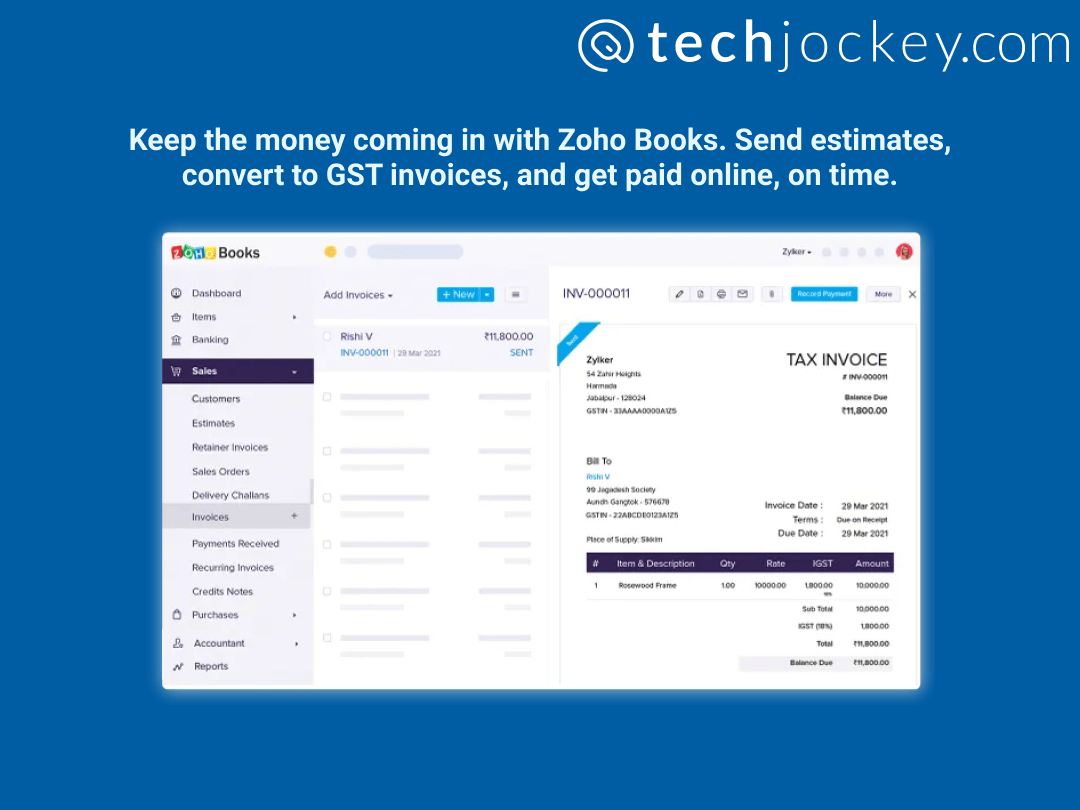
ZohoBooks tax invoice

Zoho Books

Brand: Zoho Corporation

  • 4.5

  • 58 Ratings & 58 Reviews

Zoho Books is an online accounting software that helps businesses manage their finances, cash flow, and business workflows.

See More

Have you used Zoho Books before?

Share your insights for better experience

Add a Review
Starting Price
AED69

View plans

Buy
100% Genuine
Products
Best Price
Guaranteed
Safe & Secure
Payment
  • Description

  • Pricing

  • Features

  • Specification

  • Review

  • Compare

  • Alternatives

  • FAQ

Starting at AED69.00
Buy

Zoho Books Software Overview

What is Zoho Books?

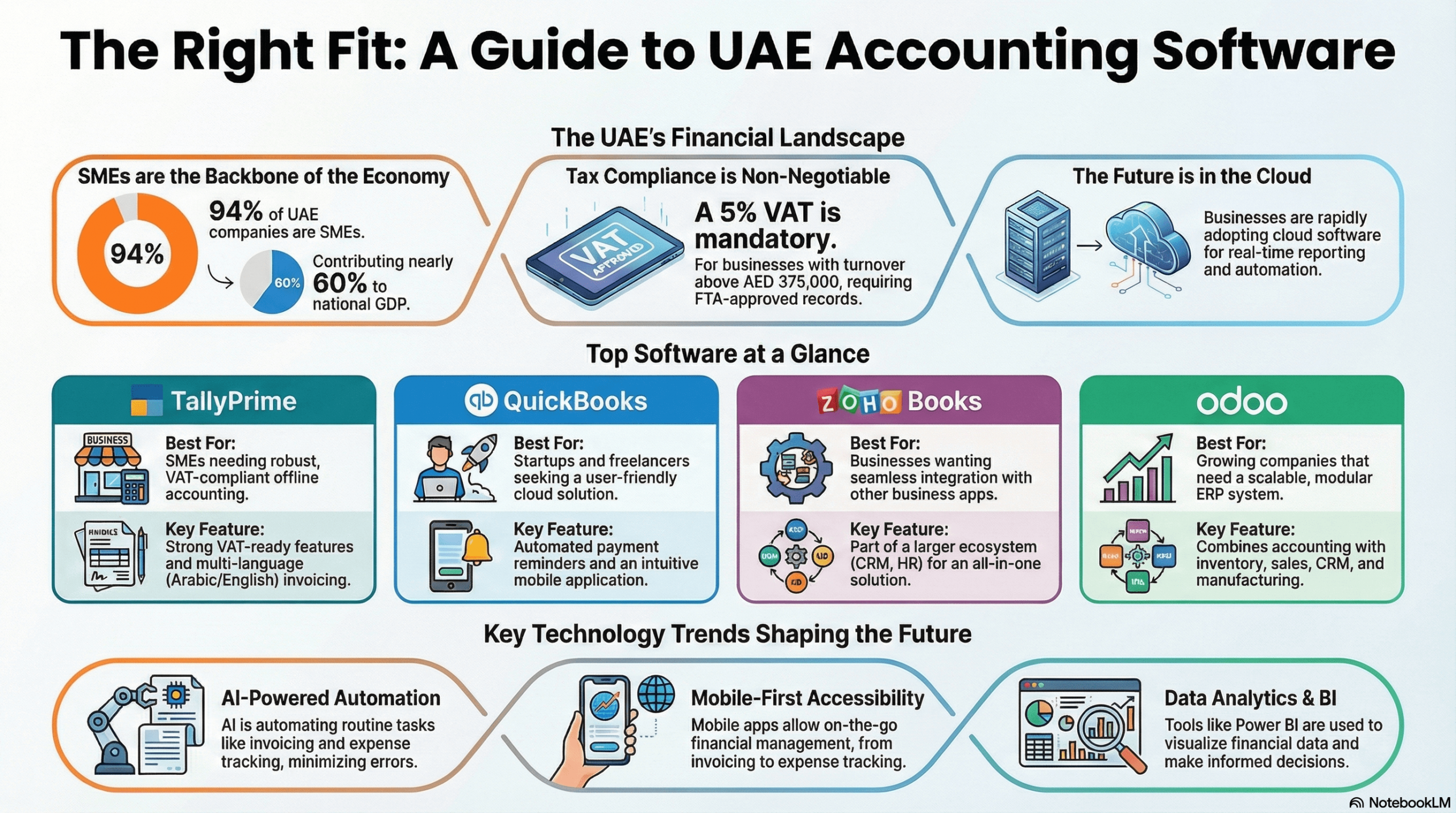
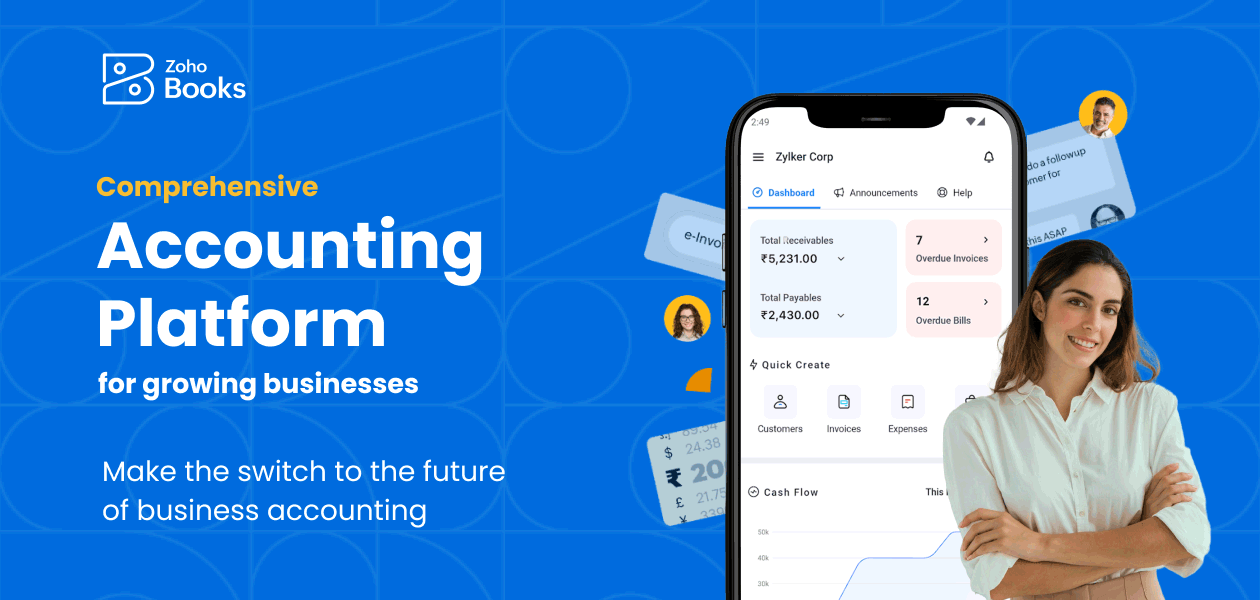
Zoho Books is an online accounting solution that allows businesses to enhance their financial management. The platform empowers companies to manage their cash flow efficiently, create one-time or recurring invoices, oversee balance sheets, handle inventory, and track purchase orders. This intelligent software supports expense tracking, automated workflow creation, and more.

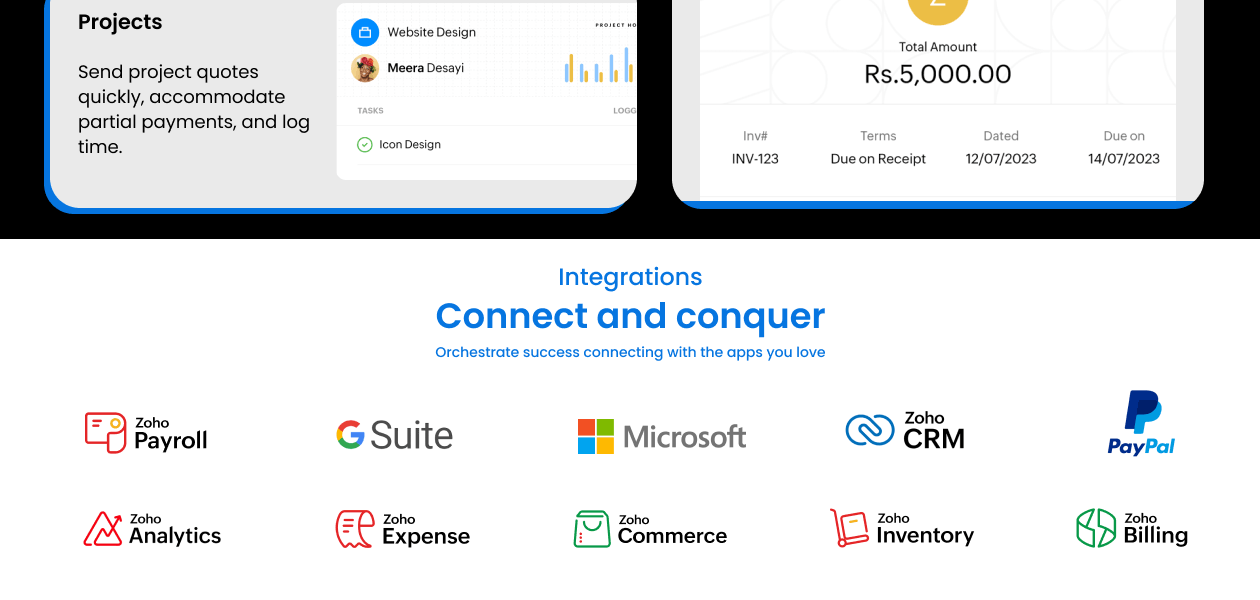
The platform enables users to automate recurring invoices, set payment reminders, and manage customer relationships effectively. The software facilitates expense control, recording invoices and commitments for purchases and services, including reimbursable expenses like client travel. It promotes collaboration by allowing users to share or delegate accounting tasks within the organization with customizable permissions. Seamless integration with other Zoho apps and third-party solutions enhances its functionality, connecting services such as Zoho CRM, Zoho Inventory, PayPal, Stripe, G Suite, Dropbox, Slack, and more.

Why Choose Zoho Books?

Automation and Efficiency

  • Automate invoicing, billing, and payment reminders to get paid faster
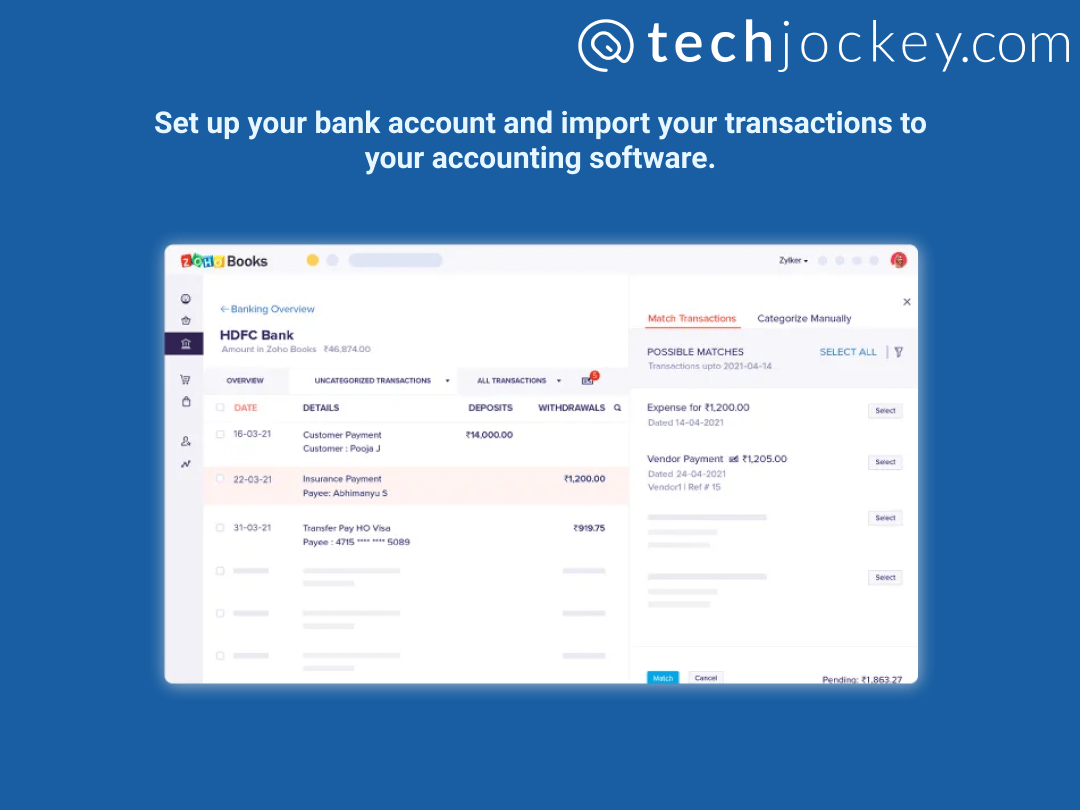
  • Automatically import bank transactions and reconcile accounts for accurate records
  • Reduce manual data entry to minimize errors and save time

Collaboration and Mobility

  • Invite accountants, clients, and vendors to collaborate on transactions and tasks
  • Access real-time financial data and generate reports from anywhere
  • Foster team communication with built-in voice, video, and screen sharing

Inventory Management

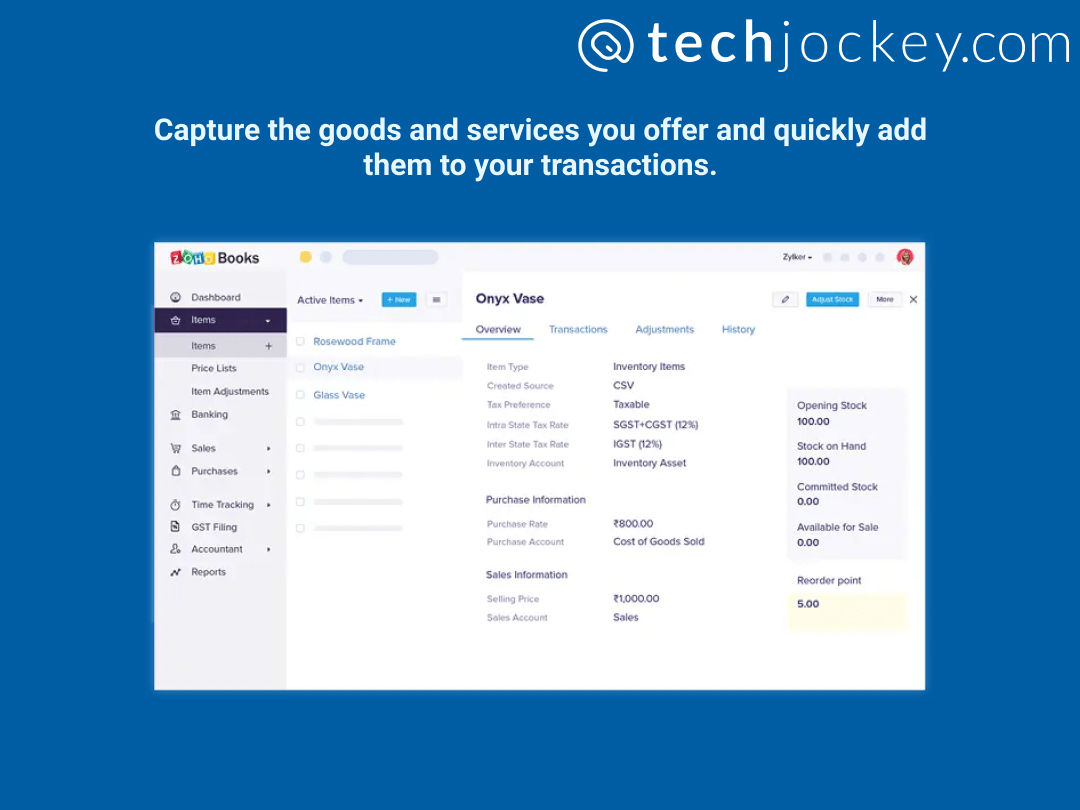
  • Track stock levels, set reorder points, and receive low-stock alerts
  • Create price lists with markups or discounts for sales and purchase transactions
  • Sync inventory with online sales channels like Amazon, Etsy, Shopify, and more

Project Management

  • Assign tasks, track time, and bill clients based on project milestones
  • Gain insights to optimize projects for maximum profitability
  • Enhance team collaboration with a centralized platform for projects

Tax Compliance

  • Automatically apply relevant tax rates and treatments to transactions
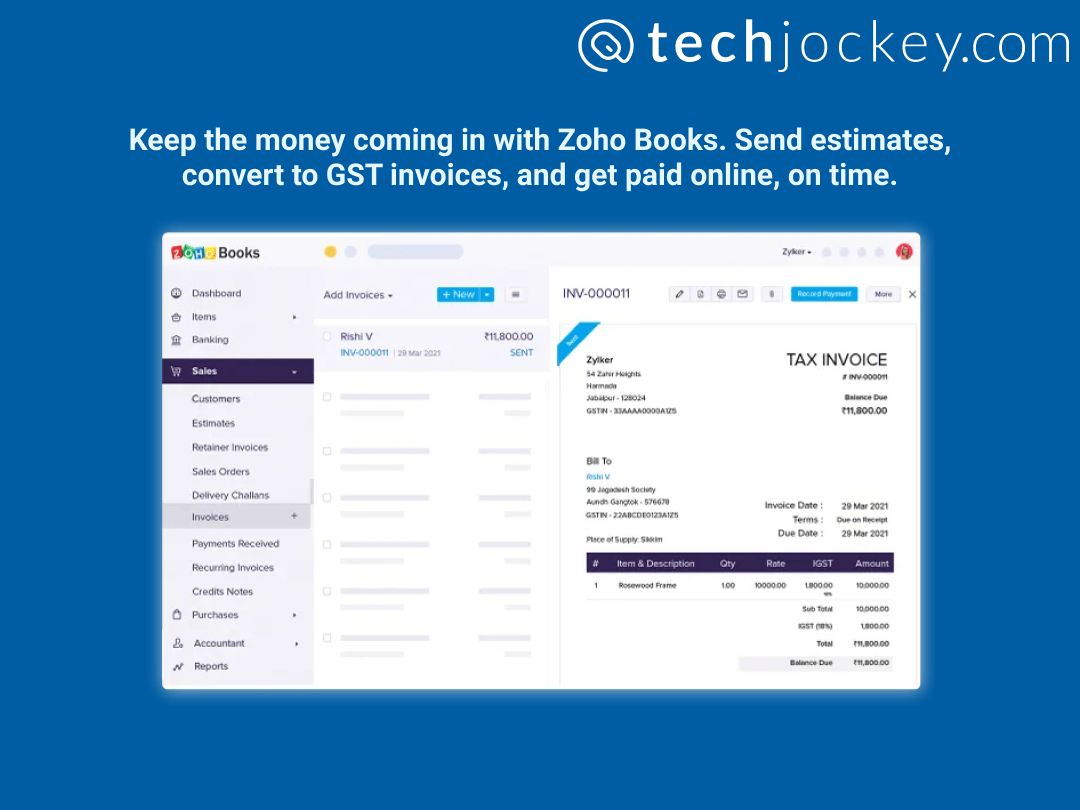
  • Generate e-invoices compliant with regulations like GST
  • File tax returns directly from Zoho Books as a GST Suvidha provider

Reporting and Analytics

  • Generate real-time financial reports for better business insights
  • Set budgets and track actuals for valuable performance analysis
  • Integrate with Zoho Analytics for advanced reporting and dashboards

Zoho Books provides a comprehensive, cloud-based accounting solution to streamline your finances, enhance collaboration, and drive business growth. Its automation features, mobility, and robust reporting capabilities make it a top choice for businesses of all sizes.

Zoho Books Pricing in UAE

ZohoBooks price in UAE starts at AED 69/Org/Month at techjockey.

For subscription-related details and offers on premium packages, please request a call back from our product experts.

Read moreView less

Zoho Corporation Company Details

Founded Year:  1996

Zoho Corporation, is an Indian multinational company that specialises in software development, cloud computing, and web-based business tools. It is best known for Zoho Office suite.

Director/Founders Sridhar Vembu / Tony Thomas
Company Size 1000+ Employees

Zoho Books Pricing & Plans

Standard
Starting at AED69
    • Organization

      Organization
      Organization
    • Monthly

      Monthly
      Monthly

Key Features

  • Manage customers

  • Quotes

  • Invoices-5,000 a year

  • Recurring invoices

  • Credit Notes

  • Invoice customization

  • Customer portal

  • Payment reminders

  • Online payments

Professional
Starting at AED129
    • Organization

      Organization
      Organization
    • Monthly

      Monthly
      Monthly

Key Features

  • Manage customers

  • Quotes

  • Invoices-10,000 a year

  • Recurring invoices

  • Credit Notes

  • Invoice customization

  • Customer portal

  • Payment reminders

  • Online payments

Premium
Starting at AED159
    • Organization

      Organization
      Organization
    • Monthly

      Monthly
      Monthly

Key Features

  • Manage customers

  • Payment reminders

  • Quotes

  • Invoices-25,000 a year

  • Recurring invoices

  • Credit Notes

  • Invoice customization

  • Customer portal

  • Online payments

ELITE
Starting at AED349
    • Organization

      Organization
      Organization
    • Monthly

      Monthly
      Monthly

Key Features

  • Everything in Premium +

  • Dashboard customization

  • Manage warehouses

  • Composite items

  • Track serial numbers

  • Batch tracking

ULTIMATE
Starting at AED799
    • Organization

      Organization
      Organization
    • Monthly

      Monthly
      Monthly

Key Features

  • Everything in ELITE +

  • Revenue recognition

  • 50+ Pre-built data visualization

  • Add and track KPIs for your business

  • Analyze Zoho Books data along with other data sour

  • Collaboratively create reports with colleagues

Zoho Books Features

  • icon_check Inventory Management
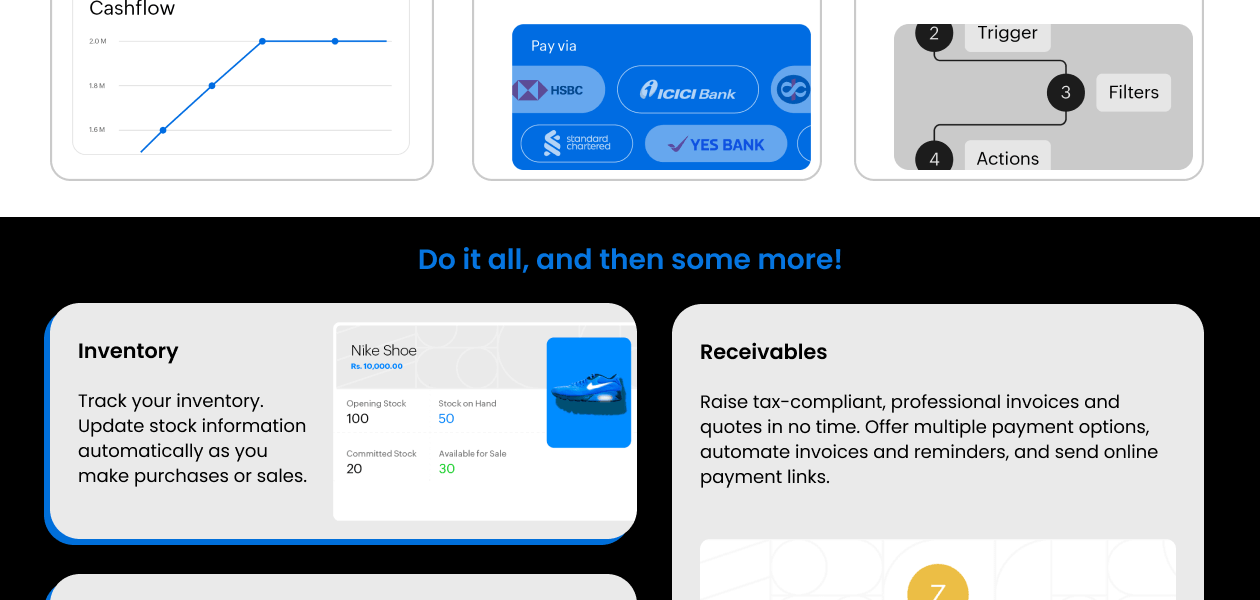
    Keep a comprehensive record of your inventory, facilitating informed decision-making.
  • icon_check Mobile Support
    Access the mobile app on the go with robust mobile support for efficient management.
  • icon_check Multi Location
    Manage operations seamlessly across multiple locations from a centralized platform.
  • icon_check Multiple Company
    Handle financial aspects for various companies within a unified accounting system.
  • icon_check Document Management
    Organize and manage documents efficiently within the software.
  • icon_check Product Database
    Maintain a structured database of products for streamlined operations.
  • icon_check Sales Transactions
    Facilitate smooth and accurate recording of sales transactions.
  • icon_check Billing & Invoicing
    Generate and easily manage invoices for efficient billing processes.
  • icon_check Time Tracking
    Accurately track and manage the time spent on various tasks or projects.
  • icon_check Banking Integration
    Seamlessly integrate with banking services for streamlined financial transactions.
  • icon_check Multi Currency
    Conduct transactions in multiple currencies to cater to global business needs.
  • icon_check Timesheets and Reports
    Monitor employee productivity with detailed timesheets and generate comprehensive reports.
  • icon_check Account Payable
    Efficiently manage and track all your payable accounts with precision.
  • icon_check GST Invoicing
    Ensure compliance and simplify invoicing processes with Goods and Services Tax (GST) features.
  • icon_check Project Accounting
    Effectively track and manage financial aspects related to specific projects.
  • icon_check Account Receivable
    Streamline the management and tracking of receivables for a clear financial picture.
  • icon_check Analytics & Reporting
    Utilize analytics tools and reporting features for insightful financial analysis.
  • icon_check Mobile App
    Access the application anytime, anywhere through a user-friendly mobile app.
  • icon_check Online Banking
    Simplify financial transactions by integrating with online banking services.
  • icon_check Purchase Orders
    Efficiently manage and track purchase orders for effective procurement.
  • icon_check Sales Management
    Streamline sales processes and enhance overall sales management.
  • icon_check Vendor Portal
    Collaborate effectively with vendors through a dedicated vendor portal.
  • icon_check Expenses Management
    Track and manage expenses efficiently for accurate financial records.
Zoho Books Demo Video play icon

Get Zoho Books Demo

Watch the demo video to explore key features, real workflows, and how the software fits your business needs.
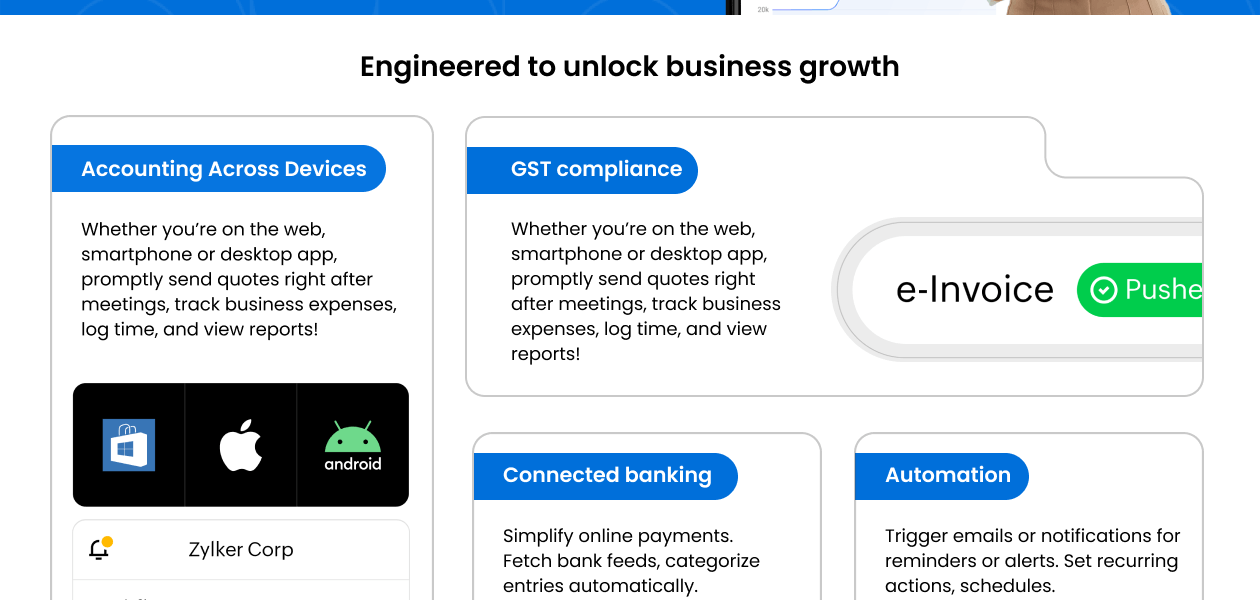
Understand
Key Features
Personal
Demo Insights
Interactive
Demo Support
Product Enrichment Section Image

Zoho Books Specifications

Supported Platforms
Ubuntu Ubuntu Windows Windows iOS iOS Android Android MacOS MacOS Linux Linux
Devices
Desktop Desktop Mobile Mobile Tablet Tablet iPad iPad
Deployment
Cloud-Based Cloud-Based
Suitable For
All Industries
Business Specific
All Businesses
Business Size
Small Business Medium Business Enterprises SMBs SMEs
Customer Support
Email Communities
Language
English
Integration
API Integration
Training Resources
Videos

Explore the Best Alternative Solutions Similar to Your Business Size and Needs

Zoho Books Reviews

4.5

Out of 5

img

Overall Rating

Based on
58 Verified Reviews

Rating Breakdown

  • Features 4.5
  • Value for Money 4.5
  • Ease of Use 4.5
  • Customer Support 4.5

92% Recommend this Product

Add Review
AI Generated Summary Based on Real Reviews

Zoho Books has garnered positive feedback for its user-friendly interface, time-saving automation, and seamless integration with other Zoho products. Users appreciate its ability to simplify accounting tasks and generate reports efficiently, making it especially suitable for small to medium-sized businesses. However, some customers have noted limitations, such as the need for improved customer support, occasional technical complexities, and a lack of advanced features for specific accounting needs. Overall, it is seen as a valuable tool for managing finances effectively.

Pros

  • "The simplicity and seamless and offers perfect integration capabilities which makes it my go to choice"

    Bharat Kankariya Jul 4, 2024

  • "Zoho Books saves me time and energy by automating report generation and operational decisions."

    Nandini Jul 4, 2024

  • "I liked that Zoho Books connected to my accounts and was included in my Zoho One subscription until it stopped working."

    Pramod Baghel Jul 2, 2024

Cons

  • "There's nothing I dislike. It works well and is good value for money"

    Bharat Kankariya Jul 4, 2024

  • "The support team needs improvement and should include more professionals."

    Nandini Jul 4, 2024

  • "Handling business expense reports can be time-consuming, especially with multiple entities. The data extraction and report formats need improvement."
    Divya KhandelwalJul 3, 2024

Zoho Books Video Reviews

youtubeVideoId

4.3

“Zoho Books Review | Best Online Accounting Software Reviews”

Review by: Best Reviews

youtubeVideoId

4.5

“Zoho Books Review”

Review by: SoftwarePundit

youtubeVideoId

4.3

“Zoho Books Review is there some untold truth about this software”

Review by: Digital Accountant

Sanjay

Owner

Industry: Logistics and Supply Chain User since: 6-12 months

3.2

Reviewed on: Aug 16, 2018

Techjockey Verified

“Very Impressive features”

Pros

Can be integrated with your online shoping websites like shopify, woocommerce and many more.

Cons

Zoho attracts consumer by quoting very less fees for 1st year but from next years there is steep increase in charges.

Irfan Lone

Executive

Industry: Hospitality User since: 6-12 months

4.2

Reviewed on: Feb 10, 2019

Techjockey Verified

“Booking Made Simple”

Pros

It is very easy to use and Zoho books made bookkeeping very simple. Individuals and SMBs can easily adopt.

Cons

There is no way to scale up complete process automate...we need to import over and over again which is hectic

Reason to switch

To automate our expenses, track payment, and generate invoices.

Pulkit Gupta

4.5

Reviewed on: Mar 23, 2024

Techjockey Verified

“Streamlining Accounting Processes with Zoho Books”

Great features include automatic adjustment of banking modules, cloud storage, easy remote access, analytics and advanced intelligence with Zoho Analytics and Zoho Books, and integration with amazing payment strategies like PayPal and Stripe, you can process many payments and track them through robot updates.

Pros

Zoho Books makes it easy to monitor invoices, sort them by various criteria, and integrate with services such as Paypal, Payflow Pro, and Square. Its standout features include automated reconciliation in the banking module, GST compliance, and integration with Zoho analytics for insightful dashboards. Additionally, it can easily integrate with other Zoho suite products like Zoho CRM.

Cons

Generating businesses expenditure reports can be time-consuming, especially for multiple business entities. Navigating between different company views can lead to errors in data entry. Zoho Books could improve data extraction, as the excel output often has formatting issues. Additionally, the online display of reports like the Balance Sheet and P&L could be more user-friendly.

Switched from Vyapar Billing Software

Reason to switch

Zoho Books is a comprehensive accounting solution that organizes receivables, payables, invoices, and estimates in one place. Its seamless integration with other Zoho apps like CRM streamlines tasks such as customer creation and linking quotes and invoices to CRM activities. With its rich features and integration with other Zoho applications, Zoho Books helps tackle complex business challenges effectively.

See All Zoho Books Reviews

Compare Zoho Books With other Accounting Software

Products
Ratings
Pricing
Device Supported
Deployment
Supported Platforms
  • img

    Zoho Books

  • 4.5

  • AED 69.00 excl. GST

  • Desktop

    Mobile

  • Web based

    On Premises

  • Windows

    Mac OS

  • img

    DualEntry

  • 4.4

  • Price On Request

  • Desktop

    Mobile

  • Web based

    On Premises

  • Windows

    Mac OS

  • img

    QuickBooks

  • 4.3

  • Price On Request

  • Desktop

    Mobile

  • Web based

    On Premises

  • Windows

    Mac OS

  • img

    Rillet

  • 4.1

  • Price On Request

  • Desktop

    Mobile

  • Web based

    On Premises

  • Windows

    Mac OS

  • img

    TallyPrime

  • 4.4

  • Price On Request

  • Desktop

    Mobile

  • Web based

    On Premises

  • Windows

    Mac OS

  • img

    Digits

  • 4.6

  • Price On Request

  • Desktop

    Mobile

  • Web based

    On Premises

  • Windows

    Mac OS

  • img

    Bookkeep

  • 4.4

  • Price On Request

  • Desktop

    Mobile

  • Web based

    On Premises

  • Windows

    Mac OS

  • img

    Financio

  • 4.5

  • Price On Request

  • Desktop

    Mobile

  • Web based

    On Premises

  • Windows

    Mac OS

  • img

    EasyBooks

  • 4.5

  • Price On Request

  • Desktop

    Mobile

  • Web based

    On Premises

  • Windows

    Mac OS

(2) Product(s) selected

Zoho Books Alternatives

See All Zoho Books Alternatives

Available

Price on Request

Available

Price on Request

Starting Price:

AED78.00 /Month

Starting Price:

$19.00 /Month

Starting Price:

£13.00 /Month

Starting Price:

$8.40 /Month

Starting Price:

$12.00 /Month

Articles for Zoho Books

See All Related Articles

Which operating system does Zoho Books support?

Zoho Books is compatible with Windows, iOS, and Android operating systems.

Is there any Zoho Books app?

Zoho Books is available for android and iOS app users.

What is the deployment type of Zoho Books software?

Zoho Books supports web-based deployment.

How much does Zoho Books cost?

ZohoBooks price in UAE starts at AED 69/Org/Month at techjockey.com

Who uses Zoho Books?

Zoho Books is suitable for teams of all sizes looking to manage, audit, and analyze their financial transactions.

Is there any free trial or demo for Zoho Books?

Zoho Books free trial is available at techjockey.com.

Is Zoho Books free?

Zoho Books is not free. Price starts at $10 at techjockey.com.

How can you download Zoho Books software?

Zoho Books software is a web-based platform. So, installation is not required. Just open the Setup Wizard to get started.

How does Zoho Books work?

The online accounting software helps businesses manage their finances, track expenses, and prepare for tax time.

Terms and Condtions

close

Users with registered businesses can purchase goods from merchants on the platform to satisfy their business needs. Users are not permitted to utilize any products acquired through the platform for resale, advertising, business, or further distribution.

For each purchase made, users will receive a Tax Invoice (or 'GST invoice') that includes specific details such as:

  • the GSTIN of the user associated with their registered business, and

  • the specified Entity Name for their business.

It should be noted that not all products are eligible for GST Invoice. Only the products displayed by participating sellers with the 'GST-based Invoice Available' callout on the product description page would qualify.

Certain goods and services are not eligible to get a GST Invoice, including items with VAS, i.e., Value Added Services (e.g., Total Mobile Protection/Assured Buyback) and those involving an exchange offer at the time of purchase.

Users must ensure the accuracy of the GSTIN, and business entity name provided for the GST Invoice. Requests for corrections into GST Invoice would not be accommodated by Techjockey.com or any Seller, and any issues arising from user-provided information are the sole responsibility of users.

Techjockey.com is not liable for the GST Invoice or any associated input tax credit. To efficiently claim an input tax credit, users should select the registered place of business address as per the GST authority's data and follow the provisions of the GST Act and rules.

To claim an input tax credit, the delivery and billing addresses must match. Furthermore, input tax credits will not be granted if the delivery address and GSTIN on the invoice are from different states. In case of incorrect GST details provided during the order placement, the order will be canceled automatically.

21,000+ Software Listed 21,000+ Software Listed

Best Price Guaranteed Unbiased Comparison

Free Expert Consultation Read Authentic Reviews

5M+ Happy Customers 500,000+ Monthly Users