linkedin
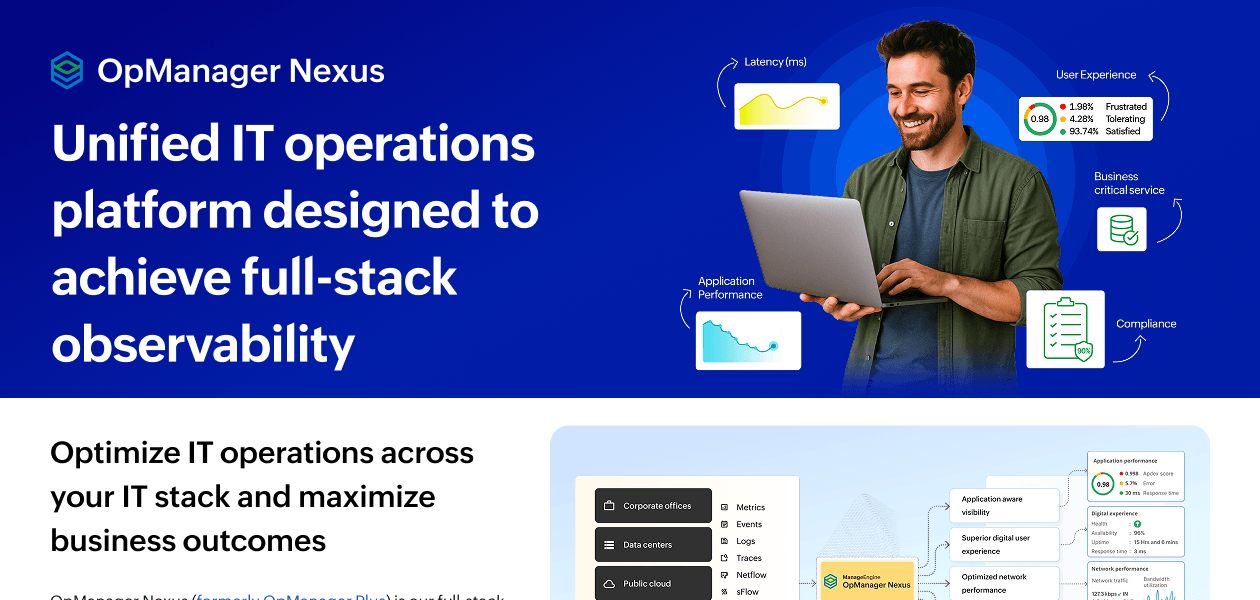
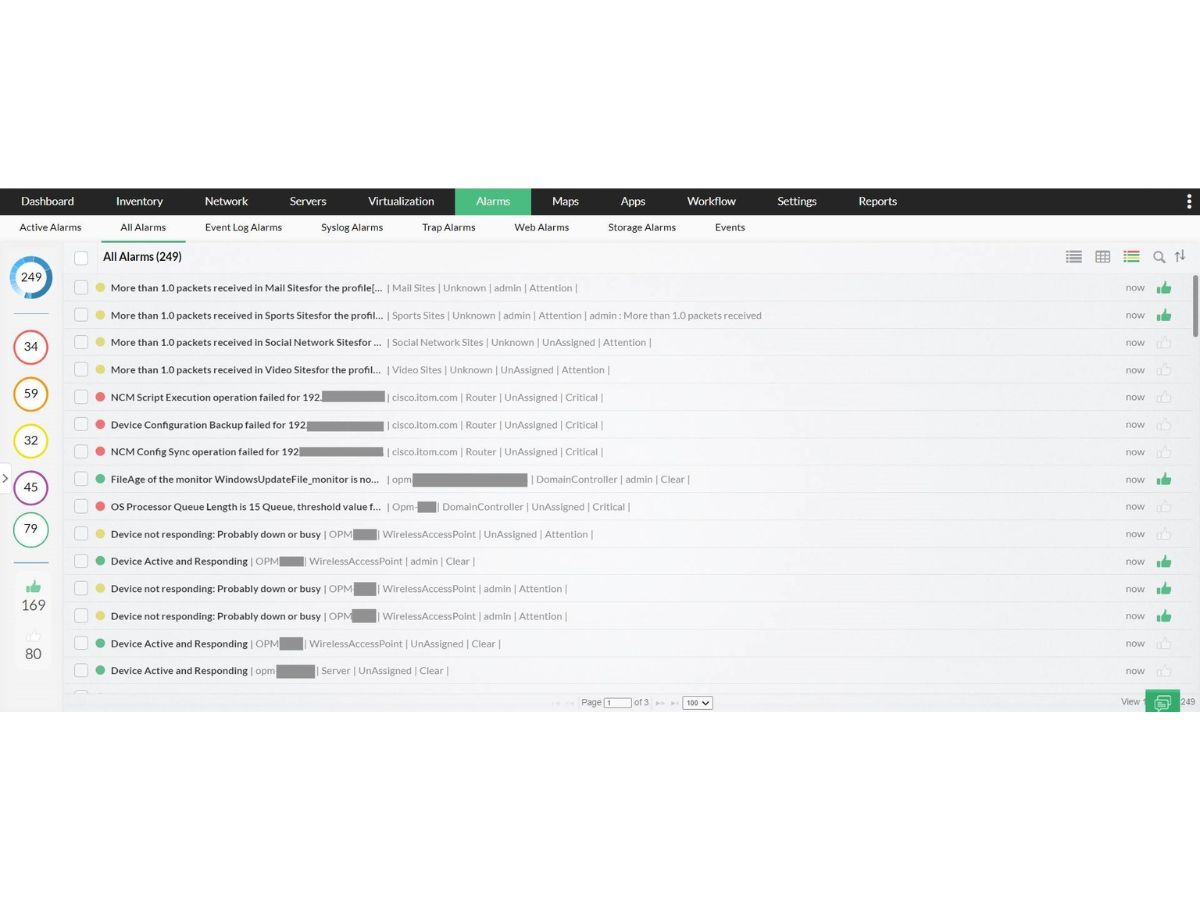
ManageEngine OpManager Nexus logo
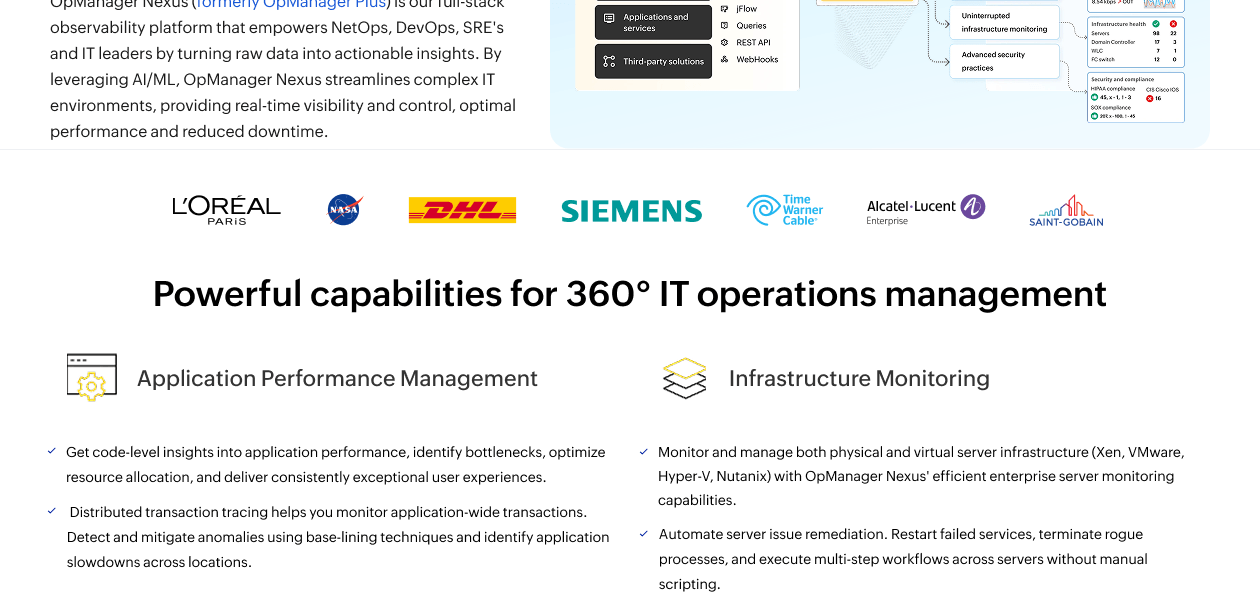
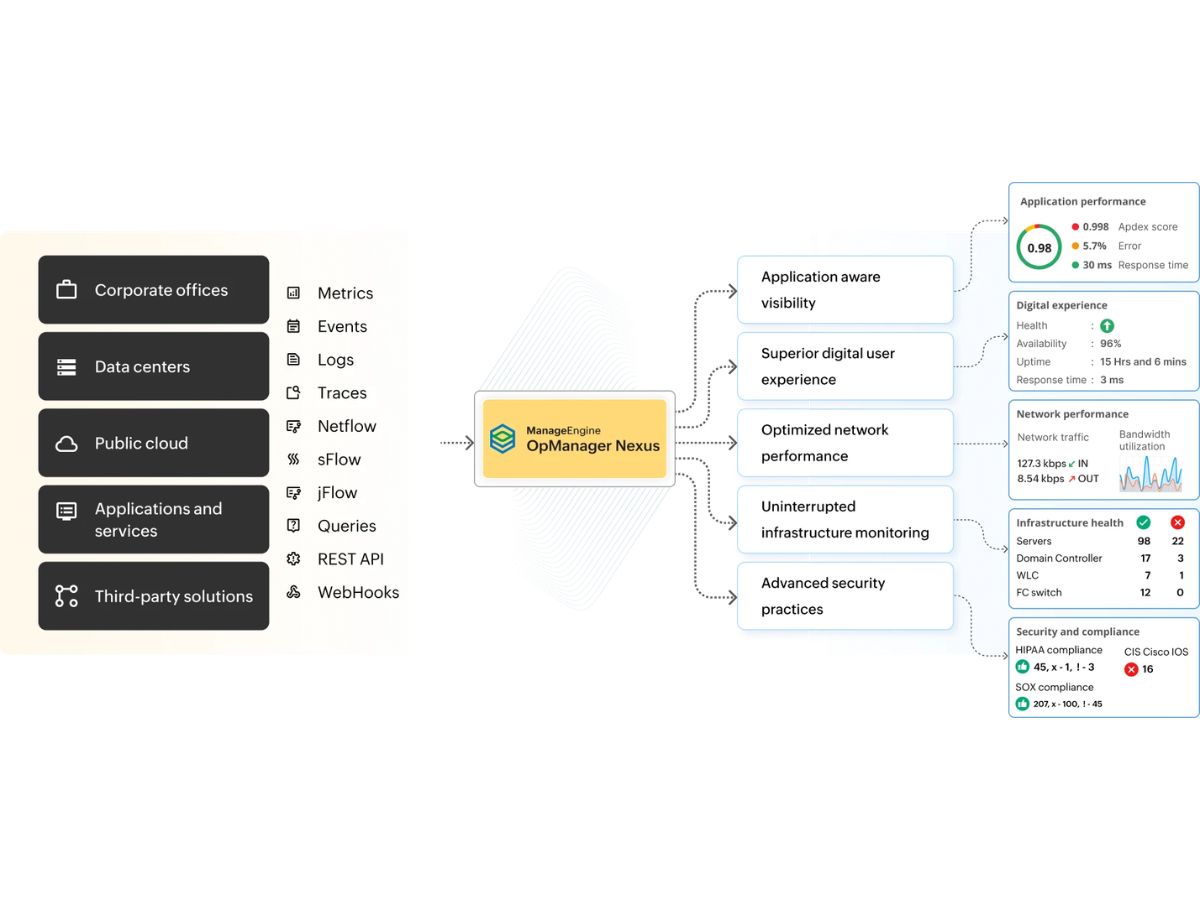
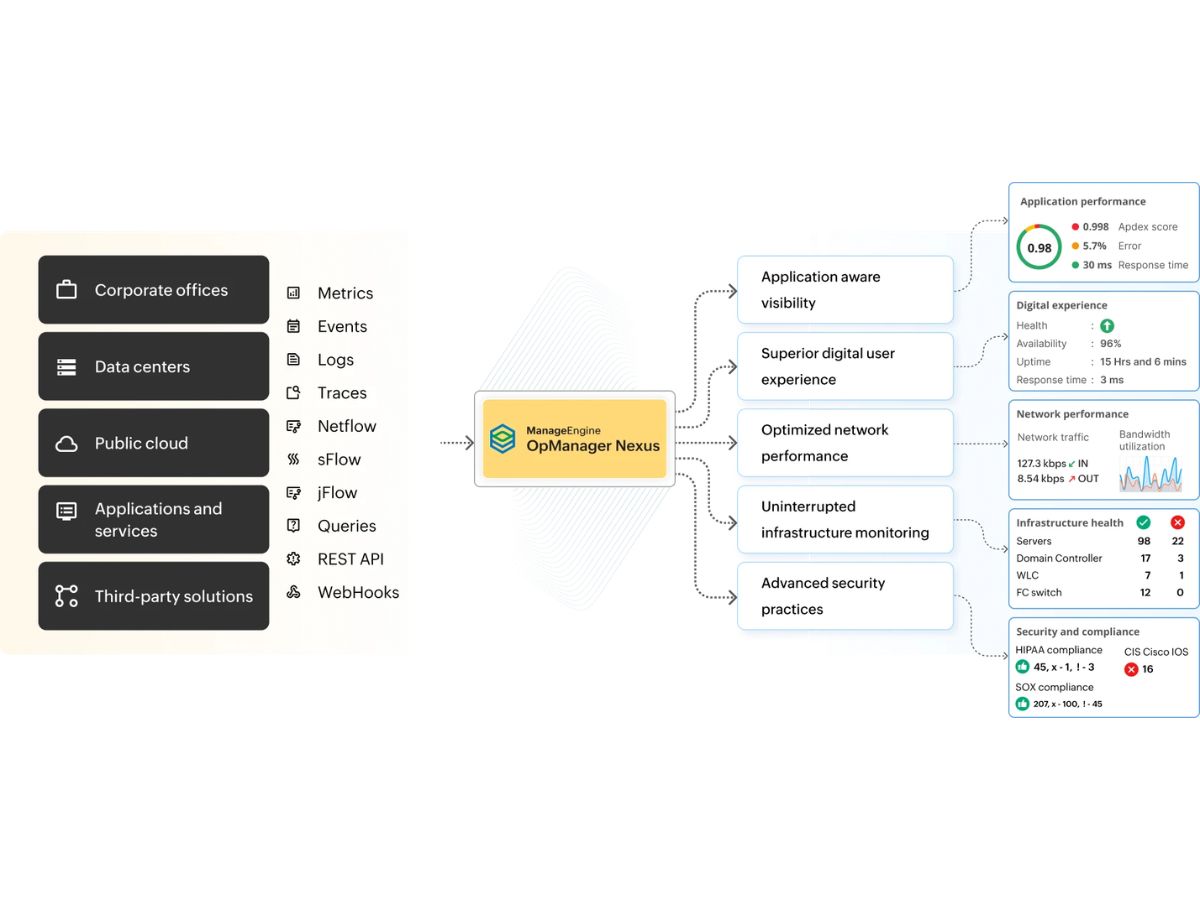
OpManager Nexus flowchart
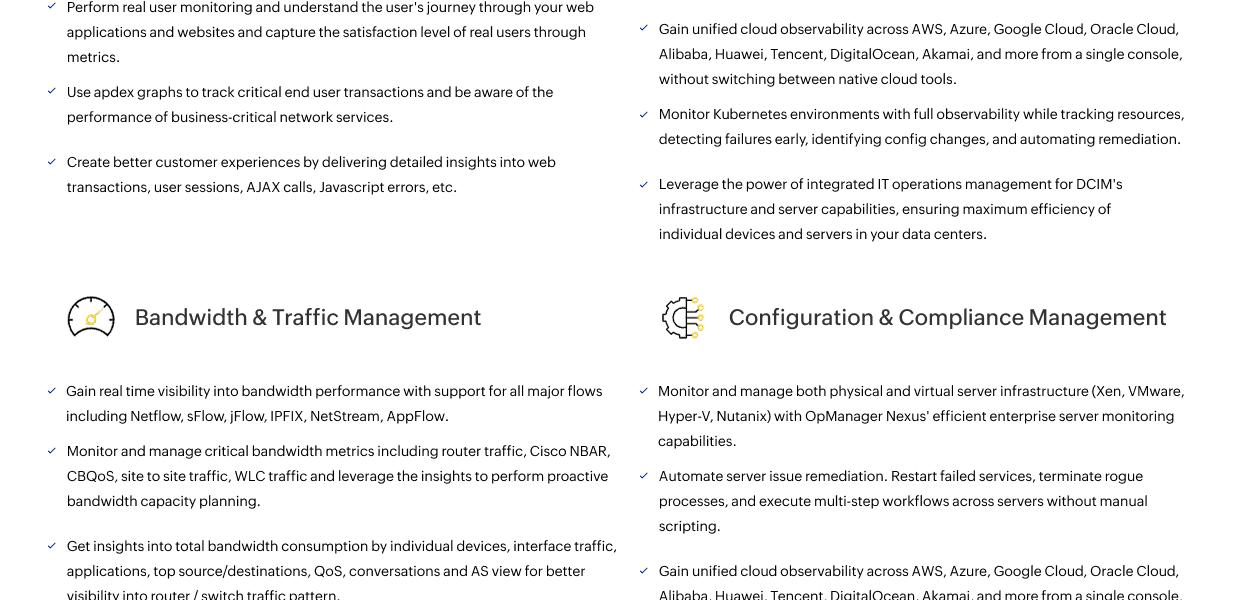
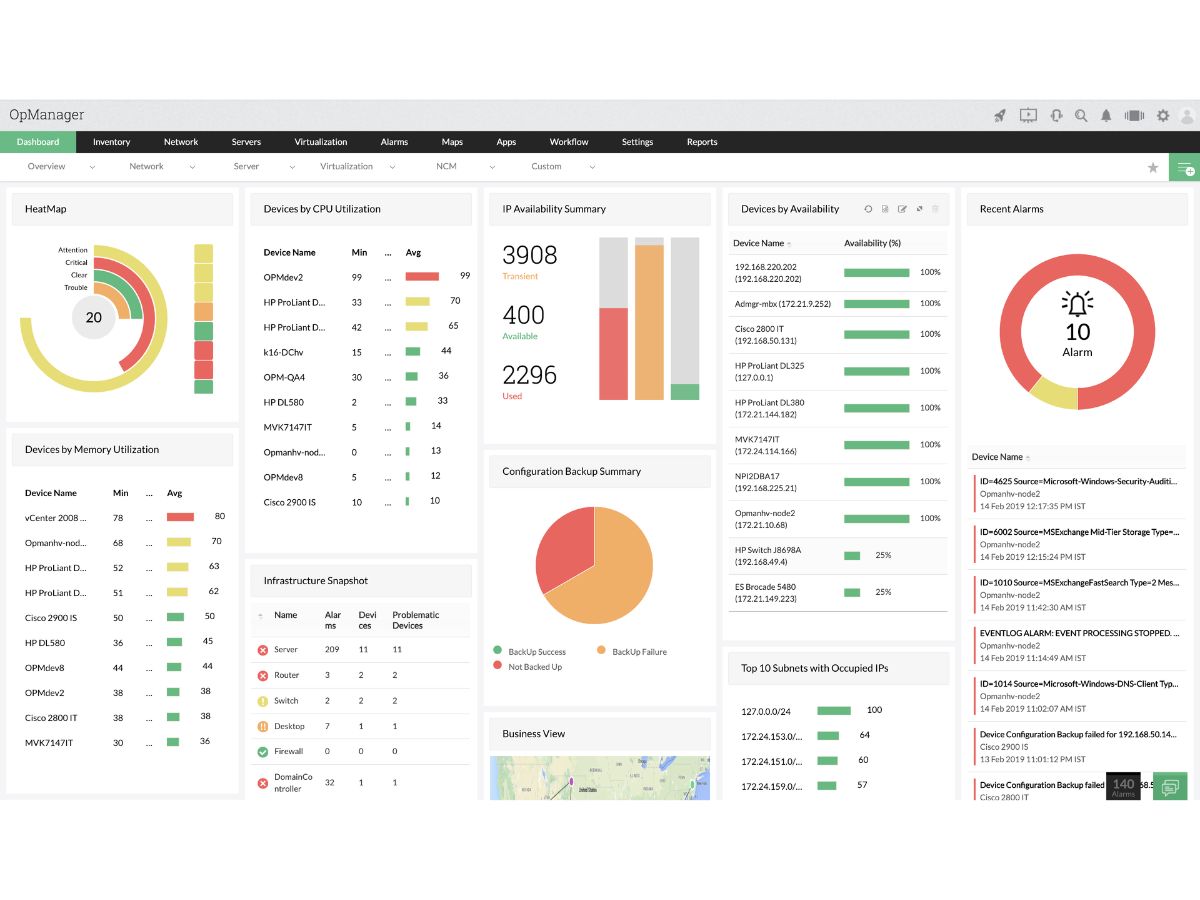
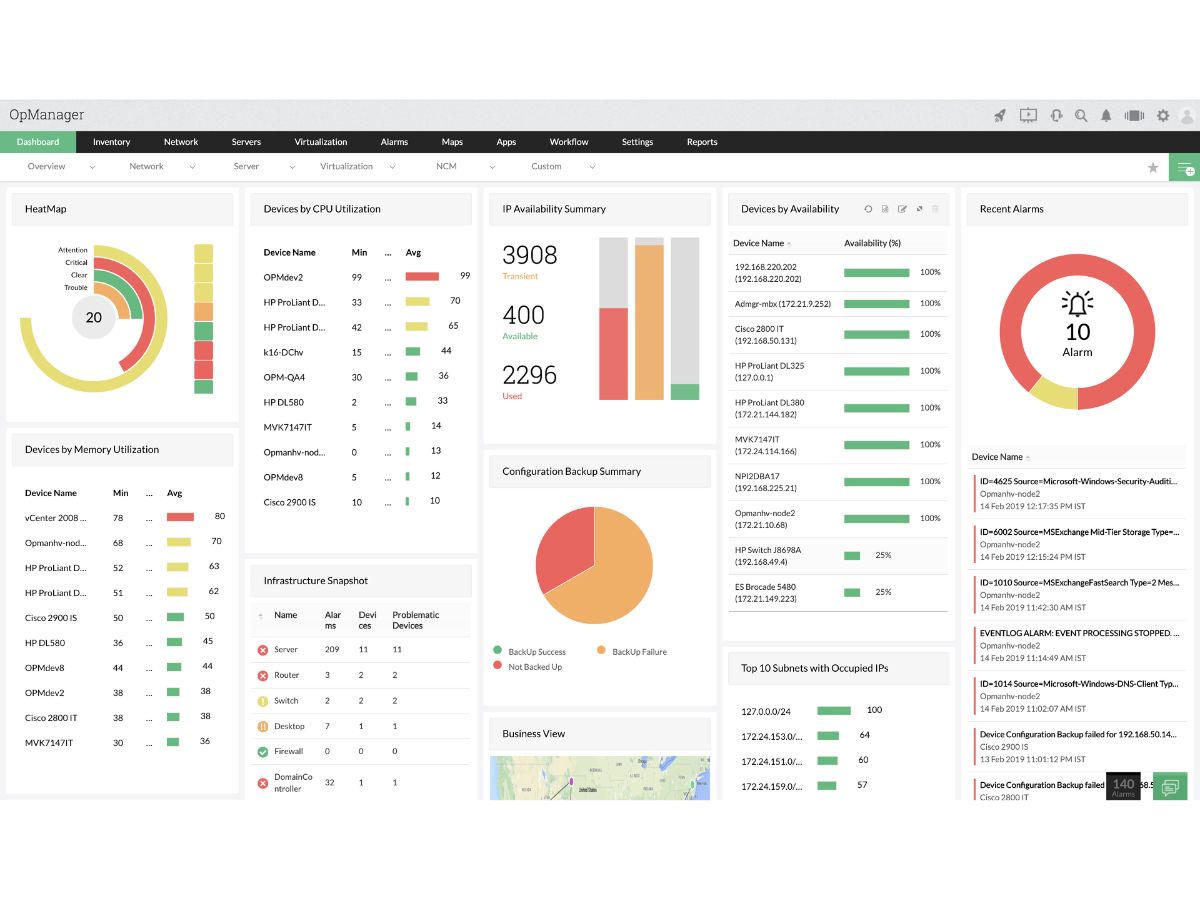
OpManager Nexus dashboard
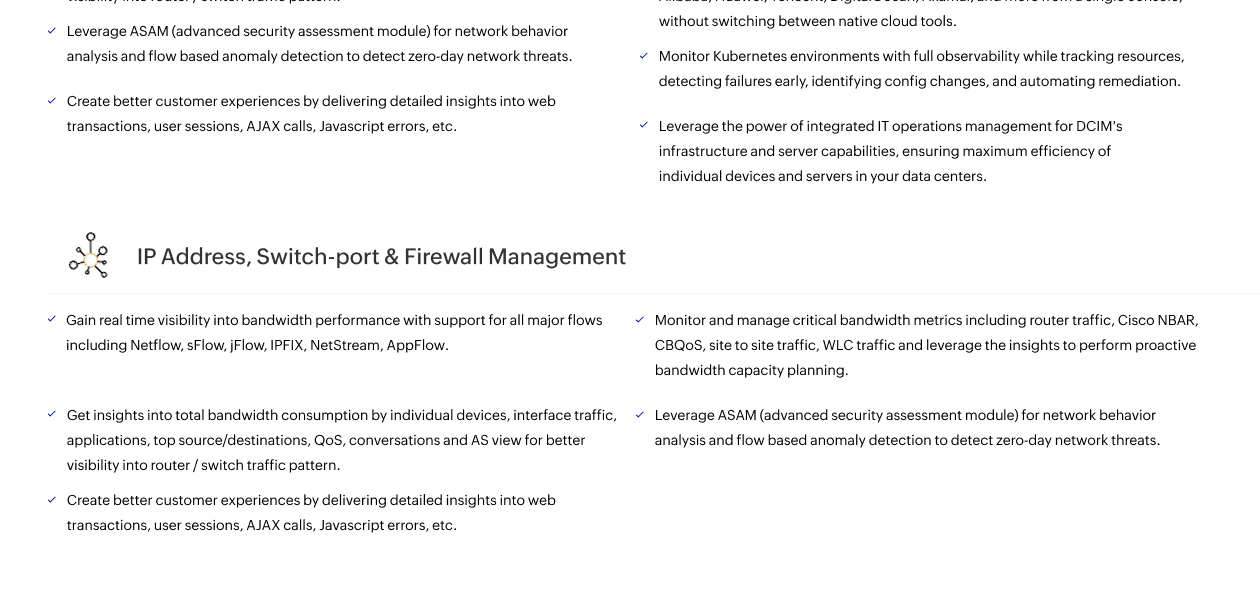
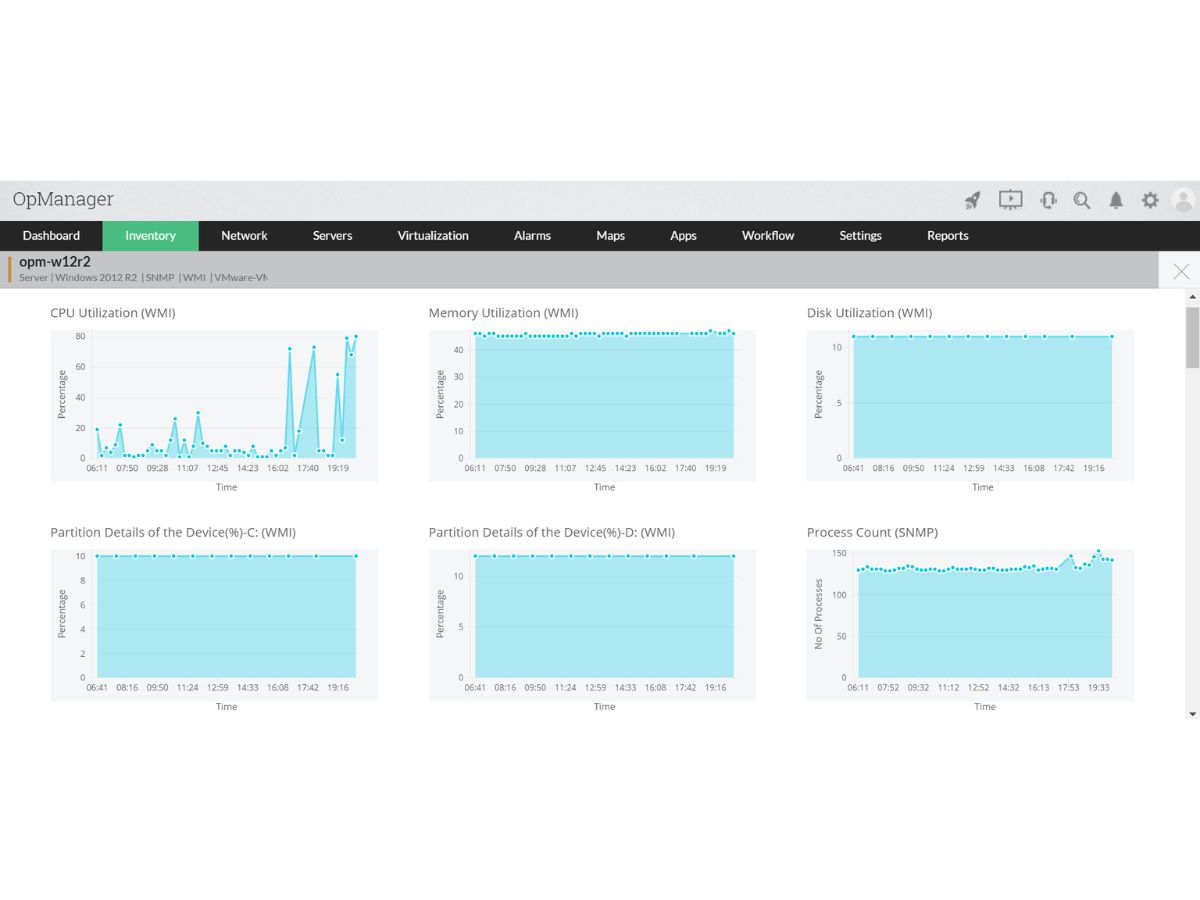
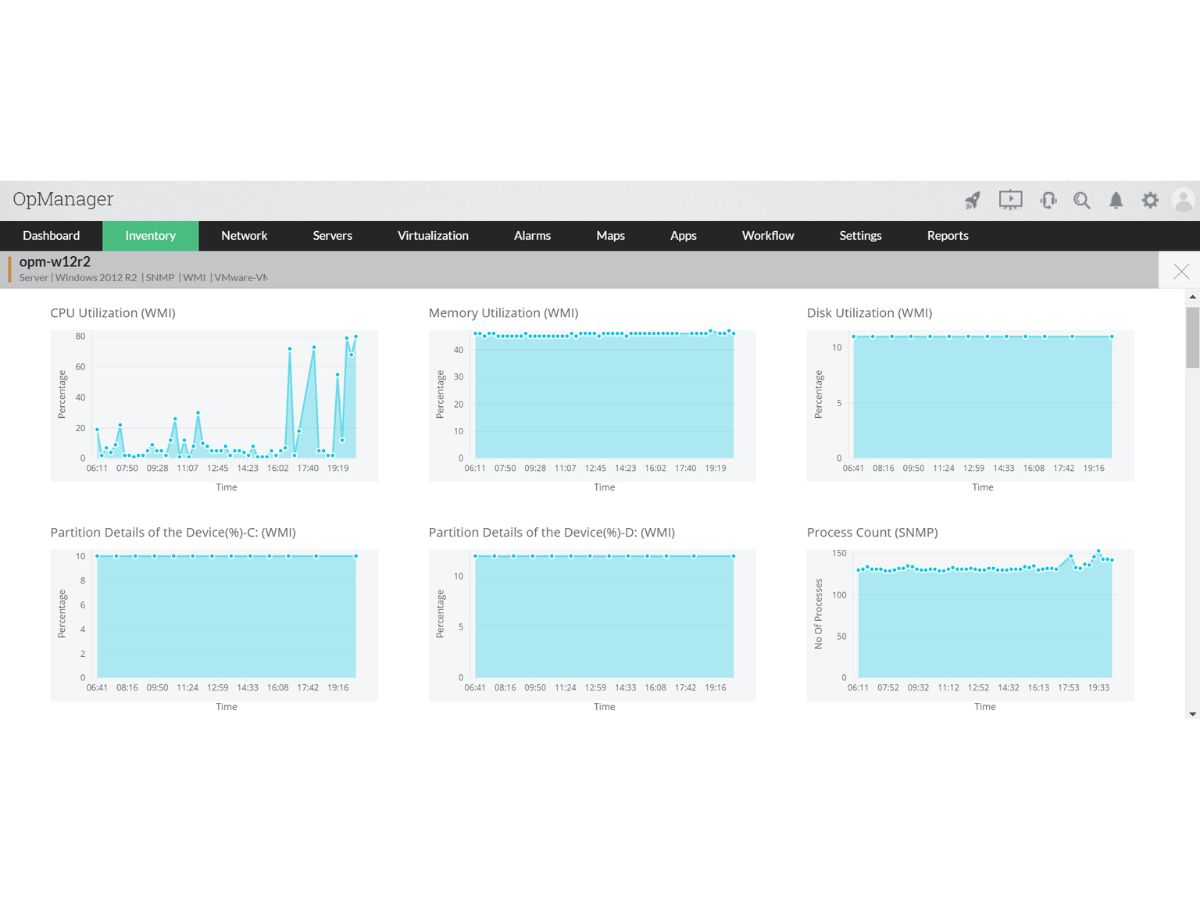
OpManager Nexus inventory

ManageEngine OpManager Nexus

Brand: Zoho Corporation

  • No Ratings & Reviews

ManageEngine OpManager Nexus is a full-stack observability and IT operations management platform that brings together network monitoring, application performance management, infrastructure observability, security operations, and IT analytics. It enables organisations to monitor the health, availability, and performance of critical IT resources, including servers, networks, applications, cloud env...

See More

Have you used ManageEngine OpManager Nexus before?

Share your insights for better experience

Add a Review
Starting Price
$1233

View plans

Get Now
100% Genuine
Products
Best Price
Guaranteed
Safe & Secure
Payment
  • Description

  • Pricing

  • Features

  • Specification

  • Review

  • FAQ

Starting at $1,233.00
Get Now

ManageEngine OpManager Nexus Software Overview

What is ManageEngine OpManager Nexus?

ManageEngine OpManager Nexus is a full-stack observability and IT operations management platform that brings together network monitoring, application performance management, infrastructure observability, security operations, and IT analytics. It enables organisations to monitor the health, availability, and performance of critical IT resources, including servers, networks, applications, cloud environments, databases, and virtual infrastructure.

By consolidating operational data across multiple IT domains, OpManager Nexus helps IT teams gain end-to-end visibility into their entire technology ecosystem.

With a built-in Zia AIOps engine, OpManager Nexus provides anomaly detection, intelligent event correlation, and automated remediation. The solution is designed to support NetOps, SecOps, ITOps, DevOps, SREs, and business leaders with advanced analytics, and intelligent monitoring capabilities. It offers integrated modules for bandwidth analysis, configuration and compliance management, firewall and switch port management, IP address management, etc.

Available as both on-premises and SaaS deployments, it scales from small offices to globally distributed enterprises. With centralised dashboards, real-time alerts, topology visualisation, and performance analytics, ManageEngine OpManager Nexus enables organisations to improve operational efficiency, minimise downtime, strengthen security, and optimise IT resource utilisation.

Benefits of ManageEngine OpManager Nexus

  • Application Performance Management: Monitor application health, availability, dependencies, and performance across distributed environments.
  • Infrastructure Monitoring: Gain complete visibility into servers, networks, cloud resources, databases, and virtual infrastructure from a unified console.
  • Network Performance Monitoring: Analyze network traffic, monitor bandwidth utilization, and identify congestion to optimize network performance.
  • Network Management: Simplify configuration compliance, IP address management, and switch port administration from a unified platform.
  • Network Security: Strengthen network security with centralized firewall monitoring, policy management, and rule change tracking.
  • Unified IT Operations: Consolidate monitoring, analytics, automation, and reporting across multiple IT operations functions.
  • Autonomous IT Operations: Offload routine IT operations using AI agents to automate repetitive tasks and orchestrate workflows with minimal manual intervention.
  • Flexible Deployment Options: Choose between on-premises and SaaS deployment models to suit your organisation's infrastructure and operational requirements.

Why Use ManageEngine OpManager Nexus?

  • Reduce Downtime: Minimise service disruptions with proactive monitoring and automated remediation workflows.
  • Accelerate Incident Resolution: Reduce MTTR with faster root cause analysis and intelligent event correlation.
  • Strengthen Security Posture: Detect threats and vulnerabilities across your IT environment with continuous visibility.
  • Achieve End-to-End Observability: Gain unified visibility across applications, infrastructure, networks, and cloud from a single console.
  • Meet Compliance Requirements: Maintain compliance with built-in configuration management and audit reporting.
  • Optimise IT Performance: Enhance resource allocation and uncover optimisation opportunities with AI and machine learning analytics.
  • Scale with Your Business: Monitor IT environments of any size from small offices to globally distributed enterprises.

ManageEngine OpManager Nexus Pricing

ManageEngine OpManager Nexus price is available on request at Techjockey. The pricing model is based on different parameters, including extra features, deployment type, and the total number of users. A free 30-day trial is also offered with no credit card required. For further queries related to the product, you can contact our product expert and learn more about the pricing and offers.

Read more

Zoho Corporation Company Details

Founded Year:  1996

Zoho Corporation, is an Indian multinational company that specialises in software development, cloud computing, and web-based business tools. It is best known for Zoho Office suite.

Director/Founders Sridhar Vembu / Tony Thomas
Company Size 1000+ Employees

ManageEngine OpManager Nexus Pricing & Plans

50 Devices Pack with 2 Users and 1 Firewall
Starting at $1233
    • Quantity

      Quantity
      Quantity
    • Yearly

      Yearly
      Yearly

ManageEngine OpManager Nexus Features

  • icon_check Network Monitoring
    Monitors network devices, latency, availability, and overall performance in real time.
  • icon_check Application Performance Monitoring
    Monitors application response time, availability, and performance metrics.
  • icon_check Cloud Monitoring
    Monitors AWS, Azure, GCP, and hybrid cloud infrastructure from one console.
  • icon_check Bandwidth Monitoring
    Analyzes network traffic using NetFlow, sFlow, IPFIX, and related protocols.
  • icon_check Workflow Automation
    Automates routine IT operations and first-level troubleshooting tasks.
  • icon_check Fault Management
    Detects faults and speeds issue resolution with automated alerts.
  • icon_check Root Cause Analysis
    Identifies the root cause of outages using correlated performance data.
  • icon_check Adaptive Thresholds
    Sets intelligent thresholds using machine learning and historical data.
  • icon_check Log Management
    Collects, analyzes, and correlates logs for faster troubleshooting.
  • icon_check Observability Dashboard
    Visualizes metrics, logs, traces, and infrastructure health centrally.
  • icon_check Virtualization Monitoring
    Monitors VMware, Hyper-V, Nutanix, and Citrix virtual environments.
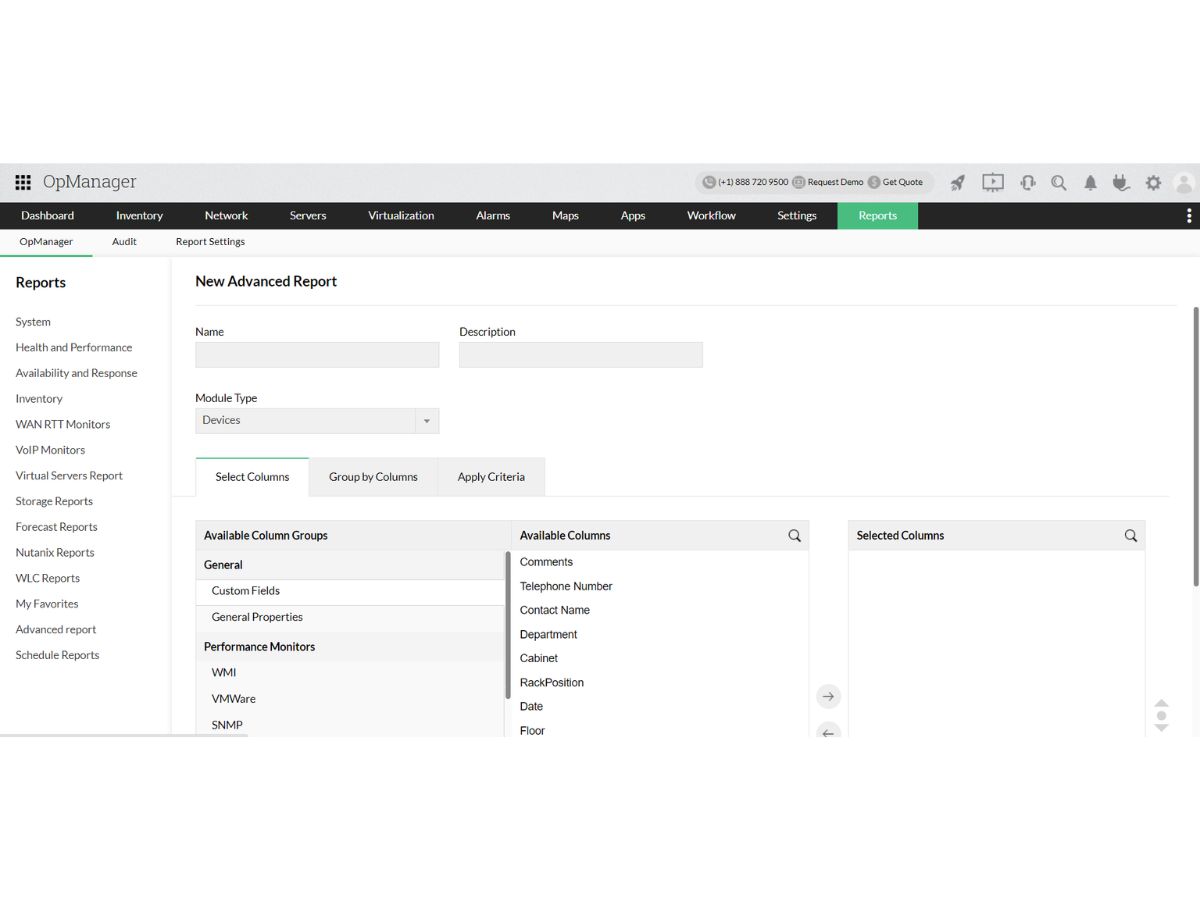
  • icon_check Custom Reporting
    Generates performance, availability, and infrastructure health reports.
  • icon_check Predictive Capacity Planning
    Forecasts resource usage to prevent capacity shortages.
  • icon_check IP Address Management
    Allocates, tracks, and manages IP addresses across enterprise networks.
  • icon_check Security Monitoring
    Monitors IT environments for security events, threats, and abnormal activities.
  • icon_check Automated Remediation
    Automatically executes predefined actions to resolve or mitigate detected IT issues.
  • icon_check AIOps & Anomaly Detection
    Uses AI and machine learning to detect unusual behavior and identify potential issues.
  • icon_check Intelligent Event Correlation
    Correlates related events and alerts to reduce noise and identify significant incidents.
  • icon_check Infrastructure Monitoring
    Monitors servers, devices, systems, and infrastructure health from a centralized platform.
Product Enrichment Section Image

ManageEngine OpManager Nexus Specifications

Supported Platforms
Windows Windows Android Android MacOS MacOS Linux Linux
Devices
Desktop Desktop Mobile Mobile
Deployment
Cloud-Based Cloud-Based Perpetual Perpetual
Suitable For
All Industries
Business Specific
All Businesses
Business Size
Small Business Medium Business Enterprises SMBs SMEs
Customer Support
Phone Email Live Chat Communities
Language
Nederlands English français Deutsche Italiano 日本人 한국어 閩北語 Polskie русский Español svenska Türkçe
Training Resources
Live Online Webinars Documentation Videos

ManageEngine OpManager Nexus Review

Be the First to Review

This product has no reviews yet. Be the first to leave your feedback.

Add Review

How much does ManageEngine OpManager Nexus cost?

ManageEngine OpManager Nexus price is available on request at Techjockey.

Is there a mobile app for ManageEngine OpManager Nexus?

Yes, ManageEngine provides mobile apps for both Android and iOS.

Which deployment options are available for ManageEngine OpManager Nexus?

ManageEngine OpManager Nexus supports both on-premises (Windows and Linux) and cloud deployment options.

Does ManageEngine OpManager Nexus offer a free trial?

Yes, ManageEngine offers a 30-days free trial on its official website.

How does ManageEngine OpManager Nexus function?

ManageEngine OpManager Nexus unifies network monitoring, application performance monitoring, infrastructure observability, security operations, automation, analytics, and IT management tools into a centralised platform for end-to-end IT operations.

Who uses ManageEngine OpManager Nexus?

ManageEngine OpManager Nexus is used by NetOps teams, SecOps teams, ITOps professionals, DevOps engineers, Site Reliability Engineers (SREs), CIOs, CXOs, and organisations managing complex IT infrastructures.

Is a free demo available for ManageEngine OpManager Nexus?

Yes, you can get ManageEngine OpManager Nexus free demo on Techjockey.

Is ManageEngine OpManager Nexus available for free?

No, ManageEngine OpManager Nexus does not offer a permanently free version.

Terms and Condtions

close

Users with registered businesses can purchase goods from merchants on the platform to satisfy their business needs. Users are not permitted to utilize any products acquired through the platform for resale, advertising, business, or further distribution.

For each purchase made, users will receive a Tax Invoice (or 'GST invoice') that includes specific details such as:

  • the GSTIN of the user associated with their registered business, and

  • the specified Entity Name for their business.

It should be noted that not all products are eligible for GST Invoice. Only the products displayed by participating sellers with the 'GST-based Invoice Available' callout on the product description page would qualify.

Certain goods and services are not eligible to get a GST Invoice, including items with VAS, i.e., Value Added Services (e.g., Total Mobile Protection/Assured Buyback) and those involving an exchange offer at the time of purchase.

Users must ensure the accuracy of the GSTIN, and business entity name provided for the GST Invoice. Requests for corrections into GST Invoice would not be accommodated by Techjockey.com or any Seller, and any issues arising from user-provided information are the sole responsibility of users.

Techjockey.com is not liable for the GST Invoice or any associated input tax credit. To efficiently claim an input tax credit, users should select the registered place of business address as per the GST authority's data and follow the provisions of the GST Act and rules.

To claim an input tax credit, the delivery and billing addresses must match. Furthermore, input tax credits will not be granted if the delivery address and GSTIN on the invoice are from different states. In case of incorrect GST details provided during the order placement, the order will be canceled automatically.

20,000+ Software Listed 20,000+ Software Listed

Best Price Guaranteed Unbiased Comparison

Free Expert Consultation Read Authentic Reviews

2M+ Happy Customers 500,000+ Monthly Users