linkedin
PDFgear logo
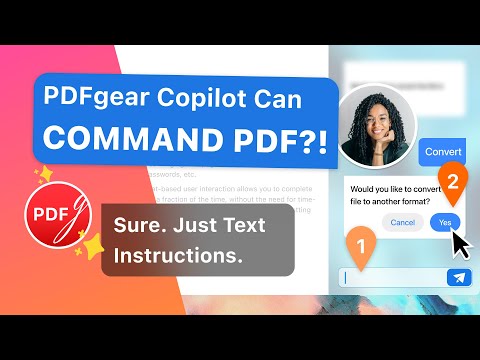
play Announcing PDFgear Copilot

PDFgear

Brand: PDFgear

  • 4.3

  • 4 Ratings & 1 Review

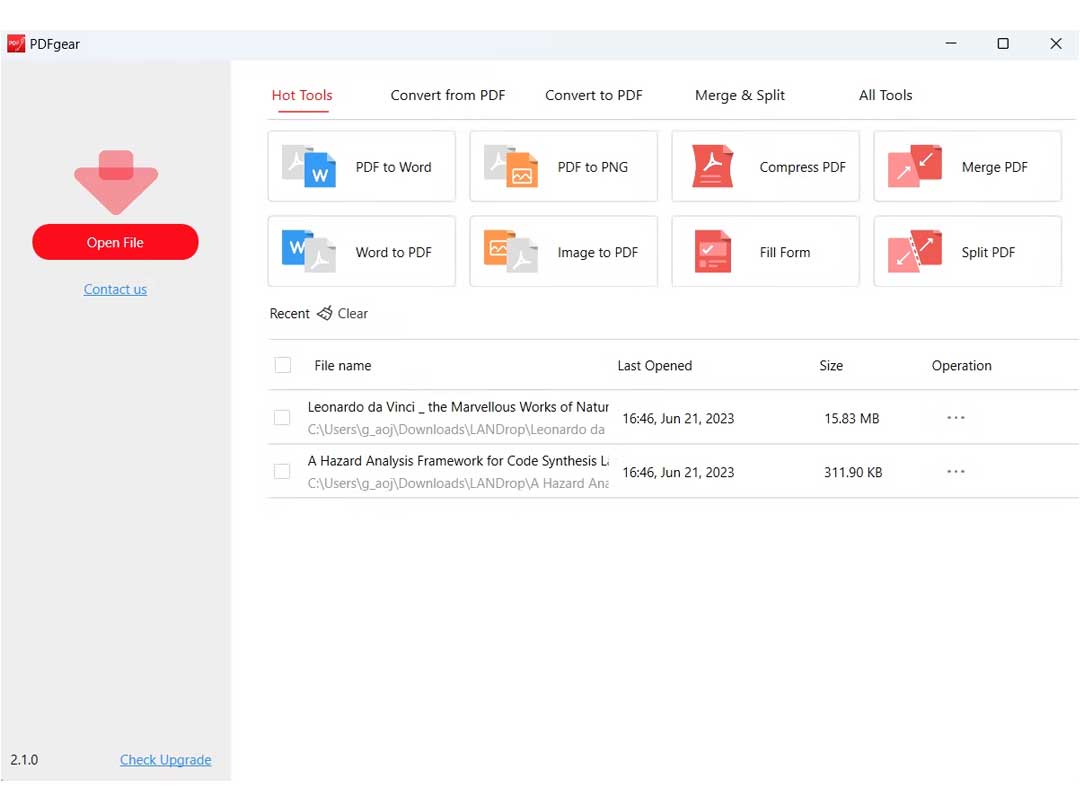
Unleash the magic of reading, editing, converting, merging, and signing PDFs, all without spending a dime or signing up. PDFgear makes your PDF journey easier and way more fun!

See More

Have you used PDFgear before?

Share your insights for better experience

Add a Review

Free Forever

Get started immediately at no cost. Upgrade anytime if your business demand more.

100% Genuine
Products
Best Price
Guaranteed
Safe & Secure
Payment
  • Description

  • Pricing

  • Features

  • Specification

  • Review

  • Compare

  • Alternatives

  • FAQ

PDFgear Software Overview

What is PDFgear Software?

PDFgear is fantastic software that makes dealing with PDF files super easy. Whether you want to read, edit, convert, merge, or sign PDFs, this tool has got you covered. The best part is it's completely free, and you don't even need to sign up to use it. That means you can enjoy all the benefits without any hassle.

With PDFgear, you can access and manage your PDFs across different devices, making it convenient for your on-the-go lifestyle. Moreover, you don't need to be tech-savvy to use this PDF software, as it is made to be very user-friendly. Whether you are a student, a professional, or just someone who works with PDFs regularly, PDFgear simplifies the process and gives you the freedom to do more with your PDF files. It's like having a smart and reliable assistant for all your PDF needs!

Key Functionalities of PDFgear

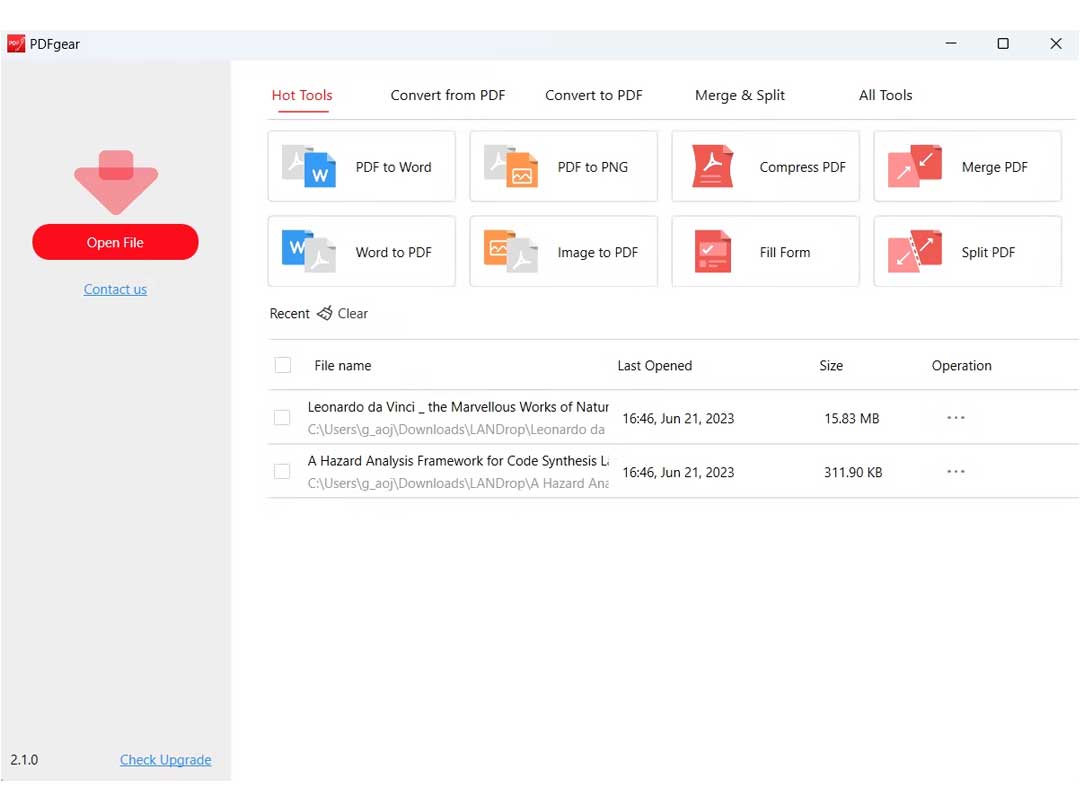
  • Read PDFs: Easily open and view your PDF files.
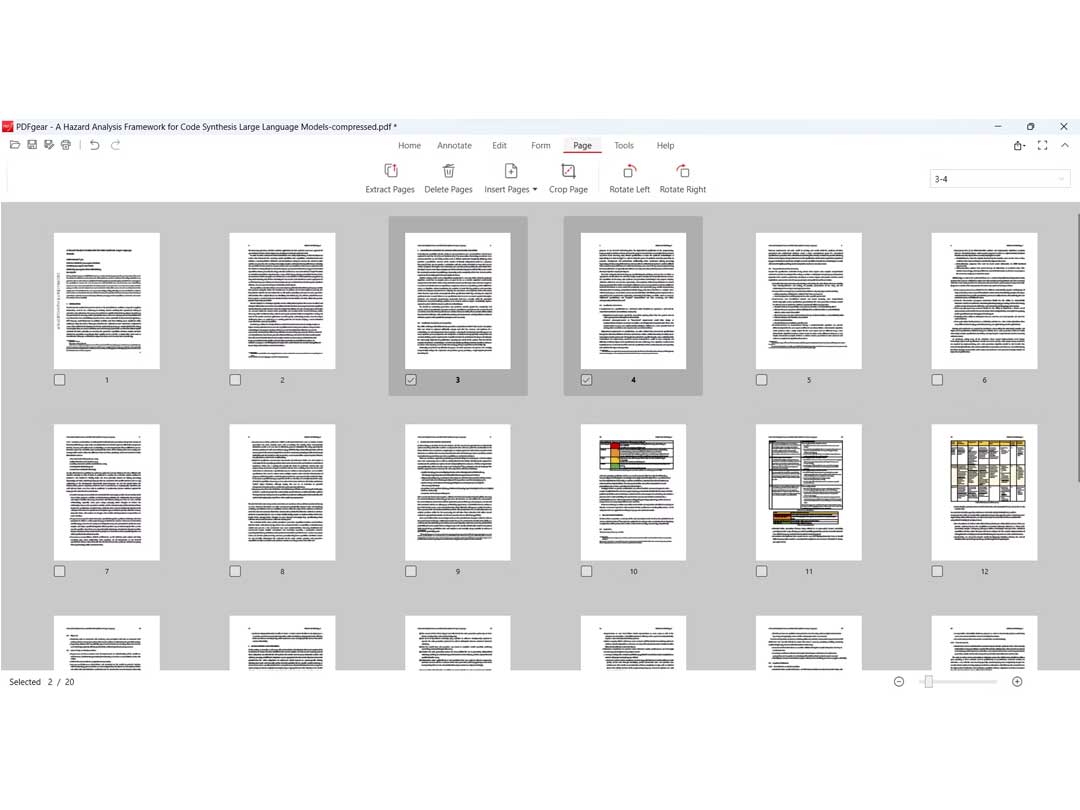
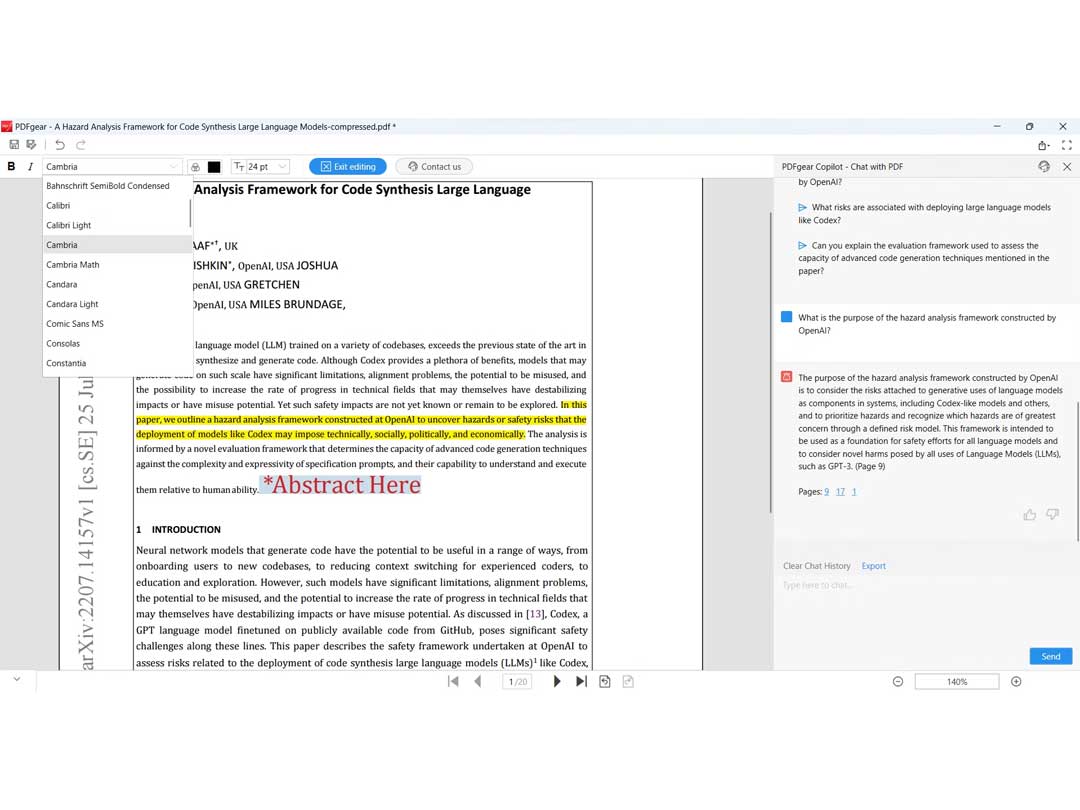
  • Edit PDFs: Make changes to your PDF documents.
  • Convert PDFs: Change your PDFs into different formats.
  • Merge PDFs: Combine multiple PDF files into one document.
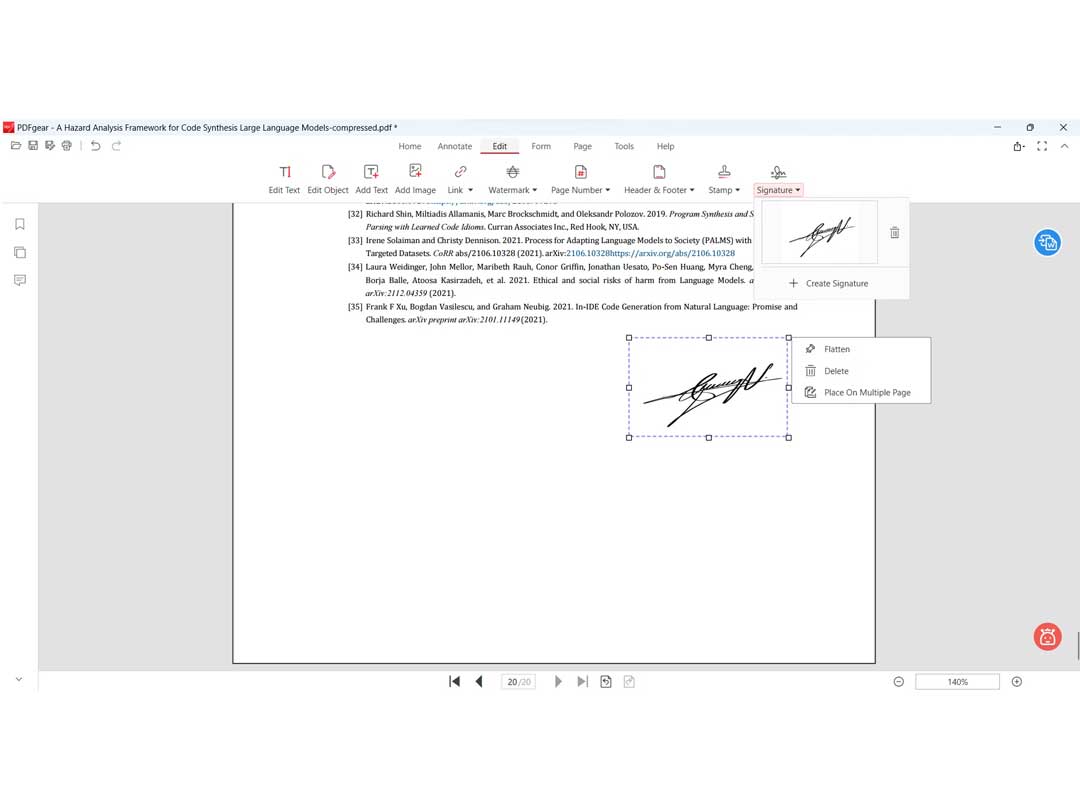
  • Sign PDFs: Add your signature to PDFs.
  • Cross-Device Accessibility: Access your PDFs on different devices.
  • Free Access: Use all features without any charges.
  • Instant PDF Management: Manage PDFs instantly without sign-ups.
  • Dynamic Form-Filling: Fill out forms within PDFs easily.
  • Versatile Annotation Tools: Mark up and highlight important information in PDFs.

Why Choose PDFgear Software?

  • Customizable File Merging: Tailor your PDF merging process with customizable options, providing flexibility in combining documents according to your preferences.
  • Dynamic Form-Filling: Efficiently fill out forms within PDFs using PDFgear, ensuring a seamless and user-friendly form-filling experience.
  • Cloud Connectivity: Connect seamlessly with cloud services, allowing you to access and manage your PDFs from various cloud platforms effortlessly.
  • Versatile Annotation Tools: Utilize a variety of annotation tools to mark up and highlight important information within your PDFs, enhancing collaboration and communication.
  • Multi-Language Support: PDFgear supports multiple languages, catering to a diverse user base and ensuring a global reach for users with different language preferences.

PDFgear  Pricing

PDFgear is available for free in UAE on techjockey.

Read more

PDFgear Company Details

Founded Year:  2021

PDFgear lets you read, edit, convert, merge, and sign PDF files across multiple devices, for completely free and without signing up.

Director/Founders PDFgear
Company Size 1-100 Employees

PDFgear Pricing & Plans

This Product is Available Free Forever.

Start instantly with no fees, no subscriptions, and no commitments.

  • Full access to basic version available
  • No credit card or sign-up required

Free Forever Plan

Get started immediately at no cost. Upgrade anytime if your business demand more.

Free Forever

PDFgear Features

  • icon_check Convert to PDF
    Transform content into the PDF format in the blink of an eye.
  • icon_check Edit PDF Files
    Modify and adjust content in accordance with your requirements within your PDF files.
  • icon_check Annotations
    Add notes and highlights for enhanced document communication.
  • icon_check Sign a PDF/Create PDF Forms
    Electronically sign PDFs and create interactive forms like a walk in the park.
  • icon_check Merge PDF Files Online
    Combine multiple PDF files seamlessly through a user-friendly online platform.
  • icon_check PDF to Image Converter
    Transform PDFs into image formats without any hassle.
  • icon_check PDF to Text
    Easily extract text content from your PDF documents whenever needed.
PDFgear Demo Video play icon

Get PDFgear Demo

Watch the demo video to explore key features, real workflows, and how the software fits your business needs.

Understand
Key Features
Personal
Demo Insights
Interactive
Demo Support

PDFgear Specifications

Supported Platforms
Windows Windows iOS iOS MacOS MacOS
Devices
Desktop Desktop Mobile Mobile iPad iPad
Deployment
Cloud-Based Cloud-Based
Suitable For
All Industries
Business Specific
All Businesses
Business Size
Small Business Startups Medium Business Enterprises SMBs SMEs MSMBs MSMEs
Customer Support
Email Forums
Language
English
Training Resources
Documentation Videos
AI Features
AI Integrated

Explore the Best Alternative Solutions Similar to Your Business Size and Needs

Enterprises

Designed for complex and large-scale business needs

Sejda PDF

4.8

XODO

4.4

UPDF

4.4

See More

PDFgear Review

4.3

Out of 5

img

Overall Rating

Based on
1 Verified Review

Rating Breakdown

  • Features 4.1
  • Value for Money 4.7
  • Ease of Use 4.1
  • Customer Support 4.5

92% Recommend this Product

Add Review

PDFgear Video Review

youtubeVideoId

4.6

“Best PDF Editor | PDFgear”

Review by: Kevin Stratvert

Compare PDFgear With other PDF Software

Products
Ratings
Pricing
Device Supported
Deployment
Supported Platforms
  • img

    PDFgear

  • 4.3

  • FREE

  • Desktop

    Mobile

  • Web based

    On Premises

  • Windows

    Mac OS

  • img

    PDF Expert

  • 4.4

  • Price On Request

  • Desktop

    Mobile

  • Web based

    On Premises

  • Windows

    Mac OS

  • img

    Zoho PDF Editor

  • 4.3

  • Price On Request

  • Desktop

    Mobile

  • Web based

    On Premises

  • Windows

    Mac OS

  • img

    PDFCreator

  • 4.3

  • Price On Request

  • Desktop

    Mobile

  • Web based

    On Premises

  • Windows

    Mac OS

  • img

    Gravity PDF

  • 4.3

  • Price On Request

  • Desktop

    Mobile

  • Web based

    On Premises

  • Windows

    Mac OS

  • img

    LightPDF

  • 4.5

  • Price On Request

  • Desktop

    Mobile

  • Web based

    On Premises

  • Windows

    Mac OS

  • img

    Sejda PDF

  • 4.8

  • Price On Request

  • Desktop

    Mobile

  • Web based

    On Premises

  • Windows

    Mac OS

  • img

    CutePDF

  • 4.4

  • Price On Request

  • Desktop

    Mobile

  • Web based

    On Premises

  • Windows

    Mac OS

  • img

    Kofax Power PDF

  • 4.3

  • Price On Request

  • Desktop

    Mobile

  • Web based

    On Premises

  • Windows

    Mac OS

  • img

    EaseUS PDF Editor

  • 4.4

  • Price On Request

  • Desktop

    Mobile

  • Web based

    On Premises

  • Windows

    Mac OS

  • img

    PDFSimpli

  • 4.5

  • Price On Request

  • Desktop

    Mobile

  • Web based

    On Premises

  • Windows

    Mac OS

(0) Product(s) selected

PDFgear Alternatives

See All PDFgear Alternatives

Starting Price:

₹25.83 /year

Starting Price:

AUD199.00 /Year

Starting Price:

$19.99 /Month

Starting Price:

$66.65 /Year

Starting Price:

$20.00 /Month

Starting Price:

$49.00 /Lifetime
Starting Price:

$6.00 /Month
Starting Price:

$7.00 /Month

Which operating system does PDFgear Software Support?

PDFgear software is compatible with Windows, iOS, and MacOS systems.

Is there any PDFgear App?

No, there is no mobile app available for PDFgear at present.

What is the deployment type of PDFgear System?

PDFgear system supports web-based deployment.

How much does PDFgear Software Cost?

PDFgear is available for free in the United States on techjockey.com.

Who uses PDFgear?

PDFgear Software is typically used in all businesses and industries.

Is there any free trial or demo for PDFgear Solution?

Yes, PDFgear solution free demo is available at techjockey.com.

Is PDFgear Software Free?

PDFgear Software offers a free trial. However, the premium plan with advanced features is available at techjockey.com with exciting deals.

How can you download PDFgear?

PDFgear software installation is not required, as it is web-based. Just open the Setup Wizard to get started.

How does PDFgear Work?

Unleash the magic of reading, editing, converting, merging, and signing PDFs, all without spending a dime or signing up. PDFgear makes your PDF journey easier and way more fun!

Terms and Condtions

close

Users with registered businesses can purchase goods from merchants on the platform to satisfy their business needs. Users are not permitted to utilize any products acquired through the platform for resale, advertising, business, or further distribution.

For each purchase made, users will receive a Tax Invoice (or 'GST invoice') that includes specific details such as:

  • the GSTIN of the user associated with their registered business, and

  • the specified Entity Name for their business.

It should be noted that not all products are eligible for GST Invoice. Only the products displayed by participating sellers with the 'GST-based Invoice Available' callout on the product description page would qualify.

Certain goods and services are not eligible to get a GST Invoice, including items with VAS, i.e., Value Added Services (e.g., Total Mobile Protection/Assured Buyback) and those involving an exchange offer at the time of purchase.

Users must ensure the accuracy of the GSTIN, and business entity name provided for the GST Invoice. Requests for corrections into GST Invoice would not be accommodated by Techjockey.com or any Seller, and any issues arising from user-provided information are the sole responsibility of users.

Techjockey.com is not liable for the GST Invoice or any associated input tax credit. To efficiently claim an input tax credit, users should select the registered place of business address as per the GST authority's data and follow the provisions of the GST Act and rules.

To claim an input tax credit, the delivery and billing addresses must match. Furthermore, input tax credits will not be granted if the delivery address and GSTIN on the invoice are from different states. In case of incorrect GST details provided during the order placement, the order will be canceled automatically.

20,000+ Software Listed 20,000+ Software Listed

Best Price Guaranteed Unbiased Comparison

Free Expert Consultation Read Authentic Reviews

2M+ Happy Customers 500,000+ Monthly Users