linkedin
Quartzy logo
play What is Quartzy?
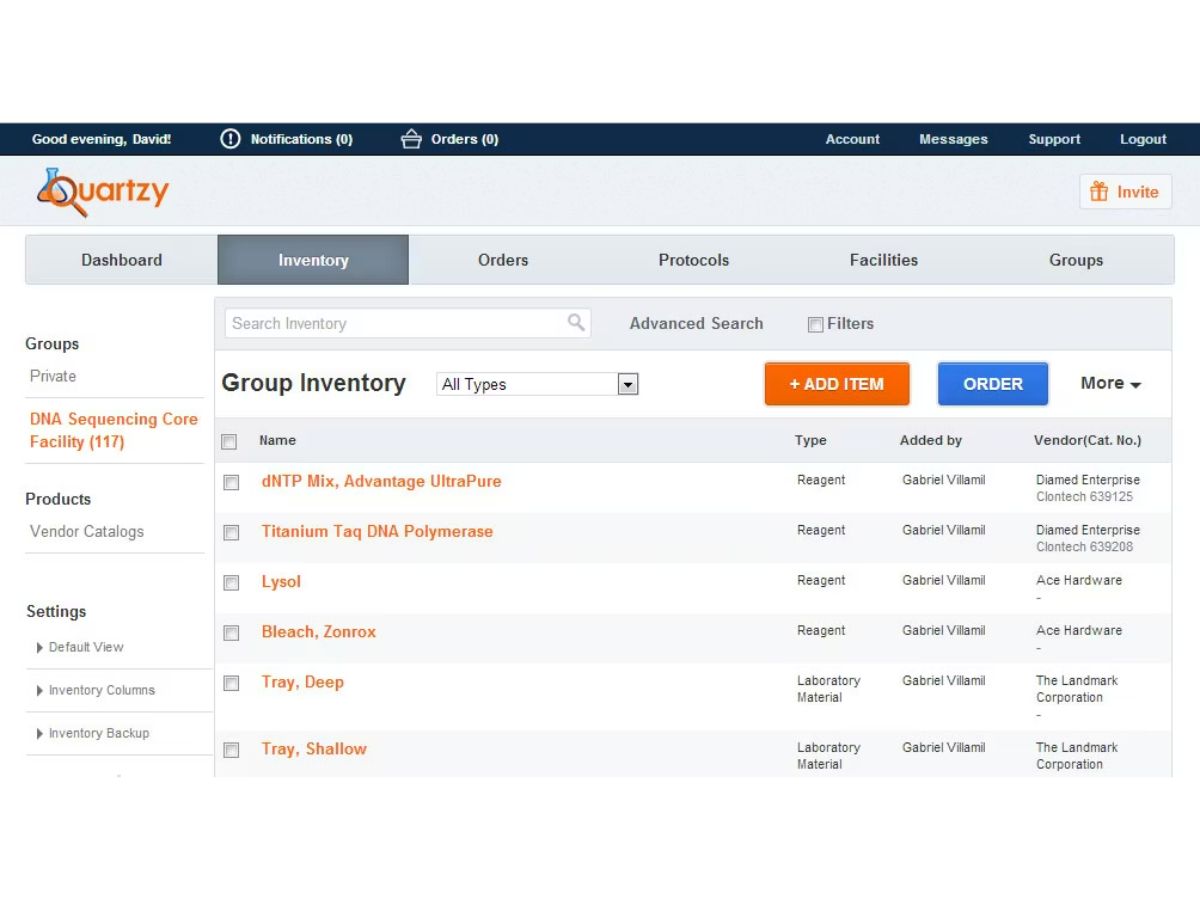
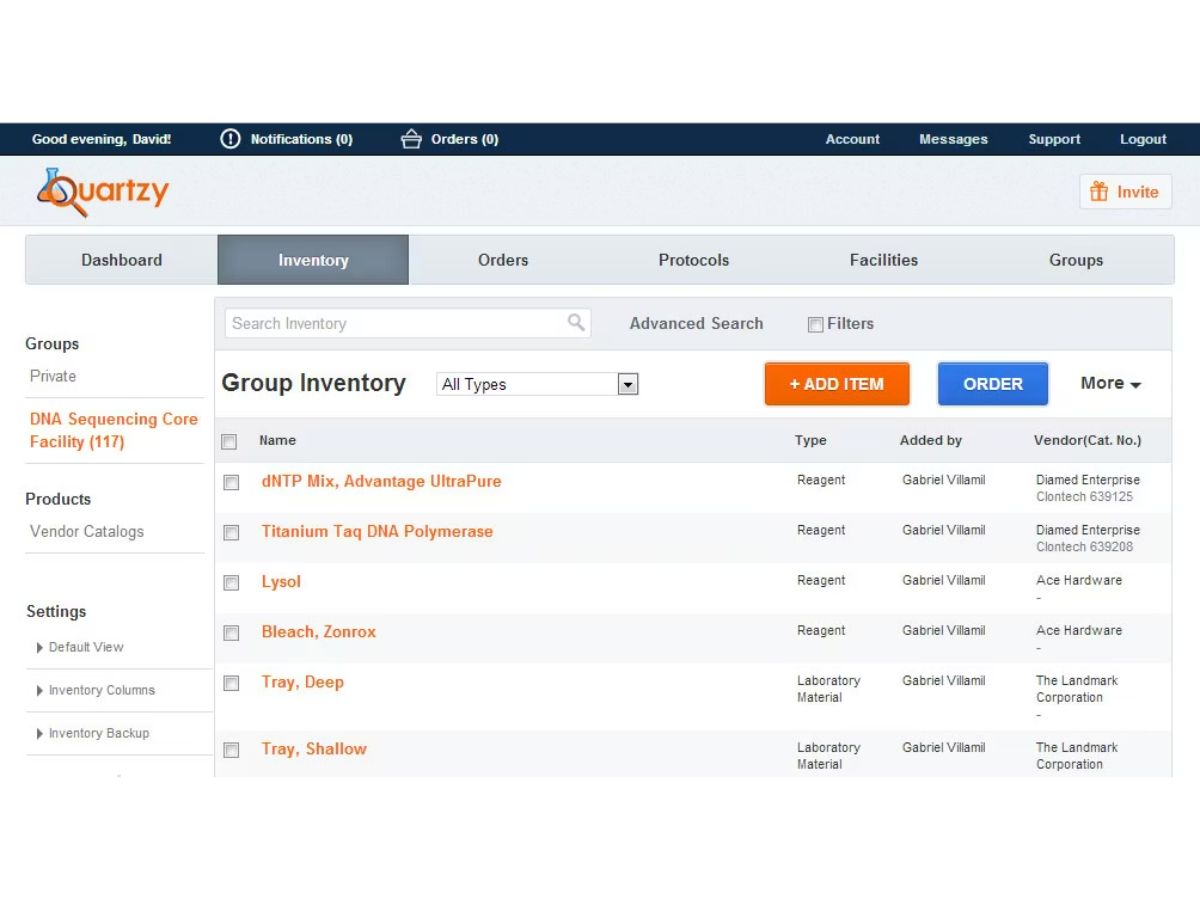
Quartzy-inventory
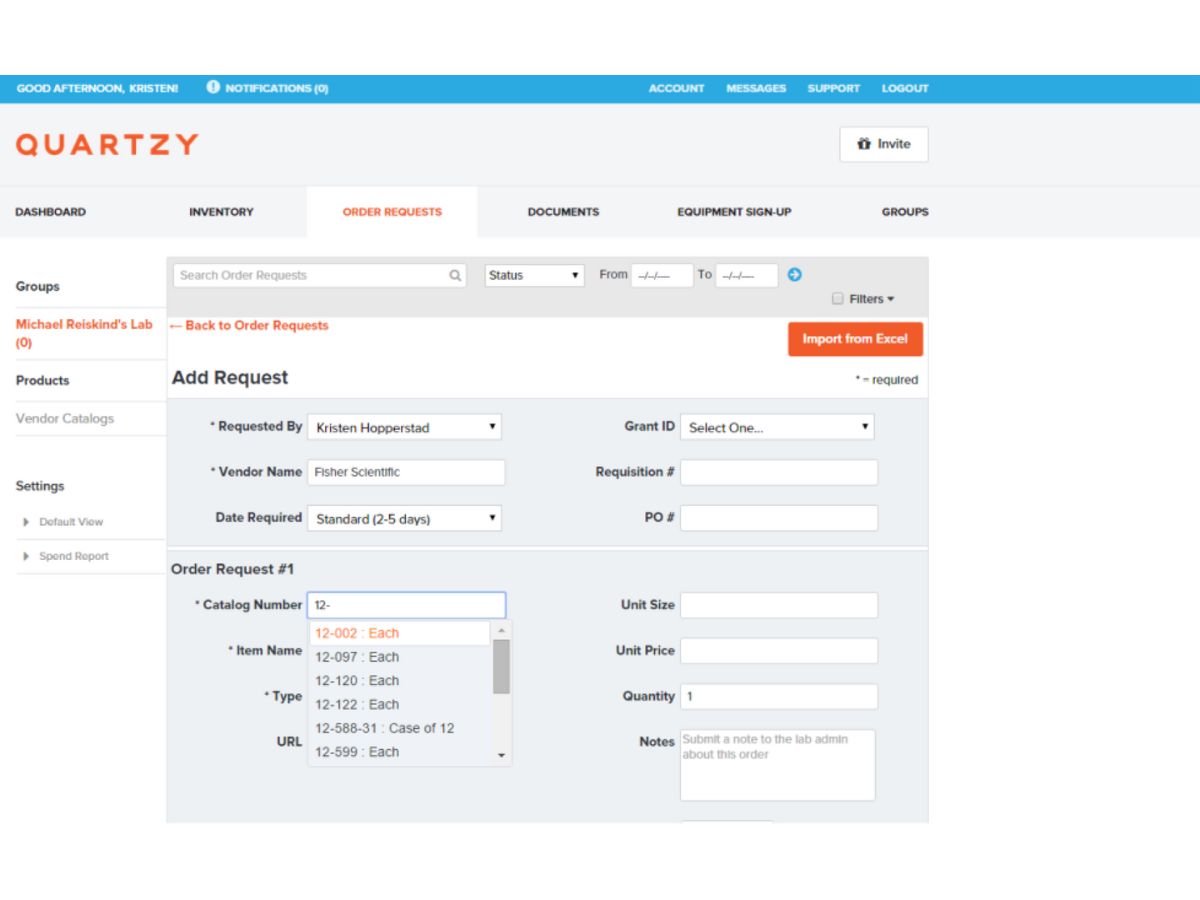
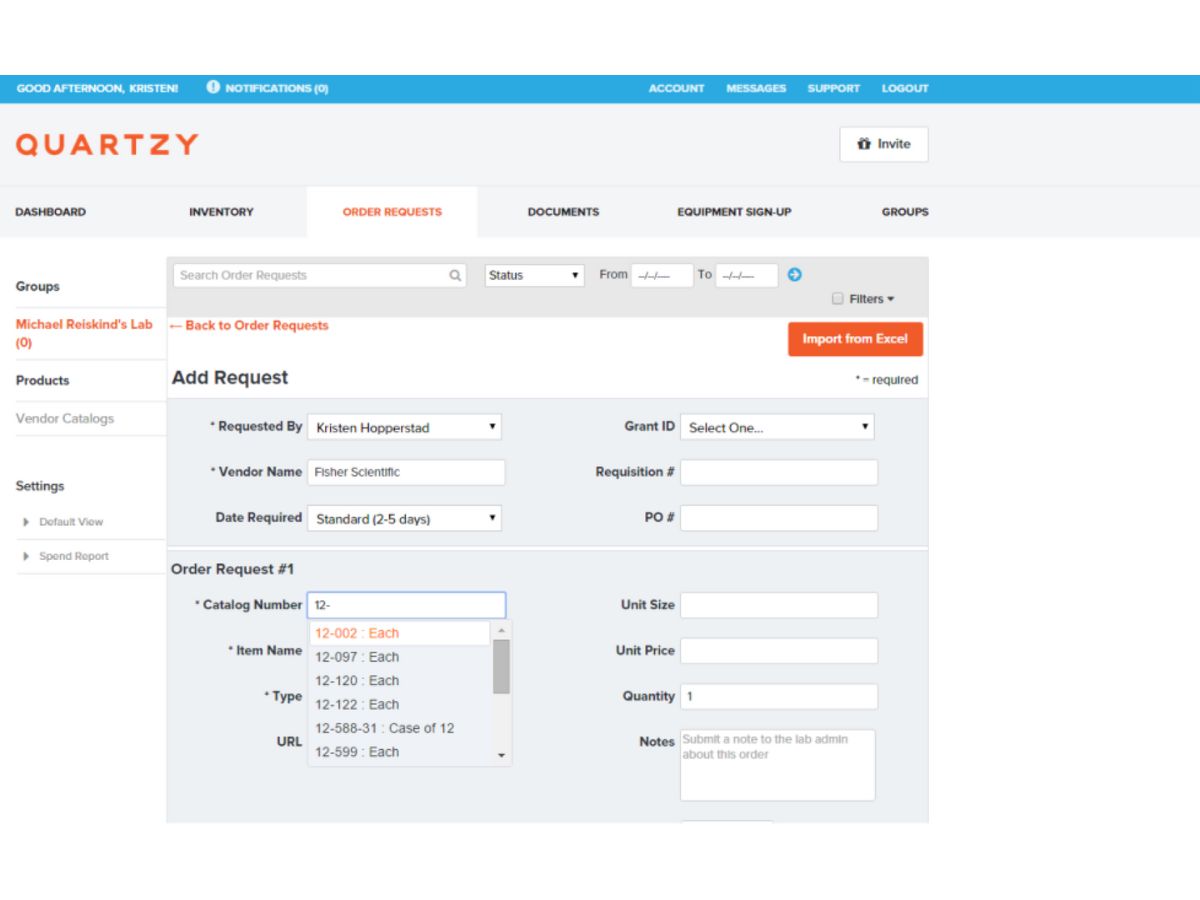
Quartzy-order requests

Quartzy

Brand: Quartzy Inc

  • 4.1

  • 3 Ratings

Have you used Quartzy before?

Share your insights for better experience

Add a Review
Starting Price
$249

View plans

100% Genuine
Products
Best Price
Guaranteed
Safe & Secure
Payment
  • Description

  • Pricing

  • Features

  • Specification

  • Review

Starting at $249.00

Quartzy Software Overview

Quartzy Inc Company Details

Founded Year:  2011

The world’s leading solution for consolidating lab communication, inventory management, and lab supply purchasing.

Director/Founders Adam Regelmann, Ajoy Sojan, Jayant Kulkarni
Company Size 1-100 Employees

Quartzy Pricing & Plans

Starter
Starting at $249
    • Users

      Users
      Users
    • Monthly

      Monthly
      Monthly

Key Features

  • Additional user is $39/month

  • Request workflows

  • Receive into inventory

  • Inventory and location tracking

  • Thresholds and notifications

  • Webinar Onboarding Program

Professional
Starting at $399
    • Users

      Users
      Users
    • Monthly

      Monthly
      Monthly

Key Features

  • Additional user is $59/month

  • Request workflows

  • Receive into inventory

  • Inventory and location tracking

  • Thresholds and notifications

  • Webinar Onboarding Program

Quartzy Features

  • icon_check Low Stock Alerts
    Automatically notifies lab managers when critical supplies reach threshold levels to avoid delays in experiments.
  • icon_check User Role Permissions
    Provides role based access controls so users only see or modify data appropriate to their responsibilities.
  • icon_check Location Management
    Organizes items across freezers, shelves, rooms, or buildings with clear structure for faster item retrieval.
  • icon_check Cost Tracking
    Captures spending data, item costs, and vendor information to monitor budgets and improve procurement decisions.
  • icon_check Integrations
    Connects with tools like QuickBooks, Slack, and email to sync purchase workflows and improve communication.
  • icon_check Audit Logs
    Maintains detailed logs of inventory changes, orders, and user actions to support compliance and accountability.
  • icon_check Reporting Dashboard
    Provides summary reports on inventory levels, requests, orders, and spend patterns for better lab operations planning.
  • icon_check Data Import/Export
    Enables bulk upload or download of inventory data to simplify migration from spreadsheets or other legacy systems.
  • icon_check Inventory Management
    Tracks lab supplies with real-time stock updates, locations, and usage logs to prevent shortages and improve lab efficiency.
  • icon_check Order Management
    Centralizes all lab orders, showing status, vendor details, and delivery tracking for smoother purchasing workflows.
  • icon_check Request Workflow
    Enables lab members to submit supply requests and managers to approve them quickly within a unified digital workflow.
  • icon_check Supplier Marketplace
    Offers access to millions of lab products across trusted suppliers, helping labs purchase items faster and more cost-effectively.
  • icon_check Purchase Tracking
    Monitors purchase history, expected delivery dates, and budget usage to ensure transparency in ordering processes.
  • icon_check Custom Inventory Fields
    Allows adding custom fields for item attributes, enabling flexible tracking based on lab-specific research requirements.
  • icon_check Barcode Scanning
    Supports barcode labels for items, locations, and storage areas to streamline inventory audits and stock updates.
Quartzy Demo Video play icon

Get Quartzy Demo

Watch the demo video to explore key features, real workflows, and how the software fits your business needs.

Understand
Key Features
Personal
Demo Insights
Interactive
Demo Support

Quartzy Specifications

Supported Platforms
Windows Windows
Devices
Desktop Desktop
Deployment
Cloud-Based Cloud-Based
Suitable For
Hospital
Business Specific
Labs
Business Size
Small Business Medium Business Enterprises
Customer Support
Email
Language
English
Training Resources
Webinars Videos

Quartzy Review

4.1

Out of 5

img

Overall Rating

Based on
3 Verified Ratings

Rating Breakdown

  • Features 3.8
  • Value for Money 4
  • Ease of Use 4.1
  • Customer Support 4.5

80% Recommend this Product

Add Review

Techjockey Trusted Reviews from Verified Users

No reviews are currently available for Quartzy. Discover similar Inventory Control Software reviews

  • Dynamics 365 Business Central

    4.4

    Whats great - The capacity to use Excel to mass input data into the system and to extract data. read more

  • QuickBooks

    3.9

    Whats great - Overall, I like QuickBooks online. It is be user friendly and can potentially save users a lot of time. I like how the bank t... read more

  • Fishbowl Inventory

    4.0

    Whats great - Fishbowl has improved our inventory visibility and management. read more

Terms and Condtions

close

Users with registered businesses can purchase goods from merchants on the platform to satisfy their business needs. Users are not permitted to utilize any products acquired through the platform for resale, advertising, business, or further distribution.

For each purchase made, users will receive a Tax Invoice (or 'GST invoice') that includes specific details such as:

  • the GSTIN of the user associated with their registered business, and

  • the specified Entity Name for their business.

It should be noted that not all products are eligible for GST Invoice. Only the products displayed by participating sellers with the 'GST-based Invoice Available' callout on the product description page would qualify.

Certain goods and services are not eligible to get a GST Invoice, including items with VAS, i.e., Value Added Services (e.g., Total Mobile Protection/Assured Buyback) and those involving an exchange offer at the time of purchase.

Users must ensure the accuracy of the GSTIN, and business entity name provided for the GST Invoice. Requests for corrections into GST Invoice would not be accommodated by Techjockey.com or any Seller, and any issues arising from user-provided information are the sole responsibility of users.

Techjockey.com is not liable for the GST Invoice or any associated input tax credit. To efficiently claim an input tax credit, users should select the registered place of business address as per the GST authority's data and follow the provisions of the GST Act and rules.

To claim an input tax credit, the delivery and billing addresses must match. Furthermore, input tax credits will not be granted if the delivery address and GSTIN on the invoice are from different states. In case of incorrect GST details provided during the order placement, the order will be canceled automatically.

20,000+ Software Listed 20,000+ Software Listed

Best Price Guaranteed Unbiased Comparison

Free Expert Consultation Read Authentic Reviews

2M+ Happy Customers 500,000+ Monthly Users