
Description
Pricing
Features
Specification
Review
Compare
FAQs
Alternatives

 View Gallery
Brand: eTeks
Sweet Home 3D is an interior designing software, useful for the people who want to get their interiors designed in a quick and hassle-free manner. 28 types of languages are supported by the software making it easy to deal with your clients from all around the globe. Sweet Home 3D offers a wide variety of visual guides, helping its users to draw exquisite home designs. Experienced designers can also import blueprints of a site plan and create a detaile...Read more

Get Free Expert Consultation
Let us know your business needs clearly

Verified & Trusted
Vendors

Safe & Secure
Payment

Personalized
Experts Support
Price On Request
Features
 Customizable Dimensions Drag & Drop Color & Tone Annotation Simultaneously Work on Multiple Projects
 See all 
We make it happen! Get your hands on the best solution based on your needs.

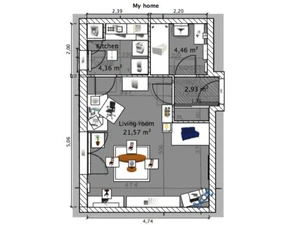
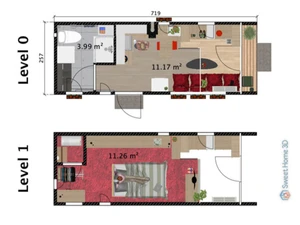
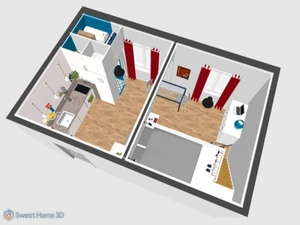
 Customizable Dimensions With Sweet Home 3D house design software, designers can add their own dimensions to draw precisely round, straight or sloping Drag & Drop Designers can add doors and windows within their design by using a simple drag and drop mechanism, as Sweet Home 3D will complete Color & Tone Designers can change the color, size, tone, thickness, orientation and location of the furniture, floor, walls and ceilings as Annotation Room areas can be annotated by adding in texts, dimension lines and arrows. Designers can add a compass and show the North Simultaneously Work on Multiple Projects Two or more projects can be completed at the same time using the wide variety of home designing tools offered by the floor plan Import Data Blueprint of hoses can be imported with Sweet Home 3D software to draw in walls on them. Designers can also import 3D furniture Wall Creation Tool Draw straight, round, or sloping walls with precision using mouse or keyboard input. Animation Generate animated walkthroughs of your home design to visualize movement through spaces. Lighting & Rendering Use point, spot, and ambient lighting; control light power and simulate sunlight using geographic settings. Object Rotation & Scaling Rotate and scale objects freely; rotate around X or Y axes for angled or elevated items. Preset Avatars Use mannequins in various preset postures to check space usability and scale. Import / Export 3D Models Import custom 3D models (e.g., OBJ) or export your design for use in other tools. Texture & 3D Model Libraries Comes with 1,600+ furniture models, 400+ textures, and supports community expansion. Lighting Control Use point, spot, and ambient lighting; control light power and simulate sunlight using geographic settings.
 20,000+ Software Listed
 Unbiased Comparison
 Read Authentic Reviews
 500,000+ Monthly Users
 USA
USA India
India
 Write a Review
