
linkedin
Zoho LandingPage logo
play Zoho LandingPage: Create High-Converting Landing Pages for Your Business
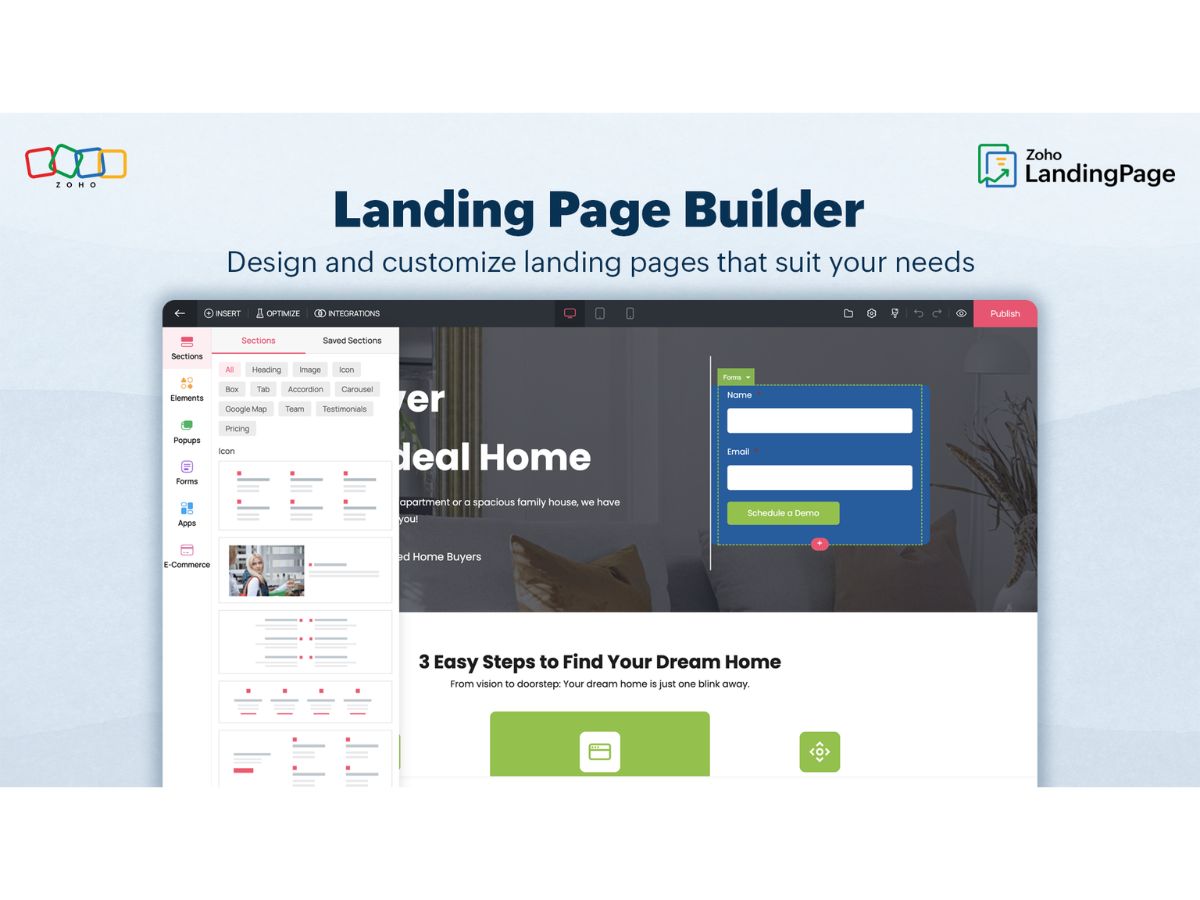
Zoho LandingPage-builder
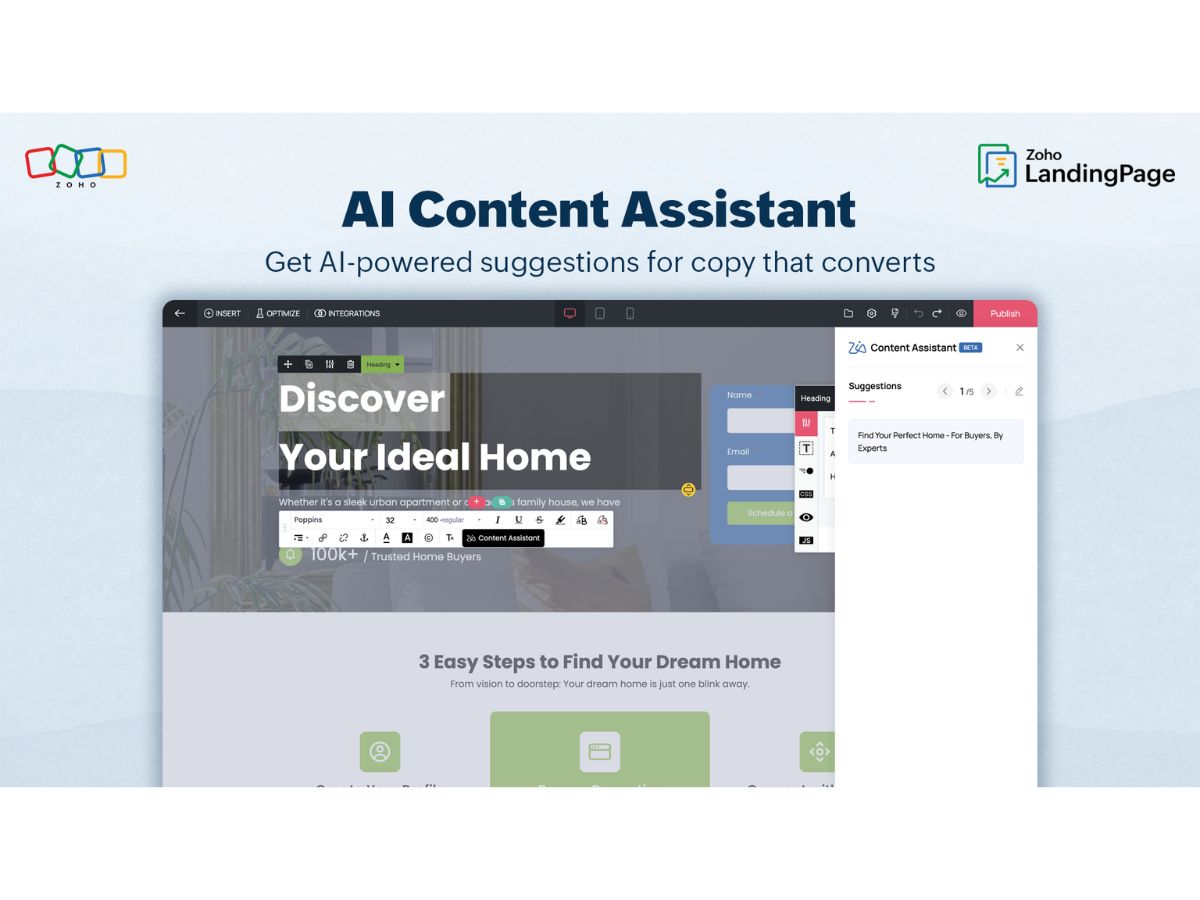
Zoho LandingPage-content

Zoho LandingPage

Brand: Zoho Corporation

  • 4.0

  • 5 Ratings

Have you used Zoho LandingPage before?

Share your insights for better experience

Add a Review
Starting Price
AED106

View plans

100% Genuine
Products
Best Price
Guaranteed
Safe & Secure
Payment
  • Description

  • Pricing

  • Features

  • Specification

  • Review

Starting at AED105.85

Zoho LandingPage Software Overview

Zoho Corporation Company Details

Founded Year:  1996

Zoho Corporation, is an Indian multinational company that specialises in software development, cloud computing, and web-based business tools. It is best known for Zoho Office suite.

Director/Founders Sridhar Vembu / Tony Thomas
Company Size 1000+ Employees

Zoho LandingPage Pricing & Plans

Essentials
Starting at AED105.85
    • Licenses

      Licenses
      Licenses
    • Monthly

      Monthly
      Monthly

Key Features

  • 5,000 Visitors

  • Unlimited Landing Pages

  • Unlimited Popups

  • Unlimited Conversions

  • 1 User

  • 1 Workspace

  • 1 Domain

  • 6 Months Data Retention

Professional
Starting at AED135.05
    • Licenses

      Licenses
      Licenses
    • Monthly

      Monthly
      Monthly

Key Features

  • 10,000 Visitors

  • Unlimited Landing Pages

  • Unlimited Popups

  • Unlimited Conversions

  • 5 User

  • 3 Workspaces

  • 3 Domain

  • 9 Months Data Retention

Enterprise
Starting at AED215.35
    • Licenses

      Licenses
      Licenses
    • Monthly

      Monthly
      Monthly

Key Features

  • 20,000 Visitors

  • Unlimited Landing Pages

  • Unlimited Popups

  • Unlimited Conversions

  • 10 User

  • 5 Workspaces

  • 5 Domain

  • 12 Months Data Retention

Zoho LandingPage Features

  • icon_check Drag-and-Drop Builder
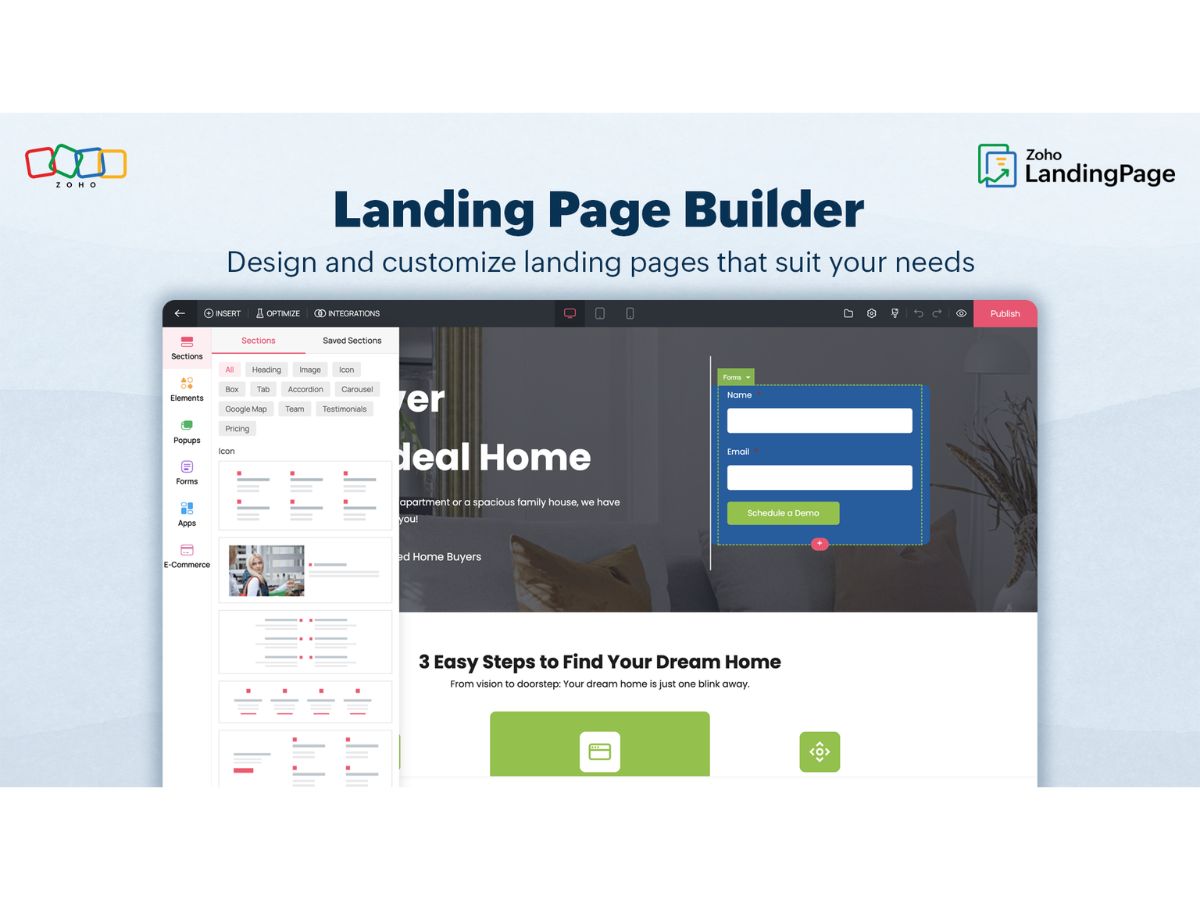
    Build landing pages easily with a visual drag-and-drop editor—no coding required for customization.
  • icon_check Responsive Design
    Ensure every landing page looks perfect on desktops, tablets, and mobile devices automatically.
  • icon_check Template Library
    Access a wide collection of pre-designed, customizable landing page templates for quick setup.
  • icon_check A/B Testing
    Compare multiple page variations to identify the most effective design for conversions.
  • icon_check Built-in Analytics
    Monitor visitor behavior, conversion rates, and engagement metrics directly from the dashboard.
  • icon_check Lead Capture
    Create forms to collect visitor details and sync them automatically with your CRM or email tools.
  • icon_check Custom Domain
    Publish landing pages under your brand’s own custom domain for consistent identity.
  • icon_check Pop-up Builder
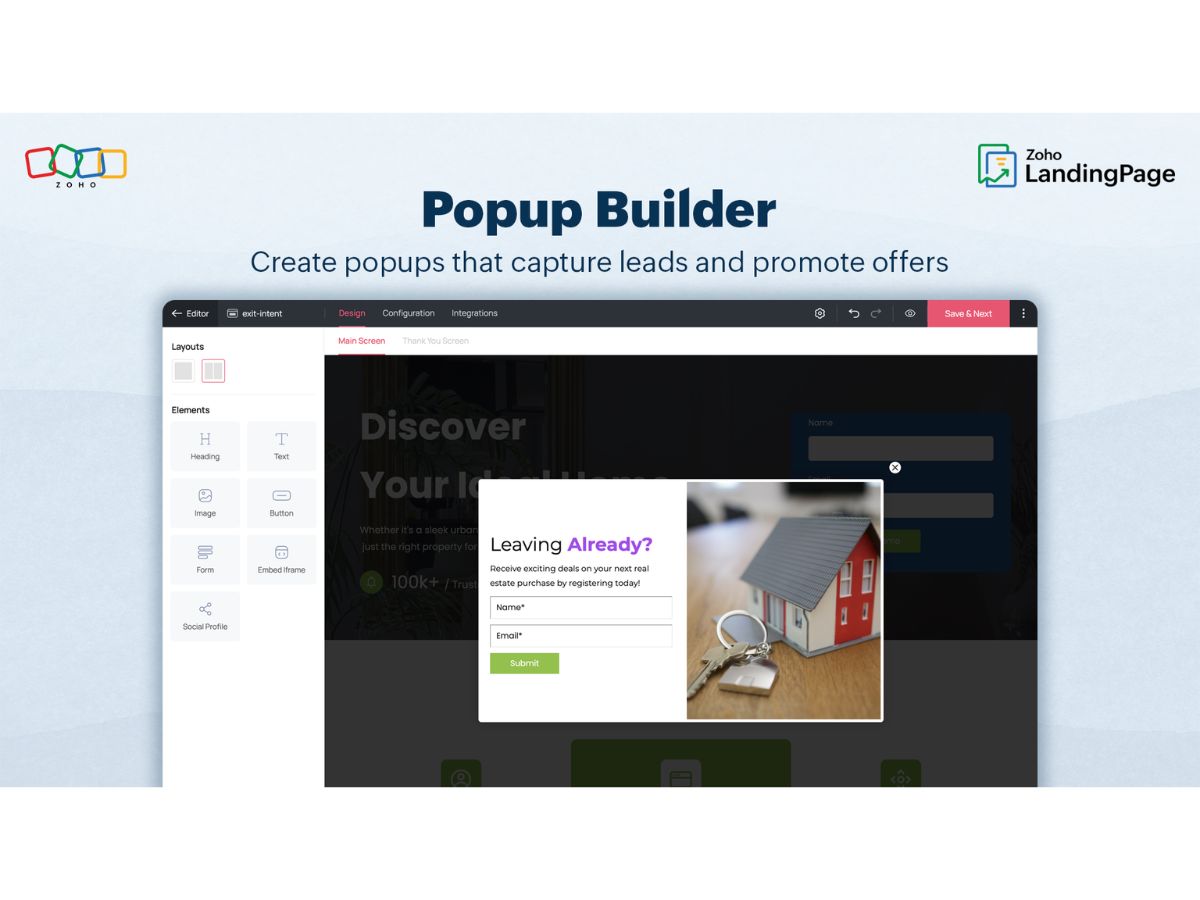
    Design targeted pop-ups for promotions, lead magnets, or newsletter subscriptions easily.
  • icon_check SEO Optimization
    Optimize pages for search engines with meta tags, keywords, and page titles built into the tool.
  • icon_check Integrations
    Seamlessly integrate with Zoho CRM, Marketing Automation, Google Ads, Facebook Pixel, and others.
  • icon_check Conversion Tracking
    Measure conversions and user actions to evaluate campaign effectiveness and ROI.
  • icon_check Dynamic Text Replacement
    Personalize landing page text dynamically based on visitor source or campaign details.
  • icon_check SSL Security
    All landing pages are SSL-encrypted, ensuring secure connections and visitor data protection.
  • icon_check Publishing Options
    Publish instantly on Zoho’s domain, your own domain, or embed within existing websites.
  • icon_check Collaboration Tools
    Collaborate with team members to design, review, and manage landing pages efficiently.
Zoho LandingPage Demo Video play icon

Get Zoho LandingPage Demo

Watch the demo video to explore key features, real workflows, and how the software fits your business needs.

Understand
Key Features
Personal
Demo Insights
Interactive
Demo Support

Zoho LandingPage Specifications

Supported Platforms
Windows Windows MacOS MacOS Linux Linux
Devices
Desktop Desktop
Deployment
Cloud-Based Cloud-Based
Suitable For
All Industries
Business Specific
All Businesses
Business Size
Small Business Medium Business Enterprises
Customer Support
Phone Email Communities
Language
English
Training Resources
Videos

Zoho LandingPage Review

4.0

Out of 5

img

Overall Rating

Based on
5 Verified Ratings

Rating Breakdown

  • Features 3.7
  • Value for Money 4.4
  • Ease of Use 4.1
  • Customer Support 4.2

80% Recommend this Product

Add Review

Be the First to Review

This product has no reviews yet. Be the first to leave your feedback.

Add Review

Terms and Condtions

close

Users with registered businesses can purchase goods from merchants on the platform to satisfy their business needs. Users are not permitted to utilize any products acquired through the platform for resale, advertising, business, or further distribution.

For each purchase made, users will receive a Tax Invoice (or 'GST invoice') that includes specific details such as:

  • the GSTIN of the user associated with their registered business, and

  • the specified Entity Name for their business.

It should be noted that not all products are eligible for GST Invoice. Only the products displayed by participating sellers with the 'GST-based Invoice Available' callout on the product description page would qualify.

Certain goods and services are not eligible to get a GST Invoice, including items with VAS, i.e., Value Added Services (e.g., Total Mobile Protection/Assured Buyback) and those involving an exchange offer at the time of purchase.

Users must ensure the accuracy of the GSTIN, and business entity name provided for the GST Invoice. Requests for corrections into GST Invoice would not be accommodated by Techjockey.com or any Seller, and any issues arising from user-provided information are the sole responsibility of users.

Techjockey.com is not liable for the GST Invoice or any associated input tax credit. To efficiently claim an input tax credit, users should select the registered place of business address as per the GST authority's data and follow the provisions of the GST Act and rules.

To claim an input tax credit, the delivery and billing addresses must match. Furthermore, input tax credits will not be granted if the delivery address and GSTIN on the invoice are from different states. In case of incorrect GST details provided during the order placement, the order will be canceled automatically.

20,000+ Software Listed 20,000+ Software Listed

Best Price Guaranteed Unbiased Comparison

Free Expert Consultation Read Authentic Reviews

2M+ Happy Customers 500,000+ Monthly Users