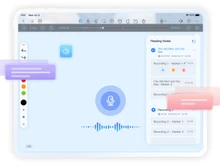
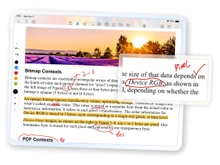
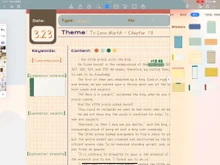
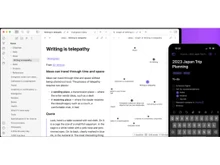
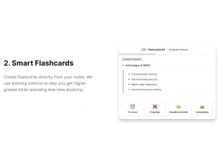
Let’s have a side-by-side comparison of Kilonotes vs Obsidian vs RemNote to find out which one is better. This software comparison between Kilonotes and Obsidian and RemNote is based on genuine user reviews. Compare software prices, features, support, ease of use, and user reviews to make the best choice between these, and decide whether Kilonotes or Obsidian or RemNote fits your business.


 Comparison
Quick View
 12 Ratings & 12 Reviews

 13 Ratings & 13 Reviews


 14 Ratings & 11 Reviews
Pricing

Price Plans
 Free Trial
 Free Trial
Free Trial
Free Trial
Ratings
Overall ratings
Pros & Cons
Pros

Personally, I find it more fun and enjoyable to take notes like this since it is...Read more - Hardik Dec 27, 2024
It is flexible as first-person notes evolve as your understanding of the topic c...Read more - M Nov 14, 2024
There are so many cool plugins that let me do things like task management thanks...Read more - Vishu Kundar Jan 21, 2025
I like that I can use the Markdown files. It feels lightweight and super future-...Read more - Nitin Kalra Jan 01, 2025
It integrates with tools that I use like Anki; this makes it easier to use RemNo...Read more - Elizabeth Fisher Jan 22, 2025
It allows cross-platform syncing. Having everything synced across all my devices...Read more - Reginald Adly Dec 25, 2024
Cons

It can become hard to differentiate between your thoughts and the material if yo...Read more - Hardik Dec 27, 2024
It is harder to collaborate and work in a group. If others need to look at your ...Read more - M Nov 14, 2024
There is no built-in sync or set up something like Dropbox. This makes syncing a...Read more - Vishu Kundar Jan 21, 2025
It has a limited mobile app. The app is not as smooth or feature-packed as the d...Read more - Nitin Kalra Jan 01, 2025
The mobile app has limitations as it is not as feature rich as the desktop versi...Read more - Elizabeth Fisher Jan 22, 2025
There are not many pre-built templates as I would like to use. I must create my ...Read more - Reginald Adly Dec 25, 2024
Reviews
Verified customer reviews
Fun and Personalized but Can Get Messy
Hardik Dec 27, 2024
Perfect for Personal Growth but Not for Collaboration
M Nov 14, 2024
Best for Customization but Syncing is a Hassle
Vishu Kundar Jan 21, 2025
Lightweight and Future Proof but Needs Better Mobile App
Nitin Kalra Jan 01, 2025
Great for Study Integration but Mobile App Could Be Better
Elizabeth Fisher Jan 22, 2025
Syncs Perfectly but Needs More Templates
Reginald Adly Dec 25, 2024
Reviews with Video


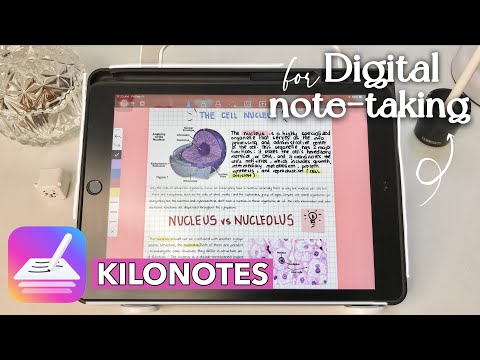
See all (2)



See all (3)
See all (1)
Best Use for
Business Size:
 Individual
2-50 Employees
51-250 Employees
250-500 Employees
500-1000 Employees
More than 1000+ Employees
Individual
2-50 Employees
51-250 Employees
250-500 Employees
500-1000 Employees
More than 1000+ Employees
Individual
2-50 Employees
51-250 Employees
250-500 Employees
500-1000 Employees
More than 1000+ Employees
Individual
2-50 Employees
51-250 Employees
250-500 Employees
500-1000 Employees
More than 1000+ Employees
Individual
2-50 Employees
51-250 Employees
250-500 Employees
500-1000 Employees
More than 1000+ Employees
Individual
2-50 Employees
51-250 Employees
250-500 Employees
500-1000 Employees
More than 1000+ Employees
Business Type:
Small Business
Startups
Medium Business
Enterprise
SMBs
SMEs
MSMBs
MSMEs
Freelancers
Individual
Small Business
Startups
Medium Business
Enterprise
SMBs
SMEs
MSMBs
MSMEs
Freelancers
Individual
Small Business
Startups
Medium Business
Enterprise
SMBs
SMEs
MSMBs
MSMEs
Freelancers
Individual
Industries:
All Industries
All Industries
All Industries

Features
Primary Features
Text Formatting
Search Functionality
Offline Access
Version History
Web Clipper
Templates
To-do Lists
Reminders
Hierarchy Management
Tagging and Labeling
Voice Notes
Annotations
File Attachments
Bookmarks
Text Formatting
Search Functionality
Offline Access
Version History
Web Clipper
Templates
To-do Lists
Reminders
Hierarchy Management
Tagging and Labeling
Voice Notes
Annotations
File Attachments
Bookmarks
Text Formatting
Search Functionality
Offline Access
Version History
Web Clipper
Templates
To-do Lists
Reminders
Hierarchy Management
Tagging and Labeling
Voice Notes
Annotations
File Attachments
Bookmarks
Search and Retrieval
Activity History
Full-Text Search with Filters
OCR (Optical Character Recognition)
NLP-based Search
Activity History
Full-Text Search with Filters
OCR (Optical Character Recognition)
NLP-based Search
Activity History
Full-Text Search with Filters
OCR (Optical Character Recognition)
NLP-based Search
Collaboration
Real Time Editing
Note Sharing
Commenting and Feedback
Permissions Control
Real Time Editing
Note Sharing
Commenting and Feedback
Permissions Control
Real Time Editing
Note Sharing
Commenting and Feedback
Permissions Control
Customization & Personalization
Themes and Color Options
Custom Fonts and Styles
Quick Access Widgets
End-to-End Encryption
Themes and Color Options
Custom Fonts and Styles
Quick Access Widgets
End-to-End Encryption
Themes and Color Options
Custom Fonts and Styles
Quick Access Widgets
End-to-End Encryption
Security and Privacy
Biometric Login
Password Protection
Version control
Note Recovery
Biometric Login
Password Protection
Version control
Note Recovery
Biometric Login
Password Protection
Version control
Note Recovery
Alerts & Notifications
Customizable Reminders
Due Date Notifications
Snooze Reminders
Event Reminders
Push Notifications
Email Notifications
Calendar Alerts
Customizable Reminders
Due Date Notifications
Snooze Reminders
Event Reminders
Push Notifications
Email Notifications
Calendar Alerts
Customizable Reminders
Due Date Notifications
Snooze Reminders
Event Reminders
Push Notifications
Email Notifications
Calendar Alerts
Administrative Features
User Access Management
Export Notes
Import Notes
Access Logs
Auto Backup
User Access Management
Export Notes
Import Notes
Access Logs
Auto Backup
User Access Management
Export Notes
Import Notes
Access Logs
Auto Backup
Integrations
Third Party Integration
API Access
Calendar Integration
Add-Ons
API Integration
Third Party Integration
API Access
Calendar Integration
Add-Ons
API Integration
Third Party Integration
API Access
Calendar Integration
Add-Ons
API Integration
AI Capabilities
Summarization
Smart Recommendations
Voice-to-Text
Image Recognition
Content Generation
Summarization
Smart Recommendations
Voice-to-Text
Image Recognition
Content Generation
Summarization
Smart Recommendations
Voice-to-Text
Image Recognition
Content Generation
Gallery
Specifications
Deployment
 Web based
 On Premises
Web based
On Premises
Web based
On Premises
On Premises
Web based
On Premises
Web based
On Premises
Device Supported
 Desktop
 Mobile
 iPad
iPad
 Tablet
Desktop
Mobile
iPad
Tablet
Desktop
Mobile
iPad
Tablet
Tablet
Desktop
Mobile
iPad
Tablet
Desktop
Mobile
iPad
Tablet
Supported Platforms
 Windows
 Mac OS
 Android
 iOS
iOS
 Linux
Linux
 Ubuntu
Windows
Mac OS
Android
iOS
Linux
Ubuntu
Windows
Mac OS
Android
iOS
Linux
Ubuntu
Ubuntu
Windows
Mac OS
Android
iOS
Linux
Ubuntu
Windows
Mac OS
Android
iOS
Linux
Ubuntu
Languages support
English English English Compliance Regulations:
COPPA
HIPAA
CCPA
CPRA
ECPA
COPPA
HIPAA
CCPA
CPRA
ECPA
COPPA
HIPAA
CCPA
CPRA
ECPA
Alternatives
Top Alternative Products
Send this comparison to my inbox
 Get directly in your email inbox on your Whatsapp
Add Software to Compare

Recommended Products
 20,000+ Software Listed
 Unbiased Comparison
 Read Authentic
Reviews
Read Authentic
Reviews
 500,000+ Monthly Users
 UAE
UAE India
India