Microsoft OneNote vs Samsung Notes: Which Note-Taking App Is Right for You?
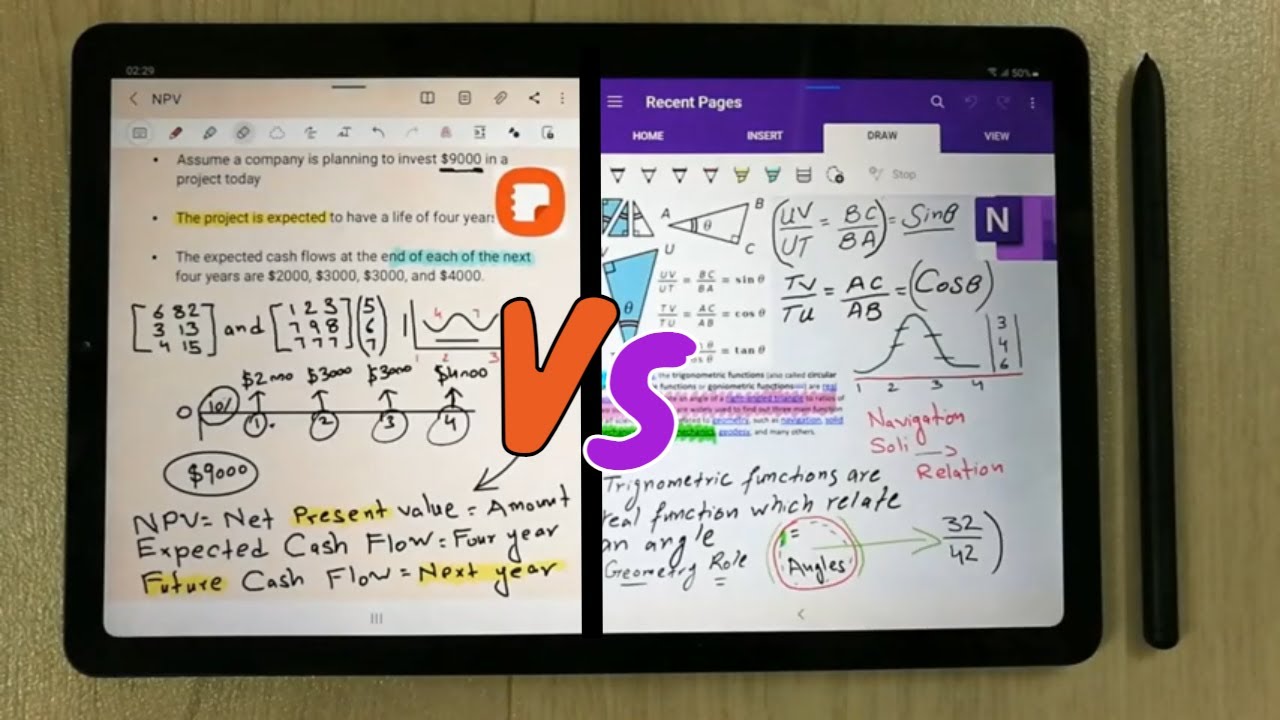
Microsoft OneNote and Samsung Notes are two popular digital note-taking apps. These tools help users capture ideas, organize content, and sync notes across devices. While both tools serve students, professionals, and everyday users, they differ significantly in features, ecosystem compatibility, and productivity workflows.
OneNote is a powerful cross-platform note-taking system designed for organized, multi-layer note structures. It integrates deeply with the Microsoft ecosystem, supports collaboration, and provides advanced formatting, drawing, tagging, and notebook management tools.
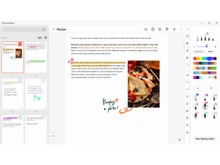
On the other hand, Samsung Notes is built for simplicity, speed, and tight integration with Samsung Galaxy devices and the S Pen. It supports handwriting recognition, quick notes, PDF annotation, and seamless syncing within Samsung Cloud and Microsoft OneDrive.
Let’s explore which utility software is best for your needs.
What are the Key Differences Between Microsoft OneNote and Samsung Notes?
- Samsung Notes offers a better handwriting experience. Especially with the S Pen, while OneNote is stronger for typing-heavy and structured note-taking.
- OneNote is fully cross-platform, working on Windows, macOS, Web, Android, and iOS. Samsung Notes works best on Samsung devices only.
- Samsung Notes simplifies sketching and quick notes, whereas OneNote provides notebook-style organization, tags, templates, and collaboration for long-term projects.
- OneNote supports multi-user collaboration, while Samsung Notes' collaboration features are limited or near non-existent.
- Samsung Notes integrates natively with Galaxy phones and tablets, whereas OneNote integrates deeply with Microsoft 365 apps.
Microsoft OneNote vs Samsung Notes Comparison Table
| Feature |
Microsoft OneNote |
Samsung Notes |
| Platform Support |
Windows, macOS, iOS, Android, Web |
Best on Samsung devices; limited Web/Windows access |
| Handwriting & Stylus Support |
Good, supports pens on Surface/iPad |
Excellent (optimized for S Pen with ultra-low latency) |
| Organization Format |
Notebooks → Sections → Pages |
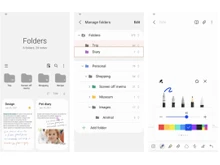
Folder-based note taking only |
| Collaboration |
Real-time collaboration via Microsoft 365 |
Limited, mainly Samsung ecosystem |
| Syncing |
OneDrive, SharePoint |
Samsung Cloud, OneDrive (Galaxy devices only) |
| PDF Annotation |
Strong, multi-page editing |
Strong, easier with S Pen |
| Audio Recording |
Yes, with in-note time linking |
Yes |
| Templates |
Multiple built-in and downloadable |
Very few templates and focuses on quick notes |
| Cross-Device Sync Reliability |
Very strong |
Excellent inside Samsung devices, limited elsewhere |
| Integration |
Microsoft 365, Teams, Outlook, Edge |
Samsung DeX, Samsung Cloud, Galaxy devices |
| Web Clipper |
Available |
Not available |
| Ideal Use Case |
Students, teams, detailed project notes |
S Pen users, quick handwritten notes, mobile workflows |
| Pricing |
Free; Price on request |
Free; Price on request |
Quick Recommendations for Samsung Notes vs Microsoft OneNote
Which app offers better tools for handwritten notes, OneNote or Samsung Notes?
Samsung Notes clearly leads, offering a smoother writing experience, pressure sensitivity, shape correction, and instant S Pen integration. OneNote supports handwriting but is less optimized for digital ink.
How do organization features differ between OneNote and Samsung Notes?
OneNote uses a notebook → section → page hierarchy ideal for deep, long-term organization. Samsung Notes uses a simpler folder-based system, better for quick notes but not large projects.
Which tool is better for productivity and professional work, Samsung Notes or Microsoft One Note?
OneNote is better for productivity and professional work due to templates, tagging, task lists, collaboration, version history, and Microsoft 365 integration. On the other hand, Samsung Notes is more for personal and on-the-go note-taking.
Which app works better on mobile devices for quick notes?
Samsung Notes, especially on Galaxy devices with features like Air Command and quick S Pen pop-up note creation.
How do syncing options compare in Samsung Notes and One Note?
OneNote syncs universally via OneDrive across all platforms. Samsung Notes syncs exceptionally well within Samsung’s ecosystem but is limited outside it.
How to Choose Between Microsoft OneNote and Samsung Notes?
Choosing the right note-taking app depends on your device ecosystem, note style, and productivity habits. Consider the following:
- Note Style & Organization Needs: If you prefer highly structured notebooks with pages, sections, tags, and templates, OneNote is the better choice. For speed, simplicity, and handwritten notes, Samsung Notes excels.
- Device Ecosystem: Samsung Notes is ideal for users with Galaxy phones, tablets, and S Pen devices, offering the most seamless experience. OneNote is unmatched for cross-platform access.
- Collaboration Requirements: OneNote enables real-time editing with teams, students, and coworkers, making it the clear winner for shared notes. Samsung Notes lacks advanced collaboration.
- Writing Tools & Pen Input: Samsung Notes provides industry-leading handwriting tools, low latency, and a natural S Pen feel. OneNote supports stylus input, but it is not as fluid.
- Cloud & Backup: OneNote uses OneDrive/SharePoint for easy cross-device sync. Samsung Notes syncs smoothly only within Samsung devices or with OneDrive if you’re signed into a Galaxy device.
When to Choose Microsoft OneNote or Samsung Notes?
| Use Case |
Recommended Tool |
| Heavy typist who need organized long-form notes |
Microsoft OneNote |
| User with Galaxy phone/tablet + S Pen |
Samsung Notes |
| Students working on shared class notebooks |
Microsoft OneNote |
| Professionals annotating PDFs on a tablet |
Samsung Notes |
| Cross-platform syncing across Windows, Android, macOS, iOS |
Microsoft OneNote |
| Taking fast handwritten notes on a mobile |
Samsung Notes |
Final Verdict: Samsung Notes or Microsoft OneNote?
Microsoft OneNote is the better option for structured note-taking, cross-platform usage, collaboration and teamwork, integration with Microsoft 365, and long-term project organization. On the other hand, Samsung Notes is ideal for handwritten notes with S Pen, quick note creation and sketches, fast PDF editing, users deeply within the Samsung ecosystem, and mobile-first notetaking.
Both apps are powerful. OneNote for productivity and organization, and Samsung Notes for handwriting and mobile convenience. Your best choice depends on whether you prioritize ecosystem compatibility or note-taking method.
If you are still confused about which utility software to choose, contact our software experts for a free demo and consultation.
 UAE
UAE India
India


 Comparison


 14 Ratings & 14 Reviews


 Free Trial






 Get directly in your email inbox on your Whatsapp


