Description
Pricing
Features
Specification
Review
Compare
FAQs
Alternatives

 View Gallery
Brand: Adobe
Adobe Animate CC for Teams formerly known as the (Flash pro) is one of the world’s most widely used software for 2D animation. It has been the industry staple since its inception and now has become one of the most sought-after household name for animators across the world. It has some noteworthy features like interactive web-based content, powerful illustration toolkit and animation for ads, games and so many more Adobe Animate CC for Teams lets you create inter...Read more

Get Free Expert Consultation
Let us know your business needs clearly

Verified & Trusted
Vendors

Safe & Secure
Payment

Personalized
Experts Support
$ 34.49 /Month
Features
 Vector & Bitmap Animation Tools Timeline & Keyframe Motion Tweening & Shape Tweening Frame-by-Frame Animation Advanced Drawing Tools & Brushes
 See all 
We make it happen! Get your hands on the best solution based on your needs.
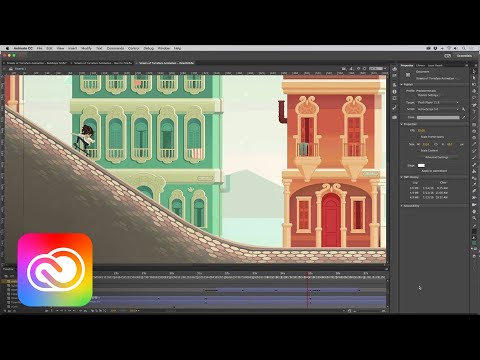

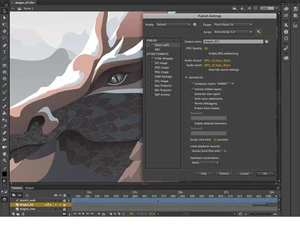
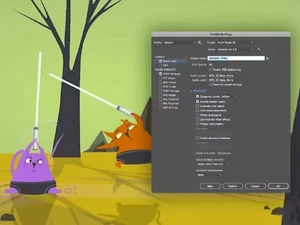
 Vector & Bitmap Animation Tools Animate supports both scalable vector graphics and detailed bitmap images for rich, high-quality animations. Timeline & Keyframe Use an intuitive timeline with keyframes, layers, and frame controls for precise animation sequencing. Motion Tweening & Shape Tweening Create smooth automated movement and shape transitions between keyframes for dynamic motion effects. Frame-by-Frame Animation Draw traditional frame-by-frame sequences when precise hand-drawn motion is needed. Advanced Drawing Tools & Brushes Built in vector brushes, pens, and shapes help you design assets directly inside Animate. Interactive Script Integration Add interactivity through JavaScript or legacy ActionScript for games, apps, and interactive banners. Asset Management & Library Store reusable graphics, symbols, sounds, and components in a centralized library across projects. Video & Animated GIFs Output finished projects as MP4 video or animated GIF for social, presentations, or marketing use. Multi-Plane Depth Effects Simulate dynamic camera motion and depth by adjusting layer depth and panning animation. Integration with Adobe Creative Cloud Apps Seamlessly bring assets from Photoshop, Illustrator, and Adobe Stock into Animate workflows. Audio Sync & Control Add soundtracks and sync audio cues with animation timing for richer multimedia content. Cross-Platform Animation Works on both Windows and macOS, with Creative Cloud licensing enabling mobile asset access.
 | Brand Name | Adobe |
| Information | Adobe is a software company that provides its users with digital marketing and media solutions. |
| Founded Year | 1982 |
| Director/Founders | Charles Geschke, Jason Lemkin |
| Company Size | 1000+ Employees |
| Other Products | Adobe Premiere Pro, Adobe Firefly, Workfront, Adobe Premiere Rush, Adobe Marketo Engage |

 UAE
UAE India
India
 Write a Review