Description
Pricing
Features
Specification
Review
Compare
FAQs
Alternatives

 View Gallery
Brand: Adobe
Adobe Acrobat Sign is a digital signature software and a vital part of Adobe Document Cloud suite. It is a must-have solution for corporates that work with digital documents regularly. It creates an electronically protected digitally signature which is counterfeit-proof. In addition to that, the digital signature takes a very short time to apply, it is as easy as sending an email. Adobe Acrobat Sign provides an official database for companies to collect and store ...Read more

Get Free Expert Consultation
Let us know your business needs clearly

Verified & Trusted
Vendors

Safe & Secure
Payment

Personalized
Experts Support
Price On Request
Features
 Custom Branding Visual Workflow Designer Automated Reminder Multi-Language Support Bulk Processing
 See all 
We make it happen! Get your hands on the best solution based on your needs.



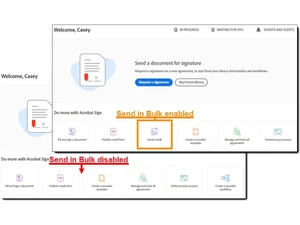
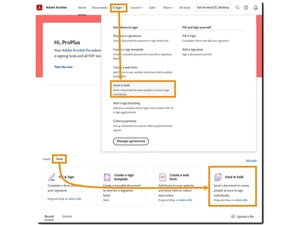
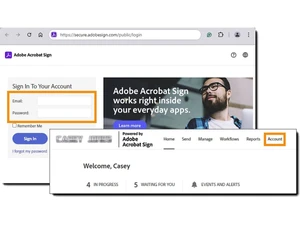
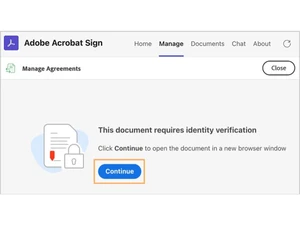
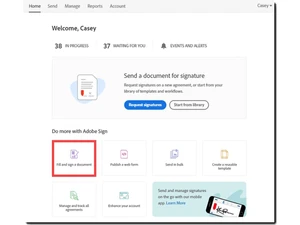
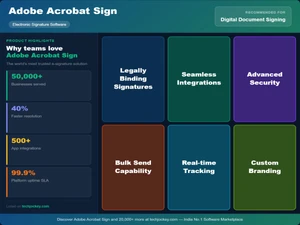
 Custom Branding Allows for the application of company logos and colors to the document interface for a consistent organizational identity. Visual Workflow Designer Offers a drag-and-drop interface to create and automate sequential or parallel document routing and approval processes. Automated Reminder Configures scheduled notifications to alert recipients of pending signature requests, reducing manual follow-up efforts. Multi-Language Support Provides localized signing interfaces in over 30 languages, facilitating cross-border legal and business transactions. Bulk Processing Enables the distribution of a single document to multiple recipients for individual signature execution in a single batch. Automated Field Detection Utilizes machine learning to automatically identify and place form fields like signature lines and dates on uploaded files. Signer Authentication Provides multi-factor authentication methods including email, SMS, and knowledge-based ID checks to verify signer identity. Templates Stores standardized document layouts with pre-defined signature fields to ensure consistency and speed across the enterprise. Audit Trail Generates a comprehensive log of the document history, capturing IP addresses, timestamps, and identity verification steps. Certificate Signatures Supports high-assurance digital signatures using hardware-based certificates and cloud-based digital identity providers. REST API Access Provides a set of endpoints for developers to integrate e-signature functionality into custom web and enterprise applications. Enterprise Admin Console Centralizes user management, license allocation, and security settings across different departments and global offices. Real Time Tracking Monitors the progress of sent documents with live updates on when files are viewed, signed, or declined by recipients.
Have recommended this product
Overall Score
Review this product
Your valuable feedback helps others like you make a better decision.
Pros
 “Integrates with seamless with Microsoft 356 office and has built-in security like encryption.” Naks Stella - Dec 9, 2023
“The customer interface is user-friendly. The ability to clone fields is a very useful function too. The template feature works well, and it’s invaluable.” Marcio - Feb 10, 2020
Cons
 “Mobile interface needs improvement and recovering account for Adobe sign is tedious” Naks Stella - Dec 9, 2023
“The process of logging into our account should be improved. Finding the appropriate area to log in from the main Adobe site might be tricky. ” Marcio - Feb 10, 2020
Verified reviewer:
Product Manager, SAAS
501-1000 Employees
Software user since: 1-2 years
Reviewed on: Mar 19, 2025
Verified reviewer:
Lead, Market Research
101-500 Employees
Software user since: 1-2 years
Reviewed on: Mar 12, 2025
Verified reviewer:
Web Designer, Graphic Design
101-500 Employees
Software user since: < 6 months
Reviewed on: Feb 27, 2025
| Brand Name | Adobe |
| Information | Adobe is a software company that provides its users with digital marketing and media solutions. |
| Founded Year | 1982 |
| Director/Founders | Charles Geschke, Jason Lemkin |
| Company Size | 1000+ Employees |
| Other Products | Adobe Premiere Pro, Adobe Firefly, Workfront, Adobe Premiere Rush, Adobe Marketo Engage |


 UAE
UAE India
India