USA
USA UAE
UAESmall Business
Designed for startups and growing businesses

See More




Brand: Adobe
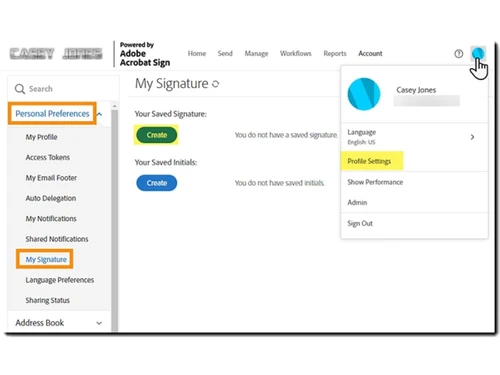
Adobe Acrobat Sign is a digital signature software and a vital part of Adobe Document Cloud suite. It is a must-have solution for corporates that work with digital documents regularly. It creates an electronically protected digitally signature which is counterfeit-proof. In addition to that, the digital signature takes a very short time to apply, it is as easy as sending an email. Adobe Acrobat ...
See MoreHave you used Adobe Acrobat Sign before?
Share your insights for better experience
View plans
 Save upto 18%, Get GST Invoice on your business purchase T&C Buy Now & Pay Later, Check offer on payment page.
 Brand: Adobe
Founded Year: 1982
Adobe is the global leader in digital media and digital marketing solutions.
 Bulk Processing Automated Field Detection Signer Authentication Templates Audit Trail Certificate Signatures REST API Access Enterprise Admin Console Real Time Tracking Custom Branding Visual Workflow Designer Automated Reminder Multi-Language Support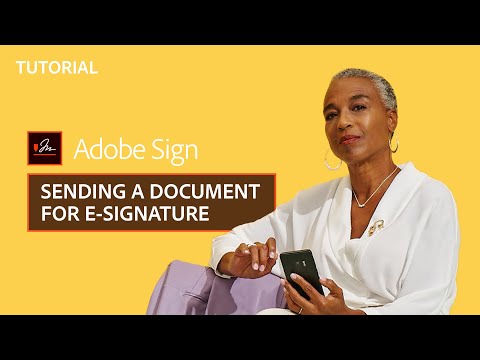

Watch the demo video to explore key features, real workflows, and how the software fits your business needs.
 Ubuntu
  Windows
  iOS
iOS  Android MacOS
  Linux
Linux  Desktop
  Mobile
  Tablet
  iPad
iPad  Cloud-Based
Small Business
Designed for startups and growing businesses
Medium Business
Built for business growth and flexibility
Enterprises
Designed for complex and large-scale business needs
4.3
Out of 5

Overall Rating
Based on
12 Verified Reviews
Rating Breakdown
85% Recommend this Product
Add ReviewUsers generally appreciate Adobe Acrobat Sign for its ease of use, efficiency in handling digital signatures, and strong security features, making it a reliable choice for businesses. Many highlight its ability to streamline workflows and reduce paperwork, especially in remote work settings. However, common concerns include a lack of advanced editing options, occasional lag with large documents, and a somewhat high subscription cost. Additionally, users have noted the need for improvements in customer support and the mobile app interface.
Pros
"Integrates with seamless with Microsoft 356 office and has built-in security like encryption."
"The customer interface is user-friendly. The ability to clone fields is a very useful function too. The template feature works well, and it’s invaluable."
Cons
"Mobile interface needs improvement and recovering account for Adobe sign is tedious"
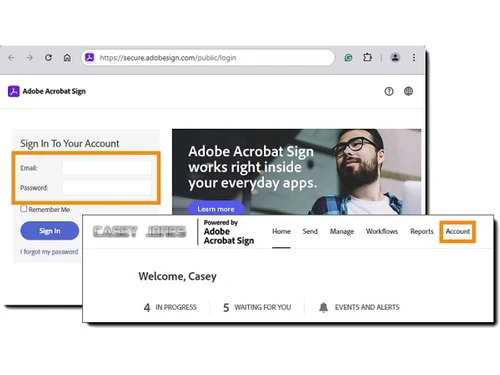
"The process of logging into our account should be improved. Finding the appropriate area to log in from the main Adobe site might be tricky. "

Mar 19, 2025
Techjockey Verified
“Good but Needs More Features”
Adobe Sign is great for digital signatures, but I wish it had more editing options for documents before sending them for signing. Still, it’s a solid choice.
Pros
Professional, widely accepted.
Cons
Lacks advanced editing options.
Reason to switch
Adobe Sign was more trusted by my clients.
Mar 12, 2025
Techjockey Verified
“Makes Signing Contracts Hassle-Free”
I no longer have to print, sign, and scan documents—Adobe Sign does it all digitally! But when a contract needs multiple signatures, it sometimes takes longer than expected.
Pros
Fast, efficient, no need for printing.
Cons
Can be slow with multiple signatures.
Reason to switch
Adobe Sign had better automation for bulk signing.
Feb 27, 2025
Techjockey Verified
“Simple and Effective”
Adobe Sign is super simple to use, and I love that it stores all my signed documents in the cloud. However, the mobile app doesn’t have all the features of the desktop version.
Pros
Intuitive interface, cloud storage.
Cons
Limited features on the mobile app.
Reason to switch
Adobe Sign was easier to use.
Adobe Acrobat Sign
₹ 1484.44 excl. GST
Desktop
Mobile
Web based
On Premises
Windows
Mac OS
Cygnature
Price On Request
Desktop
Mobile
Web based
On Premises
Windows
Mac OS

Dropbox Sign
Price On Request
Desktop
Mobile
Web based
On Premises
Windows
Mac OS

RSign
Price On Request
Desktop
Mobile
Web based
On Premises
Windows
Mac OS

DocuSign
Price On Request
Desktop
Mobile
Web based
On Premises
Windows
Mac OS

Zoho Sign
₹ 800
Desktop
Mobile
Web based
On Premises
Windows
Mac OS

InstaSigner
Price On Request
Desktop
Mobile
Web based
On Premises
Windows
Mac OS
BulkSigner
₹ 3500
Desktop
Mobile
Web based
On Premises
Windows
Mac OS

Certinal eSign
Price On Request
Desktop
Mobile
Web based
On Premises
Windows
Mac OS
eSignly
Price On Request
Desktop
Mobile
Web based
On Premises
Windows
Mac OS

GreenSign
Price On Request
Desktop
Mobile
Web based
On Premises
Windows
Mac OS
(0) Product(s) selected
Starting Price:
$20 /Month
Starting Price:
₹3,500 /Year
Available
Price on Request
Starting Price:
$15 /User/Month
Starting Price:
$1 /Envelope

Available
Price on Request

Available
Price on Request
Starting Price:
€11 /User/Month

Starting Price:
₹799 /Month
Starting Price:
$21 /User/Month
Starting Price:
₹15,000 /License


Adobe Acrobat Sign prioritizes digital security for users and companies alike. It uses industry-grade security practices for e-signature protection.
The digital signatures generated by Adobe Acrobat Sign meets all the stringent legal and security guidelines set in place for the highest level of accuracy.
Techjockey provides demo for Adobe Acrobat Sign. Please request a call to get the demo scheduled.
Adobe Acrobat Sign has a mobile application available for both iPhone and Android platforms.
This e-signature software uses cloud-based storage system for saving all the work data. This also facilitates sharing it with others in real-time.
20,000+ Software Listed
Best Price Guranteed
Free Expert Consultation
2M+ Happy Customers
Terms and Condtions

Users with registered businesses can purchase goods from merchants on the platform to satisfy their business needs. Users are not permitted to utilize any products acquired through the platform for resale, advertising, business, or further distribution.
For each purchase made, users will receive a Tax Invoice (or 'GST invoice') that includes specific details such as:
the GSTIN of the user associated with their registered business, and
the specified Entity Name for their business.
It should be noted that not all products are eligible for GST Invoice. Only the products displayed by participating sellers with the 'GST-based Invoice Available' callout on the product description page would qualify.
Certain goods and services are not eligible to get a GST Invoice, including items with VAS, i.e., Value Added Services (e.g., Total Mobile Protection/Assured Buyback) and those involving an exchange offer at the time of purchase.
Users must ensure the accuracy of the GSTIN, and business entity name provided for the GST Invoice. Requests for corrections into GST Invoice would not be accommodated by Techjockey.com or any Seller, and any issues arising from user-provided information are the sole responsibility of users.
Techjockey.com is not liable for the GST Invoice or any associated input tax credit. To efficiently claim an input tax credit, users should select the registered place of business address as per the GST authority's data and follow the provisions of the GST Act and rules.
To claim an input tax credit, the delivery and billing addresses must match. Furthermore, input tax credits will not be granted if the delivery address and GSTIN on the invoice are from different states. In case of incorrect GST details provided during the order placement, the order will be canceled automatically.