USA
USA UAE
UAESmall Business
Designed for startups and growing businesses


See More




Brand: DocuSign
Quickly and securely sign your digital documents from anywhere with DocuSign digital signature software. Track the signing status anytime!
See MoreHave you used DocuSign before?
Share your insights for better experience
Brand: DocuSign
Founded Year: 2003
DocuSign, Inc. is an American software company founded in 2003, specializing in electronic signature solutions and intelligent agreement management, serving various industries worldwide.
 ID Verification Sharing Document Overview Bulk Signing Reminders & Notifications Security API Integration Document Management Progress Tracking SMS Deliver Flexible Routing

Watch the demo video to explore key features, real workflows, and how the software fits your business needs.
 Ubuntu
  Windows
  iOS
iOS  Android MacOS
  Linux
Linux  Desktop
  Mobile
  Tablet
  iPad
iPad  Cloud-Based
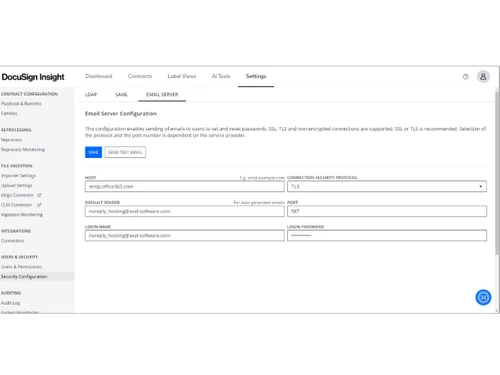
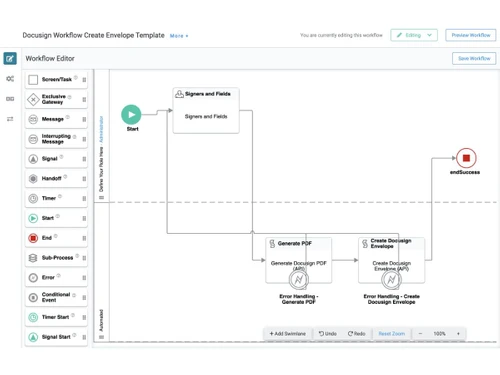
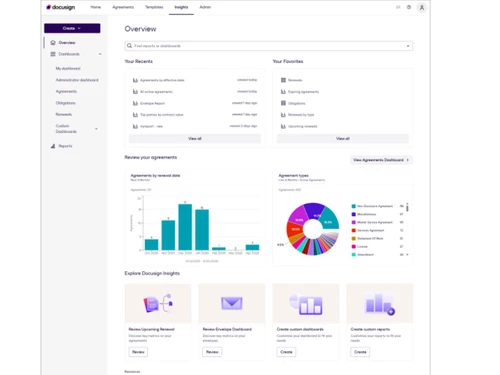
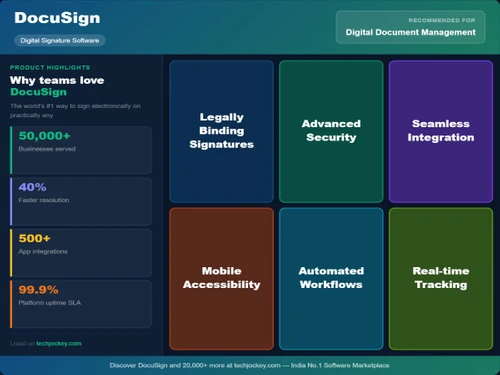
Small Business
Designed for startups and growing businesses
Medium Business
Built for business growth and flexibility
Enterprises
Designed for complex and large-scale business needs
4.5
Out of 5

Overall Rating
Based on
7 Verified Reviews
Rating Breakdown
87% Recommend this Product
Add ReviewUsers generally appreciate DocuSign for its user-friendly interface, robust functionality, and reliable document management capabilities, often highlighting its effectiveness in automating approval processes. The platform's strong security measures and supportive technical team are also frequently praised. However, some users have noted limitations such as occasional lag, technical issues, and a lack of options for viewing previously signed documents or performing bulk envelope transfers. Overall, the sentiment is positive, with many recommending the software for its value in electronic document management.
Pros
"DocuSign is a reliable platform with easy digital document management."
"DocuSign uses top-notch security technology to protect your documents and data."
"Easy to use alongside other integrations and comes with powerful automation."
Cons
"It should have the option to see the previously signed document. "
"DocuSign University should have more courses on advance workflow configuration"


Oct 3, 2023
Techjockey Verified
“Fast and reliable software.”
Pros
Easy-to-use interface with robust functionality.
Cons
It lags at times.
Reason to switch
It has the feature to make signature groups for particular tasks.
Oct 8, 2023
Techjockey Verified
“Variety of signature/field options.”
Pros
DocuSign is a reliable platform with easy digital document management.
Cons
It should have the option to see the previously signed document.
Reason to switch
It is affordable in comparison to the other software.
Oct 4, 2023
Techjockey Verified
“Mobile interface is easy to use.”
Pros
Easy to use alongside other integrations and comes with powerful automation.
Cons
Can not do Bulk envelope transfers.
Reason to switch
Helps keep track of every online signature.

DocuSign
Price On Request
Desktop
Mobile
Web based
On Premises
Windows
Mac OS
Adobe Acrobat Sign
₹ 1484
Desktop
Mobile
Web based
On Premises
Windows
Mac OS

RSign
Price On Request
Desktop
Mobile
Web based
On Premises
Windows
Mac OS

Dropbox Sign
Price On Request
Desktop
Mobile
Web based
On Premises
Windows
Mac OS
Cygnature
Price On Request
Desktop
Mobile
Web based
On Premises
Windows
Mac OS

Zoho Sign
₹ 800
Desktop
Mobile
Web based
On Premises
Windows
Mac OS

InstaSigner
Price On Request
Desktop
Mobile
Web based
On Premises
Windows
Mac OS
BulkSigner
₹ 3500
Desktop
Mobile
Web based
On Premises
Windows
Mac OS

Certinal eSign
Price On Request
Desktop
Mobile
Web based
On Premises
Windows
Mac OS

GreenSign
Price On Request
Desktop
Mobile
Web based
On Premises
Windows
Mac OS

eSignly
Price On Request
Desktop
Mobile
Web based
On Premises
Windows
Mac OS
(0) Product(s) selected
Starting Price:
₹1,484 /Month
Starting Price:
₹3,500 /Year
Available
Price on Request
Starting Price:
$1 /Envelope
Starting Price:
$15 /User/Month

Available
Price on Request

Available
Price on Request

Starting Price:
₹799 /Month
Starting Price:
€11 /User/Month

Available
Price on Request

Available
Price on Request



DocuSign is compatible with Windows, MacOS, and Linux operating systems
DocuSign app is available for Android and iOS devices.
DocuSign supports cloud-based deployment.
The pricing of DocuSign starts from USD 15 per month at techjockey.com.
DocuSign Digital Signature Software is typically used in All Industries.
DocuSign demo is not available for free.
DocuSign offers a free trial. However, the premium plan with advanced features starts at Rs 8364.00 per annum
For DocuSign Digital Signature Software installation, insert the given CD/USB flash storage in your system and open the Setup Wizard to get started.
DocuSign provides you with the ability to sign your important documents online! DocuSign digital signature software comes with more than 400 integration that will streamline your workflow. A simple but advanced interface will provide you with the ease to access all plug-ins, and store, send, and manage signed documents easily. The all-new ID verification feature Ensures that the right document is delivered to the authorized recipient with an advance ID verification feature.
DocuSign is typically used in businesses of all sizes working online.
20,000+ Software Listed
Best Price Guranteed
Free Expert Consultation
2M+ Happy Customers
Terms and Condtions

Users with registered businesses can purchase goods from merchants on the platform to satisfy their business needs. Users are not permitted to utilize any products acquired through the platform for resale, advertising, business, or further distribution.
For each purchase made, users will receive a Tax Invoice (or 'GST invoice') that includes specific details such as:
the GSTIN of the user associated with their registered business, and
the specified Entity Name for their business.
It should be noted that not all products are eligible for GST Invoice. Only the products displayed by participating sellers with the 'GST-based Invoice Available' callout on the product description page would qualify.
Certain goods and services are not eligible to get a GST Invoice, including items with VAS, i.e., Value Added Services (e.g., Total Mobile Protection/Assured Buyback) and those involving an exchange offer at the time of purchase.
Users must ensure the accuracy of the GSTIN, and business entity name provided for the GST Invoice. Requests for corrections into GST Invoice would not be accommodated by Techjockey.com or any Seller, and any issues arising from user-provided information are the sole responsibility of users.
Techjockey.com is not liable for the GST Invoice or any associated input tax credit. To efficiently claim an input tax credit, users should select the registered place of business address as per the GST authority's data and follow the provisions of the GST Act and rules.
To claim an input tax credit, the delivery and billing addresses must match. Furthermore, input tax credits will not be granted if the delivery address and GSTIN on the invoice are from different states. In case of incorrect GST details provided during the order placement, the order will be canceled automatically.