USA
USA UAE
UAESmall Business
Designed for startups and growing businesses
See More




Brand: Adobe
Unlock your creative potential with Adobe Illustrator, a leading design software, perfect for creating stunning vector graphics and illustrations.
See MoreHave you used Adobe Illustrator before?
Share your insights for better experience
View plans
 Save upto 18%, Get GST Invoice on your business purchase T&C Buy Now & Pay Later, Check offer on payment page.
 Brand: Adobe
Founded Year: 1982
Adobe is the global leader in digital media and digital marketing solutions.
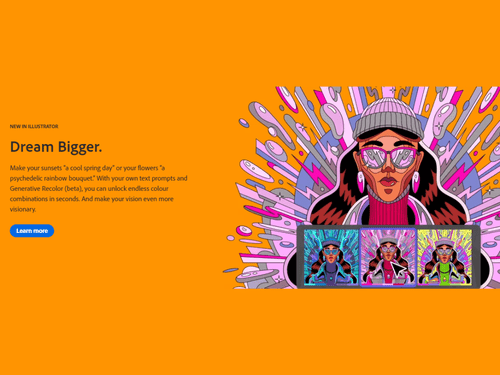
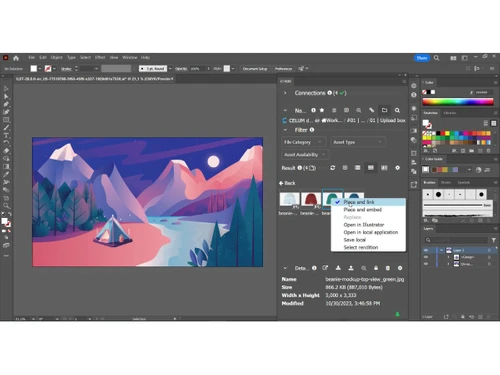
 Iconic work at any size. Gorgeous typography that says it all. Draw attention everywhere. Fast asset export for screens Puppet Warp SVG colour fonts Artboard enhancements Text to Vector Graphic Generative Recolor Logo Design Banner Design Chart Design

Watch the demo video to explore key features, real workflows, and how the software fits your business needs.
 Windows
  iOS
iOS  Android
  Desktop
  Mobile
  Cloud-Based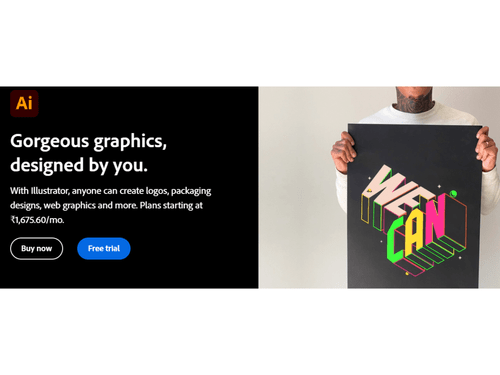
Small Business
Designed for startups and growing businesses
Medium Business
Built for business growth and flexibility
Enterprises
Designed for complex and large-scale business needs
4.6
Out of 5

Overall Rating
Based on
10 Verified Reviews
Rating Breakdown
90% Recommend this Product
Add ReviewCustomers generally appreciate Adobe Illustrator for its affordability, ease of use, and powerful design capabilities, making it a favored choice for both beginners and experienced designers. Users highlight its intuitive interface and the ability to create high-quality graphics, logos, and illustrations. However, some users note limitations such as the user interface's space consumption on lower-resolution devices and the steep learning curve for beginners. Additionally, while many find it cost-effective, others feel it can be pricey for those seeking budget-friendly options.
Pros
"It is one of the easiest and most affordable platforms to use. I am able to create almost any print-ready graphics that I need while staying within my budget."
Cons
"It is quite expensive for someone who is looking for cheap and affordable graphic designing software, especially for beginners. "
"The user interface of redesigned Adobe Illustrator occupies a whole lot of space if you're using a device with a lower resolution. "
"It takes a lot of time and patience to work on an Adobe Illustrator if you want to produce something realistic. "


Jul 25, 2022
Techjockey Verified
““Amazingly amazing tool for designing””
Pros
No matter how many times I use Adobe Illustrator I still find new features. It has an intuitive user interface, and you can create vector graphics and logos with great ease. I use Illustrator for logo design, print design, and web design, and the best part is that I can easily export my designs to the web or print. If you're looking for a graphic design tool that is easy to use, I highly recommend Adobe Illustrator.
Cons
It could take up to 6 months or more for beginners to feel at ease using this platform.
Reason to switch
The user interface of Inkscape is not always intuitive. It doesn’t even provide an option to edit .eps format of files.
Jul 25, 2022
Techjockey Verified
“Tool that allows you to “Manage it Yourself”.”
Pros
Earlier I had to hire designers to work for me but now, Adobe Illustrator has saved me hundreds of dollars already because now I can manage everything related to graphic design myself.
Cons
It takes a lot of time and patience to work on an Adobe Illustrator if you want to produce something realistic.
Reason to switch
It only works with an internet connection, so working on any offline project is not possible with Vectr.
Jul 25, 2022
Techjockey Verified
“An easy & cost-effective tool to fulfill every design need of yours.”
Pros
It is one of the easiest and most affordable platforms to use. I am able to create almost any print-ready graphics that I need while staying within my budget.
Cons
The user interface of redesigned Adobe Illustrator occupies a whole lot of space if you're using a device with a lower resolution.
Reason to switch
The background removing tool doesn’t work properly and it doesn’t give a good result. Features like fillers, presets, etc. are missing.

Adobe Illustrator
₹ 5846.61 excl. GST
Desktop
Mobile
Web based
On Premises
Windows
Mac OS

Corel Vector
Price On Request
Desktop
Mobile
Web based
On Premises
Windows
Mac OS

Apache OpenOffice Draw
Price On Request
Desktop
Mobile
Web based
On Premises
Windows
Mac OS

Inkscape
Price On Request
Desktop
Mobile
Web based
On Premises
Windows
Mac OS

Drawtify
Price On Request
Desktop
Mobile
Web based
On Premises
Windows
Mac OS

Illustroke
Price On Request
Desktop
Mobile
Web based
On Premises
Windows
Mac OS

SVG-edit
Price On Request
Desktop
Mobile
Web based
On Premises
Windows
Mac OS

YouiDraw
Price On Request
Desktop
Mobile
Web based
On Premises
Windows
Mac OS

Vectr
Price On Request
Desktop
Mobile
Web based
On Premises
Windows
Mac OS

SaviDraw
Price On Request
Desktop
Mobile
Web based
On Premises
Windows
Mac OS

EasyCut Pro
Price On Request
Desktop
Mobile
Web based
On Premises
Windows
Mac OS
(0) Product(s) selected
Available
Price on Request
You can easily download Illustrator from the Creative Cloud apps catalog. You'll need to sign in with your Adobe ID and password to complete the download. For more information, including how to install older versions or check for updates, see Download and install Creative Cloud apps.
Adobe Illustrator CC for teams can be downloaded for up to two computers at a time. In case, you want to install it on a third or fourth computer, you'll need to deactivate it on your previous machines.
Adobe Illustrator pricing starts from INR 6899/yearly. For further queries related to the product, you can contact our product team and learn more about the pricing and offers.
Adobe Illustrator is used to create a wide range of digital and printed images, including cartoons, charts, diagrams, graphs, logos, and illustrations.
Yes, Adobe Illustrator offers a free trial to users.
No, Adobe Illustrator is not a free software. Its basic pricing plan starts from INR 2,394.22/month. For further queries related to the product, you can contact our product team and learn more about the pricing and offers.? ?
Adobe Illustrator is a graphic design software that is used for creating vector images that are made of points, lines, shapes, and curves that are based on mathematical formulas, and they can be scaled up or down while maintaining image quality.?
Adobe Illustrator is a professional-level vector-based design and drawing software that is used as a part of the larger design workflow. It also allows for the creation of everything that is from single design elements to large-scale compositions.?
Some of the most used tools in Adobe Illustrator include the shape builder, the curvature tool, the width tool, free form gradient, and the global edit.
You can resize in Adobe Illustrator by going to the file option and then choosing document setup. Once that is done, change the units to millimeters, click on the edit artboards and change the dimensions at the top. Add the bleed option to the document, and you are good to go.
Here’s how you can create a sticker in Adobe Illustrator:
0 0
Here’s how you can create a card in Adobe Illustrator:
0 0
Steps to Create a Custom Shape in Illustrator
0 0
Adobe Illustrator is renowned for its powerful drawing tools, including countless brushes, shapes, and patterns. It allows designers to create detailed clothing designs with precision.
0 0
To pick pantone colors in illustrator, follow the steps given below:
44 1
20,000+ Software Listed
Best Price Guranteed
Free Expert Consultation
2M+ Happy Customers
Terms and Condtions

Users with registered businesses can purchase goods from merchants on the platform to satisfy their business needs. Users are not permitted to utilize any products acquired through the platform for resale, advertising, business, or further distribution.
For each purchase made, users will receive a Tax Invoice (or 'GST invoice') that includes specific details such as:
the GSTIN of the user associated with their registered business, and
the specified Entity Name for their business.
It should be noted that not all products are eligible for GST Invoice. Only the products displayed by participating sellers with the 'GST-based Invoice Available' callout on the product description page would qualify.
Certain goods and services are not eligible to get a GST Invoice, including items with VAS, i.e., Value Added Services (e.g., Total Mobile Protection/Assured Buyback) and those involving an exchange offer at the time of purchase.
Users must ensure the accuracy of the GSTIN, and business entity name provided for the GST Invoice. Requests for corrections into GST Invoice would not be accommodated by Techjockey.com or any Seller, and any issues arising from user-provided information are the sole responsibility of users.
Techjockey.com is not liable for the GST Invoice or any associated input tax credit. To efficiently claim an input tax credit, users should select the registered place of business address as per the GST authority's data and follow the provisions of the GST Act and rules.
To claim an input tax credit, the delivery and billing addresses must match. Furthermore, input tax credits will not be granted if the delivery address and GSTIN on the invoice are from different states. In case of incorrect GST details provided during the order placement, the order will be canceled automatically.