Description
Pricing
Features
Specification
Review
Compare
FAQs
Alternatives


 View Gallery
Brand: Ulysses
Ulysses designed to help writers focus, organize, and publish their work with ease. ...Read more

Get Free Expert Consultation
Let us know your business needs clearly

Verified & Trusted
Vendors

Safe & Secure
Payment

Personalized
Experts Support
$ 5.99 /Month
Features
 Primary Features Search and Retrieval Collaboration Customization & Personalization Security and Privacy
 See all 
We make it happen! Get your hands on the best solution based on your needs.


Primary Features
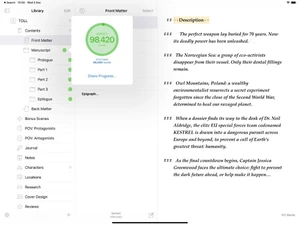
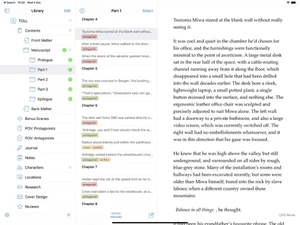
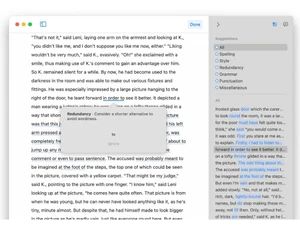
 Templates Use pre-built layouts for meetings, journals, and more. Annotations Mark up images or PDFs with comments and highlights. Version History Access previous versions of notes to track changes. Bookmarks Mark important notes for easy access later. Voice Notes Record audio notes directly within the app. Offline Access View and edit notes without an internet connection. Text Formatting Style text with bold, italics, headers, bullet points, and more. Search Functionality Quickly locate notes with a powerful keyword search. Tagging and Labeling Add tags for easy note categorization and retrieval. File Attachments Attach files to notes for richer, more detailed information. Web Clipper Save content from the web directly to your notes. To-do Lists Create and check off tasks within your notes. Reminders Set alerts to stay on top of important notes and tasks. Hierarchy Management Organize notes with folders and subfolders.
 Search and Retrieval
Full-Text Search with Filters Find notes using keywords and advanced filters. Activity History View a timeline of recent changes and updates. OCR (Optical Character Recognition) Search text within images or scanned files. NLP-based Search Search intuitively using natural language queries. Collaboration
Note Sharing Share notes with collaborators or external viewers. Commenting and Feedback Add comments and feedback on shared notes. Real Time Editing Edit notes simultaneously with team members. Permissions Control Control who can view or edit each note. Customization & Personalization
Themes and Color Options Choose dark, light, or custom themes. Custom Fonts and Styles Personalize text with unique fonts and styles. Quick Access Widgets Add widgets for instant note access from the home screen. End-to-End Encryption Secure notes with encryption for privacy. Security and Privacy
Password Protection Lock individual notes with a password. Note Recovery Restore deleted notes easily within the app. Biometric Login Use fingerprint or facial recognition for secure access. Version control Revert to previous note versions if needed. Alerts & Notifications
Email Notifications Receive email updates for note changes or tasks. Customizable Reminders Set personalized reminders for notes or tasks. Due Date Notifications Receive alerts before a task’s due date. Snooze Reminders Delay reminders to focus and prioritize. Event Reminders Link notes with events and get timely reminders. Push Notifications Get instant alerts on mobile and desktop. Calendar Alerts Sync with your calendar to schedule reminders. Administrative Features
User Access Management Control user roles and permissions. Auto Backup Automatically save notes to prevent data loss. Import Notes Easily import notes from other platforms. Export Notes Export notes as PDFs, DOCX, or HTML. Access Logs Track access history for shared notes. Integrations
Add-Ons Extend functionality with plugins and add-ons. Third Party Integration Connect with Google Drive, Dropbox, and more. API Access Use APIs to integrate with custom tools or apps. Calendar Integration Sync notes with your calendar events. API Integration Connect with other apps using the note-taking app's API. AI Capabilities
Voice-to-Text Convert audio recordings into written text. Image Recognition Detect text or objects within images. Summarization Generate summaries of long notes or articles. Smart Recommendations Suggested tags or related notes based on content. Content Generation Use AI to brainstorm or draft note content.
Have recommended this product
Overall Score
Review this product
Your valuable feedback helps others like you make a better decision.

“Ulysses App Review - Is Ulysses App Worth Your Money in 2026?”
4.3
Review by: GigaBits
| Brand Name | Ulysses |
| Information | The Ultimate Writing App for Mac, iPad and iPhone. |
| Founded Year | 2011 |
| Director/Founders | Marcus Fehn, Max Seelemann |
| Company Size | 1-100 Employees |

 UAE
UAE India
India