
Description
Pricing
Features
Specification
Review
Compare
Alternatives


 View Gallery
Brand: Merse Originals

Get Free Expert Consultation
Let us know your business needs clearly

Verified & Trusted
Vendors

Safe & Secure
Payment

Personalized
Experts Support
FREE
Features
 Customer Information Management (CIM) Sales Enablement Marketing Automation Data Sourcing / Integrations Collaboration and Communication Tools
 See all 
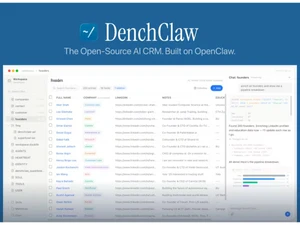
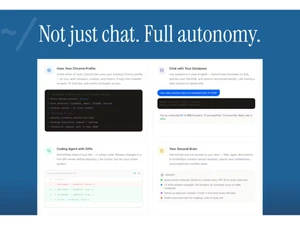
Customer Information Management (CIM)
 Account Management Manages company accounts, tracks interactions, and maintains detailed business relationships. Customer Profiles Builds unified profiles combining contact data, activity history, and engagement insights. CRM Database Centralized repository for storing and managing customer data. Audience Segmentation Categorize customers based on specific criteria for targeted marketing. Interaction History Chronological record of all communications with each customer.
 Sales Enablement
Quote Management Create, track, and manage sales quotations efficiently. Business Process Automation (BPA) Automate repetitive tasks to streamline business operations. Sales Order Management Oversee and process customer orders from initiation to fulfillment. Sales Funnel Management Visualize and manage potential sales prospects through stages. Contract Management Create, store, and track customer contracts systematically. Sales Projections Predict future sales and revenue based on current data. Territory Management Assign and manage sales regions to optimize coverage. Lead Lifecycle Management Track and nurture leads from acquisition to conversion. Opportunity Management Identify and manage potential sales opportunities effectively. Automated Sales Workflow Streamline sales processes through automation of tasks. Marketing Automation
Lead Nurturing Enables automated follow-ups and workflows to engage and convert leads effectively. Customer Segmentation Groups customers into segments for personalized engagement and analytics insights. Email Campaigns Design and send targeted email marketing messages. Campaign Automation Automate marketing campaigns across multiple channels. Customer Journey Mapping Visual representation of the customer experience across touchpoints. Trigger-Based Automation Initiate actions in response to specific customer behaviors. Drip Campaigns Automated series of emails sent based on user actions or timelines. Data Sourcing / Integrations
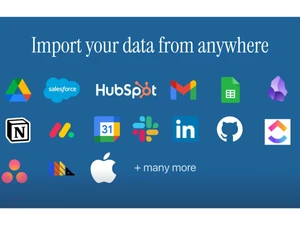
Calendar Integration Syncs meetings, schedules, and reminders with external calendar tools for better planning. Third Party Integrations Integrates with external tools like CRMs, communication apps, and data platforms. Email Marketing Tools Integration Connects with external email platforms to enable marketing campaigns and outreach. Marketing Tools Integration Supports integration with marketing platforms for extended campaign capabilities. Data Import/Export Transfer data into and out of the CRM system seamlessly. Social Media Integration Connect and manage social media channels within the CRM. API Integration Utilize APIs to enable custom integrations with other systems. Ecommerce Integration Link CRM with online shopping platforms for streamlined sales. Interactive Voice Response (IVR) Integration Incorporate IVR systems for automated telephony interactions. Collaboration and Communication Tools
Sales Process Task Management Assign and monitor tasks related to the sales process. Internal Messaging System Facilitate real-time communication within the organization. Template and Document Management Store and manage templates and documents centrally. Omnichannel Support Provide consistent customer service across multiple channels. Security & Compliance
Data Encryption Ensures secure handling of customer data through encryption and secure storage practices. Role-Based Access Control (RBAC) Controls user permissions to ensure secure and role-specific data access. GDPR & Data Privacy Complies with privacy standards and regulations for secure handling of user data. Activity Logs Record user activities for monitoring and auditing purposes. Backup & Disaster Recovery Ensure data is backed up and recoverable in emergencies. AI & Machine Learning
Predictive Analytics Uses AI to predict customer behavior, lead conversion likelihood, and sales opportunities. Lead Scoring Automatically scores leads using AI signals like engagement, behavior, and fit criteria. AI Assistants Utilize AI-driven tools to automate tasks and provide insights. Reporting & Analytics
Predictive Analytics Uses AI to predict customer behavior, lead conversion likelihood, and sales opportunities. Customer Insights Provides actionable insights derived from customer behavior and interaction data. Personalized Dashboards Custom dashboards to track KPIs, sales, and customer insights in real-time. Real-Time Analytics Instant access to reports and insights for agile decision-making. Sales Reports Monitor sales performance with detailed reports on revenue, deals, and targets. Campaign Performance Track marketing campaign success through engagement, conversion, and ROI. Market Trend Analysis Identify industry trends to adapt strategies and stay competitive. KPI Tracking Measure key performance indicators (KPIs) to evaluate business success. Alerts & Notifications
Event-Triggered Notifications Sends alerts based on actions like lead updates, deal changes, or task completions. Real-Time alerts Instant notifications for critical business updates and customer interactions. Error Logs Track and report system errors for quick resolution. Customer Activity Alerts Receive alerts when customers take key actions, like purchases or inquiries. Push Notifications Send notifications to mobile devices for quick updates and reminders. SLA Violations Alert teams when service-level agreements (SLAs) are not met.  20,000+ Software Listed
 Unbiased Comparison
 Read Authentic Reviews
 500,000+ Monthly Users
 USA
USA India
India

 Write a Review
