linkedin
Macro Recorder logo
play Recording a macro
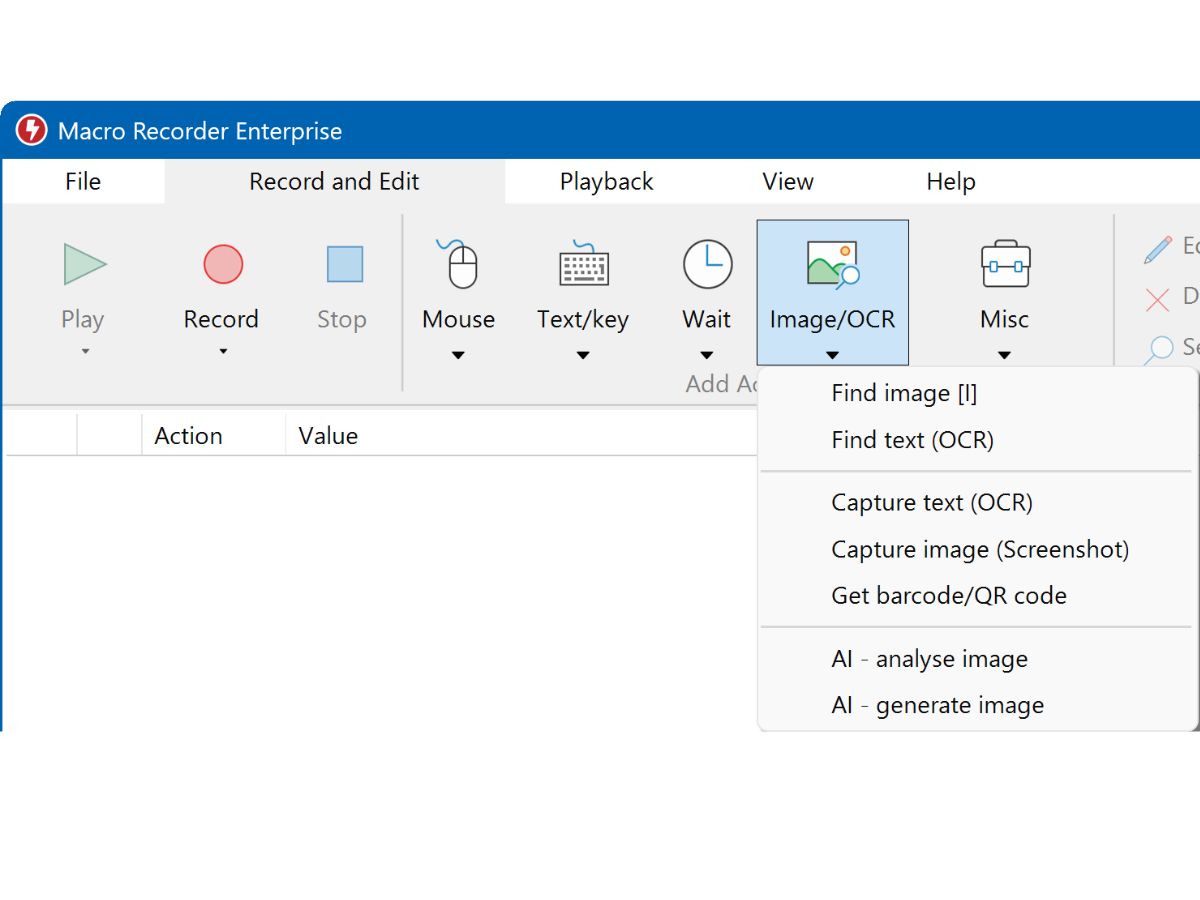
macro-recorder-actions
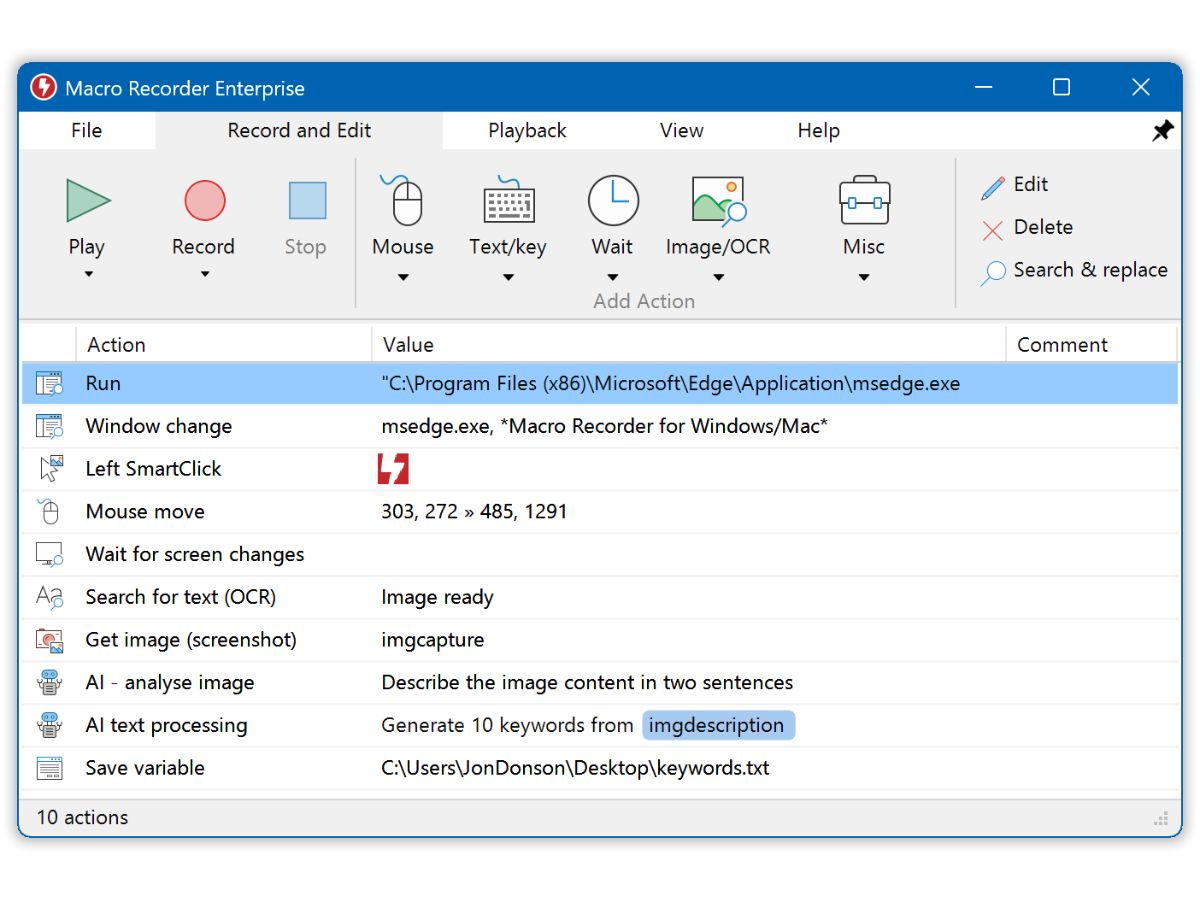
macro-recorder-enterprise

Macro Recorder

Brand: Bartels Media

  • 4.1

  • 4 Ratings

Have you used Macro Recorder before?

Share your insights for better experience

Add a Review
Starting Price
AED380

View plans

100% Genuine
Products
Best Price
Guaranteed
Safe & Secure
Payment
  • Pricing

  • Features

  • Specification

  • Review

Starting at AED380.09

Macro Recorder Pricing & Plans

Standard Edition
Starting at AED380.09
    • Quantity

      Quantity
      Quantity

Key Features

  • More than 10 repetitions

  • Execute programs

  • Goto & Repeat

Pro Edition
Starting at AED570.26
    • Quantity

      Quantity
      Quantity

Key Features

  • More than 10 repetitions

  • Execute programs

  • Goto & Repeat

  • SmartClick

  • Image & OCR text recognition

  • Macro file embed

Enterprise Edition
Starting at AED950.53
    • Quantity

      Quantity
      Quantity

Key Features

  • More than 10 repetitions

  • Goto & Repeat

  • SmartClick

  • Image & OCR text recognition

  • Macro file embed

  • PhraseExpress support

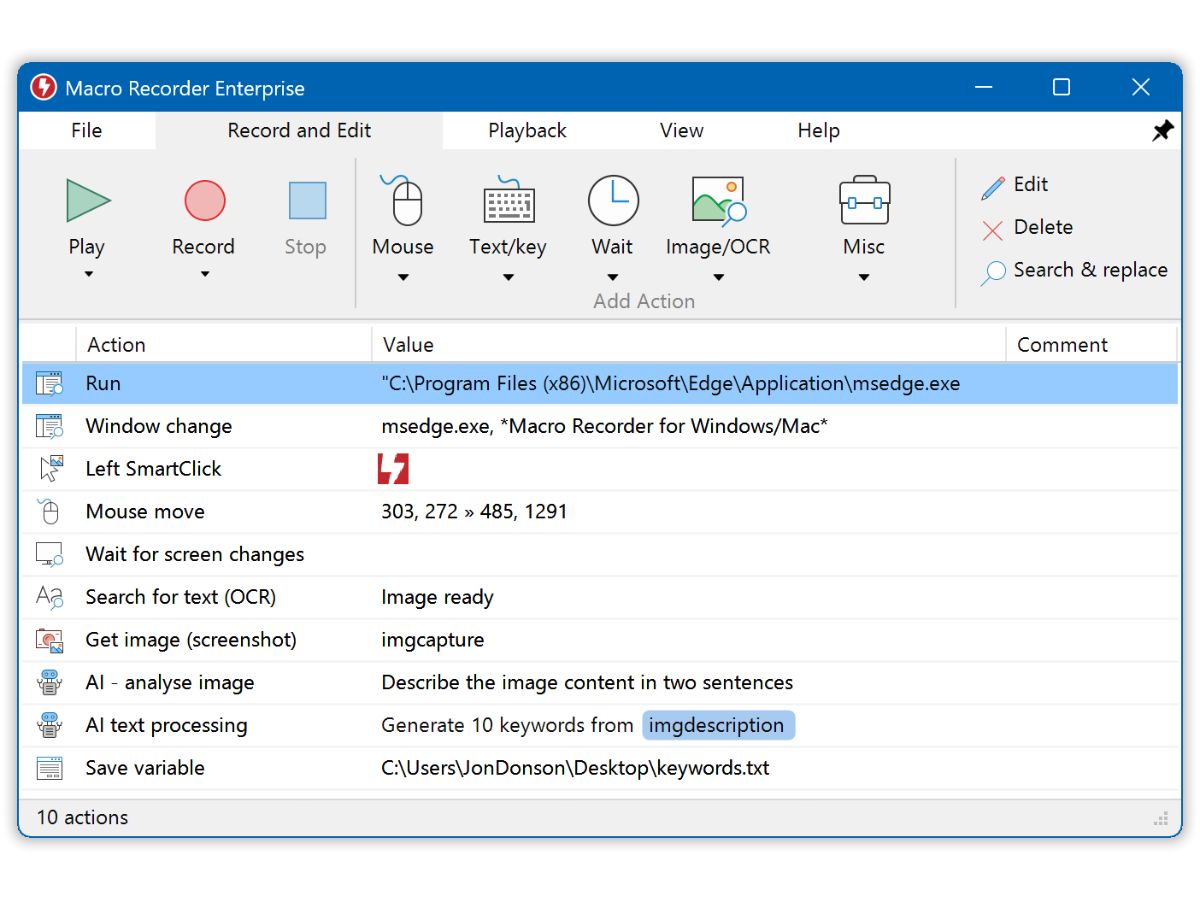
  • AI support

Macro Recorder Features

  • icon_check Mouse Path Smoothing
    This function converts erratic manual mouse movements into smooth, curved, or linear paths to improve automation visual quality.
  • icon_check OCR Capture
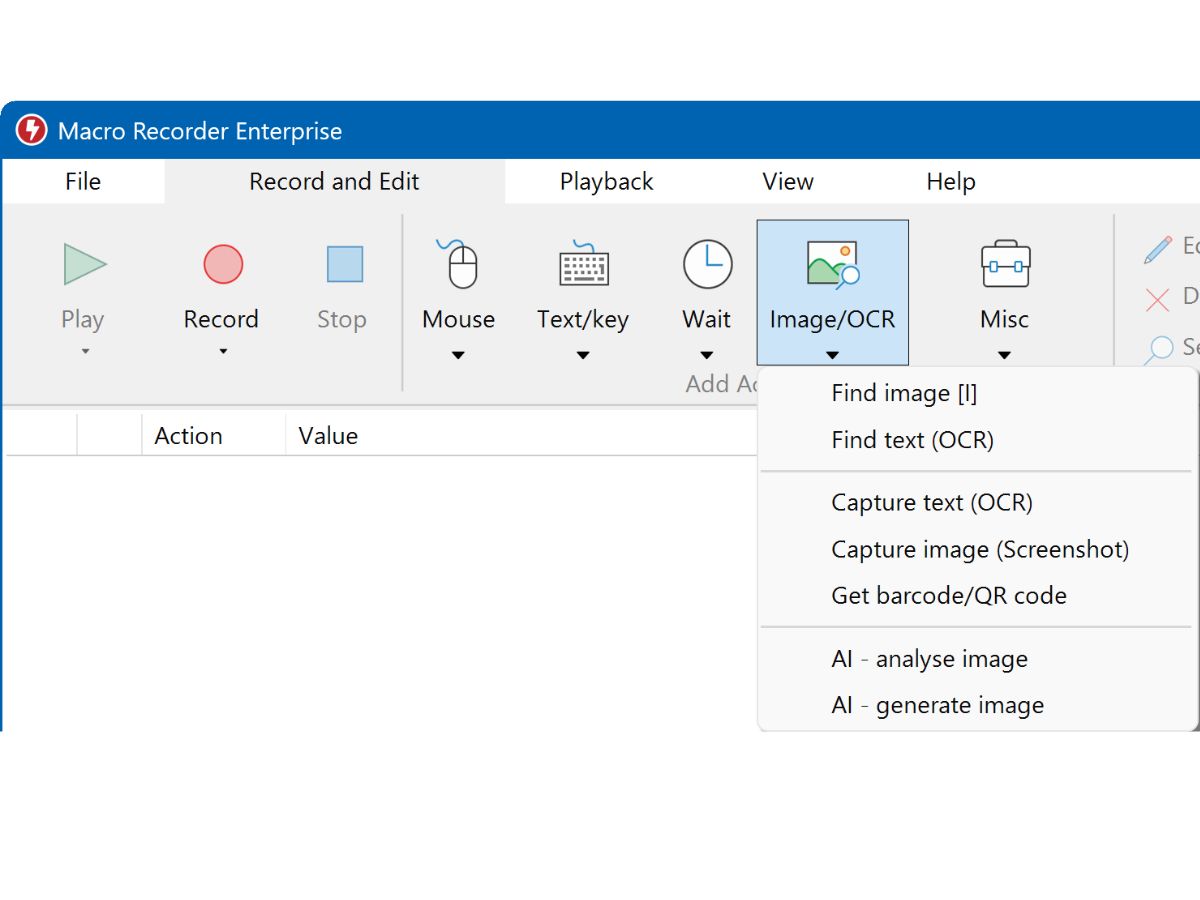
    The system extracts text from any defined screen region or bitmap file, storing the data into variables for further automation.
  • icon_check SmartClick Automation
    This feature identifies click targets based on visual bitmap clues rather than fixed coordinates to handle shifted UI elements.
  • icon_check Pixel Color Detection
    The software monitors specific pixel colors to pause playback until a webpage loads or a process completes its visual state.
  • icon_check Window Focus Control
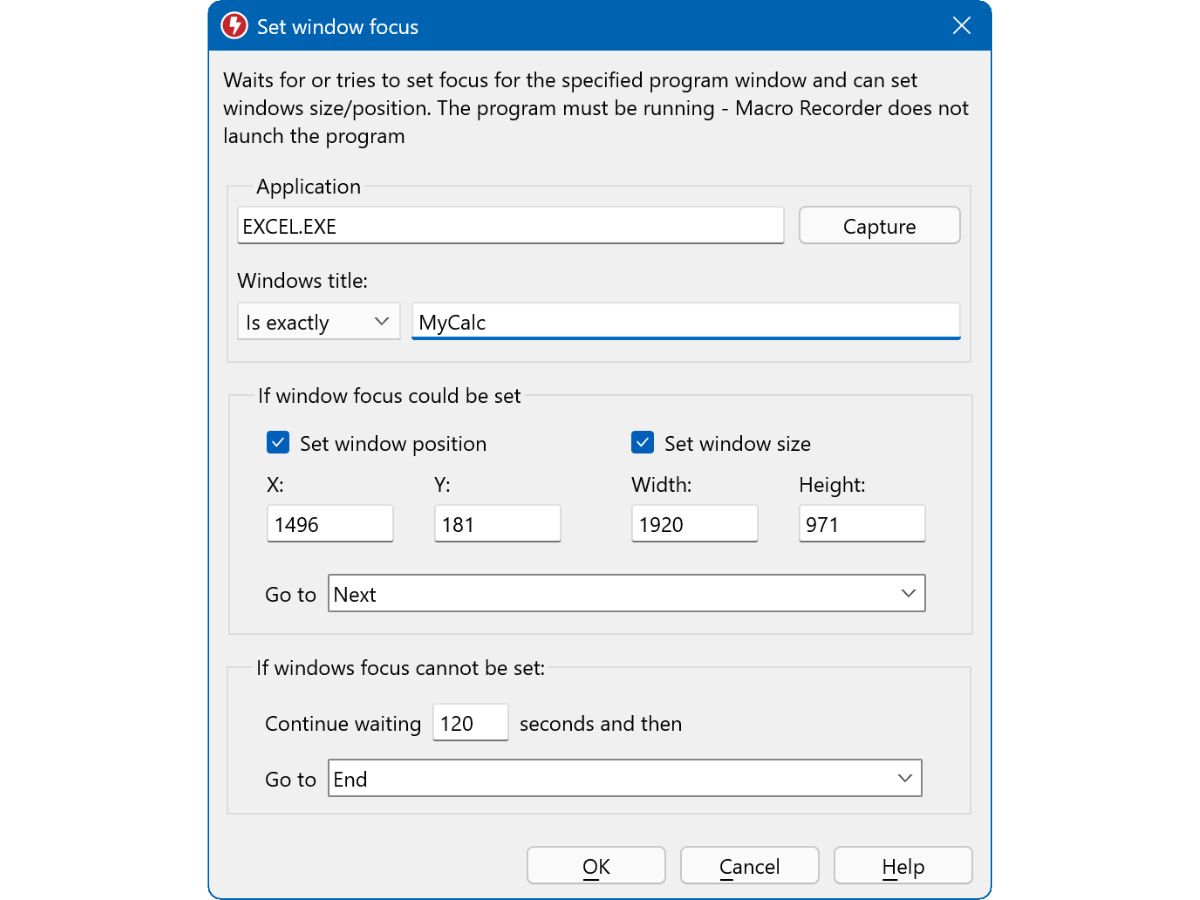
    This action detects a specific program window by its title and switches the system input focus to that application instantly.
  • icon_check Variable Calculation
    The software performs mathematical operations on multiple variables to determine offsets or distances between screen objects.
  • icon_check Macro Script Grouping
    Multiple macro actions can be organized into colored, collapsible groups to improve navigation within complex automation scripts.
  • icon_check Text Output Simulation
    The tool can simulate human-like typing or use the clipboard to output text into any application or web-based input field.
  • icon_check Barcode Scanning
    The software scans and decodes barcode or QR code information from the screen, saving the result into a script variable.
  • icon_check Variable Explorer Tool
    This debugging interface provides a real-time overview of all variable contents and values during the macro execution phase.
  • icon_check Custom Label Jumping
    The Goto command allows the script to jump to specific user-defined labels, enabling non-linear execution of macro actions.
  • icon_check Web Scraping Support
    This feature extracts specific text content from webpages using RegEx or XPath patterns for data collection and processing.
Macro Recorder Demo Video play icon

Get Macro Recorder Demo

Watch the demo video to explore key features, real workflows, and how the software fits your business needs.

Understand
Key Features
Personal
Demo Insights
Interactive
Demo Support

Macro Recorder Specifications

Supported Platforms
Windows Windows MacOS MacOS
Devices
Desktop Desktop
Deployment
Perpetual Perpetual
Suitable For
All Industries
Business Specific
All Businesses
Business Size
Small Business Startups Medium Business Enterprises SMBs SMEs MSMBs MSMEs
Customer Support
Email Communities
Language
English
Training Resources
Documentation Videos
AI Features
AI Integrated

Macro Recorder Review

4.1

Out of 5

img

Overall Rating

Based on
4 Verified Ratings

Rating Breakdown

  • Features 4.2
  • Value for Money 3.7
  • Ease of Use 4.1
  • Customer Support 4.6

80% Recommend this Product

Add Review

Techjockey Trusted Reviews from Verified Users

No reviews are currently available for Macro Recorder. Discover similar Screen Recording Software reviews

  • Camtasia

    4.6

    Whats great - Have made great videos for my youtube channel and the overall experience is great read more

  • DU Recorder

    4.4

    Whats great - Edit all your recordings with this recorder. Equally easy is cropping and linking together of the different fragments. read more

  • TechSmith Snagit

    4.6

    Whats great - Fast, Attentive, and Thorough Help in Sorting Software Options! read more

Terms and Condtions

close

Users with registered businesses can purchase goods from merchants on the platform to satisfy their business needs. Users are not permitted to utilize any products acquired through the platform for resale, advertising, business, or further distribution.

For each purchase made, users will receive a Tax Invoice (or 'GST invoice') that includes specific details such as:

  • the GSTIN of the user associated with their registered business, and

  • the specified Entity Name for their business.

It should be noted that not all products are eligible for GST Invoice. Only the products displayed by participating sellers with the 'GST-based Invoice Available' callout on the product description page would qualify.

Certain goods and services are not eligible to get a GST Invoice, including items with VAS, i.e., Value Added Services (e.g., Total Mobile Protection/Assured Buyback) and those involving an exchange offer at the time of purchase.

Users must ensure the accuracy of the GSTIN, and business entity name provided for the GST Invoice. Requests for corrections into GST Invoice would not be accommodated by Techjockey.com or any Seller, and any issues arising from user-provided information are the sole responsibility of users.

Techjockey.com is not liable for the GST Invoice or any associated input tax credit. To efficiently claim an input tax credit, users should select the registered place of business address as per the GST authority's data and follow the provisions of the GST Act and rules.

To claim an input tax credit, the delivery and billing addresses must match. Furthermore, input tax credits will not be granted if the delivery address and GSTIN on the invoice are from different states. In case of incorrect GST details provided during the order placement, the order will be canceled automatically.

20,000+ Software Listed 20,000+ Software Listed

Best Price Guaranteed Unbiased Comparison

Free Expert Consultation Read Authentic Reviews

2M+ Happy Customers 500,000+ Monthly Users