linkedin
myBillBook logo
play myBillBook App | India's No.1 GST Billing & Accounting Software | Feature Video
play Business Ka Aladin Ka Chirag - myBillBook | Business Ka Achha Time Shuru
play How to use myBillBook app | Detailed Demo

myBillBook

Brand: FloBiz

myBillBook Billing and Accounting Software will simplify your billing and financial management with a user-friendly platform, streamlining invoicing, expense tracking, and tax compliance for businesses.

See More

Explore Alternatives
img

13+ people visited in last 30 minutes

Price Available on Request

Questions about pricing or customization? We’re here to help, just a click away.

100% Genuine
Products
Best Price
Guaranteed
Safe & Secure
Payment
  • Description

  • Pricing

  • Features

  • Specification

  • Review

  • Compare

  • Alternatives

  • FAQ

myBillBook Software Overview

What is myBillBook?

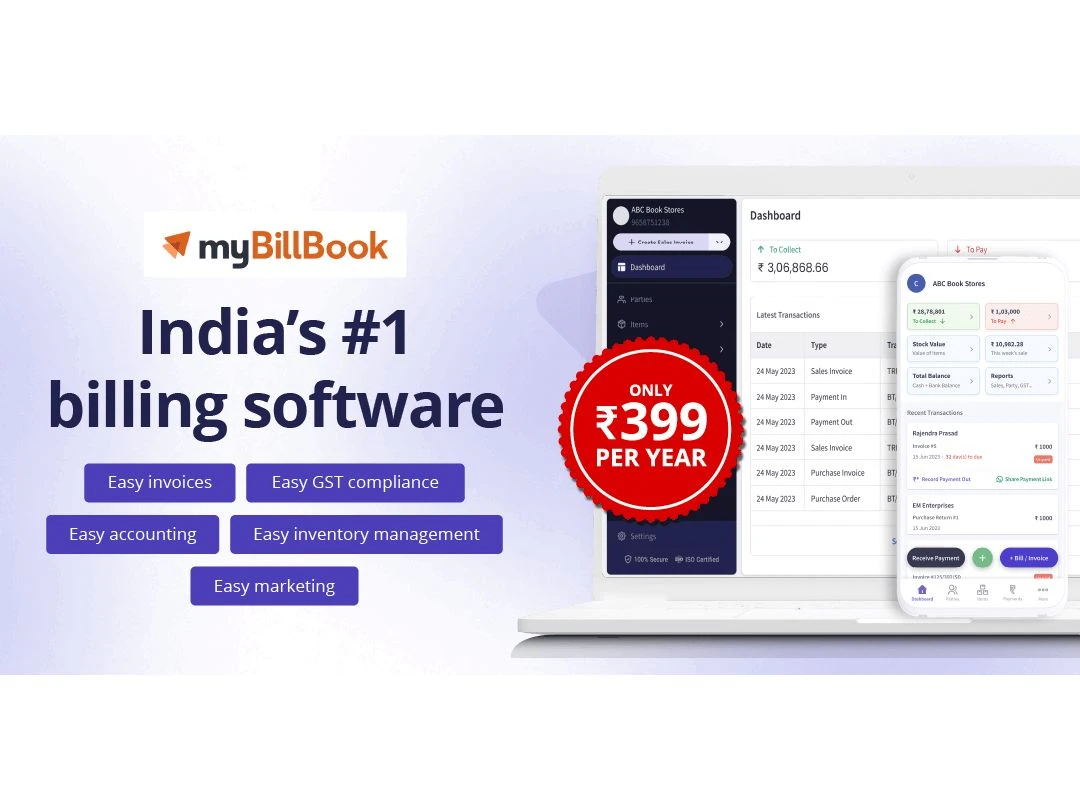
myBillBook is India’s No. 1 GST billing & accounting software. myBillBook helps businesses digitize invoicing, manage inventory, collect payments, track accounts payables & receivables, generate smart reports, and automate workflows to improve business productivity.

The software is fully customizable, and its features support the varying needs of any business. Besides all types of billing including customized GST billing, e-Way bills, e-Invoicing, quotations, and POS billing, this billing and invoicing software helps businesses manage inventory and alerts them about low stock reminders, item categories, and stock adjustments and has features like batching & serialization. Sending payment reminders and collecting payment via UPI or other mediums is also possible.

myBillBook software generates more than 25 smart business reports like GSTR 1 in JSON, other GST reports, Profit and Loss, Balance Sheet, and Stock & Party Ledger reports. Additional myBillBook features like Staff attendance & payroll, CRM, WhatsApp & SMS marketing, e-Way Bill on mobile, Multiple Bank Accounts, can help build a strong business network and grow your business

The software solves two very core problems – productivity & error in manual operations. Our customers on average can save 2-2.5 hours per day through digitization. They are also able to avoid manual errors and automate reconciliation, tracking, and follow-up activities. More productive hours for business ultimately helps them dedicate more time to revenue generation & business growth.

It is available on Android, iOS, web-app and as a native desktop application. Affordable price points, ISO 27001 certification, customizable plans, and 24x7 multi-lingual call & chat support are what differentiate myBillBook from other software.

Why Use myBillBook?

myBillBook is a complete business management solution to manage sales, purchases,s and all other business processes. Why is myBillBook billing software an ideal choice for small businesses? Let’s find out.

  1. Helps manage inventory with low stock reminders
  2. Creates a record of sales, purchases, and returns
  3. Allows sending payment reminders to customers and receiving payment through UPI
  4. Helps create an online store with your own app or website
  5. Provides multiple reports for profit & loss, stock, and party ledger
  6. Create professional bills (GST & non-GST) and send them on WhatsApp
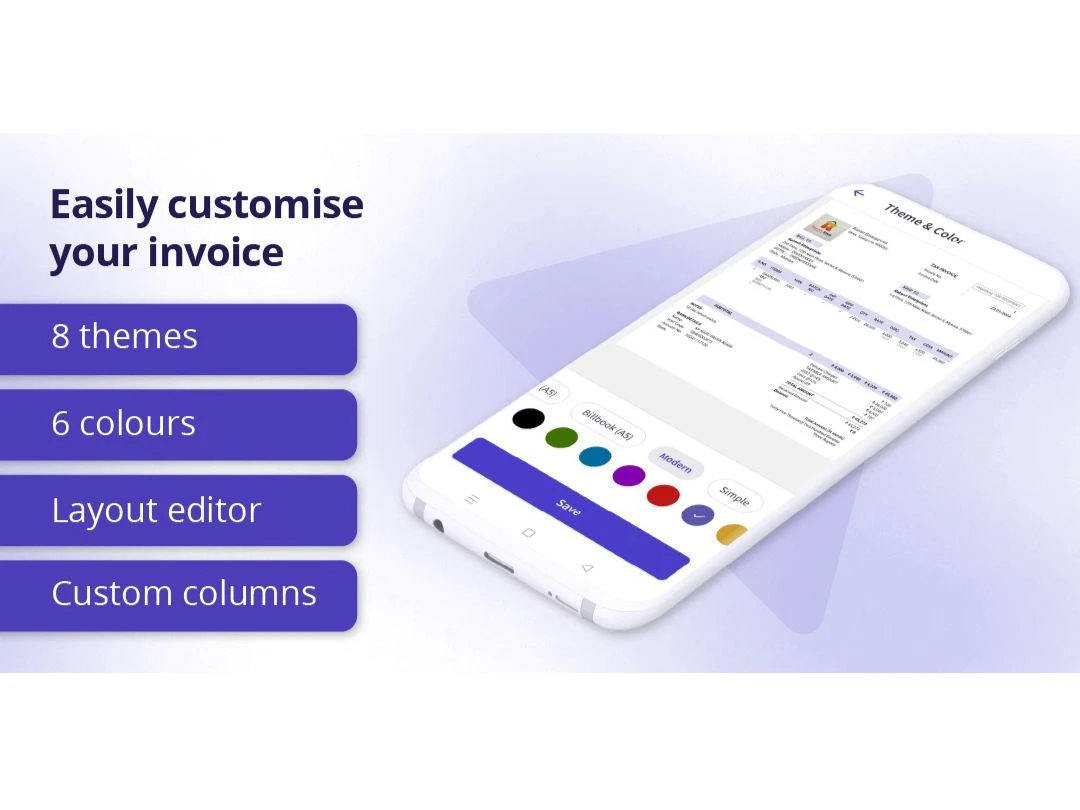
  7. Choose from multiple invoice formats and customizations
  8. 24x7 automatic data sync between mobile and desktop app

Who Are the Typical Users of myBillBook GST Billing & Stock Inventory Software?

  1. For Retailers: myBillBook GST billing and inventory software enables retailers to do faster billing using its mobile app. It helps businesses in going digital and managing their overall transaction online. Further, it helps in simplifying inventory management and supports thermal printing.
  2. For Wholesalers & Distributors: With myBillBook GST billing and inventory software, businesses can manage their customers’ unpaid bills, by sending them payment reminders, and sharing invoices via SMS and WhatsApp. It provides wholesalers and distributors with regular updates about the stock status. Customizing invoices and sending customized greeting cards to retailers and other customers is easy.
  3. Small & Medium Size Businesses: The bookkeeping software helps businesses with 14+ business reports. It helps companies analyze their company sales by going through reports like sales reports, party-wise sales, item sales, etc. Firms can manage inventories with current available stock and low stock summaries, company-level reports, etc.

How to Use MyBillBook App?

To use the MyBillBook app, follow these simple steps:

  • Download and Install: Start by downloading the MyBillBook app from your device's app store. Once downloaded, follow the installation instructions to set it up on your device.
  • Sign Up or Log In: Upon opening the app, you'll be prompted to either sign up for a new account or log in if you already have one. Provide the necessary details to create your account or log in with your existing credentials.
  • Set Up Your Business Profile: If you're using MyBillBook for your business, take some time to set up your business profile. This includes adding your business name, address, contact information, and any other relevant details.
  • Add Products or Services: To start managing your inventory or services, add them to the app. You can include details such as product name, description, price, and any applicable taxes.
  • Create Invoices: With your products or services set up, you can now create invoices effortlessly. Simply select the items purchased by your customers, input quantities, and generate invoices with just a few taps.
  • Send Invoices: Once your invoices are ready, you can choose to send them directly to your customers via email or messaging apps. MyBillBook makes it easy to keep track of sent invoices and payment statuses.
  • Track Expenses: Keep tabs on your business expenses by logging them into the app. Categorize expenses, add notes, and attach receipts for better record-keeping.
  • Generate Reports: Utilize MyBillBook's reporting feature to gain insights into your business performance. Generate reports on sales, expenses, profits, and more to make informed decisions.

Benefits of Using myBillBook GST Accounting Software

  1. Safe and Secure: Customers can access their data even in case of phone loss/damage.
  2. Easy Data Transfer: Facilitates easy and fast data transfer from other accounting software like Vyapar, Tally, Busy, and Excel.
  3. Item Library: Adding inventory on myBillBook is effortless from its library of more than 1 lakh FMCG and Pharma items.
  4. Print As per Your Need: myBillBook supports both regular printers and thermal printers.
  5. Multiple Invoice Formats: myBillBook supports both regular and thermal printers, in A4 and A5, 2-inch and 3-inch sizes.
  6. Automatic Backup: Entire data is backed-up automatically with an internet connection.
  7. Multi-language Support: Provides multilingual support to assist small businesses in managing their business transactions.
  8. WhatsApp Support: Provides ‘Help & Support’ functionality to help users with FAQs.
  9. Get Online Orders: Business owners can launch their online store within the application itself.

mybillbook App

myBillBook is also available for both Android and iOS devices. With this app, businesses can manage sales, purchases, billing, and inventory from their mobile devices. myBillBook app enables business owners to access their accounts from wherever they are and send invoices from their phones. Users can also record expenses, add income, and much more without having to be in front of a computer.

myBillBook Pricing in UAE

myBillBook accounting software’s price is available on request The software comes with multiple pricing plans and caters to a diverse customer base.

myBillBook Price range:

MyBillBook price is available on request at techjockey. MyBillBook Software price may vary based on factors like customization, additional features required, the number of users, and the deployment type. For subscription-related details and offers on premium packages, please request a call back from our product experts.

Read more

FloBiz Company Details

Founded Year:  2019

Founded in 2019 by IIT and BITS alumni, FloBiz aims to introduce a completely new way of doing business for small & medium enterprises with imaginative use of technology. We fuel the growth of those enterprises which fuel the growth of our economy.

Director/Founders Rahul Raj, Rakesh Yadav, Aditya Naik
Company Size 101-500 Employees
Other info Backed by some of the most respected investors globally, we are singularly focused on solving the biggest challenges still faced by the Indian SMBs.

myBillBook Pricing & Plans

Looking for The Right Pricing?

Share your requirements and get a plan built around your business.

  • Define your business needs
  • Get customised pricing
  • Choose features that fit your workflow

Price Available on Request

Get personalised myBillBook pricing that fits your needs. Our team will connect with you.

myBillBook Features

  • icon_check E-Way Bill Generation
    Seamlessly create & generate E-way bills including invoices, & credit notes.
  • icon_check Send Quotations & Estimates
    Easily create quotations, estimates, & GST invoices & share them easily.
  • icon_check Manage Account Receivable/Payable
    Seamlessly record all the financial transactions & keep track of all your finances.
  • icon_check Accounts Management
    Track all the expenses, record sales & purchases, send payment reminders, & manage accounts payable/receivable.
  • icon_check Billing & Invoicing
    Creating, tracking and sharing bills/invoices is easy with My BillBook.  
  • icon_check Inventory Management
    My BillBook GST billing software helps track the current stock of different items in store. 
  • icon_check GST Invoicing & Billing
    Effortlessly generate GST-compliant invoices, track taxes, & ensure seamless compliance with the GST system.
  • icon_check Analytics & Reporting
    The feature helps collect, combine and explore all financial/non-financial data for driving key business insights.  
  • icon_check Barcode Integration
    Scan barcodes on items for faster billing. Generate, print and stick barcode on items without factory barcode.
  • icon_check Free Upgrades
    The software offers free and regular updates to let you get timely access to latest and advanced features.
  • icon_check Data Security
    My BillBook supports end to end encryption, firewall, offsite backups and secured storage facilities for all your business data.
  • icon_check Multi-Device login
    Access data from multiple phones and computers in one go.
  • icon_check Multi User login & Role based access
    Give access with staff under selected permissions and restrictions.
  • icon_check Reminder
    Send automatic payment reminders to customers on SMS & WhatsApp.
  • icon_check Easy to Use
    Simple and can be used without any training.
  • icon_check Customization
    Easily add the company logo, terms & conditions on the invoice-related docs.
  • icon_check Take Thermal Printouts
    My BillBook is compatible with 2 inch and 3 inch thermal printers to help users in getting quality printouts of invoices.
  • icon_check Web App Login
    Seamlessly access data on any device, anytime, & anywhere.
  • icon_check Accounting
    With My BillBook GST billing software, businesses can record transactions such as purchase, sales, quotations and returns. 
  • icon_check Analytics
    Easily generate more than 10+ types of business reports, including profit & loss statements, GST, etc.
  • icon_check Automatic Backup
    The software creates automatic backup and ensure that you don’t lose your crucial business data. 
  • icon_check Multi Language Support
    myBillBook is available in Hindi, Tamil, Gujarati, & English.
  • icon_check Whatsapp Support
    For any query, you can connect with the support team of My BillBook over WhatsApp and get instant assistance. 
myBillBook Demo Video play icon

Get myBillBook Demo

Watch the demo video to explore key features, real workflows, and how the software fits your business needs.

Understand
Key Features
Personal
Demo Insights
Interactive
Demo Support

myBillBook Specifications

Supported Platforms
Ubuntu Ubuntu Windows Windows Android Android MacOS MacOS
Devices
Desktop Desktop Mobile Mobile
Deployment
Cloud-Based Cloud-Based
Suitable For
All Industries
Business Specific
All Businesses
Business Size
Small Business Startups Medium Business Enterprises SMBs SMEs MSMBs MSMEs
Customer Support
Phone Email
Language
English ગુજરાતી हिन्दी தமிழ்
Training Resources
Documentation Videos

Explore the Best Alternative Solutions Similar to Your Business Size and Needs

myBillBook Reviews

4.5

Out of 5

img

Overall Rating

Based on
66 Verified Reviews

Rating Breakdown

  • Features 4.5
  • Value for Money 4.4
  • Ease of Use 4.7
  • Customer Support 4.5

91% Recommend this Product

Add Review
AI Generated Summary Based on Real Reviews

Customers generally express high satisfaction with myBillBook, praising its user-friendly interface, efficient billing capabilities, and responsive customer support. Many users appreciate its effectiveness for small and medium-sized businesses, highlighting features like GST compliance and inventory management. However, some limitations are noted, including restricted customization options, occasional app lag, and the need for a subscription to access advanced features. While most reviews are positive, a few users have reported issues with customer support and specific functionalities, indicating areas for improvement.

Pros

  • "myBillBook is user-friendly, making billing and invoicing easy and efficient for businesses."

    RakeshFeb 25, 2025

  • "Supports GST & non-GST invoices, e-invoicing, e-way bills, and quotations."

    SunilshannFeb 25, 2025

  • "MyBillBook simplifies invoicing and inventory management, making it easy for businesses to track sales and expenses."

    Sheikh AyeshaFeb 25, 2025

Cons

  • "The application primarily operates online, which can pose challenges in areas with unstable internet connections, hindering access to essential features during outages."

    SunilshannFeb 25, 2025

  • "Some advanced features are only available in the paid version, which may not be ideal for small businesses on a budget."

    Sheikh AyeshaFeb 25, 2025

  • "Customization Restrictions – Invoice templates and reports have limited customization options."

    Vikas ShuklaFeb 25, 2025

myBillBook Video Reviews

youtubeVideoId

4.1

“Mr. Vishwaradhya's Business Success with myBillBook”

Review by: Amit Kaushik

youtubeVideoId

4.1

“Hardware Hub Shares Their Experience with myBillBook | Hardware Industry Success Story”

Review by: Yash Sharma

youtubeVideoId

3.8

“80% Faster Payment Recovery | Shuban Clothing’s Experience with myBillBook”

Review by: SHUBHAM SINGH

Rishabh Khanna

Administrator

Industry: Retail User since: 6-12 months

5

Reviewed on: May 20, 2021

Techjockey Verified

“Amazing app, made managing business easy”

Pros

Sharing of digital bills, Reminders and Collections, Helpful Reports, Easy to use and Frequent updates with new features

Cons

The offline app is missing, their support chat said it is coming next month

Switched from TallyPrime

Reason to switch

Due to the availability of General Ledger and activity tracking made me to choose this

Ranjeet G

Owner

Industry: Retail User since: 6-12 months

5

Reviewed on: Jun 13, 2021

Techjockey Verified

“Best billing app for Indian SMEs”

Pros

It is easy to use with Great UI. Has all the features like Make invoice in 10 sec etc. The best customer success team makes it the best for SMEs.

Cons

Need for E-way bill generation feature while preparing invoices.

Switched from Vyapar Billing Software

Reason to switch

The cost factor is crucial for SMEs and startups even for small retailers.

Deep Kulkarni

Owner

Industry: Retail User since: 1-2 years

5

Reviewed on: May 20, 2021

Techjockey Verified

“Good app”

Pros

This app has made billing very easy and quick. It has mobile and desktop app both, with automatic data transfer. i will recommend to all businessmen looking for billing software

Cons

No issues till now. I m using for last 1 year.

Reason to switch

Multiple options for using such as desktop, android, and web app made it accessible throughout.

See All myBillBook Reviews

Compare myBillBook With other Billing And Invoicing Software

Products
Ratings
Pricing
Device Supported
Deployment
Supported Platforms
  • img

    myBillBook

  • 4.5

  • Price On Request

  • Desktop

    Mobile

  • Web based

    On Premises

  • Windows

    Mac OS

  • img

    Zoho Invoice

  • 4.5

  • Price On Request

  • Desktop

    Mobile

  • Web based

    On Premises

  • Windows

    Mac OS

  • img

    Square Invoices

  • 3.9

  • Price On Request

  • Desktop

    Mobile

  • Web based

    On Premises

  • Windows

    Mac OS

  • img

    Ordway

  • 4.4

  • Price On Request

  • Desktop

    Mobile

  • Web based

    On Premises

  • Windows

    Mac OS

  • img

    Invoice Ninja

  • 4

  • Price On Request

  • Desktop

    Mobile

  • Web based

    On Premises

  • Windows

    Mac OS

  • img

    Billdu

  • 4.5

  • Price On Request

  • Desktop

    Mobile

  • Web based

    On Premises

  • Windows

    Mac OS

  • img

    SmartInvoice

  • 4.0

  • Price On Request

  • Desktop

    Mobile

  • Web based

    On Premises

  • Windows

    Mac OS

  • img

    Topbin

  • 4.6

  • Price On Request

  • Desktop

    Mobile

  • Web based

    On Premises

  • Windows

    Mac OS

  • img

    AdvicePay

  • 4.5

  • Price On Request

  • Desktop

    Mobile

  • Web based

    On Premises

  • Windows

    Mac OS

(0) Product(s) selected

myBillBook Alternatives

See All myBillBook Alternatives

Starting Price:

$79.00 /Month

Available

Price on Request

Available

Price on Request

Starting Price:

AED22.99 /Month

Available

Price on Request

Does My BillBook billing software allows data transfer?

Yes, My BillBook billing software supports data migration from other software such as Vyapar and Tally software.

Does MyBillBook allow businesses to create product catalogues for social media?

Yes, setting up your business online and creating digital catalogues is possible with My BillBook accounting software.

Is it possible with MyBillBook billing software to send payment reminders to your clients?

Yes, you can easily send payment reminders, get alerts on WhatsApp, take orders on WhatsApp using easy stock manager.

Is it possible to create customized invoices with My BillBook billing software?

You can choose your own invoice formats and create custom field for e-Way bill, batch number, etc.

Is it possible to get an online demo of My BillBook billing and inventory software?

Yes, online demo of My BillBook software is available on Techjockey as per your convenient time.

How to download My BillBook desktop app?

You can download My BillBook app directly by visiting the official MyBillBook app. The pop up on the screen will ask permission for My BillBook install. Click on install and get started.

Is there any My BillBook app for mobile users?

My BillBook mobile app for Android ensures faster billing with the use of the counter system. My BillBook app provides an easy way to take your business online and manage inventory and transactions anytime and from anywhere.

What is the online store feature of My BillBook?

My BillBook online store feature helps SMBs in setting up their own online store with extensive digital catalogues. Small businesses can easily sell their products online through channels like Facebook and WhatsApp.

How much does myBillBook cost?

myBillBook price is available on request at techjockey.com. The pricing model is based on different parameters, including extra features, deployment type, and total users. For further queries related to the product, you can contact our product team and learn more about the pricing and offers.

How Does myBillBook Work?

myBillBook is a robust billing and invoicing solution that will help you track all your payment schedules. It will help you create GST-compliant invoices with all the necessary fields. In addition, myBillBook will help you collect, combine, and explore all financial/non-financial data for driving key business insights.

Does myBillBook have a free trial?

Yes, myBillBook offers a 14-day free trial for users. Once the trial period is over, users can easily choose the plan according to their needs and unique requirements.

Is myBillBook Free?

No, myBillBook is not a free software. It is a paid solution, and its basic pricing starts from INR 33/month for silver plan. You can contact our product team and learn more about the pricing and offers.

How can I generate an e-bill on myBillBook?

To generate an e-bill on myBillBook, you are supposed to navigate to the e-way bill statement. Once you have selected that, fill in all the essential details like username, password, and captcha mode, and then choose the login option. After successfully logging in, tap on generate new under the E-waybill, an option that you will find in the left corner of the dashboard.

Can a user customize any of the paid plans offered by myBillBook?

Yes, a user can customize plans based on their unique business needs. In fact, the enterprise plan is specifically designed to help the business sector have easy access to a custom-made plan with unlimited features.

How to cancel an invoice on myBillBook?

Canceling an invoice on myBillBook is very simple, you just have to enter an acknowledgment number or the IRN. Once you have added the number, press the go button, select an e-invoice option, and enter the reason for cancellation. Hit the submit button, and your request for invoice cancellation will be initiated.

Terms and Condtions

close

Users with registered businesses can purchase goods from merchants on the platform to satisfy their business needs. Users are not permitted to utilize any products acquired through the platform for resale, advertising, business, or further distribution.

For each purchase made, users will receive a Tax Invoice (or 'GST invoice') that includes specific details such as:

  • the GSTIN of the user associated with their registered business, and

  • the specified Entity Name for their business.

It should be noted that not all products are eligible for GST Invoice. Only the products displayed by participating sellers with the 'GST-based Invoice Available' callout on the product description page would qualify.

Certain goods and services are not eligible to get a GST Invoice, including items with VAS, i.e., Value Added Services (e.g., Total Mobile Protection/Assured Buyback) and those involving an exchange offer at the time of purchase.

Users must ensure the accuracy of the GSTIN, and business entity name provided for the GST Invoice. Requests for corrections into GST Invoice would not be accommodated by Techjockey.com or any Seller, and any issues arising from user-provided information are the sole responsibility of users.

Techjockey.com is not liable for the GST Invoice or any associated input tax credit. To efficiently claim an input tax credit, users should select the registered place of business address as per the GST authority's data and follow the provisions of the GST Act and rules.

To claim an input tax credit, the delivery and billing addresses must match. Furthermore, input tax credits will not be granted if the delivery address and GSTIN on the invoice are from different states. In case of incorrect GST details provided during the order placement, the order will be canceled automatically.

20,000+ Software Listed 20,000+ Software Listed

Best Price Guaranteed Unbiased Comparison

Free Expert Consultation Read Authentic Reviews

2M+ Happy Customers 500,000+ Monthly Users