USA
 India
Small Business
Designed for startups and growing businesses


See More



Brand: NETSTOCK
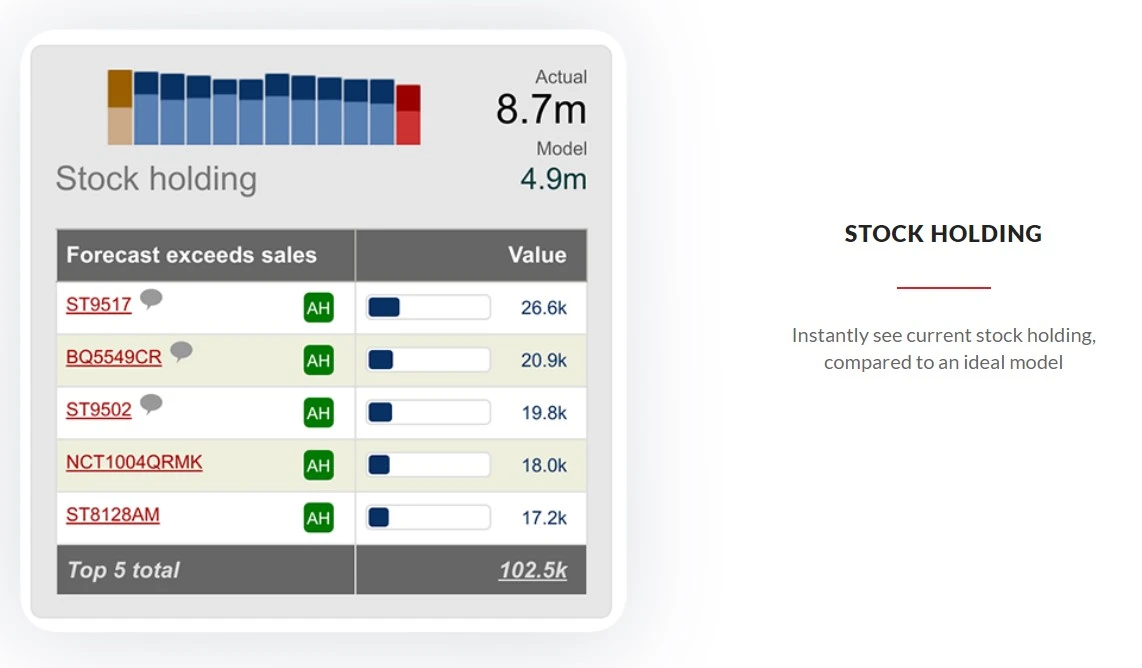
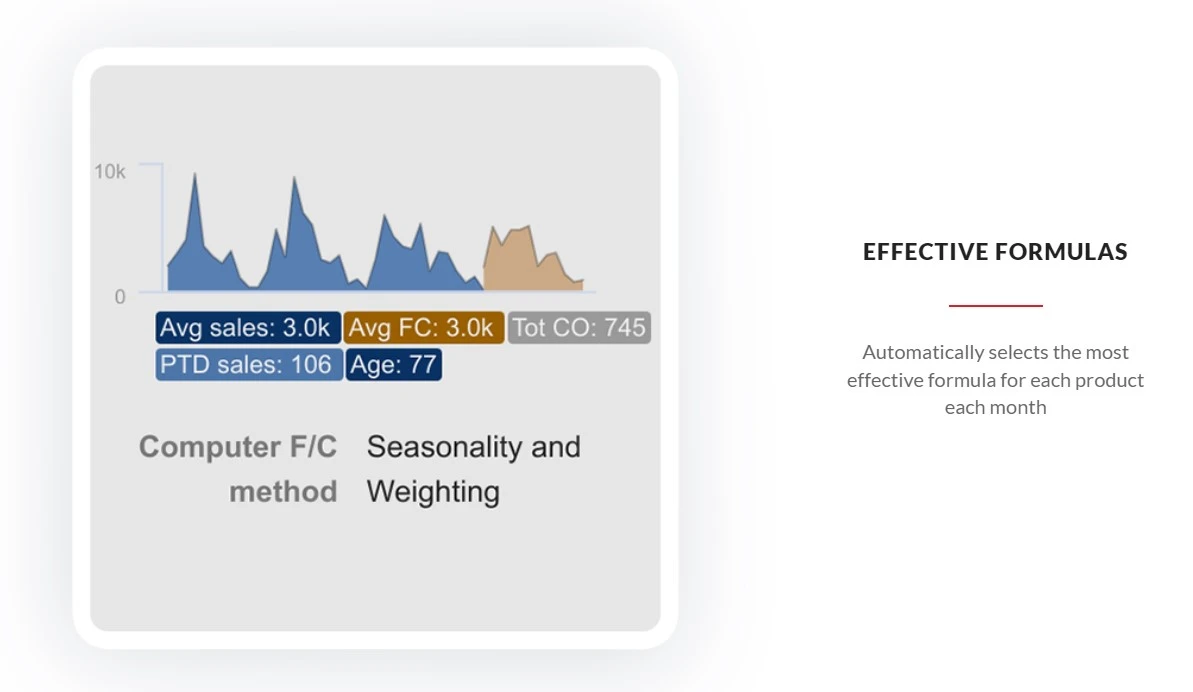
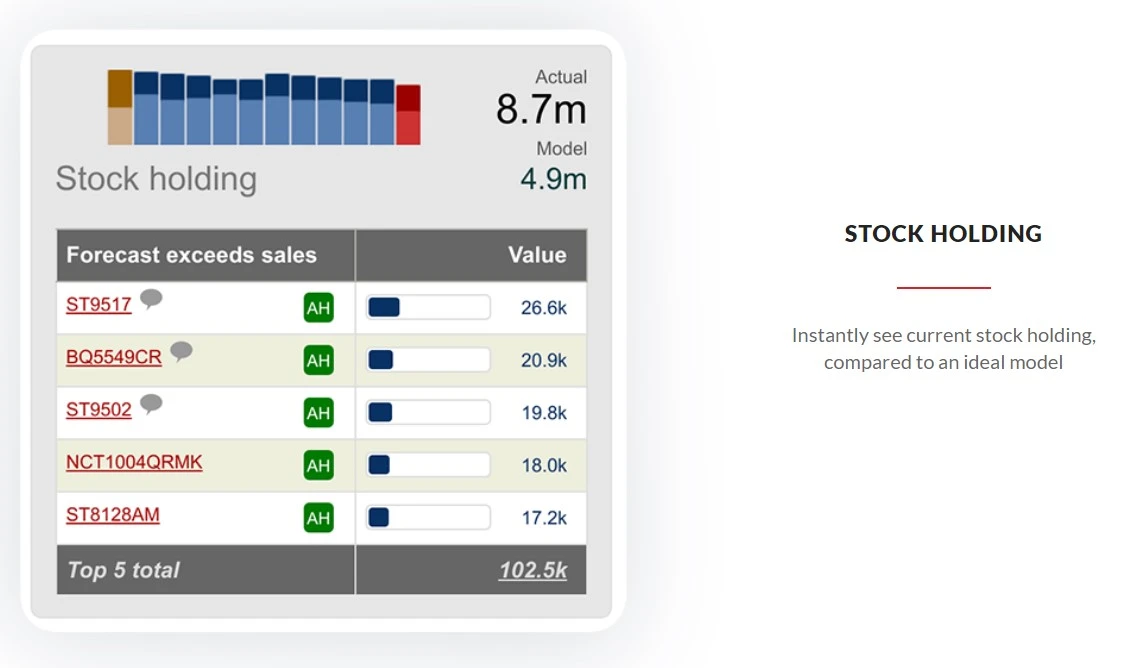
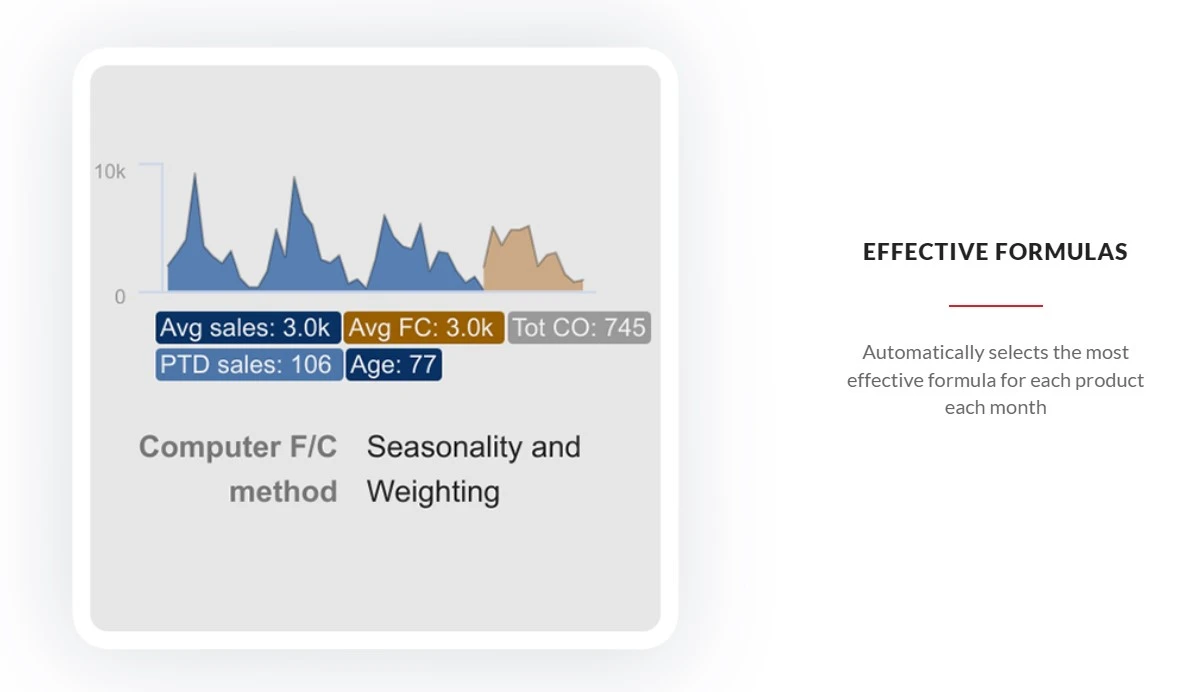
Netstock is an all-in-one Inventory Management Software designed to serve Startups, SMBs, SMEs and Agencies. This Web-Based Inventory Management Software has a simple interface and is easy to use. Netstock Inventory Management Software provides end-to-end solutions for all businesses and industries. Netstock Inventory Management Software helps with Dashboard,Inventory Forecasting,Item classificat...
See MoreHave you used Netstock before?
Share your insights for better experience
Brand: NETSTOCK
Founded Year: 2009
Netstock is a vision of delivering cloud-based inventory optimization solutions to small and medium sized businesses around the world.
Looking for The Right Pricing?
Share your requirements and get a plan built around your business.
Price Available on Request
Get personalised Netstock pricing that fits your needs. Our team will connect with you.
 Supplier performance monitoring ERP Integration Automatic stock classification Scenario planning Multi-location optimization Excess stock redistribution Custom Reporting Extended lead time planning Bill Of Materials (BOM) Monitor forecast performance Demand Forecasting Automated reordering Inventory Tracking Reporting & Analytics


Watch the demo video to explore key features, real workflows, and how the software fits your business needs.
 Windows
 Desktop
 Mobile
 Cloud-Based
Small Business
Designed for startups and growing businesses
Medium Business
Built for business growth and flexibility
Enterprises
Designed for complex and large-scale business needs
4.4
Out of 5

Overall Rating
Based on
6 Verified Ratings
Rating Breakdown
91% Recommend this Product
Add ReviewTechjockey Trusted Reviews from Verified Users
No reviews are currently available for Netstock. Discover similar Inventory Management Software reviews

Fishbowl Inventory
Whats great - Fishbowl has improved our inventory visibility and management. read more

Arka Inventory
Whats great - It is very help full for business accounting and we are very very satisfied with performance and continues support from the t... read more

Unicommerce Inventory Management
Whats great - Software is Ok but not satisfied with customer support. read more

Netstock
Price On Request
Desktop
Mobile
Web based
On Premises
Windows
Mac OS

Finale Inventory
Price On Request
Desktop
Mobile
Web based
On Premises
Windows
Mac OS
Arka Inventory
Price On Request
Desktop
Mobile
Web based
On Premises
Windows
Mac OS

HandiFox
Price On Request
Desktop
Mobile
Web based
On Premises
Windows
Mac OS

Katana Cloud Inventory
Price On Request
Desktop
Mobile
Web based
On Premises
Windows
Mac OS

Megaventory
Price On Request
Desktop
Mobile
Web based
On Premises
Windows
Mac OS

Zoho Inventory
Price On Request
Desktop
Mobile
Web based
On Premises
Windows
Mac OS

Cin7
Price On Request
Desktop
Mobile
Web based
On Premises
Windows
Mac OS

SkuVault Core
Price On Request
Desktop
Mobile
Web based
On Premises
Windows
Mac OS
Unicommerce Inventory Management
Price On Request
Desktop
Mobile
Web based
On Premises
Windows
Mac OS

Wasp InventoryCloud
Price On Request
Desktop
Mobile
Web based
On Premises
Windows
Mac OS
(2) Product(s) selected
Starting Price:
$49.00 /Month
Starting Price:
$1,197.00 /Quarter
Starting Price:
$150.00 /Month
Starting Price:
$349.00 /Month
Available
Price on Request

Starting Price:
$349.00 /Month

Starting Price:
$229.00 /Month
Available
Price on Request

Starting Price:
$410.00 /Month

Starting Price:
$50.00 /Month

Starting Price:
$49.00 /Month
Netstock Inventory Management Software is compatible with Windows operating systems.
Netstock Inventory Management Software app is not available.
Netstock Inventory Management Software supports Web-Based.
Netstock Inventory Management Software is typically used in All Industries.
Netstock demo is available for free with Techjockey.com. Please request a call back.
Netstock Inventory Management Software offers a free trial. However, the premium plan with advanced features available at Techjockey.com.
For Netstock installation, insert the given CD/USB flash storage in your system and open the Setup Wizard to get started. The web-based version can be accessed directly through Netstock portal.
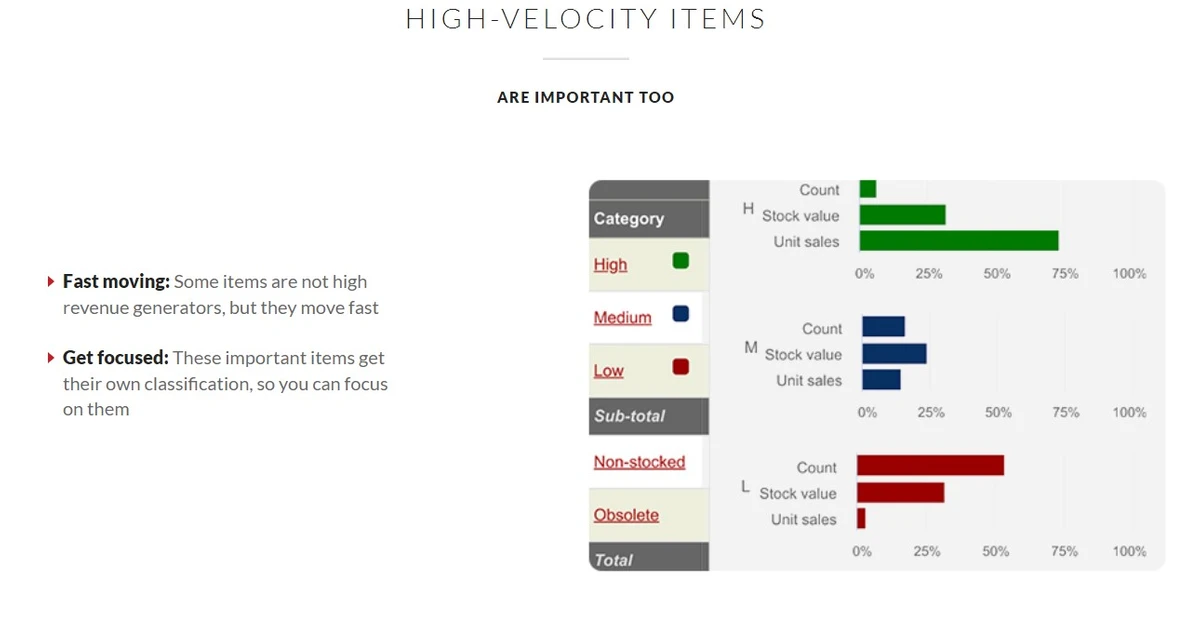
Netstock Inventory Management Software helps with Dashboard,Inventory Forecasting,Item classification (size and color. It's a complete solution for and price),Ordering and Receiving,Manufacturing and Distribution.
Netstock regular updates are available free of cost. There are no hidden software update charges.
Netstock Inventory Management Software used for Dashboard,Inventory Forecasting,Item classification (size and color.
You can directly visit Netstock portal and get in touch with Netstock customer support for any software-related query.
Please contact our product experts to get Netstock lifetime deal with exclusive offers.
The pricing details for Netstock are available upon request at TechJockey.com.
Terms and Condtions

Users with registered businesses can purchase goods from merchants on the platform to satisfy their business needs. Users are not permitted to utilize any products acquired through the platform for resale, advertising, business, or further distribution.
For each purchase made, users will receive a Tax Invoice (or 'GST invoice') that includes specific details such as:
the GSTIN of the user associated with their registered business, and
the specified Entity Name for their business.
It should be noted that not all products are eligible for GST Invoice. Only the products displayed by participating sellers with the 'GST-based Invoice Available' callout on the product description page would qualify.
Certain goods and services are not eligible to get a GST Invoice, including items with VAS, i.e., Value Added Services (e.g., Total Mobile Protection/Assured Buyback) and those involving an exchange offer at the time of purchase.
Users must ensure the accuracy of the GSTIN, and business entity name provided for the GST Invoice. Requests for corrections into GST Invoice would not be accommodated by Techjockey.com or any Seller, and any issues arising from user-provided information are the sole responsibility of users.
Techjockey.com is not liable for the GST Invoice or any associated input tax credit. To efficiently claim an input tax credit, users should select the registered place of business address as per the GST authority's data and follow the provisions of the GST Act and rules.
To claim an input tax credit, the delivery and billing addresses must match. Furthermore, input tax credits will not be granted if the delivery address and GSTIN on the invoice are from different states. In case of incorrect GST details provided during the order placement, the order will be canceled automatically.
 20,000+ Software Listed
 Unbiased Comparison
 Read Authentic Reviews
 500,000+ Monthly Users