
linkedin
Zoho Forms logo
play Convert form submissions into professional PDF documents with Zoho Forms
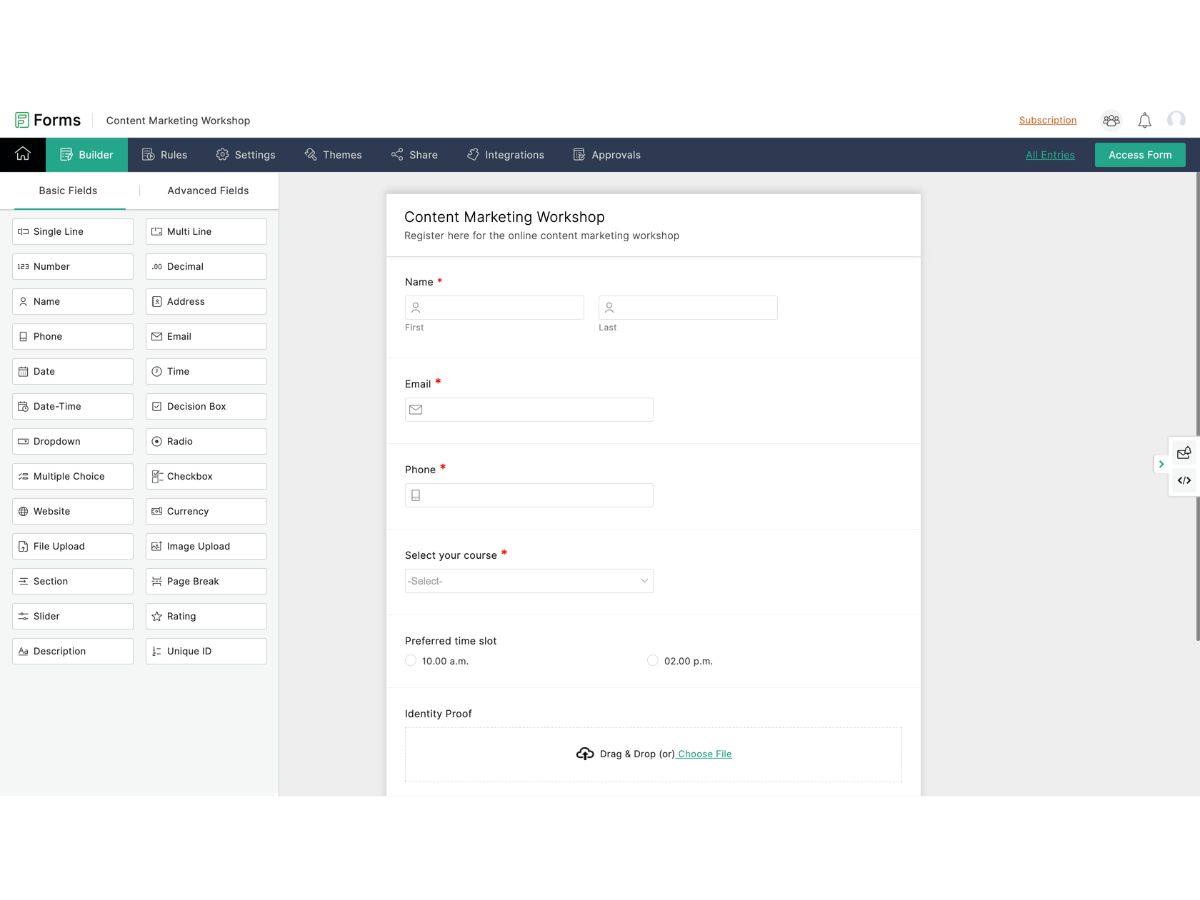
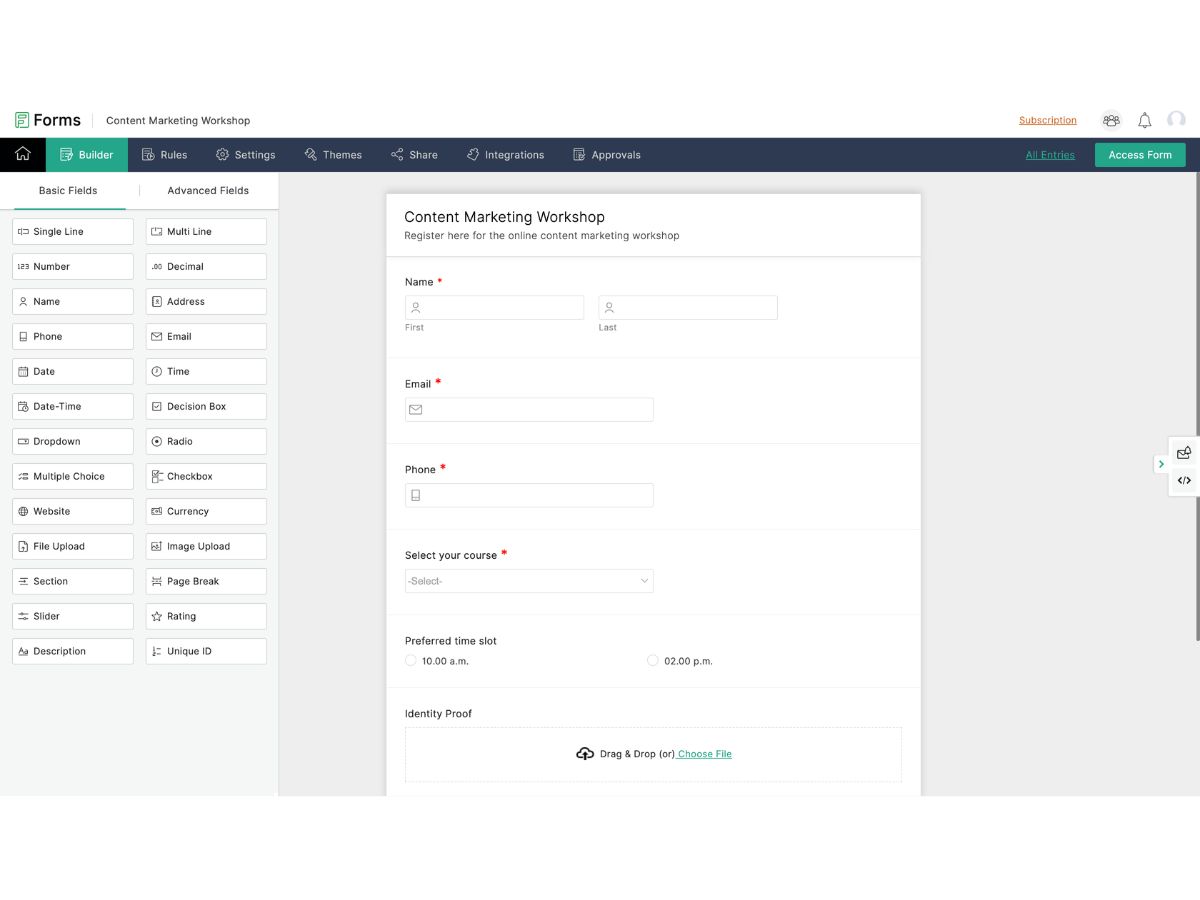
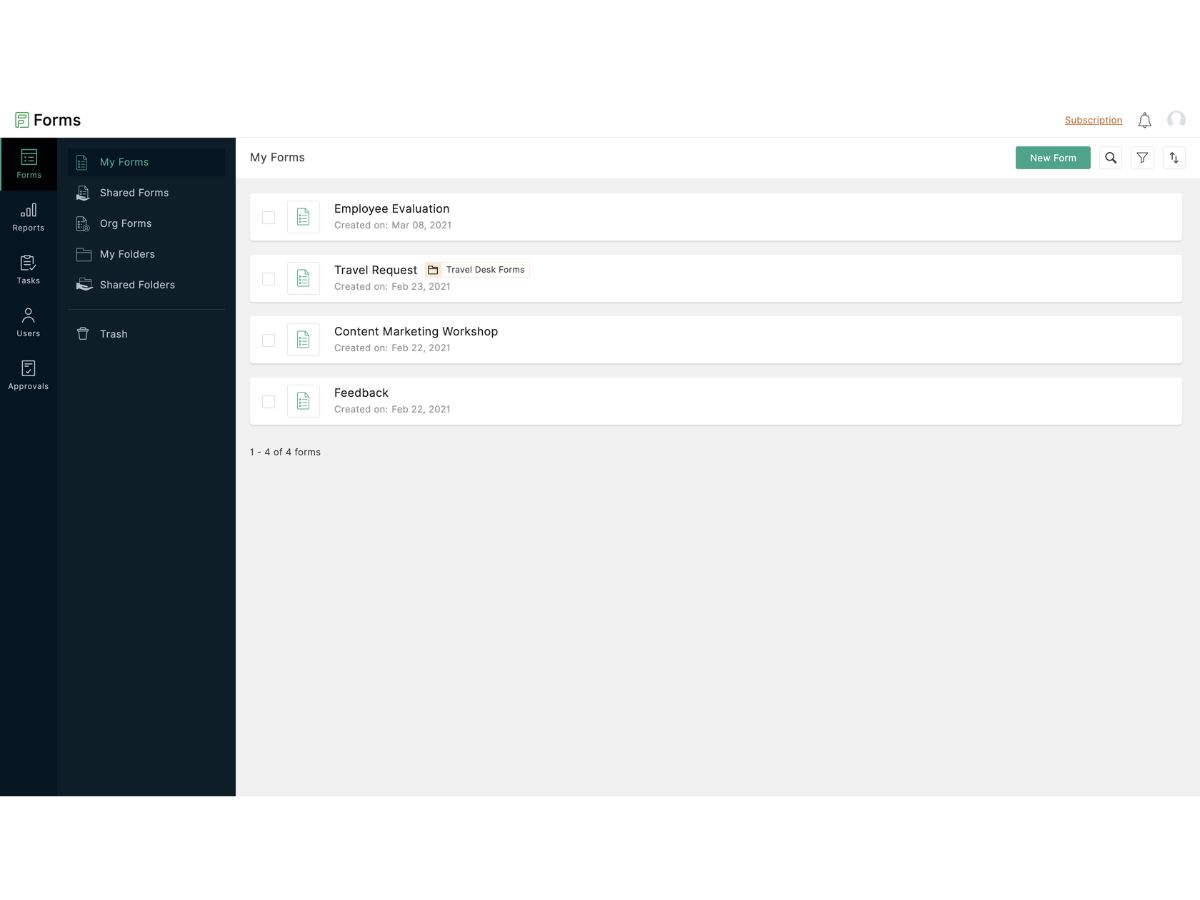
Zoho Forms-builder
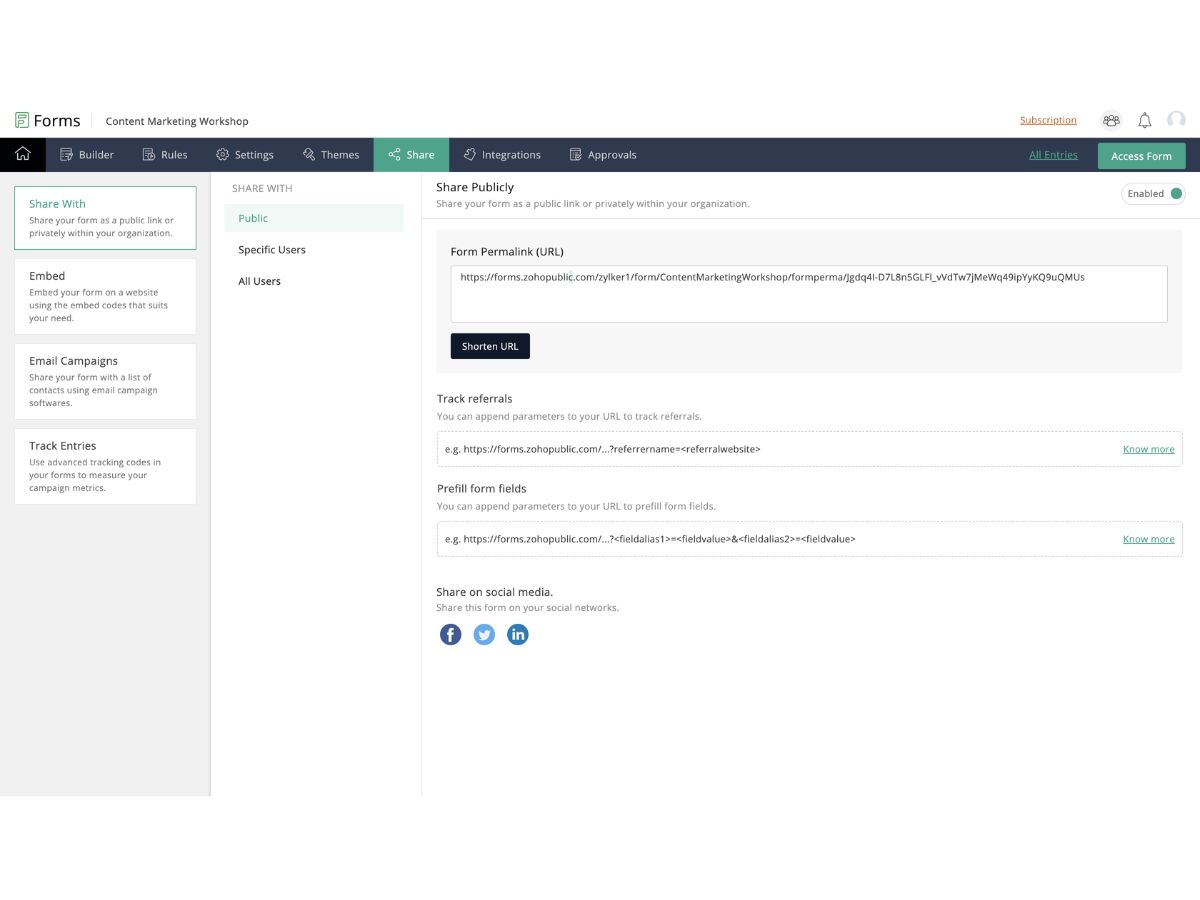
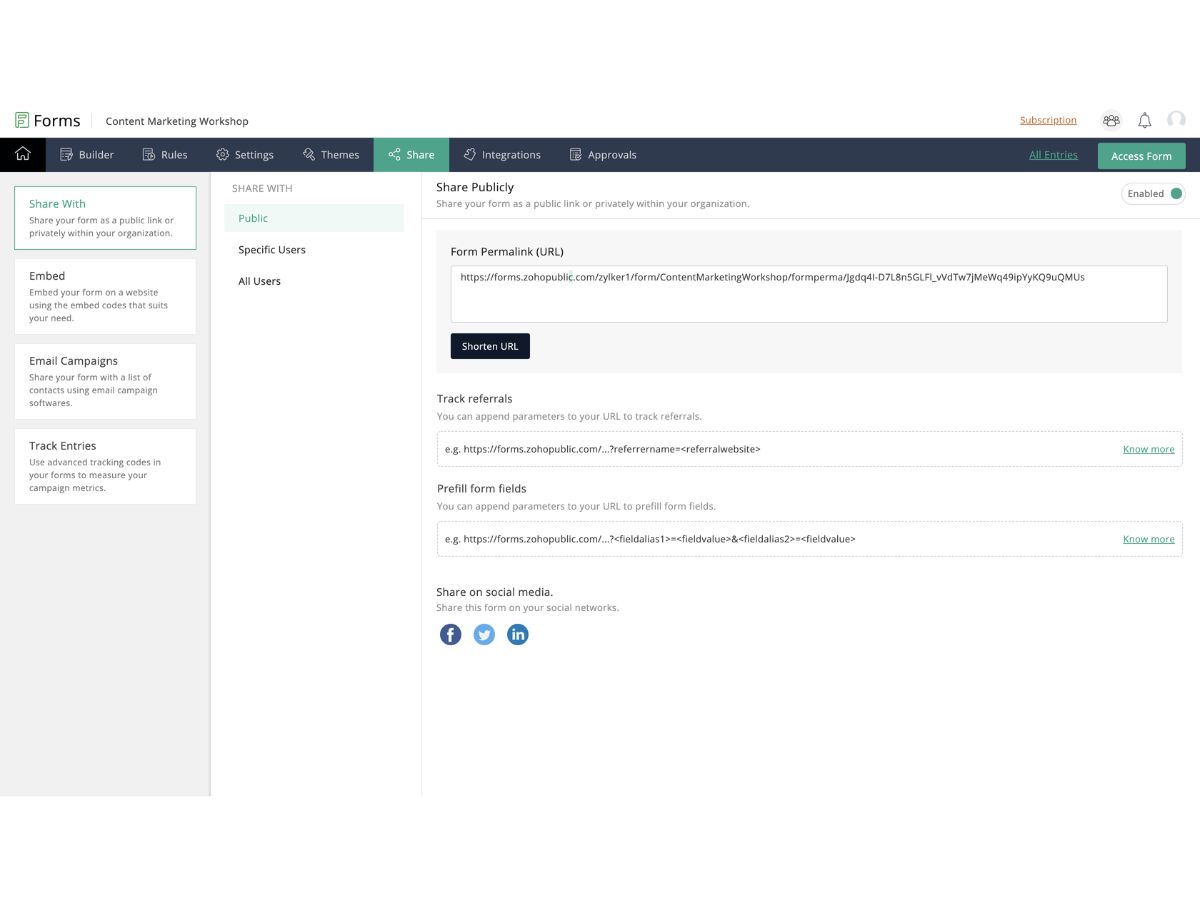
Zoho Forms-sharing options

Zoho Forms

Brand: Zoho Corporation

  • 4.4

  • 3 Ratings

Have you used Zoho Forms before?

Share your insights for better experience

Add a Review
Starting Price
AED44

View plans

100% Genuine
Products
Best Price
Guaranteed
Safe & Secure
Payment
  • Description

  • Pricing

  • Features

  • Specification

  • Review

Starting at AED44.00

Zoho Forms Software Overview

Zoho Corporation Company Details

Founded Year:  1996

Zoho Corporation, is an Indian multinational company that specialises in software development, cloud computing, and web-based business tools. It is best known for Zoho Office suite.

Director/Founders Sridhar Vembu / Tony Thomas
Company Size 1000+ Employees

Zoho Forms Pricing & Plans

Basic
Starting at AED44
    • Licenses

      Licenses
      Licenses
    • Monthly

      Monthly
      Monthly

Key Features

  • 1 User

  • Unlimited Forms

  • Unlimited Form Views

  • 10,000 Submissions/month

  • 500 MB File Storage

  • Payment Gateway Integrations

  • Branding & Custom Form Themes

Standard
Starting at AED110
    • Licenses

      Licenses
      Licenses
    • Monthly

      Monthly
      Monthly

Key Features

  • 10 User

  • Unlimited Forms

  • Unlimited Form Views

  • 25,000 Submissions/month

  • 2 GB File Storage

  • Payment Gateway Integrations

  • Branding & Custom Form Themes

Professional
Starting at AED219
    • Licenses

      Licenses
      Licenses
    • Monthly

      Monthly
      Monthly

Key Features

  • 25 User

  • Unlimited Forms

  • Unlimited Form Views

  • 75,000 Submissions/month

  • 5 GB File Storage

  • Payment Gateway Integrations

  • Branding & Custom Form Themes

Premium
Starting at AED402
    • Licenses

      Licenses
      Licenses
    • Monthly

      Monthly
      Monthly

Key Features

  • 100 User

  • Unlimited Forms

  • Unlimited Form Views

  • 150,000 Submissions/month

  • 10 GB File Storage

  • Payment Gateway Integrations

  • Branding & Custom Form Themes

Zoho Forms Features

  • icon_check Drag-and-Drop Builder
    Create custom online forms easily using a visual drag-and-drop interface without any coding knowledge.
  • icon_check Custom Branding
    Personalize forms with your logo, themes, and colors to maintain consistent brand identity across all submissions.
  • icon_check Conditional Logic & Calculations
    Display or hide questions dynamically based on user responses to create intelligent, adaptive forms.
  • icon_check Templates
    Access a wide range of ready-made templates for different industries and use cases to save design time.
  • icon_check Offline Data Collection
    Collect form responses without internet connectivity using the Zoho Forms mobile app in offline mode.
  • icon_check Mobile App Support
    Build, share, and manage forms on the go with Android and iOS mobile apps for field data collection.
  • icon_check Email & Link Sharing
    Share forms instantly via email invitations, social media links, or QR codes for easy accessibility.
  • icon_check Website Embedding
    Embed forms seamlessly on websites or blogs using iframe or script options for direct data collection.
  • icon_check Advanced Analytics
    Track form performance with submission stats, conversion metrics, and response analytics dashboards.
  • icon_check Approval Workflows
    Automate multi-level approval processes by routing form submissions to designated reviewers.
  • icon_check Data Security & Compliance
    Protect form data using SSL encryption, CAPTCHA, and compliance with GDPR, HIPAA, and CCPA standards.
  • icon_check Payment Integration
    Accept payments securely through integrated gateways like Razorpay, PayPal, and Stripe within forms.
  • icon_check Alerts & Notifications
    Receive instant email or SMS notifications for new submissions and trigger auto-responses to users.
  • icon_check Integrations & APIs
    Connect seamlessly with Zoho apps, Google Workspace, CRM, or third-party tools via Zapier and APIs.
  • icon_check Reporting & Exporting
    Generate custom reports and export submission data in CSV, Excel, or PDF format for analysis.
Zoho Forms Demo Video play icon

Get Zoho Forms Demo

Watch the demo video to explore key features, real workflows, and how the software fits your business needs.

Understand
Key Features
Personal
Demo Insights
Interactive
Demo Support

Zoho Forms Specifications

Supported Platforms
Windows Windows iOS iOS Android Android MacOS MacOS
Devices
Desktop Desktop Mobile Mobile
Deployment
Cloud-Based Cloud-Based
Suitable For
All Industries
Business Specific
All Businesses
Business Size
Small Business Medium Business Enterprises
Customer Support
Email Communities
Language
English
Training Resources
Videos

Zoho Forms Review

4.4

Out of 5

img

Overall Rating

Based on
3 Verified Ratings

Rating Breakdown

  • Features 4.6
  • Value for Money 4.6
  • Ease of Use 4.1
  • Customer Support 4.5

80% Recommend this Product

Add Review

Techjockey Trusted Reviews from Verified Users

No reviews are currently available for Zoho Forms. Discover similar Survey Software reviews

  • SurveySparrow

    4.3

    Whats great - Perfectly planned front and back end. Exceptionally simple to set up a study, send it by means of email by their administrati... read more

  • Zoho Survey

    4.8

    Whats great - Zoho Survey is really clear to utilize in the event that you know about making studies. Some overviews can get very intricate... read more

  • Typeform

    4.2

    Whats great - i was looking for decent software for some time but this form management software made my work easy and saves lots of time read more

Terms and Condtions

close

Users with registered businesses can purchase goods from merchants on the platform to satisfy their business needs. Users are not permitted to utilize any products acquired through the platform for resale, advertising, business, or further distribution.

For each purchase made, users will receive a Tax Invoice (or 'GST invoice') that includes specific details such as:

  • the GSTIN of the user associated with their registered business, and

  • the specified Entity Name for their business.

It should be noted that not all products are eligible for GST Invoice. Only the products displayed by participating sellers with the 'GST-based Invoice Available' callout on the product description page would qualify.

Certain goods and services are not eligible to get a GST Invoice, including items with VAS, i.e., Value Added Services (e.g., Total Mobile Protection/Assured Buyback) and those involving an exchange offer at the time of purchase.

Users must ensure the accuracy of the GSTIN, and business entity name provided for the GST Invoice. Requests for corrections into GST Invoice would not be accommodated by Techjockey.com or any Seller, and any issues arising from user-provided information are the sole responsibility of users.

Techjockey.com is not liable for the GST Invoice or any associated input tax credit. To efficiently claim an input tax credit, users should select the registered place of business address as per the GST authority's data and follow the provisions of the GST Act and rules.

To claim an input tax credit, the delivery and billing addresses must match. Furthermore, input tax credits will not be granted if the delivery address and GSTIN on the invoice are from different states. In case of incorrect GST details provided during the order placement, the order will be canceled automatically.

20,000+ Software Listed 20,000+ Software Listed

Best Price Guaranteed Unbiased Comparison

Free Expert Consultation Read Authentic Reviews

2M+ Happy Customers 500,000+ Monthly Users