linkedin
Zoho FSM logo
play Introducing Zoho FSM
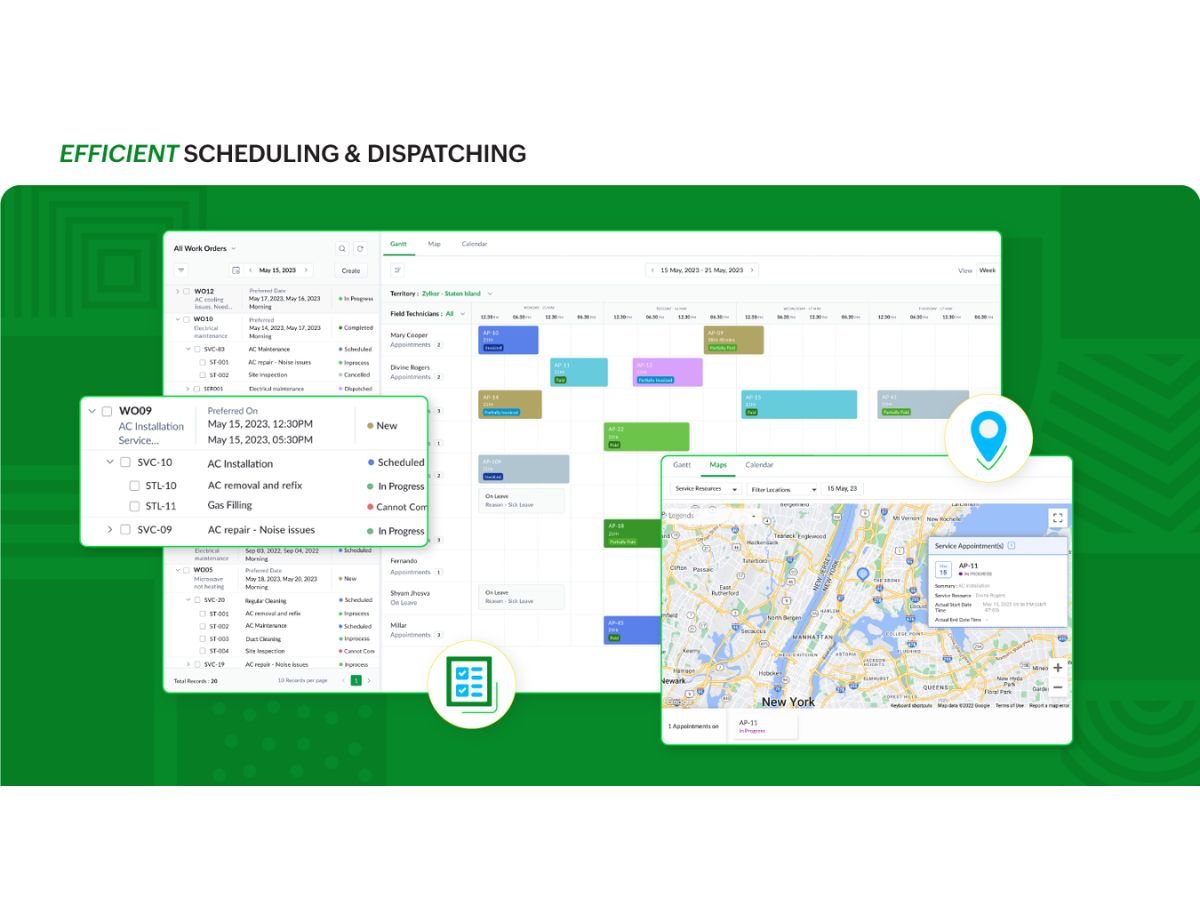
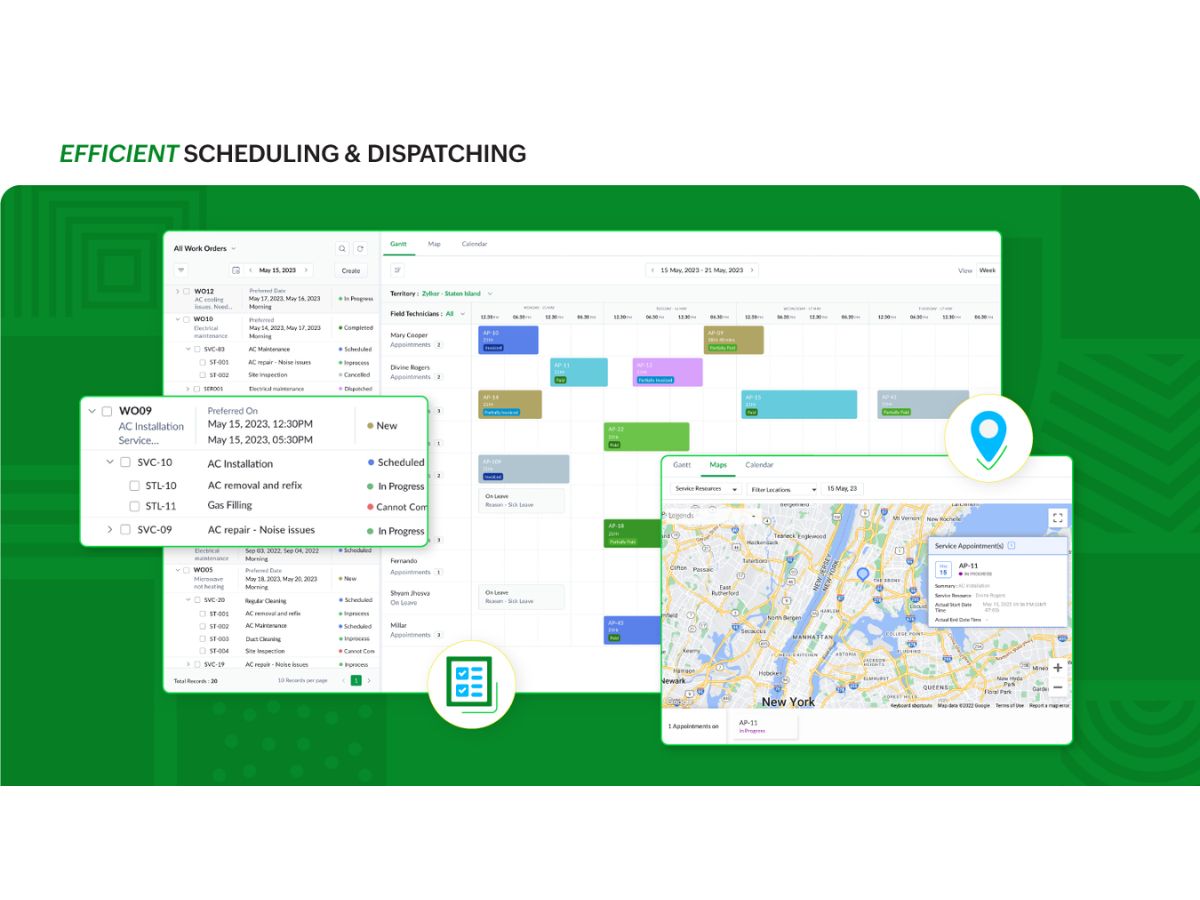
Zoho FSM-dispatching
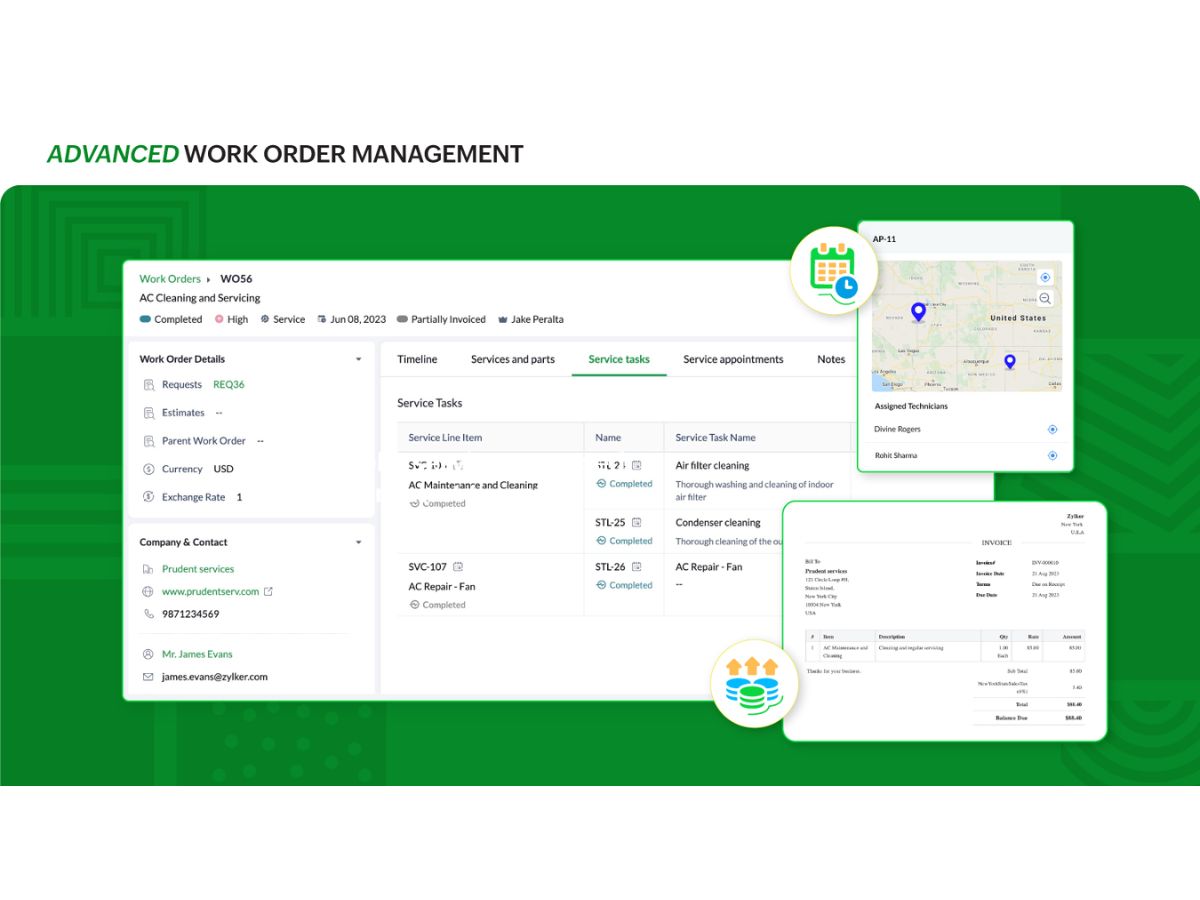
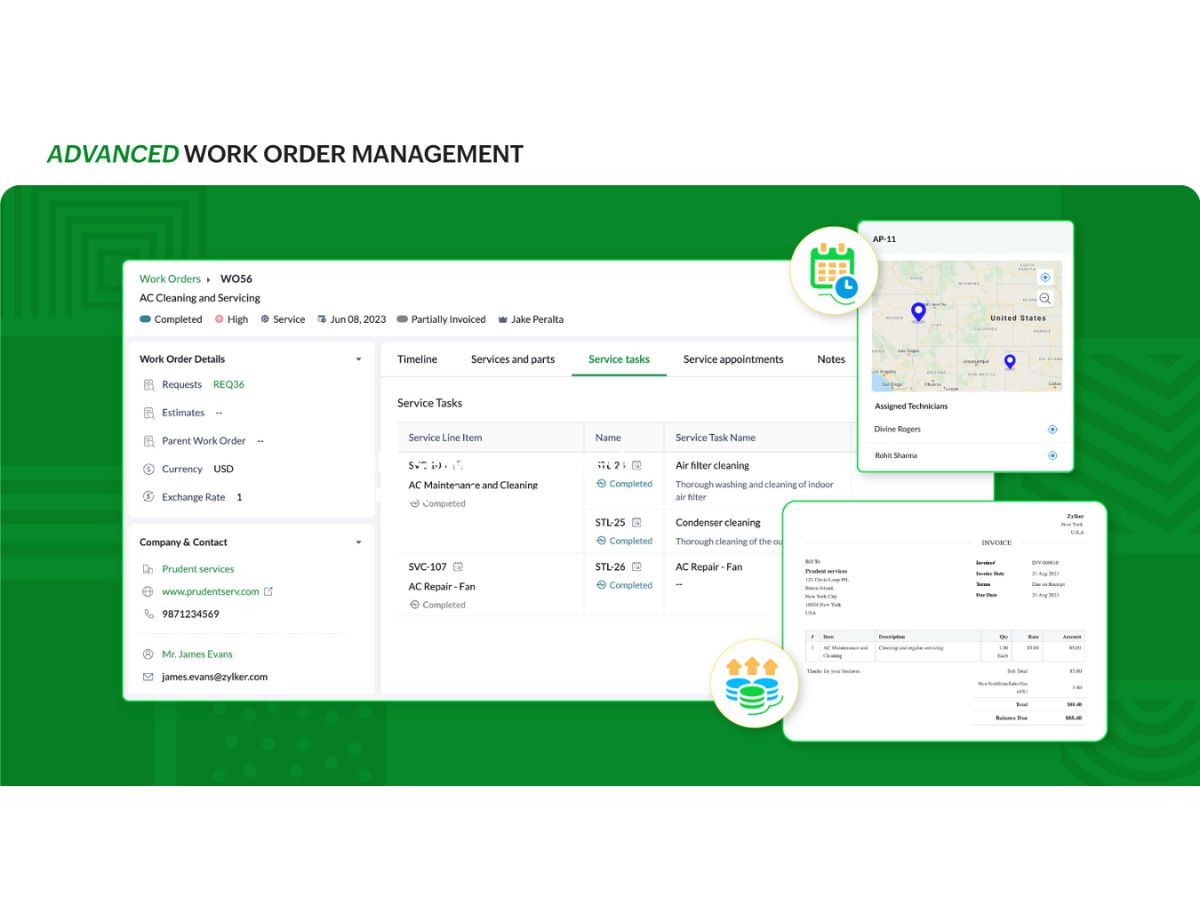
Zoho FSM-work order

Zoho FSM

Brand: Zoho Corporation

  • 4.2

  • 5 Ratings

Have you used Zoho FSM before?

Share your insights for better experience

Add a Review
Starting Price
AED110

View plans

100% Genuine
Products
Best Price
Guaranteed
Safe & Secure
Payment
  • Description

  • Pricing

  • Features

  • Specification

  • Review

Starting at AED109.50

Zoho FSM Software Overview

Zoho Corporation Company Details

Founded Year:  1996

Zoho Corporation, is an Indian multinational company that specialises in software development, cloud computing, and web-based business tools. It is best known for Zoho Office suite.

Director/Founders Sridhar Vembu / Tony Thomas
Company Size 1000+ Employees

Zoho FSM Pricing & Plans

Standard
Starting at AED109.5
    • Licenses

      Licenses
      Licenses
    • Monthly

      Monthly
      Monthly

Key Features

  • Webforms

  • Multiple Currencies

  • Service Task

  • Maps and Location Tracking

  • Trips

  • Custom Profiles

  • Custom Views

Professional
Starting at AED164.25
    • Licenses

      Licenses
      Licenses
    • Monthly

      Monthly
      Monthly

Key Features

  • Multi Day Appointments

  • Grid View

  • Record Templates

  • Mass Update

  • Job Sheets

  • Asset Management

  • Maintenance Plans

Zoho FSM Features

  • icon_check Work Order Management
    Create, assign, and track service work orders efficiently from request intake to job completion.
  • icon_check Scheduling & Dispatch
    Visually schedule and dispatch technicians using calendar, grid, or map views for optimal resource use.
  • icon_check Customer Management
    Store and access complete customer profiles, service histories, and contact information instantly.
  • icon_check Asset Management
    Track, maintain, and service customer assets with detailed equipment history and maintenance logs.
  • icon_check Job Costing
    Automatically calculate labor, travel, and material costs for accurate project billing and profitability.
  • icon_check Quotes/Estimates
    Generate detailed service estimates or quotations and convert them directly into approved work orders.
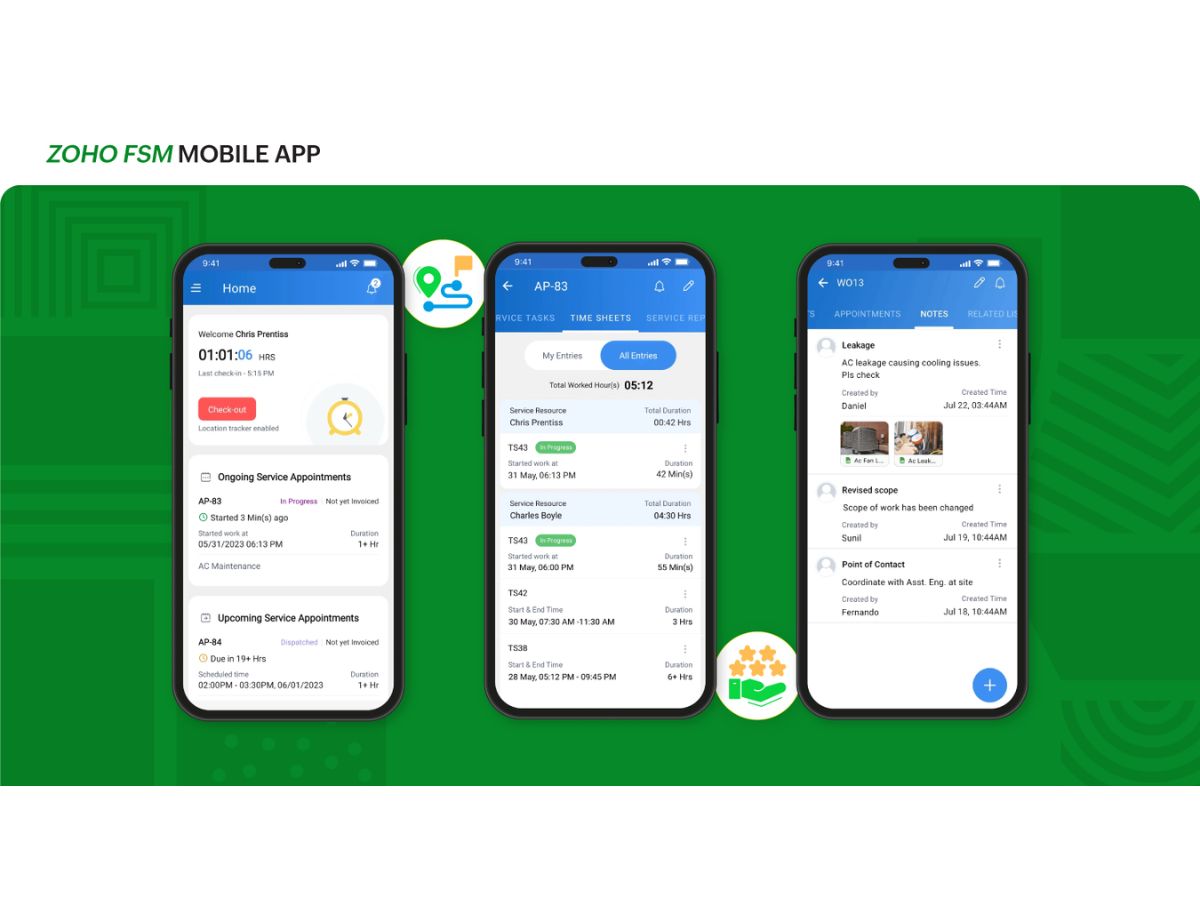
  • icon_check Mobile Field App
    Empower technicians with mobile access to jobs, navigation, time tracking, notes, and customer signatures.
  • icon_check Inventory Management
    Monitor spare parts, stock levels, and warehouse transfers to ensure field teams have required materials.
  • icon_check Invoicing & Payments
    Create invoices from completed jobs, integrate with Zoho Books, and accept online or offline payments.
  • icon_check Service Contracts
    Manage recurring maintenance schedules, SLAs, and contract renewals for long-term service agreements.
  • icon_check Timesheet Tracking
    Record technician work hours and travel time automatically to streamline payroll and job costing.
  • icon_check Route Optimization
    Suggest shortest travel routes to job sites, minimizing travel time and improving productivity.
  • icon_check Reports & Analytics
    Generate insights on team performance, revenue, customer trends, and service efficiency in dashboards.
  • icon_check Custom Workflows
    Automate routine tasks with custom workflows, triggers, and approval rules tailored to business needs.
  • icon_check Integrations & APIs
    Connect seamlessly with Zoho CRM, Books, Desk, or external systems via built-in APIs and extensions.
Zoho FSM Demo Video play icon

Get Zoho FSM Demo

Watch the demo video to explore key features, real workflows, and how the software fits your business needs.

Understand
Key Features
Personal
Demo Insights
Interactive
Demo Support

Zoho FSM Specifications

Supported Platforms
Windows Windows iOS iOS Android Android MacOS MacOS
Devices
Desktop Desktop Mobile Mobile Tablet Tablet iPad iPad
Deployment
Cloud-Based Cloud-Based
Suitable For
All Industries
Business Specific
All Businesses
Business Size
Small Business Medium Business Enterprises
Customer Support
Email Communities
Language
English
Integration
API Integration
Training Resources
Videos

Zoho FSM Review

4.2

Out of 5

img

Overall Rating

Based on
5 Verified Ratings

Rating Breakdown

  • Features 4.3
  • Value for Money 4.2
  • Ease of Use 4.5
  • Customer Support 4.1

80% Recommend this Product

Add Review

Techjockey Trusted Reviews from Verified Users

No reviews are currently available for Zoho FSM. Discover similar Field Service Management Software reviews

  • TrackoField

    5.0

    Whats great - Easy to use and greatly improves team productivity and performance. read more

  • Lystloc

    4.4

    Whats great - Easy to track and monitor employee status read more

  • TrackoBit

    4.2

    Whats great - Easy to use tracking software, easy to understand, it has amazing features and compatible with all devices. read more

Terms and Condtions

close

Users with registered businesses can purchase goods from merchants on the platform to satisfy their business needs. Users are not permitted to utilize any products acquired through the platform for resale, advertising, business, or further distribution.

For each purchase made, users will receive a Tax Invoice (or 'GST invoice') that includes specific details such as:

  • the GSTIN of the user associated with their registered business, and

  • the specified Entity Name for their business.

It should be noted that not all products are eligible for GST Invoice. Only the products displayed by participating sellers with the 'GST-based Invoice Available' callout on the product description page would qualify.

Certain goods and services are not eligible to get a GST Invoice, including items with VAS, i.e., Value Added Services (e.g., Total Mobile Protection/Assured Buyback) and those involving an exchange offer at the time of purchase.

Users must ensure the accuracy of the GSTIN, and business entity name provided for the GST Invoice. Requests for corrections into GST Invoice would not be accommodated by Techjockey.com or any Seller, and any issues arising from user-provided information are the sole responsibility of users.

Techjockey.com is not liable for the GST Invoice or any associated input tax credit. To efficiently claim an input tax credit, users should select the registered place of business address as per the GST authority's data and follow the provisions of the GST Act and rules.

To claim an input tax credit, the delivery and billing addresses must match. Furthermore, input tax credits will not be granted if the delivery address and GSTIN on the invoice are from different states. In case of incorrect GST details provided during the order placement, the order will be canceled automatically.

20,000+ Software Listed 20,000+ Software Listed

Best Price Guaranteed Unbiased Comparison

Free Expert Consultation Read Authentic Reviews

2M+ Happy Customers 500,000+ Monthly Users