Description
Pricing
Features
Specification
Review
FAQs
Alternatives


 View Gallery
Brand: Zoho Corporation
ManageEngine OS Deployer is a solution that automates the task of disk imaging and OS deployment for offices. With a few clicks, IT departments can acquire the disk image of various operating system versions and reconfigure it according to their requirements. The OS monitoring software allows users to deploy OS images across multiple computers in the network spontaneously. This OS deployment software enables IT admins with the first-rate OS deployer and imaging...Read more

Get Free Expert Consultation
Let us know your business needs clearly

Verified & Trusted
Vendors

Safe & Secure
Payment

Personalized
Experts Support
Price On Request
Features
 Disk Imaging OS Image Creation Online Imaging Partition Imaging Image Compression
 See all 
We make it happen! Get your hands on the best solution based on your needs.


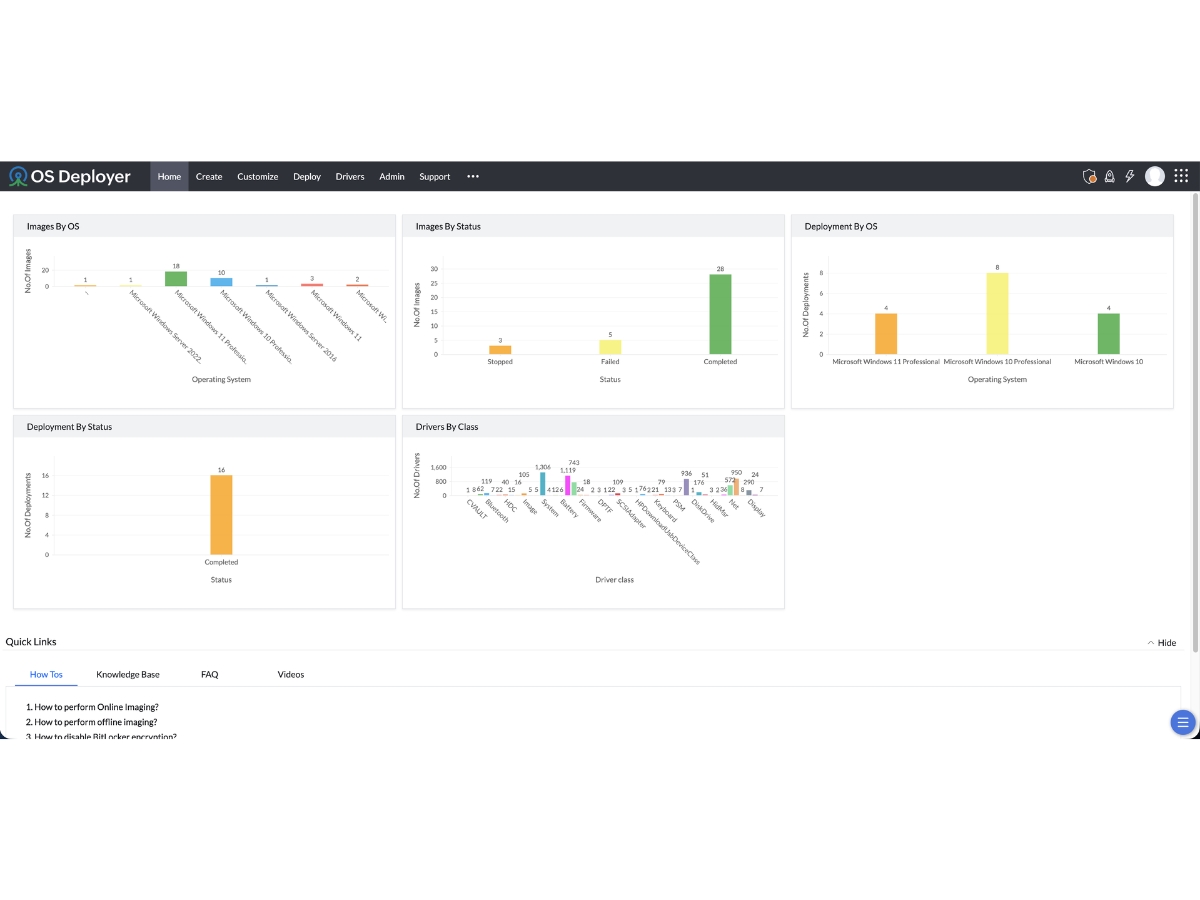
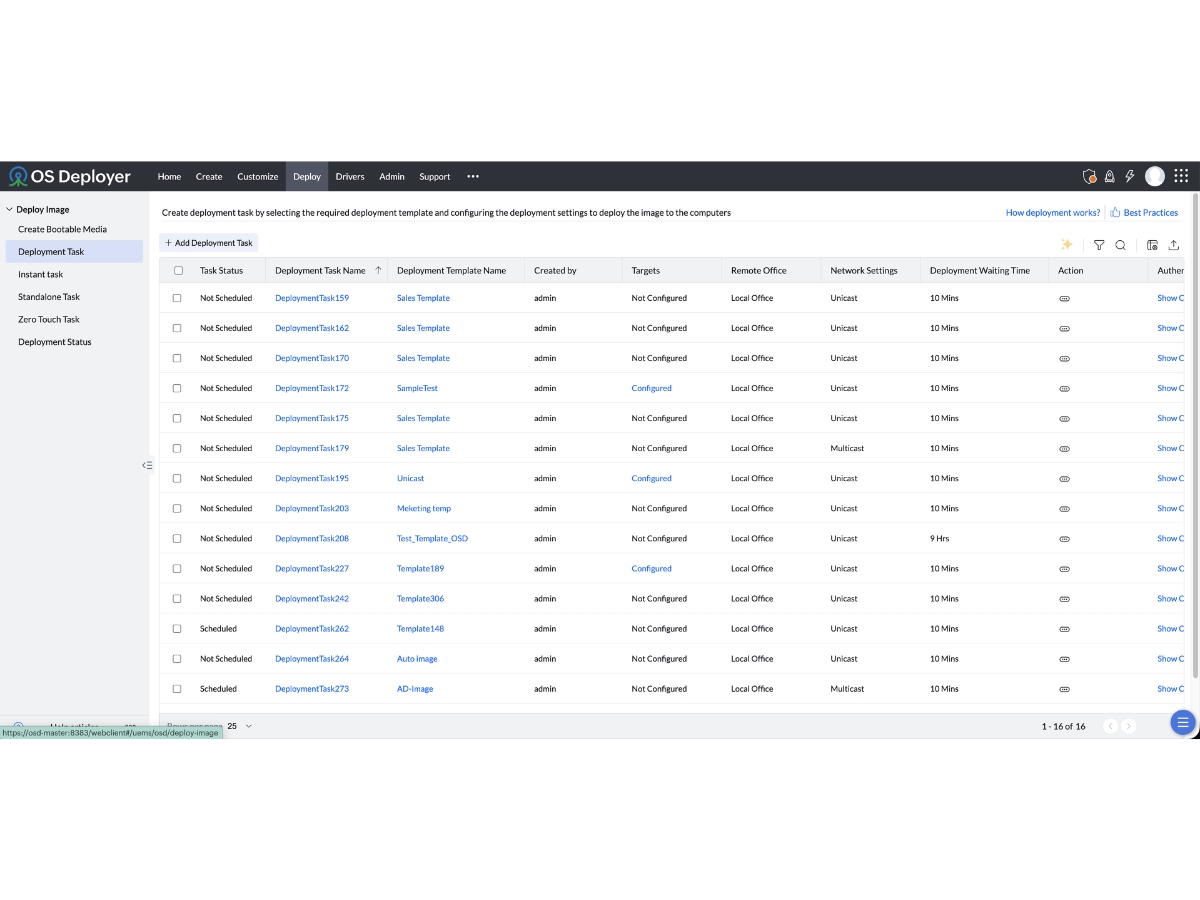
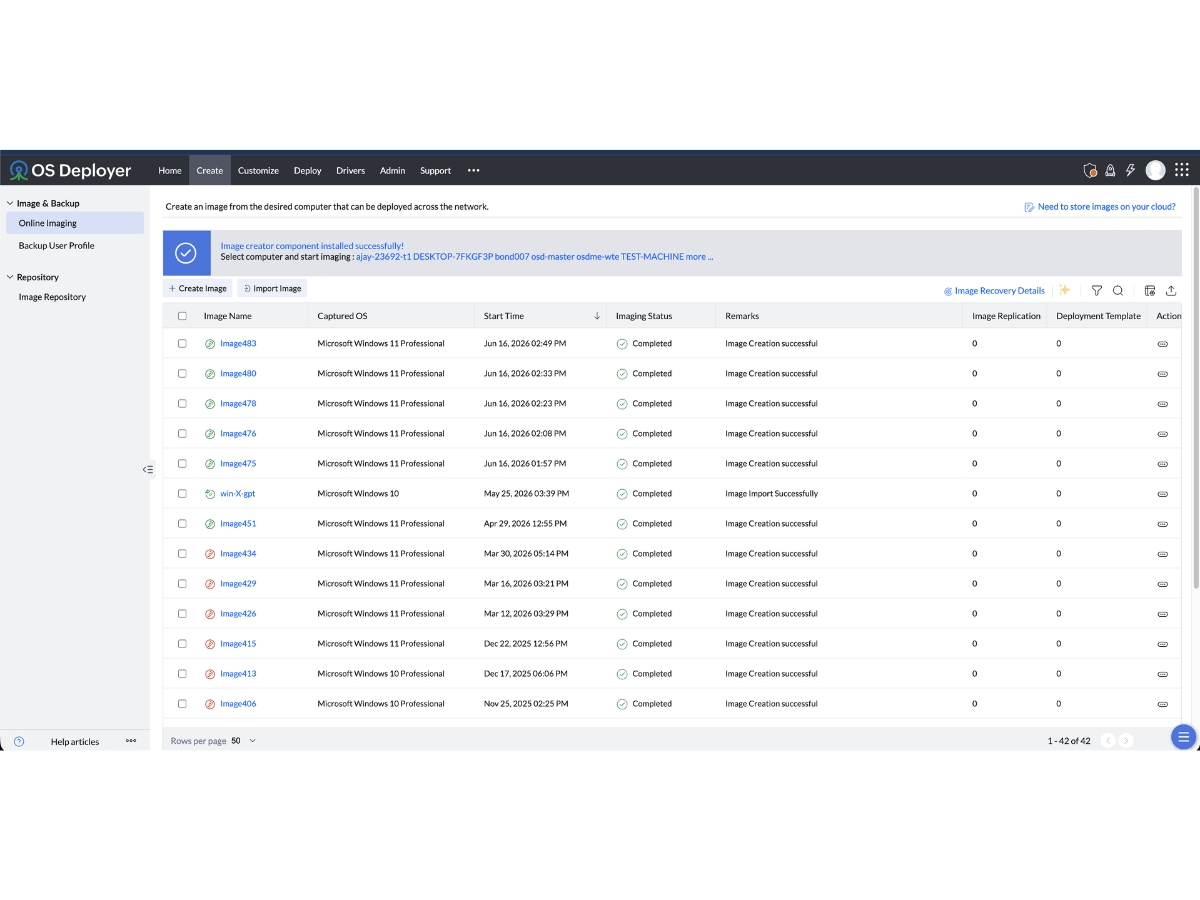
 Disk Imaging Creates complete disk or partition images containing operating systems, installed applications, files and system configurations. OS Image Creation Captures a configured operating system image for consistent deployment across multiple computers in an organization. Online Imaging Captures disk images from running computers without requiring a reboot, helping minimize disruption to user activities. Partition Imaging Creates images of individual partitions, multiple partitions or entire disks according to organizational imaging requirements. Image Compression Compresses disk images to reduce storage requirements and make image transfer more efficient across supported networks. Multicast Deployment Deploys operating system images to multiple computers simultaneously, helping reduce network bandwidth usage during large Centralized Image Management Manages operating system images and deployment activities through a central console for consistent administration across devices. Bootable Media Support Supports deployment through bootable USB, ISO and PXE options to initiate operating system installation on target computers. Templates Defines reusable deployment settings, target computers, images and post-deployment actions for standardized device provisioning. User Profile Migration Transfers supported user accounts, documents, settings and permissions to preserve user-specific information during OS migration. Standalone Deployment Enables operating system deployment on supported computers using standalone media, including devices outside the corporate Remote Deployment Deploys operating system images to supported remote offices and work-from-home computers without requiring onsite IT assistance. Automated Driver Management Collects, organizes and injects compatible drivers during imaging and deployment to reduce manual driver installation work.
 | Brand Name | Zoho Corporation |
| Information | Zoho Corporation, is an Indian multinational company that specialises in software development, cloud computing, and web-based business tools. It is best known for Zoho Office suite. |
| Founded Year | 1996 |
| Director/Founders | Sridhar Vembu / Tony Thomas |
| Company Size | 1000+ Employees |
| Other Products | Zoho CRM, Zoho People, Zoho Invoice, Zoho Books, Zoho Projects |

 20,000+ Software Listed
 Unbiased Comparison
 Read Authentic Reviews
 500,000+ Monthly Users
 USA
USA India
India