linkedin
Pexip logo
play Pexip Secure Meetings

Pexip

Brand: Pexip

  • 4.2

  • 5 Ratings

Pexip is a versatile video conferencing platform facilitating seamless collaboration across different devices, allowing users to join meetings effortlessly. It's designed for flexibility and compatibility in diverse communication scenarios.

See More

Have you used Pexip before?

Share your insights for better experience

Add a Review

Price Available on Request

Questions about pricing or customization? We’re here to help, just a click away.

100% Genuine
Products
Best Price
Guaranteed
Safe & Secure
Payment
  • Description

  • Pricing

  • Features

  • Specification

  • Review

  • Compare

  • Alternatives

  • FAQ

Pexip Software Overview

What is Pexip?

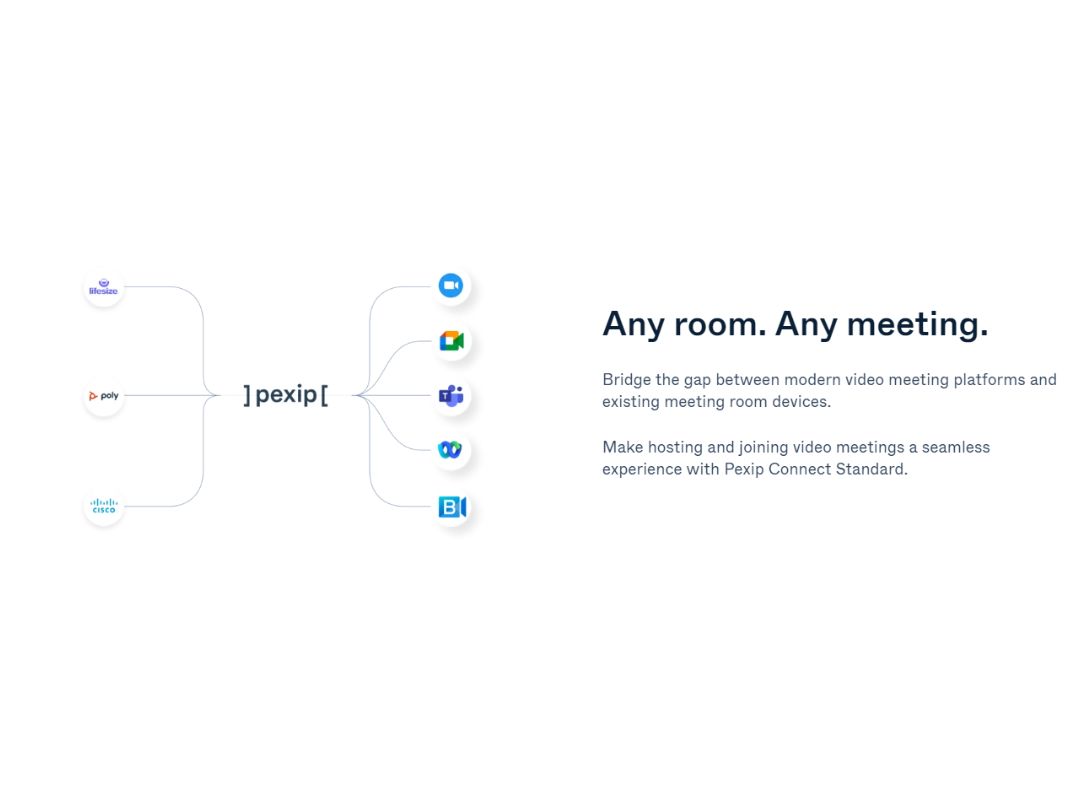
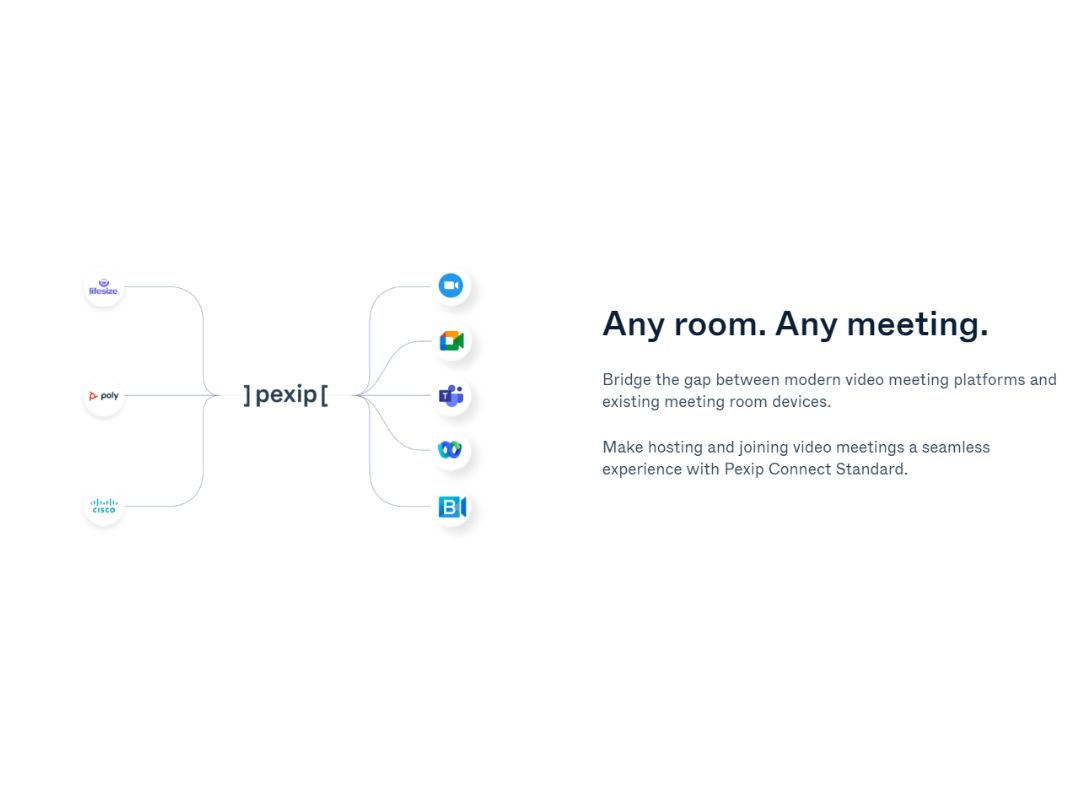
Pexip is a video conferencing software for video conferencing and collaboration, facilitating smooth communication across diverse devices and platforms. It provides a flexible and scalable solution, allowing users to participate in meetings from any location. Pexip prioritizes interoperability, enabling seamless integration with other video conferencing systems.

With a user-friendly approach, it includes features such as screen sharing, chat, and high-quality video. This collaboration software serves a wide range of communication needs, from everyday virtual meetings to large-scale webinars, promoting efficient and engaging collaboration. Pexip's adaptability makes it an ideal choice for organizations seeking a robust video communication solution.

Why Choose Pexip Video Conferencing Software?

  • Versatility: Enables seamless communication across devices and platforms, meeting diverse collaboration needs.
  • Flexibility: Provides a scalable solution, allowing users to join meetings from anywhere for enhanced accessibility.
  • Interoperability: Emphasizes integration with other video conferencing systems, ensuring compatibility with existing tools.
  • User-Friendly Features: Prioritizes user-friendly experiences with features like screen sharing, chat, and high-quality video.
  • Diverse Communication Needs: Caters to various communication requirements, from everyday meetings to large-scale webinars.
  • Adaptability: Suits organizations seeking a robust, adaptable video communication solution for evolving requirements.

Functionalities of Pexip Video Conferencing Software

  • Dynamic Meeting Sizes: Accommodates varying meeting sizes for enhanced flexibility.
  • Flexible Deployment: Supports on-premises, cloud-based, or hybrid setups based on organizational preferences.
  • Virtual Meeting Rooms: Enables users to create dedicated spaces for ongoing collaboration.
  • Adaptive Bandwidth Management: Features adaptive bandwidth management for a smooth video conferencing experience in varying network conditions.
  • Recording and Playback: Allows recording for future reference and playback, facilitating review and sharing of important discussions.
  • Intuitive User Interface: Boasts an intuitive interface for easy participant navigation and engagement in virtual meetings.

Benefits of Pexip Video Conferencing Software

  • Enhanced Collaboration: Facilitates seamless communication for improved collaboration across diverse platforms.
  • Global Accessibility: Enables users to join meetings from anywhere, extending accessibility globally.
  • Cost Savings: Contributes to cost savings by eliminating the need for travel and associated expenses.
  • Compatibility: Ensures compatibility with various systems, supporting a range of collaboration tools.
  • User Satisfaction: Prioritizes user-friendly features, enhancing satisfaction with intuitive interfaces and high-quality video.
  • Adaptive Communication: Adapts to diverse communication needs, accommodating varying meeting sizes and requirements for versatile usage.

Pricing of Pexip

Pexip price details are available on request at techjockey.

The pricing model is based on different parameters, including extra features, deployment type, and the total number of users. For further queries related to the product, you can contact our product team and learn more about the pricing and offers.

Read more

Pexip Company Details

Founded Year:  2012

Pexip is a video technology company that powers trusted connections between people and technology.

Director/Founders Giles Chamberlin, Simen Teigre, Tom-Erik Lia
Company Size 101-500 Employees

Pexip Pricing & Plans

Looking for The Right Pricing?

Share your requirements and get a plan built around your business.

  • Define your business needs
  • Get customised pricing
  • Choose features that fit your workflow

Price Available on Request

Get personalised Pexip pricing that fits your needs. Our team will connect with you.

Pexip Features

  • icon_check Basic Cloud Video Interop (CVI)
    Offers basic Cloud Video Interop for integration with cloud services and enhanced collaboration.
  • icon_check One-Touch Join
    Facilitates one-touch join functionality, simplifying the process for users to join virtual meetings quickly.
  • icon_check Exchange calendar integration
    Integrates with Exchange calendars, streamlining scheduling and improving calendar-based meeting organization.
  • icon_check B2B calling
    Enables business-to-business calling for seamless communication between organizations.
  • icon_check Firewall traversal
    Ensures capabilities for secure communication across network barriers.
  • icon_check Phonebook & directory integration
    Integrates phonebooks and directories to streamline contact management.
  • icon_check Registration & provisioning
    Supports processes for registration and provisioning, ensuring a smooth onboarding experience.
  • icon_check Teams notifications
    Provides notifications for real-time updates and communication within Microsoft Teams environments.
  • icon_check Dual-screen endpoint support
    Accommodates users with dual-screen endpoint setups for advanced display configurations.
  • icon_check Secure collaboration
    Emphasizes measures to secure collaboration and protect sensitive information shared during meetings.
Pexip Demo Video play icon

Get Pexip Demo

Watch the demo video to explore key features, real workflows, and how the software fits your business needs.

Understand
Key Features
Personal
Demo Insights
Interactive
Demo Support

Pexip Specifications

Supported Platforms
Ubuntu Ubuntu Windows Windows iOS iOS Android Android MacOS MacOS Linux Linux
Devices
Desktop Desktop Mobile Mobile Tablet Tablet iPad iPad
Deployment
Cloud-Based Cloud-Based Perpetual Perpetual

Suitable For
All Industries
Business Specific
All Businesses
Business Size
Small Business Startups Medium Business Enterprises
Customer Support
Email Communities Forums
Language
Nederlands English français 日本人
Integration
API Integration
Training Resources
Live Online Webinars Documentation Videos
AI Features
AI Integrated

Explore the Best Alternative Solutions Similar to Your Business Size and Needs

Pexip Review

4.2

Out of 5

img

Overall Rating

Based on
5 Verified Ratings

Rating Breakdown

  • Features 4.3
  • Value for Money 4.1
  • Ease of Use 4.1
  • Customer Support 4.5

88% Recommend this Product

Add Review

Be the First to Review

This product has no reviews yet. Be the first to leave your feedback.

Add Review

Compare Pexip With other Video Conferencing Software

Products
Ratings
Pricing
Device Supported
Deployment
Supported Platforms
  • img

    Pexip

  • 4.2

  • Price On Request

  • Desktop

    Mobile

  • Web based

    On Premises

  • Windows

    Mac OS

  • img

    Tencent RTC

  • 4.0

  • Price On Request

  • Desktop

    Mobile

  • Web based

    On Premises

  • Windows

    Mac OS

  • img

    Shindig

  • 4.5

  • Price On Request

  • Desktop

    Mobile

  • Web based

    On Premises

  • Windows

    Mac OS

  • img

    Vidyo

  • 4.4

  • Price On Request

  • Desktop

    Mobile

  • Web based

    On Premises

  • Windows

    Mac OS

  • img

    Evercast

  • 4.6

  • Price On Request

  • Desktop

    Mobile

  • Web based

    On Premises

  • Windows

    Mac OS

  • img

    Google Meet

  • 4.3

  • Price On Request

  • Desktop

    Mobile

  • Web based

    On Premises

  • Windows

    Mac OS

  • img

    iMind

  • 4.4

  • Price On Request

  • Desktop

    Mobile

  • Web based

    On Premises

  • Windows

    Mac OS

  • img

    Interactio

  • 4.5

  • Price On Request

  • Desktop

    Mobile

  • Web based

    On Premises

  • Windows

    Mac OS

  • img

    VideoMeet

  • 4.5

  • Price On Request

  • Desktop

    Mobile

  • Web based

    On Premises

  • Windows

    Mac OS

  • img

    Jitsi

  • 4.4

  • Price On Request

  • Desktop

    Mobile

  • Web based

    On Premises

  • Windows

    Mac OS

  • img

    Whereby

  • 4.6

  • Price On Request

  • Desktop

    Mobile

  • Web based

    On Premises

  • Windows

    Mac OS

(2) Product(s) selected

Pexip Alternatives

See All Pexip Alternatives

Starting Price:

$99.00 /Month

Starting Price:

$125.00 /Month

Available

Price on Request

Starting Price:

$29.00 /Month

Starting Price:

$14.50 /License/Month

Available

Price on Request

Available

Price on Request

Starting Price:

$99.00 /Month

Which operating system does Pexip Video Conferencing Software Support?

Pexip Video Conferencing Software is compatible with Ubuntu, Windows, iOS, Android, MacOS and Linux.

Is there any Pexip Video Conferencing Software App?

Yes, Pexip Video Conferencing Software app is available for Android and iOS app users.

What is the deployment type of Pexip Video Conferencing Software?

Pexip Video Conferencing Software supports web-based deployment.

How much does Pexip Video Conferencing Software Cost?

Pexip price details are available on request at techjockey.com.

Who are the potential users of Pexip Video Conferencing Software?

Pexip Video Conferencing Software is typically used in all industries for video conferencing.

Is there any free trial or demo for Pexip Video Conferencing Software?

Yes, Pexip Video Conferencing Software free demo is available at techjockey.com.

Is Pexip Video Conferencing Software Free?

Pexip Video Conferencing Software offers a free trial. However, the premium plan with advanced features is available at techjockey.com with exciting deals.

How can you download Pexip Video Conferencing Software?

Pexip Video Conferencing Software installation is not required, as it is web-based. Just open the Setup Wizard to get started.

How does Pexip Video Conferencing Software Work?

Pexip works by providing a versatile video conferencing platform that enables seamless communication across devices, supports dynamic meeting sizes, and ensures secure collaboration through features like firewall traversal and encryption.

Terms and Condtions

close

Users with registered businesses can purchase goods from merchants on the platform to satisfy their business needs. Users are not permitted to utilize any products acquired through the platform for resale, advertising, business, or further distribution.

For each purchase made, users will receive a Tax Invoice (or 'GST invoice') that includes specific details such as:

  • the GSTIN of the user associated with their registered business, and

  • the specified Entity Name for their business.

It should be noted that not all products are eligible for GST Invoice. Only the products displayed by participating sellers with the 'GST-based Invoice Available' callout on the product description page would qualify.

Certain goods and services are not eligible to get a GST Invoice, including items with VAS, i.e., Value Added Services (e.g., Total Mobile Protection/Assured Buyback) and those involving an exchange offer at the time of purchase.

Users must ensure the accuracy of the GSTIN, and business entity name provided for the GST Invoice. Requests for corrections into GST Invoice would not be accommodated by Techjockey.com or any Seller, and any issues arising from user-provided information are the sole responsibility of users.

Techjockey.com is not liable for the GST Invoice or any associated input tax credit. To efficiently claim an input tax credit, users should select the registered place of business address as per the GST authority's data and follow the provisions of the GST Act and rules.

To claim an input tax credit, the delivery and billing addresses must match. Furthermore, input tax credits will not be granted if the delivery address and GSTIN on the invoice are from different states. In case of incorrect GST details provided during the order placement, the order will be canceled automatically.

20,000+ Software Listed 20,000+ Software Listed

Best Price Guaranteed Unbiased Comparison

Free Expert Consultation Read Authentic Reviews

2M+ Happy Customers 500,000+ Monthly Users