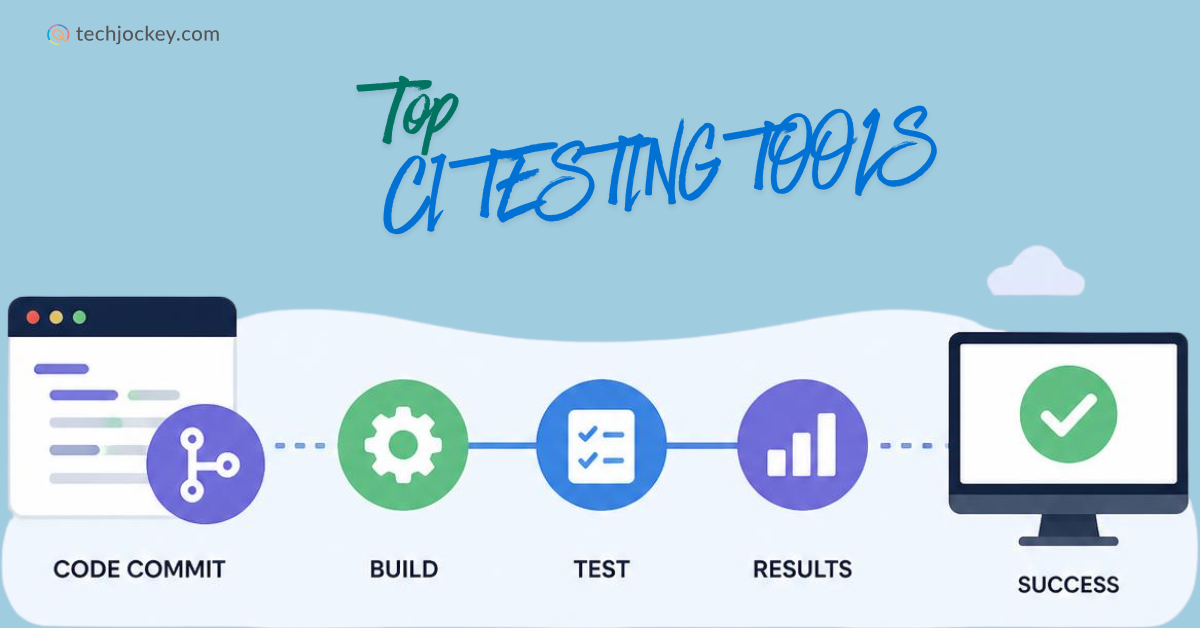
Building and releasing software on time is important and so is ensuring it works as intended. For even a little code change can make things susceptible to bugs that affect performance and as its direct consequence, the overall user experience.
This is exactly why many DevOps teams today deploy CI testing tools, short for continuous integration testing tools, to automatically test code throughout the development process. This CI/CD test automation helps teams identify issues early, reduce manual effort, and maintain code quality as projects grow.
With so many options available, however, finding the right tool can be challenging. Let’s explore some of the leading ones to better facilitate your CI/CD pipeline testing and software delivery needs.
What are CI Testing Tools?
CI testing tools are testing automation software solutions that automatically verify code changes as part of the development process. Whenever developers commit new code, these tools run predefined tests to detect bugs, errors, and compatibility issues early, helping teams maintain code quality and prevent problems from reaching production.
By providing fast feedback, continuous integration testing tools enable developers to identify and fix issues before they become larger challenges. This leads to a significant reduction in manual efforts and faster software delivery.
Side-by-Side Comparison of CI/CD Test Automation Solutions in 2026
Here’s a side-by-side comparison of the top CI/CD test automation tools and their key capabilities.
CI/CD Test Automation Tool
Best For
Key Strength
Jenkins
Large teams needing extensive customization
Huge plugin ecosystem and flexible automation workflows
Harness
Enterprises focused on automation and efficiency
AI-driven CI/CD optimization with cloud-native deployment
Azure DevOps
Organizations using the Microsoft ecosystem
End-to-end development, testing, and deployment workflows
GitHub Actions
Teams building and deploying directly from GitHub
Native GitHub integration with easy workflow automation
GitLab CI/CD
Teams wanting source control and CI/CD in one platform
Single application for development, security, and software delivery
AWS CodePipeline
Businesses running applications on AWS
Seamless integration with AWS services and automated deployments
CircleCI
Development teams prioritizing speed and scalability
Fast build execution with powerful parallel testing capabilities
7 Best CI/CD Testing Tools for DevOps in 2026
Here are some of the best CI/CD tools that you can rely on to build, test, and release software with greater speed and confidence…
1. Jenkins
Jenkins is one of the most widely used CI testing tools for automating software builds, testing, and deployments. As an open-source platform, it offers thousands of plugins that allow teams to customize workflows based on their needs.
Jenkins supports a wide range of testing frameworks and integrates with many development tools, making it a popular choice for organizations implementing CI/CD test automation and continuous integration practices.
Key Features of Jenkins:
Provides open-source CI/CD automation for building, testing, and deployment workflows
Supports Pipeline as Code using Jenkinsfiles
Enables continuous integration and continuous delivery automation
Offers distributed builds through agent nodes
Supports automated testing across multiple environments
Integrates with Git, GitHub, GitLab, Bitbucket, Subversion, and other SCM tools
Provides over 2,000 plugins for extending functionality
Supports Docker-based build and deployment workflows
Enables automated build, test, and deployment pipelines
Offers reusable shared libraries for pipeline standardization
Supports integration with Kubernetes, cloud platforms, and DevOps tools through plugins
User interface feels dated compared to newer CI/CD tools
Plugin management can increase maintenance effort
Requires infrastructure management and updates
Large deployments may need dedicated administration
Jenkins Pricing & Plans: Jenkins is a free and open-source CI/CD platform.
2. Harness
Harness is an AI-powered software delivery platform that helps teams automate testing, deployments, and release management. It simplifies DevOps workflows by reducing manual intervention and optimizing processes through intelligent automation.
As one of the leading CI/CD testing tools, Harness supports scalable development environments and provides advanced features for monitoring, governance, and delivery, helping teams accelerate software releases.
Key Features of Harness:
Provides an AI-powered software delivery platform for DevOps, testing, security, and cloud operations
Supports Continuous Integration (CI) for automated builds and testing
Offers Continuous Delivery and GitOps for automated deployments
Provides Infrastructure as Code (IaC) management with governance controls
Includes Security Testing Orchestration (STO) for shift-left security
Offers Feature Management and Experimentation for controlled releases
Provides Service Reliability Management (SRM) for SLO tracking and change impact analysis
Supports Chaos Engineering through Litmus-powered resilience testing
Includes Artifact Registry for managing container images and artifacts
Provides AI-powered test authoring, self-healing tests, and predictive analytics
Offers cloud cost optimization and engineering efficiency insights
Supports multi-cloud and multi-region deployments
Integrates with Kubernetes, cloud platforms, source control systems, and DevOps tools
Pro and cons of Harness:
Pros
Covers the entire software delivery lifecycle
Strong AI-driven automation capabilities
Modular platform lets teams adopt specific capabilities
Supports enterprise-scale deployments
Rich DevOps, DevSecOps, and FinOps functionality
Strong GitOps and Kubernetes support
Cons
Platform can be complex for smaller teams
Full deployment often requires multiple modules
Pricing can become expensive at enterprise scale
Implementation may require DevOps expertise
Some advanced capabilities are reserved for enterprise plans
Harness Pricing & Plans:
Plan
Price
Free Plan
Free
Essentials Plan
Price on Request
Enterprise Plan
Price on Request
3. Azure DevOps
Azure DevOps is Microsoft’s comprehensive DevOps platform that combines development, testing, project management, and deployment capabilities in one solution. It supports CI/CD automated testing through Azure Pipelines and integrates smoothly with Microsoft products and cloud services.
Teams use Azure DevOps to automate workflows, improve collaboration, and manage the entire software development lifecycle from planning to production deployment.
Key Features of Azure DevOps:
Provides a complete DevOps platform for planning, coding, testing, and deployment
Offers Azure Pipelines for CI/CD across any language, platform, and cloud
Supports automated build, test, and deployment workflows
Provides Azure Repos with unlimited private Git repositories
Offers Azure Boards for sprint planning, backlog management, and Kanban tracking
Includes Azure Test Plans for manual and exploratory testing
Provides Azure Artifacts for package management and sharing
Supports GitHub, GitHub Copilot, and third-party Git integrations
Enables DevSecOps workflows through GitHub Advanced Security for Azure DevOps
Supports parallel builds and deployments on Windows, Linux, and macOS
Provides Managed DevOps Pools for scalable build agents
Integrates with Azure, Kubernetes, Docker, and on-premises environments
Costs can increase with additional users and pipeline capacity
Test management features require higher-priced licenses
Best experience is within the Microsoft ecosystem
Large deployments may require administration and governance planning
Azure DevOps Pricing & Plans:
Plan
Price
Basic Plan
Free for the first 5 users, then USD 6 per user/month
Basic + Test Plans
USD 52 per user/month
4. GitHub Actions
GitHub Actions is a workflow automation platform built directly into GitHub. It allows developers to automate builds, tests, and deployments whenever code changes occur in a repository.
As one of the most popular continuous integration testing tools, GitHub Actions offers prebuilt workflows, easy configuration, and native GitHub integration. It helps teams simplify development processes while supporting efficient CI/CD pipeline testing and software delivery.
Key Features of GitHub Actions:
Provides native CI/CD automation directly within GitHub
Automates build, test, and deployment workflows using event-driven triggers
Supports workflow-as-code using YAML configuration files
Runs workflows on GitHub-hosted or self-hosted runners
Supports Linux, Windows, and macOS build environments
Integrates directly with GitHub repositories, pull requests, and branches
Enables parallel job execution to speed up pipelines
Provides artifact storage and workflow caching
Supports reusable workflows and shared actions
Offers marketplace integrations for deployment, testing, security, and monitoring tools
Supports Docker, Kubernetes, cloud platforms, and custom deployment targets
Integrates with GitHub Copilot code reviews and automation workflows
Pro and cons of GitHub Actions:
Pros
Deep GitHub integration
Easy to set up for GitHub projects
Generous free usage for public repositories
Supports both hosted and self-hosted runners
Large marketplace of reusable actions
Works with nearly any language or framework
Cons
Costs can increase for large private repositories
Complex workflows can become difficult to maintain
Debugging failed pipelines may require extra effort
Heavy macOS workloads can be expensive
Best suited for teams already using GitHub
GitHub Actions Pricing & Plans: GitHub Actions is free for public repositories using standard GitHub-hosted runners. Apart from that, no standalone GitHub Actions subscription is available. Pricing is tied to the GitHub plan and resource consumption.
5. GitLab CI/CD
GitLab CI/CD is a built-in DevOps solution that enables teams to manage source code, testing, security, and deployment from a single platform. It automates testing and delivery pipelines, making it easier to implement CI/CD in software testing.
With built-in collaboration and security features, the software helps organizations improve productivity, maintain code quality, and accelerate software releases without relying on multiple disconnected tools.
Key Features of GitLab CI/CD:
Provides built-in CI/CD within the GitLab platform
Automates code building, testing, and deployment through customizable pipelines
Supports Pipeline as Code using .gitlab-ci.yml configuration files
Offers source code management, CI/CD, and DevOps workflows in one platform
Provides integrated security scanning throughout the development lifecycle
Supports container scanning and software supply chain security
Enables automated deployments and release management
Provides built-in package and artifact management
Supports GitOps and Kubernetes-based workflows
Offers code quality reports and merge request approvals
Integrates with Jira, cloud platforms, containers, and developer tools
Includes GitLab Duo AI and Agent Platform capabilities
Pro and cons of GitLab CI/CD:
Pros
Combines source control and CI/CD in one platform
Strong DevSecOps capabilities
Built-in security and compliance features
Supports cloud and self-managed deployments
Reduces the need for multiple DevOps tools
Scales from individuals to large enterprises
Cons
Can be complex for new users
Advanced security features require higher-tier plans
Compute minute limits apply on hosted plans
Large self-managed deployments require maintenance
Premium capabilities can increase overall costs
GitLab CI/CD Pricing & Plans:
Plan
Price
Free
Free
Premium
USD 29/user/month
Ultimate
Price on Request
6. AWS CodePipeline
AWS CodePipeline is Amazon’s cloud-based service for automating software build, test, and deployment workflows. It integrates smoothly with AWS services, enabling teams to create and manage automated delivery pipelines with minimal setup.
As one of the most renowned CI/CD tools for automation testing, it helps organizations speed up releases, reduce manual effort, and ensure applications move efficiently from development to production.
Key Features of AWS CodePipeline:
Provides fully managed CI/CD pipeline automation
Automates build, test, and deployment workflows whenever code changes occur
Supports continuous delivery for applications and infrastructure updates
Enables visual pipeline creation and management through the AWS Console
Supports V1 and V2 pipeline types for different automation needs
Integrates with AWS CodeBuild, CodeDeploy, CodeConnections, and Amazon S3
Works with GitHub and third-party development tools
Provides pipeline templates through declarative JSON definitions
Supports custom plugins and custom actions
Delivers event notifications through Amazon SNS
Provides role-based access control using AWS IAM
Eliminates server provisioning and infrastructure management for pipeline orchestration
Pro and cons of AWS CodePipeline:
Pros
Fully managed by AWS
Easy integration with AWS services
No infrastructure to maintain
Supports customizable CI/CD workflows
Scales automatically with project needs
Pay-as-you-go pricing model
Cons
Best suited for AWS-centric environments
Advanced workflows may require additional AWS services
Costs can increase with heavy pipeline activity
Debugging complex pipelines can be challenging
Third-party integrations are not as extensive as some open-source alternatives
AWS CodePipeline Pricing & Plans:
Pricing Component
Price
V1 Pipelines
USD 1 per active pipeline/month after the first 30 days
V2 Pipelines
USD 0.002 per action execution minute
Free Tier (V1)
1 free active pipeline per month
Free Tier (V2)
100 free action execution minutes/month
7. Circle CI
CircleCI is a cloud-native continuous integration and delivery platform designed to help teams build, test, and deploy applications faster. It automates repetitive tasks and supports parallel test execution, reducing build times and improving productivity.
The software integrates with popular development platforms and helps teams implement reliable CI/CD test automation while maintaining high software quality.
Key Features of Circle CI:
Provides cloud-based CI/CD automation for software delivery
Supports automated build, test, and deployment pipelines
Offers Pipeline as Code using YAML configuration files
Runs workflows on hosted or self-hosted runners
Supports Docker, Linux, Windows, macOS, Arm, and GPU environments
Enables parallel job execution to reduce build times
Provides reusable configuration components and workflow templates
Integrates with GitHub, GitLab, Bitbucket, and developer tools
Supports artifact storage, caching, and test optimization
Offers self-hosted runners for private infrastructure
Provides insights into pipeline performance and resource usage
Supports enterprise security and compliance requirements
How to Choose the Best CI/CD Testing Tool for Your Project?
There are a few things you should keep in mind when choosing a continuous integration tool for your projects…
Consider your requirements: Size and kind of project, deployment type, and size of your team are some of the important factors to consider when choosing a CI/CD testing tool.
Compatibility with your development environment and tools: Make sure that the continuous integration tool you choose is compatible with your development environment, tools, and programming language.
Compare the features: Check out the various features offered by the CI tool and see if they fit your requirements. Some of the important features to look for are automatic build, code quality analysis, defect tracking, reporting, and notifications.
Check Integration capabilities: The tool should integrate easily with your existing repositories, testing frameworks, development environments, and other DevOps tools.
Evaluate the Cost: Different tools offer different pricing plans. Some are open source and free to use, while some are paid. It is important to evaluate the cost of the tool before deciding.
Once you have considered these factors, you will be in a better position to choose the best CI/CD pipeline tool for your project.
Conclusion
Selecting the right CI testing tools is important if you wish to build a more reliable development pipeline. The tools featured in this list offer a range of capabilities to help you attain the same.
And the best part is that we, at Techjockey, are just a call away for any further guidance you need in this regard.
Published On: September 27, 2022
Yashika Aneja
Yashika Aneja is a Senior Content Writer at Techjockey, with over 5 years of experience in content creation and management. From writing about normal everyday affairs to profound fact-based stories on wide-ranging themes, including environment, technology, education, politics, social media, travel, lifestyle so on and so forth, she has, as part of her professional journey so far, shown acute proficiency in almost all sorts of genres/formats/styles of writing. With perpetual curiosity and enthusiasm to delve into the new and the uncharted, she is thusly always at the top of her lexical game, one priceless word at a time.