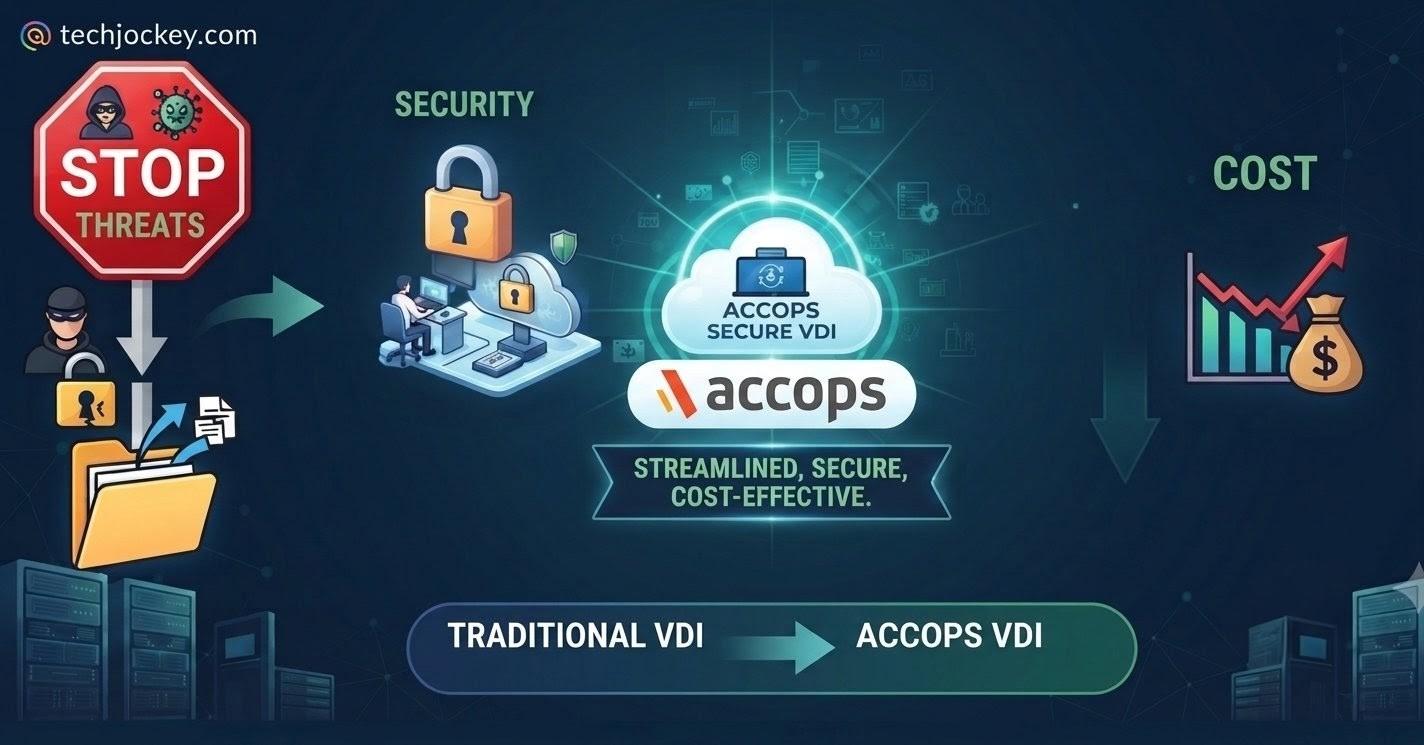
For most enterprises evaluating a VDI platform today, the real pressure points aren’t operational; they are security and cost. A platform that can’t lock down access properly becomes a liability the moment something goes wrong. At the same time, a platform that keeps getting more expensive to run eats into the budget that should be funding other priorities.
Accops VDI is built to address both directly, without asking users to trade away performance or productivity to get there. Keep reading to learn how.
Security exposure is the starting point. Perimeter-based access tools weren’t built for a workforce with no fixed perimeter. Most also offer little visibility at the session level, which means a compromised endpoint or a mishandled credential can go unnoticed longer than it should.
Cost is the second, closely related pressure. Several traditional VDI vendors went through significant ownership changes and licensing shifts starting around 2021. These changes included acquisitions, bundling, and renewal price increases. IT teams are still absorbing the effects of that shift in their budgets today, and it’s a large part of why CIOs continue to evaluate alternatives rather than renew by default.
Operational complexity, running separate consoles for desktops, access, and identity, compounds both problems rather than causing them on its own. It is harder to close a security gap quickly across five disconnected systems, and harder to control cost when every one of those systems renews on its own schedule.
Accops Digital Workspace
Starting Price
Price on Request
Accops VDI applies context before granting access to a session rather than assuming trust once a user is on the network. Sessions are evaluated against user identity, device health, time, and location before a connection opens. Since the desktop itself never leaves the server, data stays inside the data center rather than on the endpoint.
Administrators can restrict data copying between the virtual session and the local device, apply watermarking on sensitive sessions, and turn on session recording where an audit trail is required. None of this requires a separate security product bolted onto the desktop. It is, in fact, part of how the Accops VDI session itself is delivered and managed.
Accops VDI also extends this isolation to the browser itself. Critical or legacy applications can be run through a remote, virtualized browser session rather than opening directly on the endpoint. This keeps the application hidden from the local device and network entirely.
Because Accops VDI supports on-premises, cloud, and hybrid deployment models interchangeably, organizations with strict data-residency or sovereignty requirements aren’t forced into a cloud-only architecture to get these controls.
Critically, none of this depends on user behavior or extra steps at login. The controls sit at the session and infrastructure level, which means tightening security doesn’t translate into a slower or more restrictive experience for the people actually using the desktop day to day.
Accops VDI gives administrators a single pane to provision virtual desktops and applications, monitor active sessions, and push updates across the environment. That replaces the separate dashboards a multi-vendor setup would otherwise require, shortens the ramp-up time for new engineers, and lets a small team push an update to thousands of users in one action.
Onboarding runs through the same console. Assigning a desktop to a new user or revoking access when a contract ends happens from the same screen used to manage the environment, closing a
gap that shows up often in fragmented setups.
That matters for productivity on the IT side specifically. Less time spent switching between tools to close routine access gaps means more time available for the security and performance work that actually needs attention.
Proprietary VDI platforms tie an organization to one hypervisor vendor’s roadmap and whatever pricing that vendor sets next. Accops VDI is hypervisor-agnostic. It runs across Nutanix, VMware, and Microsoft Hyper-V, as well as open-source options like Proxmox, and extends to public cloud environments including Azure, AWS, and GCP.
Enterprises running hybrid infrastructure manage all of it through one platform layer and can shift workloads between private data centers and public cloud without rebuilding the workspace layer end users interact with. That flexibility becomes leverage the next time a hypervisor vendor tries to fold a price increase into a renewal.
Accops Digital Workspace
Starting Price
Price on Request
Running VDI on a single, purpose-built platform removes the license sprawl and integration overhead that come with stitching together multiple tools for the same workload. Fewer standalone components to license, patch, and support lower total cost of ownership over the life of a deployment.
Consolidating onto one VDI vendor also gives finance teams a more predictable renewal cycle than negotiating with several providers on different schedules.
The exact size of that saving depends on the deployment scale and current hardware pricing, which have changed considerably in recent years. Instead of focusing on a fixed percentage, organizations can more reliably benefit from licensing simplicity and fewer integration dependencies.
Desktop virtualization moves compute load off the endpoint and onto central servers, allowing older desktops to continue running as thin clients well beyond the point they would otherwise be retired.
This extends hardware lifespans and reduces e-waste, both of which show up directly in capital planning. It applies whether the endpoint is a managed corporate device or an older personal machine repurposed for work.
Accops Digital Workspace
Starting Price
Price on Request
Locking down security and consolidating vendors doesn’t count for much if the platform then can’t keep up with what people actually need to do their jobs. Most VDI conversations stall out on one objection, i.e., virtual desktops can’t handle compute-intensive work.
Accops VDI addresses this through Photon, Accops’s GPU-accelerated display protocol built for HD video, real-time collaboration, and graphics-heavy applications. It also includes broader platform-level GPU support for higher-end workloads like CAD and engineering tools.
This combination closes a gap that has historically pushed design and engineering teams toward physical workstations even after the rest of the organization had moved to virtual desktops. This is often where security and productivity collide hardest, as the users doing the most sensitive, highest-value work are often the first to be underserved by a locked-down platform.
Everything above describes Accops VDI as a standalone VDI platform, which is what most organizations start with.
For teams that also need Zero Trust access to private applications, centralized MFA and SSO across every app rather than just the desktop, or managed thin client hardware, Accops offers a unified suite called Accops Digital Workspace. It combines Accops VDI with HySecure (ZTNA), HyID (identity and access management), and HyDesk (thin client OS and endpoint management).
The cost argument for going this route usually isn’t about the desktop layer alone. It’s about not having to run separate point products for access, identity, and endpoint management on top of it.
One of the world’s largest systems integrators, supporting more than 350,000 VDI users, moved onto Accops Digital Workspace after its previous VDI provider more than doubled infrastructure costs.
Consolidating onto a single platform allowed it to move its stack to Linux, avoid a separate set of Microsoft licenses tied to the VDI layer, and benefit from better support alongside concurrent-user pricing on a perpetual license.
Accops Digital Workspace
Starting Price
Price on Request
One of the largest payment solutions providers in the Middle East and Africa made a similar move for a different reason. Its existing VDI provider had raised costs, and its growing dependence on a single cloud vendor was becoming a lock-in risk.
It moved to Accops Digital Workspace for the flexibility to run on-premises and in the cloud without being tied to one infrastructure vendor, along with better support and predictable, concurrent-user pricing under a perpetual license.
The platforms enterprises move away from typically fail on one of two fronts, security posture or cost predictability, sometimes both. For CIOs evaluating what comes after their current VDI vendor, the more useful test isn’t whether Accops VDI removes complexity for its own sake; it’s whether it tightens security and lowers cost without asking users to give up productivity to get there.
Real estate developers rely heavily on external broker networks to drive unit sales. That said,… Read More
Admission season can keep college teams busy with unending calls from students seeking information and… Read More
Educational institutions struggle every day with scattered applicant inquiries across digital channels. Delayed counselor responses… Read More
Real estate site tour management often poses significant operational challenge! This rings especially true… Read More
Keeping employees safe is not just legal requirement. It is also essential for smooth… Read More
Building software requires time, efforts, and money in equal measure. But if the same software… Read More

